Skip to content

Want to use Sudonix themes ?
Chitchat
80 5 30.4k 1
  • wrote on last edited by DownPW
    #32

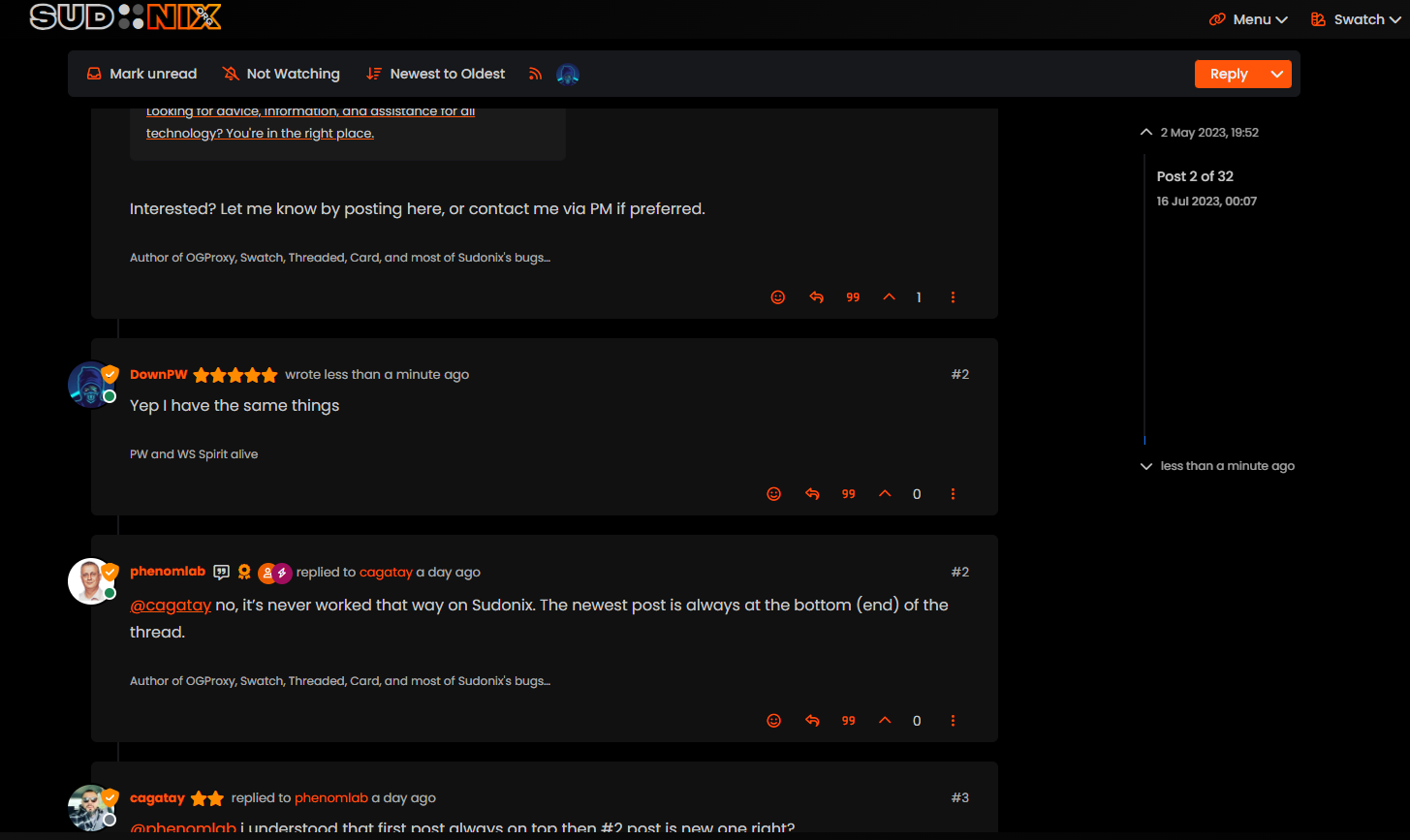
    Yep I have the same things.

    EDIT : I mean same problem as cagatay
    bf6eb622-f0e5-4102-8f9b-ab08752fda68-image.png

  • Yep I have the same things.

    EDIT : I mean same problem as cagatay

    bf6eb622-f0e5-4102-8f9b-ab08752fda68-image.png

    wrote on last edited by phenomlab
    #33

    @DownPW Hmm. That’s different to what I see. Let me have a look.

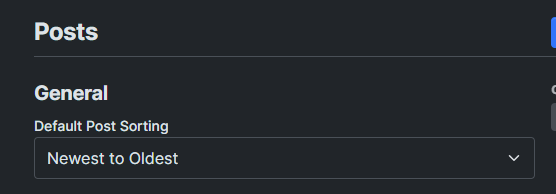
    EDIT: How odd, I don’t remember changing this value

    c4135be9-dac0-4904-9e1c-aa4fae8c1ce0-image.png

    It’s been changed now to “Oldest to Newest”.

  • wrote on last edited by
    #34

    ha ha better now 🙂

  • ha ha better now 🙂

    wrote on last edited by
    #35

    @DownPW There are two places this can be changed. In the ACP, and also in your profile. Strange though as I do not recall changing the global setting.

  • wrote on last edited by
    #36

    Mark hi
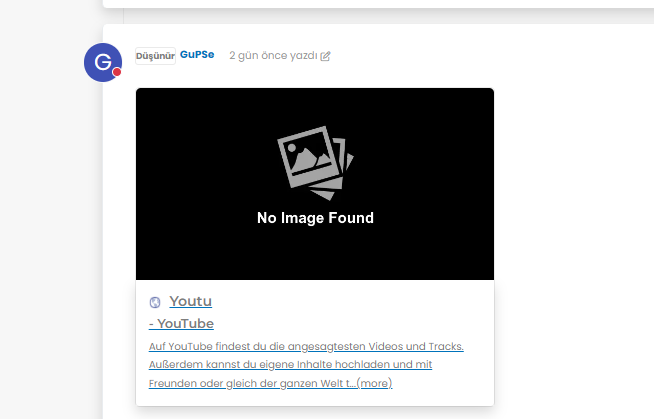
    My youtube links are not working as it should be. photos not shown 😞
    what i sould do?

    image.png
    image.png
    image.png

  • Mark hi
    My youtube links are not working as it should be. photos not shown 😞
    what i sould do?

    image.png
    image.png
    image.png

    wrote on last edited by phenomlab
    #37

    @cagatay Let me have a look at your site. Can you give me the URL where this issue is manifesting itself? Feel free to send it in a PM if you do not want to place it here.

    EDIT - never mind, I found the link.

    From what I see in the console

    Failed to load resource: the server responded with a status of 404 ()
    

    OGProxy cannot retrieve the preview image from the source URL, so attempts to replace it with it’s own image called 404_3.webp. However, this image does not seem to exist in the relative path of /images/404.webp and so the result is what you see in the screenshot.

    To resolve this, download the file 404.webp from the below link, and place this into your OGProxy subdomain inside the folder of images

    https://github.com/phenomlab/ogproxy/tree/main/images

  • wrote on last edited by
    #38

    i did but nothing changed.

  • i did but nothing changed.

    wrote on last edited by
    #39

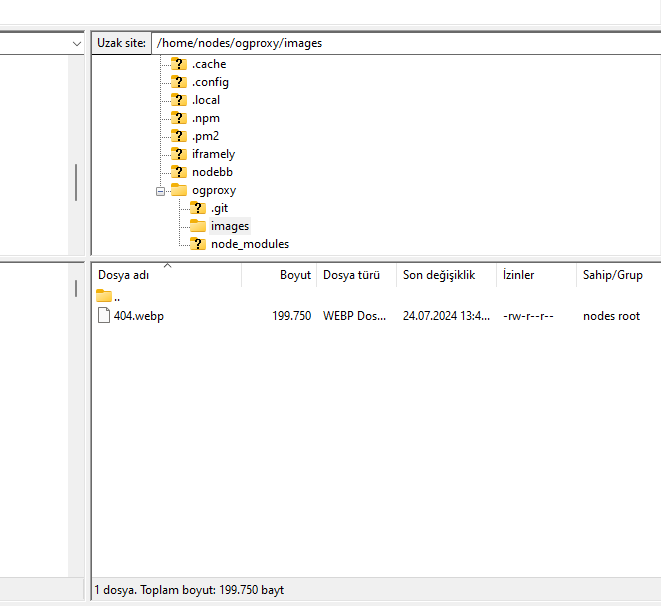
    @cagatay I do not see it in the path I described above. The image is not there - in fact, from what I see, the /images folder does not exist at all?

  • wrote on last edited by
    #40

    here

    image.png

  • here

    image.png

    wrote on last edited by phenomlab
    #41

    @cagatay You’ll need to change the owner of that file as it cannot be read. It’s set currently to root but needs to be the same user as your NodeBB runs under. The images folder needs to be set the same way.

  • wrote on last edited by
    #42

    so i add file as user nodes then i add as root but two times not working correctly.

  • so i add file as user nodes then i add as root but two times not working correctly.

    wrote on last edited by
    #43

    @cagatay I can’t see the image at all. Here’s the output from curl

    HTTP/1.1 404 Not Found
    Server: nginx
    Date: Wed, 24 Jul 2024 11:42:02 GMT
    Content-Type: text/html
    Content-Length: 146
    Connection: keep-alive
    
  • wrote on last edited by
    #44

    i cant understand what i should to do,
    folder images i have, i added your file as user and root but not worked …

  • i cant understand what i should to do,
    folder images i have, i added your file as user and root but not worked …

    wrote on last edited by
    #45

    @cagatay I’ll have a look

  • wrote on last edited by
    #46

    thank you Mark.

  • thank you Mark.

    wrote on last edited by
    #47

    @cagatay Should be working now. I found the issue - your nginx.conf file was set incorrectly. It was set to

      location /images {
        index index.php index.htm index.html;
        root /homes/nodes/ogproxy;
      }
    

    Should have been

      location /images {
        index index.php index.htm index.html;
        root /home/nodes/ogproxy;
      }
    

    Basically, homes needed to be home 🙂

  • wrote on last edited by cagatay
    #48

    hahahah 🙂 it was very easy for you but for me not same 🙂

    thank you Mark for all.

    but as i see there is a problem for image founding,
    8a7e2dc6-4afb-4f03-8a2c-7d5141816612-image.png

  • hahahah 🙂 it was very easy for you but for me not same 🙂

    thank you Mark for all.

    but as i see there is a problem for image founding,

    8a7e2dc6-4afb-4f03-8a2c-7d5141816612-image.png

    wrote on last edited by
    #49

    @cagatay It’s not an issue. The reason as to why OGProxy uses it’s own image is because the provided URL does not present one. This is for a variety of reasons - often to do with security and image scraping. If you want to embed YouTube videos, you should consider using nodebb-plugin-ns-embed for this purpose.

  • wrote on last edited by
    #50

    Mark hi
    As you know i m using your theme and codes.
    My users want to biz size avatar, could we do it?
  • Mark hi
    As you know i m using your theme and codes.
    My users want to biz size avatar, could we do it?

    wrote on last edited by
    #51

    @cagatay can you elaborate? Not sure what you’re referring to.


Related Topics
  • Who uses Flarum?

    Chitchat flarum forum
    22
    7 Votes
    22 Posts
    8k Views
    phenomlab
    @Madchatthew I use it here. It is faster, but not sure if that extends to build times.
  • CSS codes to prevent votes to disappear

    Solved Customisation nodebb
    3
    1 Votes
    3 Posts
    1k Views
    crazycells
    @phenomlab yes, it is thanks a lot…
  • Custom html in nodebb to prevent cache

    Unsolved Configure nodebb
    18
    2 Votes
    18 Posts
    5k Views
    phenomlab
    @Panda You’ll need to do that with js. With some quick CSS changes, it looks like this [image: d619844f-fbfe-4cf1-a283-6b7364f6bf18-image.png] The colour choice is still really hard on the eye, but at least you can now read the text
  • www. Infront stops website access?

    Solved Configure nodebb
    10
    1 Votes
    10 Posts
    3k Views
    phenomlab
    @Panda because there is no match for the DNS entry specified. The receiving web server parses the headers looking for a destination hostname to match, and anything the web server is unable to resolve will be sent back to the root.
  • SEO and Nodebb

    Performance nodebb seo
    2
    2 Votes
    2 Posts
    2k Views
    phenomlab
    @Panda It’s the best it’s ever been to be honest. I’ve used a myriad of systems in the past - most notably, WordPress, and then Flarum (which for SEO, was absolutely dire - they never even had SEO out of the box, and relied on a third party extension to do it), and NodeBB easily fares the best - see below example https://www.google.com/search?q=site%3Asudonix.org&oq=site%3Asudonix.org&aqs=chrome..69i57j69i60j69i58j69i60l2.9039j0j3&sourceid=chrome&ie=UTF-8#ip=1 However, this was not without significant effort on my part once I’d migrated from COM to ORG - see below posts https://community.nodebb.org/topic/17286/google-crawl-error-after-site-migration/17?_=1688461250365 And also https://support.google.com/webmasters/thread/221027803?hl=en&msgid=221464164 It was painful to say the least - as it turns out, there was an issue in NodeBB core that prevented spiders from getting to content, which as far as I understand, is now fixed. SEO in itself is a dark art - a black box that nobody really fully understands, and it’s essentially going to boil down to one thing - “content”. Google’s algorithm for indexing has also changed dramatically over the years. They only now crawl content that has value, so if it believes that your site has nothing to offer, it will simply skip it.
  • Gettin Erors NodeBB

    Solved Configure nodebb eror
    7
    0 Votes
    7 Posts
    2k Views
    cagatay
    @phenomlab no forum is working goods. there is no eror message since yestarday.
  • 0 Votes
    5 Posts
    2k Views
    phenomlab
    @qwinter this particular site uses the code I wrote if you want to see it in action. It’s a information and intelligence gatherer I designed for collecting various information security articles from around the globe and consolidating them in one place. Essentially, each “post” is in fact generated by the script, and the NodeBB API. https://hostrisk.com/
  • NodeBB 1.19.3

    Solved Performance nodebb 1.19.3 performance
    33
    4 Votes
    33 Posts
    16k Views
    DownPW
    @phenomlab I find the problem Mark The error message indicated this path : http://localhost:4567/assets/plugins/nodebb-plugin-emoji/emoji/styles.css?v=6983dobg16u I change the path url on config.json [image: 47bacc80-f141-41e4-a261-3f8d650cc6f6-image.png] And all it’s good Weird, I didn’t have to change that path before 1.19.3 But this does not prevent the problem from a clean install with Emoji Plugin EDIT: After test, that resolv the problem installation for 1.18.x but not for 1.19.x (I have other error message when I run ./nodebb Setup For resume: NodeJS 16_x with 1.18.x is ok