Skip to content

Want to use Sudonix themes ?
Chitchat
80 5 30.4k 1
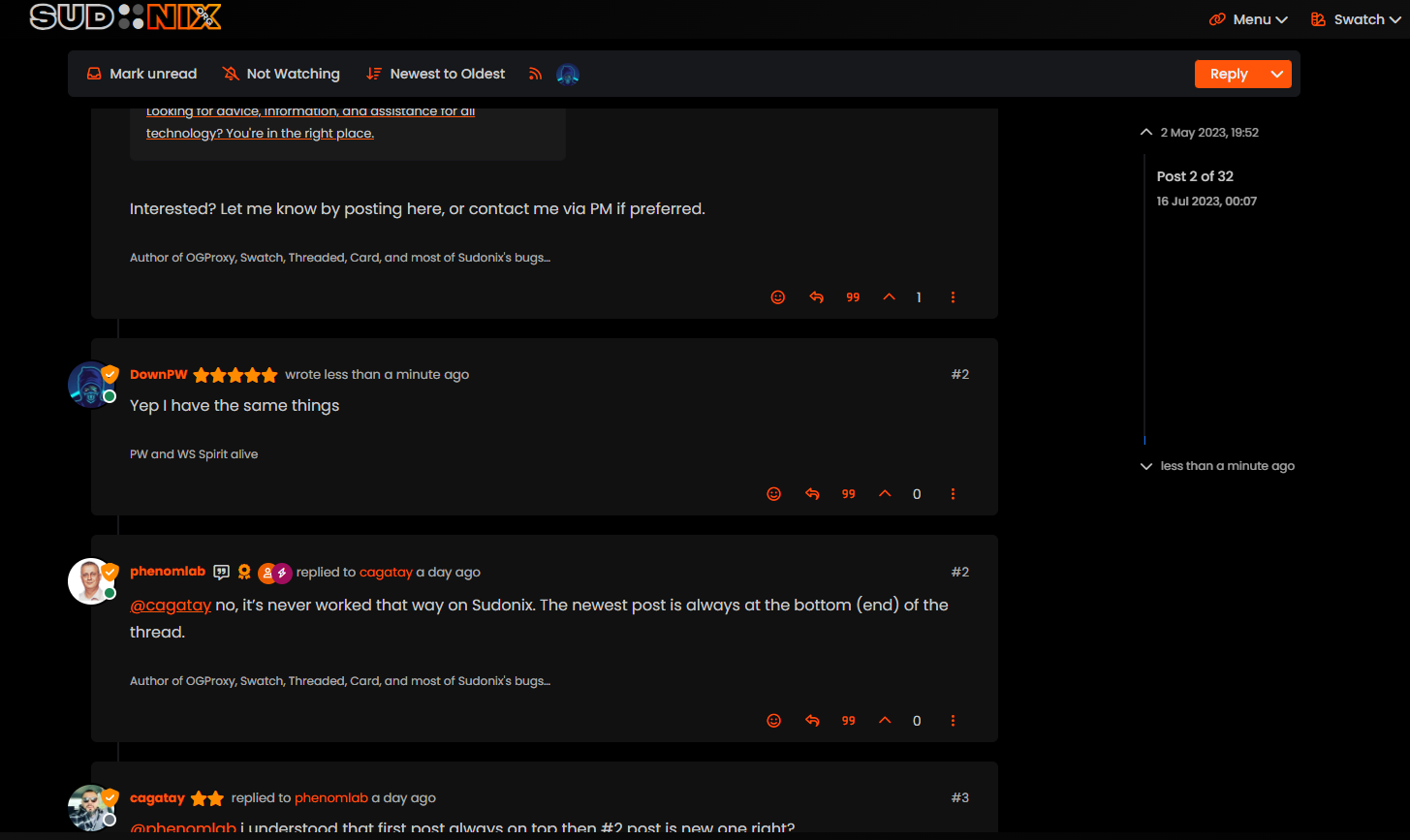
  • Yep I have the same things.

    EDIT : I mean same problem as cagatay
    bf6eb622-f0e5-4102-8f9b-ab08752fda68-image.png

    wrote on last edited by phenomlab
    #33

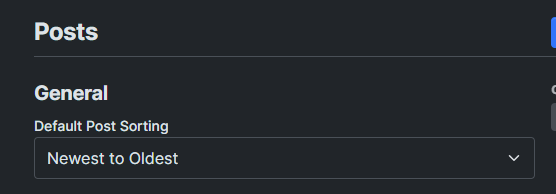
    @DownPW Hmm. That’s different to what I see. Let me have a look.

    EDIT: How odd, I don’t remember changing this value

    c4135be9-dac0-4904-9e1c-aa4fae8c1ce0-image.png

    It’s been changed now to “Oldest to Newest”.

  • wrote on last edited by
    #34

    ha ha better now 🙂

  • ha ha better now 🙂

    wrote on last edited by
    #35

    @DownPW There are two places this can be changed. In the ACP, and also in your profile. Strange though as I do not recall changing the global setting.

  • wrote on last edited by
    #36

    Mark hi
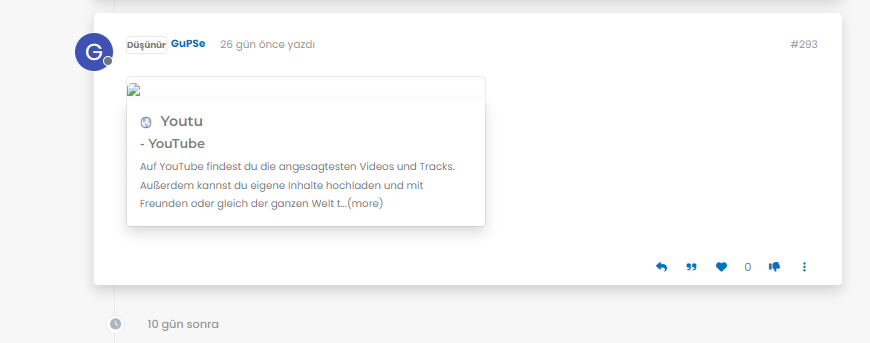
    My youtube links are not working as it should be. photos not shown 😞
    what i sould do?

    image.png
    image.png
    image.png

  • Mark hi
    My youtube links are not working as it should be. photos not shown 😞
    what i sould do?

    image.png
    image.png
    image.png

    wrote on last edited by phenomlab
    #37

    @cagatay Let me have a look at your site. Can you give me the URL where this issue is manifesting itself? Feel free to send it in a PM if you do not want to place it here.

    EDIT - never mind, I found the link.

    From what I see in the console

    Failed to load resource: the server responded with a status of 404 ()
    

    OGProxy cannot retrieve the preview image from the source URL, so attempts to replace it with it’s own image called 404_3.webp. However, this image does not seem to exist in the relative path of /images/404.webp and so the result is what you see in the screenshot.

    To resolve this, download the file 404.webp from the below link, and place this into your OGProxy subdomain inside the folder of images

    https://github.com/phenomlab/ogproxy/tree/main/images

  • wrote on last edited by
    #38

    i did but nothing changed.

  • i did but nothing changed.

    wrote on last edited by
    #39

    @cagatay I do not see it in the path I described above. The image is not there - in fact, from what I see, the /images folder does not exist at all?

  • wrote on last edited by
    #40

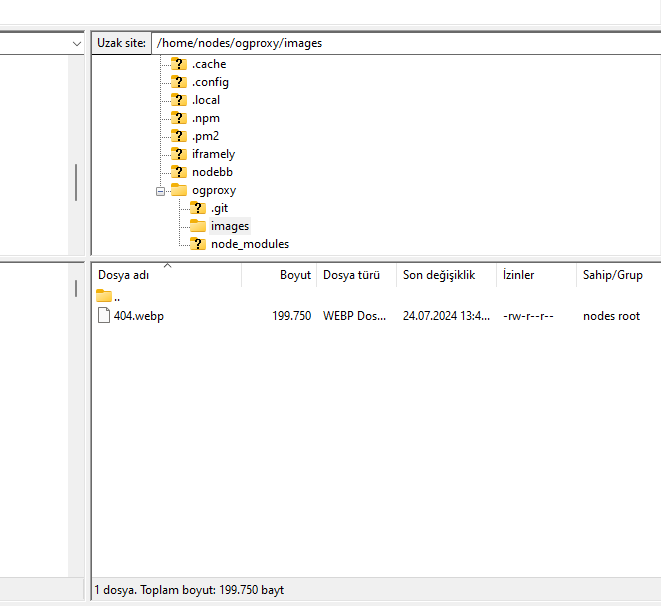
    here

    image.png

  • here

    image.png

    wrote on last edited by phenomlab
    #41

    @cagatay You’ll need to change the owner of that file as it cannot be read. It’s set currently to root but needs to be the same user as your NodeBB runs under. The images folder needs to be set the same way.

  • wrote on last edited by
    #42

    so i add file as user nodes then i add as root but two times not working correctly.

  • so i add file as user nodes then i add as root but two times not working correctly.

    wrote on last edited by
    #43

    @cagatay I can’t see the image at all. Here’s the output from curl

    HTTP/1.1 404 Not Found
    Server: nginx
    Date: Wed, 24 Jul 2024 11:42:02 GMT
    Content-Type: text/html
    Content-Length: 146
    Connection: keep-alive
    
  • wrote on last edited by
    #44

    i cant understand what i should to do,
    folder images i have, i added your file as user and root but not worked …

  • i cant understand what i should to do,
    folder images i have, i added your file as user and root but not worked …

    wrote on last edited by
    #45

    @cagatay I’ll have a look

  • wrote on last edited by
    #46

    thank you Mark.

  • thank you Mark.

    wrote on last edited by
    #47

    @cagatay Should be working now. I found the issue - your nginx.conf file was set incorrectly. It was set to

      location /images {
        index index.php index.htm index.html;
        root /homes/nodes/ogproxy;
      }
    

    Should have been

      location /images {
        index index.php index.htm index.html;
        root /home/nodes/ogproxy;
      }
    

    Basically, homes needed to be home 🙂

  • wrote on last edited by cagatay
    #48

    hahahah 🙂 it was very easy for you but for me not same 🙂

    thank you Mark for all.

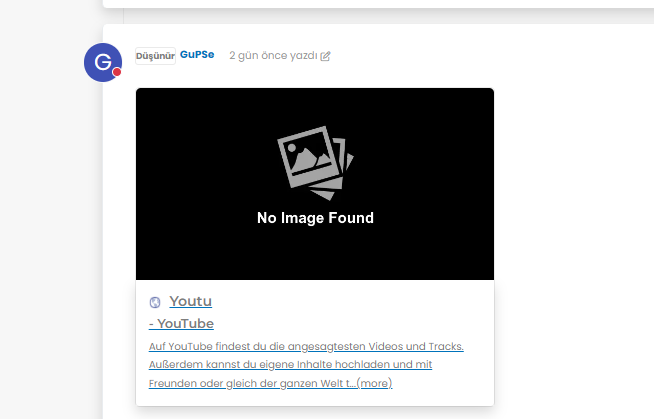
    but as i see there is a problem for image founding,
    8a7e2dc6-4afb-4f03-8a2c-7d5141816612-image.png

  • hahahah 🙂 it was very easy for you but for me not same 🙂

    thank you Mark for all.

    but as i see there is a problem for image founding,

    8a7e2dc6-4afb-4f03-8a2c-7d5141816612-image.png

    wrote on last edited by
    #49

    @cagatay It’s not an issue. The reason as to why OGProxy uses it’s own image is because the provided URL does not present one. This is for a variety of reasons - often to do with security and image scraping. If you want to embed YouTube videos, you should consider using nodebb-plugin-ns-embed for this purpose.

  • wrote on last edited by
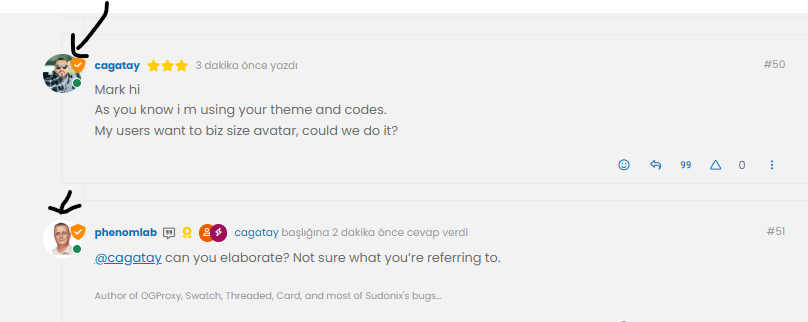
    #50

    Mark hi
    As you know i m using your theme and codes.
    My users want to biz size avatar, could we do it?

  • Mark hi
    As you know i m using your theme and codes.
    My users want to biz size avatar, could we do it?

    wrote on last edited by
    #51

    @cagatay can you elaborate? Not sure what you’re referring to.

  • wrote on last edited by
    #52

    size of avatar we can do it big one?

    image.png


Related Topics
  • Upgrade issues

    Solved Configure nodebb
    2
    1
    2 Votes
    2 Posts
    1k Views
    DownPW
    Use this code git fetch # Grab the latest code from the NodeBB repository git checkout v3.x git reset --hard origin/v3.x And you will have the latest version without specifying it https://docs.nodebb.org/configuring/upgrade/
  • IMPORTANT: Theme / Swatch changes

    Announcements swatch themes
    4
    4
    6 Votes
    4 Posts
    2k Views
    phenomlab
    @cagatay these changes aren’t published anywhere presently, so nothing for you to do.
  • Fixed background to nodebb forum

    Solved Configure nodebb
    25
    4 Votes
    25 Posts
    10k Views
    phenomlab
    @Panda said in Fixed background to nodebb forum: Chatgpt told me the ::before method. Go figure
  • Theme retirement

    Announcements themes switcher
    21
    16 Votes
    21 Posts
    9k Views
    phenomlab
    I relented somewhat here and added another swatch - one I missed, which was previous called “blackout”. This specific one has been adapted to work on the new theming engine, but the others have been reclassified, and renamed to suit. [image: image.png] As a result, the theme you might have had will probably be reflecting something else, so you (might) need to change your themes accordingly. The changes are as follows Light -> No Change Cloudy -> Is now the old “Dim” Dim -> Is now the old “Dark” Dark -> Now a new theme based on the revamped “Blackout”
  • Can you adjust Admin settings on your NodeBB?

    Bugs nodebb
    5
    0 Votes
    5 Posts
    2k Views
    phenomlab
    @Panda as, yes, now I understand and that makes 100% sense. It means those who get down voted can still have an opinion and use common services. And yes, you’re right. Rather than down vote, just ignore if you don’t agree.
  • Further Widgets question

    Solved Configure nodebb
    4
    1
    1 Votes
    4 Posts
    2k Views
    phenomlab
    @Panda category is for a category in its own, so for example, “fruit” whereas categories is the page that contains all categories as a list.
  • NodeBB: updating Admin details not working

    Solved Configure nodebb admin
    17
    3 Votes
    17 Posts
    5k Views
    phenomlab
    @mventures Ok. No issues
  • Detect if user is admin

    General nodebb javascript code
    2
    0 Votes
    2 Posts
    2k Views
    phenomlab
    @pwsincd I think you can use userData.isAdmin = isAdmin; if I’m not mistaken - see https://community.nodebb.org/topic/15128/how-to-hide-whitelist-user-field-only-to-owner-or-admin?_=1648802303112 for an example