Skip to content

World

Topics from outside of this forum. Views and opinions represented here may not reflect those of this forum and its members.

A world of content at your fingertips…

Think of this as your global discovery feed. It brings together interesting discussions from across the web and other communities, all in one place.

While you can browse what's trending now, the best way to use this feed is to make it your own. By creating an account, you can follow specific creators and topics to filter out the noise and see only what matters to you.

Ready to dive in? Create an account to start following others, get notified when people reply to you, and save your favorite finds.

Register Login
  • JAC

    I remember @phenomlab saying he only trusts Nord VPN. I looked and compared all the top 5 VPNs last night and Nord usually does come out on top above Proton and Express VPN which seems to have fallen by the way side.

    Do you think Nord’s popularity is because of their aggressive marketing campaigns, the fact YouTube creators will get more from an affiliate link from Nord than another competitor so put it as number 1, or do you think It’s probably a mix because the product delivers?


    @JAC this is a good question and certainly one that will trigger debate. Nord has a good track record for privacy with a no log policy, and has an independent audit to certify this as fact. They also have the most number of servers scattered around the globe and also pioneered NordLynx which is based on the their existing Wireguard protocol. I suspect much of their popularity comes down to their marketing as you suggest with YouTube influencers and affiliate links, although they aren’t the only brand leveraging this area.
  • Madchatthew

    Hello,

    I would like everyone’s input regarding who you would use for an email service. It is a lot of work keeping one’s own email service up and running. It takes a lot of time, it is fun, but I think I can use that time keeping it up and running for more productive use of my time.

    I appreciate your input. Thank you!


    I use Proton Mail mostly and recommend it. There’s some good alternatives here though - https://europealternative.com/category/email-communication/ https://www.reddit.com/r/NoStupidQuestions/comments/1vrrml3/what_is_a_good_email_provider/
  • DownPW

    Hi @phenomlab

    As seen in pm, I open this topic to follow the 2 following ones:

    https://sudonix.org/topic/200/nodebb-reply-button-arrow-answer/24

    https://sudonix.org/topic/179/nodebb-css-style-sheets-selectbox/109

    – For the submit button, on new Topic and reply to a topic, ll work great with default theme (CSS code in ACP) but I end up with some bugs on my Custom themes 😞

    – I copied your code for the button in the ACP/custom CSS (for default theme)

    .btn-group>.btn:last-child:not(:first-child), .btn-group>.dropdown-toggle:not(:first-child) {
      margin-left: -3px;
    }
    .btn-group>.btn:not(:first-child):not(:last-child):not(.dropdown-toggle):hover {
      border-top-right-radius: 0px;
      border-bottom-right-radius: 0px;
    }
    button.btn.btn-primary.composer-submit:hover {
        border-top-right-radius: 4px !important;
        border-bottom-right-radius: 4px !important;
    }
    .btn .caret {
      margin-left: 2px;
    }
    .btn-group>.btn:not(:first-child):not(:last-child):not(.dropdown-toggle) {
      border-radius: 0px;
      border-top-right-radius: 4px;
      border-bottom-right-radius: 4px;
      margin-left: 0px;
    }
    

    – Ref to the topic I add this :

    .btn-primary {
        color: #fff;
        background-color: #337ab7;
        border-color: #337ab7;
    }
    

    – After several hours of testing and research, I think I have variable conflicts in the custom CSS and I can’t get by anymore 🙂

    I list the bugs below to fix here.

    I can give you access to modify the CSS file as you wish and do some tests.
    A backup of the file is made so it doesn’t matter.

    If you can help me with one CSS and explain what you do exactly (delete, add, modfy), I can reproduce on the other themes

    !! I give you access and information on PM !!


    Bug found. (Maybe other, if you can see that too).

    – Problem due to small hack, can be avoided by changing hover color (color a bit darker like in default theme) or other hack:

    Reply button topic

    – Same problem on chat edit button:
    chat edit button

    – Same problem on advanced search/Save preference button:
    Save preference button

    Thanks in advance


    mark hi, Refused to apply style from ‘https://efelsefe.com/assets/customfonts/FontAwesome-6-Pro/pro/css/v4-font-face.css’ because its MIME type (‘text/plain’) is not a supported stylesheet MIME type, and strict MIME checking is enabled. I keep getting this error.
  • Madchatthew

    I want to start out and say that, no, I am not Linux flavor jumping around. I was curious with how Fedora would be as a server. There is a community server that is built for use, so I downloaded that. My impression of this setup is a good one.

    I installed Fedora Server in a virtual machine on Arch Linux, Arc Linux has been my daily driver for quite some time now. I believe it has been over a year, but maybe I am just not good at keeping track of time. Anyway, I installed Fedora Server on a virtual machine. Now Virtualmin doesn’t have Fedora listed on it’s Grade A Supported Systems list, but it is on their Grade B Supported Systems list. So I thought, well why not. I really like Fedora so let’s try it.

    With a fresh install of Fedora Server installed, I downloaded script and after a few attempts with which switches to use, Virtualmin was up an running in no time. I went through the Virtualmin setup process via the web page and viola! I was then able to use Virtualmin on Fedora Server and it looks and feels exactly the same. It runs quick on Fedora Server as well.

    So why would I do this you ask? Let me tell you! Because I wanted to see if it would even work. Then i thought well if it did work, then maybe that might even be a more stable way of running a web server without having to reinstall the whole operating system everytime the OS is upgraded. Which was the whole reason I moved to Arch Linux. Which by the way is running fantastically well. The email software had a major breaking update, but that didn’t have anything to do with Arch Linux.

    My thinking was that if I ever have to build a new server, I just may use Fedora. You aren’t using the newest rolling updates like in Arch Linux, so your upgrades in between versions would be longer. Speaking of upgrades, I have a couple of Fedora Servers running on two different machines using virtual machine.

    I performed the upgrades on each of them. One I was on the machine itself, and the other I remoted into. Of course the upgrade process is different. You need to upgrade your system using sudo dnf update and then letting the system update. To update to the lates version of the OS you have to use sudo dnf system-upgrade download --releasever=XX with “XX” being the latest version. Then you run sudo dnf system-upgrade reboot and this is where the magic happens. Now you get disconnected in the terminal, but with the Virtual Machine Manager you can open that and see what is happening. I watched the upgrade go through it’s process, which was just showing so many files out of so many files being updated but then when it was done, Fedora Server rebooted itself and I was able to remote back in and verify that it was indeed upgraded.

    I went into Virtualmin and did some refreshing and Virtualmin also verified that the latest Fedora Server was running. The websites were back up that I just threw together to test and everything was running right as rain.

    So you could say that I am impressed with how Fedora Server is holding up. One of the downsides, is that when you do upgrade the OS to the newest version, your sites are down for that amount of time. Unlike with Arch Linux your sites are only down for however long it takes to reboot. So there are some trade offs there.

    With Fedora Server you get a little longer in between upgrades, so the chances of things breaking are less. I do have to say that so far with Arch Linux and the rolling releases, I have not yet had anything break from doing upgrades.


  • Madchatthew

    Not really though haha. My father-in-law called me on Sunday and had some questions about his computer. He stated that he had windows 10 installed. Come to find out that the laptop isn’t compatible with windows 11 and he was going to buy a new laptop. Then he asked about, how about installed the other operating system Linux. I told him yes definitely do that so you don’t have to buy a new one. Then you can at least try it out and see if it is doing what you need it to do and if not buy a new one later.

    So he asked if he could drive 1.5 hours to our place and have me install Linux for him. I said sure, come on over! So when he packed up his laptop he remembered that he had bought another one and forgot about it.

    Back to the first laptop in a minute. So the rediscovered laptop was compatible with and had windows 11 installed. However, it wouldn’t boot up to windows 11 so i thought since they haven’t done anything that i would just reset it and see if it would work then. But then the bit protector app, that I forgot the name of, kicked in and blocked me from doing anything. He didn’t have the recovery key and didn’t remember if he even received one from the place he bought it from. He bought the laptop for $150 from a place that buys them from a company and such. So he decided to have me install Linux on that one as well.

    Now back to our regularly scheduled story. So I backup the data on both drives and proceed to wipe the drives and install Linux. Now you may be wondering what flavor of Linux did I choose. I almost installed Arch Linux but i didn’t, because they wouldn’t have been able to keep up with all the updates and such through the terminal. They would have hated it. So I decided to install Fedora KDE Plasma Linux. This way they would have more updated software but not the latest and it would be more stable. They also wouldn’t have to end up installing from scratch a new version of the operating system like I have had to do many times, except with Arch and Fedora.

    So I was able to get Fedora installed and let me tell you, those computers were sssoooooo much faster. The one that he had forgotten about was even faster than the one he called about. Fedora ran so fast on them, I was impressed. All they do is use them for internet, like youtube, facebook and accessing online accounts and such.

    I showed him how to update them when the icon appears and do perform those updates and he should be good to go. At some point I will get it so I can remote into the laptops and help keep them updated and such here and there or when he has trouble. It will make it easier for the both of us.

    So that is my new Linux story of torturing my parent’s-in-laws with Linux and making them learn something new haha! At least they are willing to try and see how it goes. If they just don’t like it, then I may offer to buy those laptops and use them for something around the house and such. We will see.

    Thanks for reading and I really do enjoy this community.


    @DownPW once you leave windows for Linux, you don’t ever go back.
  • Madchatthew

    I have my arch server web host setup and running. I have Nginx, Mariadb, PHP, PHP-fpm and phpmyadmin. I have each website under it’s own user in the home directory to keep the sites separate and more secure. I have to say that it was a lot of fun to set it up and I have been learning a lot in regards to arch linux and setting things up and such.

    I am currently in the process of installing the email server using postfix, dovecot and postfixadmin. By setting this up manually, I have been learning a lot with how an email server works and such. One of the things I have learned is that most of the tutorials are for Debian or Ubuntu or one of the other more popular OSs. I have been using a tutorial not for Arch but then also referencing Arch instructions to complement the tutorial.

    It has been a lot of fun. I have been updating my dev environment every couple of day and verifying that things are working. Then once a week I have been updating my production server. I update my dev environment every couple of days so that if I need the latest update for security reasons or what have you, I can do the update on the production server sooner to cover whatever may be happening.

    I know I have a lot more to learn and look forward to that as well. So far this has been a fun journey and I look forward to learning more.


    @phenomlab I think I am going to switch to this theme eventually. The one I have is ok, but the price for this theme and what you get with it is really good. The business has broken even and is actually making some money now. We will see what the future holds. I am hoping to start getting enough business so I am behind 2 to 3 months. So we will see. My Arch web server has been working great! No issues with it so far. The only thing lately was the mail server software being updated, and they broke everything. I was able to make the required changes and get it back working and it has been working amazingly so far. I am still really happy I switched to Arch Linux Server and I haven’t had to reinstall the whole operating system due to this switch.
  • phenomlab

    Hi all,

    I’ve been working on a self-coded replacement for iFramely, and I now have a workable solution that

    • Is able to bypass CORS restrictions
    • Gets data as the client, so zero server load
    • Gets as close to iFramely hosted in terms of look and feel
    • Uses a cors-proxy with cache, so any data held in cache is used before the browser makes any requests
    • Super fast
    • Uses 100% proprietary code written by Phenomlab
    • Most importantly, it’s completely FREE.

    It’s not perfect, and has some bugs (you’ll no doubt see these pop up from time to time) - but it’s working at around 97%, and active on this forum (yes, it’s running in PROD 🙂 )

    Here’s the CORS proxy running with node-cache

    465b6344-7772-4750-bdb4-f66a134e1c19-image.png

    Here’s what the unfurled links look like

    d4bf4eb9-cdf2-429c-90e7-9d0adc932d4a-image.png

    It’ll inherit the CSS of your site (potentially - you might have to make some minor changes).

    You can see it in action by just visiting posts that have an external URL in them. A good example is this link

    https://sudonix.org/topic/138/ai-a-new-dawn-or-the-demise-of-humanity

    I know most members here want this, so decided to write my own 🙂 It’s not quite “ready” yet, but will be soon.

    Any takers?


    OGProxy : Other Memory Saturation Root Cause & Fix OGProxy was periodically saturating server RAM and swap (up to ~4 GB of arrayBuffers, swap fully consumed), causing multi-minute service degradation. After tracing through several misleading leads, the root cause was identified: OGProxy was downloading entire file-host link bodies into memory when trying to generate previews. On a file-sharing forum, links to file hosts (1fichier, etc.) are everywhere. When OGProxy received a URL like https://1fichier.com/?xxxx, it attempted to “preview” it, but that URL is a direct file download (Content-Type: application/octet-stream, Content-Length: 20.6 GB). OGProxy pulled the file into memory. Critically, neither open-graph-scraper’s downloadLimit nor an AbortController stopped this, verified by reproduction: arrayBuffers climbed ~120 MB/s past 4 GB while the abort timeout was ignored. Diagnostic path (for reference) We instrumented the process with a /debug/mem endpoint exposing process.memoryUsage() + cache size, plus a 30-second sampling trace. This let us correlate memory spikes with nginx access logs. The trace showed arrayBuffers jumping from 0 → 457 → 3669 MB in ~5 minutes, correlated via nginx log to a single GET on a 1fichier link. The cache, EventEmitter listeners, and image links were all ruled out as primary causes (cache stayed at <30 entries during the spike; heapUsed stayed low; only arrayBuffers leaked). A representative slice of the trace at the moment of the spike: 11:24:39 arrayBuffers=0 rss=161 11:25:09 arrayBuffers=457 rss=427 <- jump in one 30s sample 11:25:39 arrayBuffers=884 11:26:09 arrayBuffers=1437 ... 11:30:09 arrayBuffers=3669 No OGProxy fail log line appeared during the spike window, the offending request neither failed nor completed; it was an in-progress, never-ending download. The nginx access log for that minute pointed at the 1fichier GET. Root cause open-graph-scraper (ogs) performs its own internal fetch, and for these URLs: The downloadLimit option does not reliably abort the body download on streamed / chunked responses or on hosts that serve large application/octet-stream payloads. An AbortController passed via fetchOptions.signal does not propagate to the underlying stream read in a way that stops the transfer in time. Result: a single large file-host link could pull multiple GB into arrayBuffers before anything intervened. The fix: bounded streaming fetch The structural problem is that ogs() controls the fetch and we don’t control body consumption. The fix moves the fetch into our own code so we control every byte read: boundedFetch(url, maxBytes, timeoutMs) performs the HTTP fetch itself, then: Re-checks the final host for SSRF after redirects. Rejects any non-text/html / application/xhtml Content-Type before reading the body (aborts immediately). Reads the body chunk-by-chunk via resp.body.getReader(), tracking total bytes, and hard-aborts at 5 MB regardless of what the server claims. The retrieved HTML is then handed to ogs for parsing only: ogs({ html }). This makes the protection structural rather than cooperative: no file host can leak memory regardless of whether it honors HEAD, serves chunked, or misreports headers. Important ogs constraint You must call ogs({ html }) alone. Passing { html, url } together throws: Must specify either `url` or `html`, not both Because url is omitted, ogs cannot resolve relative og:image paths. This is fine here: the ACP client already resolves relative image paths itself (isFullPath() + host + imageUrl), so no client-side change was required. Other hardening applied in the same pass Cache: replaced memory-cache (which creates a per-entry setTimeout that retains the cached object, a secondary leak) with a plain Map using lazy expiry + a single sweep interval. Stored value is slimmed via slimResult(): only error + result + HTML truncated at </head> (preserves <title>, drops the multi-MB body and the undici response object). Cap 300 entries, 30 min TTL, 10 min negative-cache TTL. Negative cache: failed/rejected URLs are cached to prevent re-scrape hammering from the client. SSRF guards (three layers): static host/IP blocklist (private ranges, loopback, link-local, CGNAT, IPv6 ULA/link-local), DNS resolution check, and post-redirect re-validation of the final host. (Also backed at the OS level by systemd IPAddressDeny on the unit.) AbortController + clearTimeout in finally to stop the earlier MaxListenersExceededWarning listener leak on timed-out requests. nginx rate limit: limit_req_zone (10 r/s, burst 50, nodelay, returns 429) on the /ogproxy location. The API key is necessarily exposed client-side (it ships in the ACP JS), so it provides no real protection on its own; the rate limit is the actual abuse mitigation. systemd guard rail: MemoryMax=512M / MemoryHigh=400M so OGProxy can never take the whole box down again, this was the silent hero that kept the server alive throughout diagnosis. Validation Test URL Expected Result https://1fichier.com/?xxxx (20.6 GB) reject, no body read 415, arrayBuffers stays 0 Direct image (pbs.twimg.com/...jpg) reject on content-type 415 https://github.com full preview 200, OG title/image/description, HTML truncated at </head> Process idles at ~100 MB RSS; under load heapUsed oscillates and returns to baseline (no step-up accumulation). Reproduction of the bounded fetch against the 20.6 GB link, confirming zero body is pulled: arrayBuffers AVANT: 0 MB pendant: 0 MB Resultat 1fichier: REJETE: non-HTML content-type: application/octet-stream arrayBuffers APRES: 0 MB Note on dependencies Reproduced on open-graph-scraper 6.1.0 / undici 5.22.1 / Node 24. The unreliable downloadLimit behavior may be version-specific; a newer undici might handle aborts on large streams better. The bounded-fetch approach is robust regardless of the underlying library version, so it is the recommended long-term fix. Appendix A: Full server.js const express = require('express'); const ogs = require('open-graph-scraper'); const cors = require('cors'); const { URL } = require('url'); const dns = require('dns').promises; const net = require('net'); require('events').EventEmitter.defaultMaxListeners = 50; const app = express(); const port = 2000; const apiKey = process.env.OGPROXY_API_KEY || '<API_KEY>'; const REQUEST_TIMEOUT = 12000; const MAX_CONTENT_BYTES = 5 * 1024 * 1024; // 5 MB hard cap on body const CACHE_TTL_MS = 30 * 60 * 1000; const FAIL_CACHE_TTL_MS = 10 * 60 * 1000; const CACHE_MAX_ENTRIES = 300; const MAX_REDIRECTS = 3; // --- Map cache (lazy expiry, no per-entry timers) --- const cacheStore = new Map(); function cacheGet(key) { const e = cacheStore.get(key); if (!e) return null; if (Date.now() > e.expires) { cacheStore.delete(key); return null; } return e.value; } function cacheSet(key, value, ttl) { if (cacheStore.size >= CACHE_MAX_ENTRIES) { cacheStore.delete(cacheStore.keys().next().value); } cacheStore.set(key, { value, expires: Date.now() + ttl }); } setInterval(() => { const now = Date.now(); for (const [k, e] of cacheStore) if (now > e.expires) cacheStore.delete(k); }, 60 * 1000).unref(); function slimResult(results) { if (!results || typeof results !== 'object') return results; let slimHtml = ''; if (typeof results.html === 'string') { const headEnd = results.html.search(/<\/head>/i); slimHtml = headEnd !== -1 ? results.html.slice(0, headEnd + 7) : results.html.slice(0, 8192); } return { error: results.error, result: results.result, html: slimHtml }; } function isBlockedIp(ip) { if (!ip) return true; if (net.isIPv4(ip)) { const p = ip.split('.').map(Number); if (p[0] === 10) return true; if (p[0] === 127) return true; if (p[0] === 0) return true; if (p[0] === 169 && p[1] === 254) return true; if (p[0] === 192 && p[1] === 168) return true; if (p[0] === 172 && p[1] >= 16 && p[1] <= 31) return true; if (p[0] === 100 && p[1] >= 64 && p[1] <= 127) return true; return false; } if (net.isIPv6(ip)) { const v = ip.toLowerCase(); if (v === '::1') return true; if (v.startsWith('fc') || v.startsWith('fd')) return true; if (v.startsWith('fe80')) return true; if (v.startsWith('::ffff:')) return isBlockedIp(v.split(':').pop()); return false; } return true; } function isBlockedHost(hostname) { if (!hostname) return true; const h = hostname.toLowerCase(); return ( h === 'localhost' || h.endsWith('.localhost') || h.endsWith('.internal') || h.endsWith('.local') || (net.isIP(h) && isBlockedIp(h)) ); } async function resolvesToPublicIp(hostname) { try { const records = await dns.lookup(hostname, { all: true }); if (!records || records.length === 0) return false; return records.every(r => !isBlockedIp(r.address)); } catch (e) { return false; } } // Bounded streaming fetch: reads the body chunk by chunk and aborts hard at maxBytes. // Rejects non-HTML content-types before reading any body. Structural protection // against file hosts (1fichier, etc.) - independent of what the server claims. async function boundedFetch(url, maxBytes, timeoutMs) { const controller = new AbortController(); const timer = setTimeout(() => controller.abort(), timeoutMs); try { const resp = await fetch(url, { redirect: 'follow', signal: controller.signal, headers: { 'User-Agent': 'Mozilla/5.0 (Windows NT 10.0; Win64; x64) AppleWebKit/537.36 (KHTML, like Gecko) Chrome/126.0.0.0 Safari/537.36', 'Accept': 'text/html,application/xhtml+xml,application/xml;q=0.9,image/avif,image/webp,*/*;q=0.8', 'Accept-Language': 'fr-FR,fr;q=0.9,en;q=0.8', }, }); // Re-check final host after redirects (anti-SSRF) try { const finalHost = new URL(resp.url || url).hostname; if (isBlockedHost(finalHost) || !(await resolvesToPublicIp(finalHost))) { controller.abort(); return { ok: false, reason: 'redirect to forbidden host' }; } } catch (e) { /* ignore */ } const ctype = (resp.headers.get('content-type') || '').toLowerCase(); if (ctype && !ctype.includes('text/html') && !ctype.includes('application/xhtml')) { controller.abort(); // not HTML: read nothing return { ok: false, reason: `non-HTML content-type: ${ctype.split(';')[0]}` }; } if (!resp.body) { return { ok: false, reason: 'no response body' }; } const reader = resp.body.getReader(); const chunks = []; let total = 0; while (true) { const { done, value } = await reader.read(); if (done) break; total += value.length; if (total > maxBytes) { controller.abort(); // hard cap reached: stop downloading return { ok: false, reason: `body exceeded ${maxBytes} bytes` }; } chunks.push(value); } const html = Buffer.concat(chunks).toString('utf8'); return { ok: true, html }; } catch (e) { return { ok: false, reason: (e && e.name === 'AbortError') ? 'timeout/abort' : (e && e.message) || 'fetch error' }; } finally { clearTimeout(timer); } } app.use(cors({ origin: 'https://YOUR_DOMAIN.EXT' })); app.get('/debug/mem', (req, res) => { const m = process.memoryUsage(); res.json({ rss_mb: Math.round(m.rss / 1048576), heapUsed_mb: Math.round(m.heapUsed / 1048576), external_mb: Math.round(m.external / 1048576), arrayBuffers_mb: Math.round(m.arrayBuffers / 1048576), cache_entries: cacheStore.size, }); }); app.get('/ogproxy', async (req, res) => { let { url } = req.query; const requestApiKey = req.headers['x-api-key']; if (requestApiKey !== apiKey) return res.status(401).send('Unauthorized'); if (!url || typeof url !== 'string') return res.status(400).send('Missing URL parameter'); if (!url.startsWith('http')) { try { url = new URL(url, `${req.protocol}://${req.get('host')}`).href; } catch (e) { return res.status(400).send('Invalid URL'); } } let parsedUrl; try { parsedUrl = new URL(url); } catch (e) { console.warn(`OGProxy reject [${url}]: invalid URL`); return res.status(400).send('Invalid URL'); } if (!['http:', 'https:'].includes(parsedUrl.protocol)) { return res.status(400).send('Invalid protocol'); } if (isBlockedHost(parsedUrl.hostname)) { console.warn(`OGProxy reject [${url}]: forbidden host (static guard)`); return res.status(403).send('Forbidden host'); } const cached = cacheGet(url); if (cached) { if (cached.__ogproxyFail === true) return res.status(500).send('Error scraping Open Graph data (cached)'); return res.json(cached); } if (!(await resolvesToPublicIp(parsedUrl.hostname))) { console.warn(`OGProxy reject [${url}]: resolves to private IP / DNS fail (SSRF)`); cacheSet(url, { __ogproxyFail: true }, FAIL_CACHE_TTL_MS); return res.status(403).send('Forbidden host'); } if (cacheStore.size >= CACHE_MAX_ENTRIES) { cacheStore.delete(cacheStore.keys().next().value); } // Bounded fetch: download the body ourselves, capped at 5 MB, HTML-only. const fetched = await boundedFetch(url, MAX_CONTENT_BYTES, REQUEST_TIMEOUT); if (!fetched.ok) { console.error(`OGProxy reject [${url}]: ${fetched.reason}`); cacheSet(url, { __ogproxyFail: true }, FAIL_CACHE_TTL_MS); const code = (fetched.reason.startsWith('non-HTML') || fetched.reason.startsWith('body exceeded')) ? 415 : 500; return res.status(code).send('Unable to preview this URL'); } try { // Parse the already-fetched HTML (no second fetch). Client resolves relative image paths itself. const results = await ogs({ html: fetched.html }); const slim = slimResult(results); cacheSet(url, slim, CACHE_TTL_MS); return res.json(slim); } catch (error) { const reason = (error && error.result && error.result.error) || (error && error.message) || 'unknown'; console.error(`OGProxy fail [${url}]: ${reason}`); cacheSet(url, { __ogproxyFail: true }, FAIL_CACHE_TTL_MS); return res.status(500).send('Error scraping Open Graph data'); } }); app.listen(port, () => { console.log(`OGProxy server listening on port ${port}`); }); Note: /debug/mem is a temporary diagnostic endpoint. Remove it once the deployment is confirmed stable in production. Appendix B: nginx rate limit Zone definition, placed in /etc/nginx/conf.d/ogproxy-ratelimit.conf (included at the http level; survives vhost regeneration by the panel): # Rate limit zone for OGProxy - 10 MB shared memory (~160k IPs tracked) # 10 requests/second sustained per IP limit_req_zone $binary_remote_addr zone=ogproxy_limit:10m rate=10r/s; Application, inside the reverse-proxy location / of the OGProxy vhost: location / { limit_req zone=ogproxy_limit burst=50 nodelay; limit_req_status 429; proxy_set_header Host $host; proxy_pass http://127.0.0.1:2000; proxy_redirect off; proxy_set_header X-Forwarded-For $proxy_add_x_forwarded_for; proxy_set_header X-Api-Key $http_x_api_key; } burst=50 absorbs the legitimate burst when a user opens a link-heavy topic (the client fires many preview requests at once); sustained hammering beyond that is rejected with 429. Appendix C : systemd unit guard rails Key directives on ogproxy.service: [Service] MemoryHigh=400M MemoryMax=512M Restart=always RestartSec=3 # SSRF egress guard (OS-level backstop to the in-app checks) IPAddressAllow=127.0.0.1 127.0.0.53 127.0.0.54 IPAddressDeny=10.0.0.0/8 172.16.0.0/12 192.168.0.0/16 169.254.0.0/16 100.64.0.0/10 fc00::/7 fe80::/10 127.0.0.1 must stay allowed because nginx reverse-proxies to OGProxy over loopback; blocking all loopback breaks the nginx -> ogproxy hop (504s).
  • JAC

    Can anyone recommend a Cloud storage service preferably in the EU.

    I’ve had a good look on reddit, there seems to be a lot of choice, many aren’t end to end encrypted for example storing photos this feels like a must from a privacy perspective, I know a lot say self host but I’d have no idea where to start.

    Currently using zeitkapsl for my photo’s, they are an Austrian based company.

    I have the Proton suite, which includes a VPN, mail, drive etc. Realistically I’m seeking to only use a few of Proton’s products as I don’t want to rely on one service incase I lose my data etc.

    There’s a good website here with alternatives - https://euroalternative.eu

    & https://www.reddit.com/r/BuyFromEU/comments/1jspnlb/reliable_cloud_storage_that_i_can_migrate_to_and/

    Thank you!


    For EU-based, end-to-end encrypted cloud storage, here are the strongest options beyond what you’re already using: Tresorit (Switzerland) : Probably the gold standard for E2EE. Zero-knowledge, Swiss/EU data residency, excellent for both file sync and secure sharing. More expensive than competitors but very polished and audited. Filen (Germany) : Zero-knowledge E2EE by default, generous free tier (10GB), very competitive pricing on paid plans, and lifetime plans available. Open-source clients. Popular on the privacy subreddits as a Proton Drive alternative. Internxt (Spain) : Open-source, zero-knowledge E2EE, GDPR-based. Offers storage plus a few extra privacy tools. Lifetime plans available. Younger company, so weigh that against the price. pCloud (Switzerland, registered in EU) : Massive caveat: E2EE is not default. It’s a paid add-on called “pCloud Crypto.” Without it your files are encrypted at rest but not zero-knowledge. The draw is genuine lifetime plans, which can be cost-effective over years if you trust their longevity.
  • cagatay

    Hello, I have an active forum running on NodeBB and I would like to migrate it to XenForo. Is this possible, and how can I do it?


    read more →
    @cagatay as @downpw stated, there isn’t a native tool that will do this for you. You’d need to either develop your own or ask the nodebb team to assist which will be a paid exercise.
  • cagatay

    I used to follow this forum script very actively and with great interest, but it seems like it has lost its charm lately. What do you think? Do you believe NodeBB is heading toward the same fate as other forum scripts?


    @cagatay The most reliable way to upgrade Node.js on Ubuntu depends on how you originally installed it. Method 1: Using NVM (Recommended) If you already use Node Version Manager (NVM), upgrading is simple. NVM allows you to keep both versions and switch between them if needed. Install Node 22: nvm install 22 Switch to Node 22: nvm use 22 Set it as your default: nvm alias default 22 Verify the change: node -v Method 2: Using NodeSource (PPA) If you installed Node.js via apt using the NodeSource repository, you need to update the repository script to point to the new version. Remove the old NodeSource list (optional but cleaner): sudo rm /etc/apt/sources.list.d/nodesource.list Download and run the NodeSource setup script for Node 22: curl -fsSL [https://deb.nodesource.com/setup_22.x](https://deb.nodesource.com/setup_22.x) | sudo -E bash - Install/Upgrade Node.js: sudo apt-get install -y nodejs Verify the installation: node -v Method 3: Using the ‘n’ Package If you have npm installed, you can use the n interactive manager. Clear the npm cache: sudo npm cache clean -f Install the ‘n’ helper: sudo npm install -g n Install Node 22: sudo n 22 Update your shell: hash -r Troubleshooting Permission Denied: If you see permission errors using Method 2 or 3, ensure you are using sudo. Path Issues: If node -v still shows version 20 after upgrading via NVM, restart your terminal or run source ~/.bashrc. Conflicts: Avoid mixing these methods. If you switch from apt to nvm, it is best to sudo apt remove nodejs first to avoid path conflicts.
  • DownPW

    Hey everyone,

    I’m not sure where to post this, I’ll let @phenomlab edit it if necessary.

    Already posted here : https://community.nodebb.org/topic/19318/focus-mode-simply-immersive-reading-for-nodebb

    I’ve been working on a small client-side script that adds an simply immersive reading mode to NodeBB. No plugin required, just a few lines of custom JS and CSS dropped into the ACP.

    I’m just sharing this here for fun : https://github.com/DroidBV8/nodebb-focus-mode

    What it does

    Pressing F (or clicking the icon in the right sidebar) hides everything that isn’t the content you’re trying to read:

    • Both sidebars
    • Header / brand bar
    • Footer
    • Topic thumbnails and sidebar tools (reply, follow, timeline)

    The content area reflows to a centered 860px column, font size bumps up slightly, and a reading progress bar appears at the top of the page.

    To exit: press F again, Escape, or click the floating button that appears in the bottom-right corner.


    Details

    Activation effect : a subtle CRT glitch effect plays on toggle. Three CSS variables let you dial the intensity up or down without touching the keyframes:

    --fm-glitch-opacity: 1;   /* 0.5 = subtle | 2 = heavy */
    --fm-glitch-skew:    1deg;
    --fm-glitch-shift:   4px;
    

    Keyboard : F to toggle. Ctrl+F, Cmd+F and Alt+F are ignored so you don’t accidentally trigger it when searching the page.

    Scroll preservation : when toggling, the layout shifts because sidebars appear/disappear. The script measures the position of the nearest visible post before and after the layout change, then compensates with scrollBy so you stay exactly where you were.

    Topic-only : the button is greyed out on non-topic pages with a tooltip explaining why. Pressing F outside a topic shows a small toast instead of doing nothing silently.

    Mobile: disabled entirely under 768px. No button injected, no state restored.

    Theming : all colors reference Bootstrap CSS variables (--bs-body-bg, --bs-border-color, --bs-primary, etc.) so it adapts automatically to any NodeBB theme, light or dark.

    State : saved in localStorage, restored on next visit. Uses try/catch so it degrades gracefully in private browsing.


    Implementation notes

    The script is a self-contained IIFE, hooking into the standard NodeBB client-side events:

    $(window).on('action:ajaxify.end',   function () { focusMode(); });
    $(window).on('action:topic.loaded',  function () { focusMode(); });
    // etc.
    

    The glitch effect is pure CSS @keyframes , the JS only adds/removes classes. Layout compensation is synchronous (getBoundingClientRect → scrollBy) with no setTimeout on the scroll itself, which avoids triggering NodeBB’s scroll-based URL updater in a loop.


    Compatibility

    Tested on NodeBB 3.x with Bootstrap 5 themes. Should work on any setup using the standard sidebar components (nav.sidebar-left, nav.sidebar-right).


  • crazycells

    Hi @phenomlab ,

    it looks like AI world is moving quite fast…

    And recently I read that Claude Mythos , which is only available to a bunch of tech giants, finds bugs/security vulnerabilities of the applications very efficiently, and since Anthropic thinks it is very advanced and can be mis-used, first they wanted to make this available to big companies, so they can fix all possible vulnerabilities of their applications.

    I just updated Firefox to version 150, and Mozilla says they fixed 271 bugs thanks to Claude Mythos in this version.

    https://blog.mozilla.org/en/privacy-security/ai-security-zero-day-vulnerabilities/

    I cannot really tell if these were real serious bugs or just small fixes, but it looks like it is helping companies, although I am not very comfortable that these companies are selected (based on what?) and given advantage. I like Mozilla and Firefox and support them forever 😄

    https://www.mozilla.org/en-US/security/advisories/mfsa2026-30/

    Since it is also close to what you professionally do (at least to my perspective 😄 since I am working in biomedical field), I was curious if you have tried any of these AI tools in your work. And if it is easy for small teams such as NodeBB to try these and find vulnerabilities in the NodeBB infrastructure.


    @crazycells I did see something similar to that article, yes. I never fully understood why anyone would want to give unfettered and complete access to AI without first understanding exactly what it had control of, and what it intended to do with that access. This isn’t the first “horror story” and it won’t be the last.
  • crazycells

    banner is duplicated, please see the pic attached.

    Screenshot 2026-04-28 at 10.46.33.png


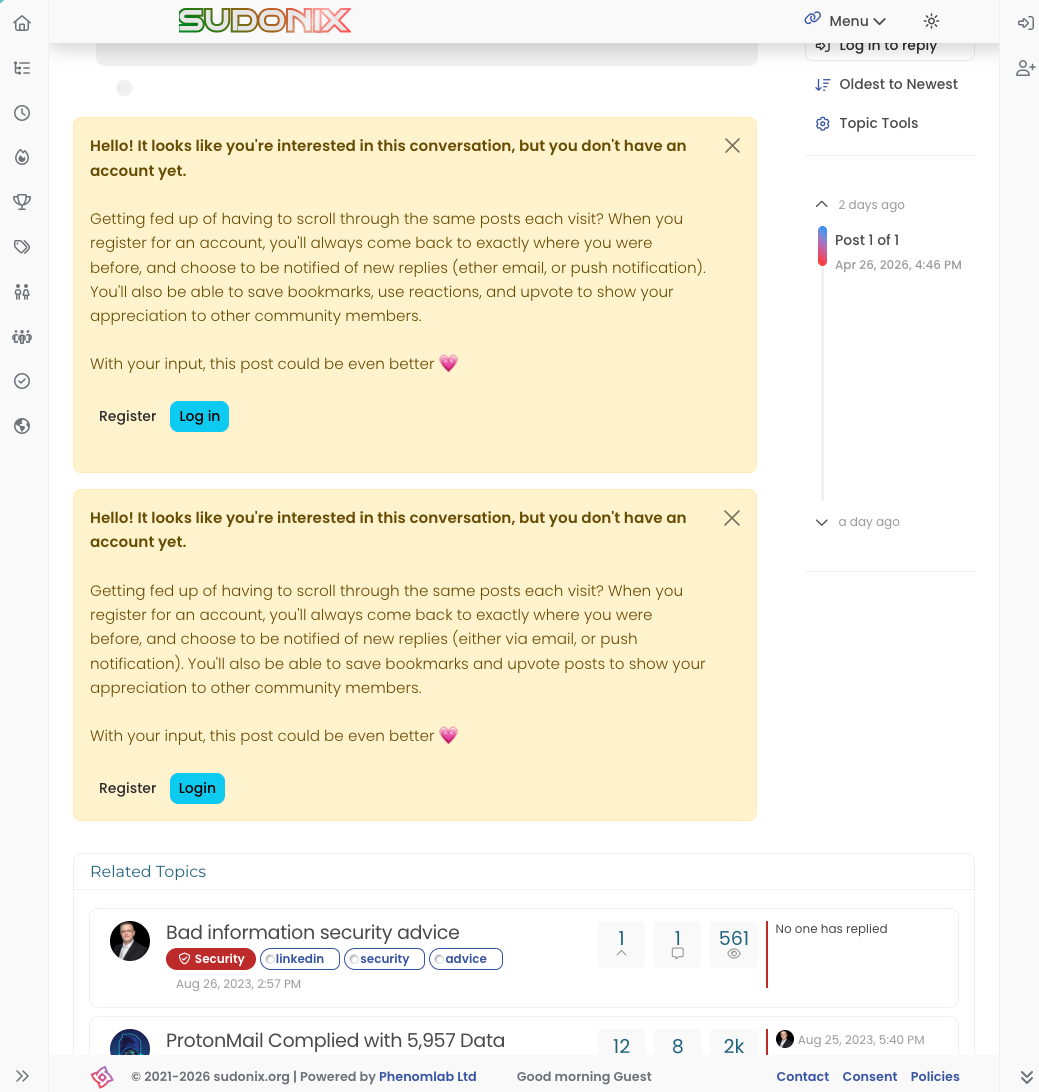
    @crazycells Yes, because of this code $(document).ready(function () { $(window).on('action:ajaxify.end', function (data) { if (config && config.uid > 0) { // User is logged in, so don't fire any message } else { // Insert content into the selected element var addAfterLastPost = $( "<div class='alert alert-warning alert-dismissible fade show' role='alert'>" + "<p><strong>Hello! It looks like you're interested in this conversation, but you don't have an account yet.</strong></p>" + "<p>Getting fed up of having to scroll through the same posts each visit? When you register for an account, you'll always come back to exactly where you were before, " + "and choose to be notified of new replies (ether email, or push notification). You'll also be able to save bookmarks, use reactions, and upvote to show your appreciation to other community members.</p>" + "<p>With your input, this post could be even better 💗"+ "<br><br>"+ "<a style='margin-right:5px;' component='topic/reply/guest' href='/register' class='fw-semibold btn btn-sm btn-warning'>Register</a>" + "<a component='topic/reply/guest' href='/login' class='fw-semibold btn btn-sm btn-info'>Log in</a>" + "<button type='button' class='btn-close' data-bs-dismiss='alert' aria-label='Close'></button>" + "</div>" ); $('ul[component="topic"]').after(addAfterLastPost); } }); }); This was adopted into core as far as I know, so I’ve removed my manual code.
  • DownPW

    Also posted here : https://community.nodebb.org/topic/19292/nodebb-scaling-clustering-redis-proxied-cloudflare-free-plan-integration-guide


    Hello,

    This guide covers a modern setup (2026+) running NodeBB in cluster mode with Redis behind nginx and Cloudflare’s free plan in proxied mode. The documentation here is over 10 years old and don’t account for cluster mode, Redis pub/sub, or how Cloudflare’s proxied mode interacts with socket.io session stickiness. This guide fills that gap.

    Also, the official NodeBB nginx documentation will cause silent socket.io failures without the fixes described here.
    – See here : https://community.nodebb.org/topic/19225/websocket-socket.io-403-xhr-poll-error-behind-cloudflare-cluster-scaling-redis/5

    Prerequisites:

    • NodeBB multi-process cluster with Redis pub/sub running, nginx configured as reverse proxy.
      – See official documentation here : https://docs.nodebb.org/configuring/scaling/
    • Cloudflare in proxied mode (orange cloud) pointing to your server IP.
    • A valid SSL certificate installed on your server (covered in step 1 below)

    Why the official NodeBB nginx doc breaks with Cloudflare

    The official docs recommend ip_hash for session stickiness. This silently breaks behind Cloudflare because Cloudflare uses multiple outgoing IPs for the same end user. The socket.io polling request and the WebSocket upgrade can arrive from two different CF IPs, routing them to different cluster nodes. The second node has no session → 400 Bad Request.


    Step 1 : SSL: Let’s Encrypt certificate + Cloudflare Full (Strict) mode

    Why Full (Strict) and not just Full or Flexible?

    Cloudflare offers four SSL modes:

    Mode Visitor → CF CF → your server Risk
    Off HTTP HTTP Everything in plaintext
    Flexible HTTPS HTTP CF to server is unencrypted — never use this
    Full HTTPS HTTPS Accepts any cert, including self-signed — not validated
    Full (Strict) HTTPS HTTPS Requires a valid, trusted cert — recommended

    Full (Strict) is the only mode that validates the certificate on your server. Without it, Cloudflare will happily connect to your server over HTTPS with an expired or self-signed cert, which provides no real security for the CF → origin leg.

    Install Certbot and obtain a certificate

    # Install Certbot with the nginx plugin
    sudo apt install certbot python3-certbot-nginx -y
    
    # Obtain a certificate for your domain
    # (nginx must already be running and port 80 reachable from the internet)
    sudo certbot --nginx -d your-domain.com -d www.your-domain.com
    

    Certbot will automatically edit your nginx vhost to add the SSL configuration and set up an HTTP → HTTPS redirect.

    If Cloudflare is already in proxied mode (orange cloud), Certbot’s HTTP-01 challenge still works because Cloudflare forwards HTTP traffic to your server. No need to temporarily disable the proxy.

    Verify auto-renewal

    # Test the renewal process (dry run — no cert is actually renewed)
    sudo certbot renew --dry-run
    

    Certbot installs a systemd timer automatically. Certificates are renewed 30 days before expiry.

    Configure Cloudflare SSL mode

    In your Cloudflare dashboard, go to SSL/TLS → Overview and select Full (Strict).

    Also enable these recommended options under SSL/TLS → Edge Certificates:

    • Always Use HTTPS → On
    • Minimum TLS Version → TLS 1.2
    • Opportunistic Encryption → On
    • TLS 1.3 → On
    • Automatic HTTPS rewrites → On

    Update your nginx vhost to listen on 443

    After Certbot runs, your vhost should contain (Certbot adds this automatically):

    server {
        listen 443 ssl;
        server_name your-domain.com;
    
        ssl_certificate     /etc/letsencrypt/live/your-domain.com/fullchain.pem;
        ssl_certificate_key /etc/letsencrypt/live/your-domain.com/privkey.pem;
        include             /etc/letsencrypt/options-ssl-nginx.conf;
        ssl_dhparam         /etc/letsencrypt/ssl-dhparams.pem;
    
        # ... rest of your NodeBB proxy config
    }
    
    server {
        listen 80;
        server_name your-domain.com;
        return 301 https://$host$request_uri;
    }
    

    With Cloudflare in proxied mode, the redirect from port 80 to 443 in nginx is technically handled by Cloudflare before it reaches your server (via the “Always Use HTTPS” rule above). Keep it in nginx anyway as a safety net for direct server access.


    Step 2 : Nginx: trust Cloudflare’s real IP headers

    By default nginx sees Cloudflare’s edge IPs, not your visitors’ IPs. You need to tell nginx which IP ranges to trust as a proxy, so $http_x_forwarded_for resolves correctly for the upstream hash in step 3.

    Add this in you nodebb nginx virtualhost configuration :

    # Cloudflare IPv4 ranges (update periodically from https://www.cloudflare.com/ips-v4)
    set_real_ip_from 173.245.48.0/20;
    set_real_ip_from 103.21.244.0/22;
    set_real_ip_from 103.22.200.0/22;
    set_real_ip_from 103.31.4.0/22;
    set_real_ip_from 141.101.64.0/18;
    set_real_ip_from 108.162.192.0/18;
    set_real_ip_from 190.93.240.0/20;
    set_real_ip_from 188.114.96.0/20;
    set_real_ip_from 197.234.240.0/22;
    set_real_ip_from 198.41.128.0/17;
    set_real_ip_from 162.158.0.0/15;
    set_real_ip_from 104.16.0.0/13;
    set_real_ip_from 104.24.0.0/14;
    set_real_ip_from 172.64.0.0/13;
    set_real_ip_from 131.0.72.0/22;
    
    # Cloudflare IPv6 ranges
    set_real_ip_from 2400:cb00::/32;
    set_real_ip_from 2606:4700::/32;
    set_real_ip_from 2803:f800::/32;
    set_real_ip_from 2405:b500::/32;
    set_real_ip_from 2405:8100::/32;
    set_real_ip_from 2a06:98c0::/29;
    set_real_ip_from 2c0f:f248::/32;
    
    real_ip_header CF-Connecting-IP;
    

    Using CF-Connecting-IP instead of X-Forwarded-For is safer - Cloudflare guarantees this header contains exactly the real visitor IP with no spoofing risk.


    Step 3 : Nginx: fix upstream session stickiness

    The problem:

    User → CF IP 1 → ip_hash → :4567  ✓ (session created)
    User → CF IP 2 → ip_hash → :4568  ✗ (400 — no session!)
    

    The fix:

    User real IP → consistent hash → always :4567  ✓
    

    In your NodeBB nginx vhost, update the upstream block like this :

    upstream io_nodes {
        # BEFORE (breaks with Cloudflare):
        # ip_hash;
    
        # AFTER — hash on the real visitor IP forwarded by Cloudflare
        hash $http_x_forwarded_for consistent;
    
        server 127.0.0.1:4567;
        server 127.0.0.1:4568;
        server 127.0.0.1:4569;
    }
    

    Make sure WebSocket proxying is present in your location /socket.io/ block:

    location /socket.io/ {
        proxy_pass            http://io_nodes/socket.io/;
        proxy_redirect        off;
        proxy_http_version    1.1;
        proxy_set_header      Upgrade            $http_upgrade;
        proxy_set_header      Connection         "upgrade";
        proxy_set_header      Host               $host;
        proxy_set_header      X-Real-IP          $remote_addr;
        proxy_set_header      X-Forwarded-For    $proxy_add_x_forwarded_for;
        proxy_set_header      X-Forwarded-Proto  $scheme;
    }
    

    Step 4 : NodeBB config.json: origins & trust proxy

    Two settings are required: tell NodeBB to trust the proxy headers, and restrict socket.io to your domain to prevent 403 origin errors.

    {
        "url": "https://your-domain.com",
    
        "socket.io": {
            "origins": "https://your-domain.com:*"
        },
    
        "trust proxy": true,
    
        "secret": "...",
        "database": "mongo",
        "port": [4567, 4568, 4569],
        "redis": { }
    }
    

    Without "trust proxy": true, NodeBB ignores X-Forwarded-Proto and may treat requests as HTTP even when the user is on HTTPS, causing CSRF and cookie issues behind Cloudflare.


    Step 5 : Cloudflare: WAF rules (bypass socket.io & API)

    Cloudflare’s WAF can interfere with socket.io's long-polling and your API endpoints. Create a WAF skip rule to bypass managed rules for these paths.

    Go to Security → WAF → Custom rules and create a rule with this expression:

    (http.request.uri.path contains "/socket.io")
    or (http.request.uri.path contains "/api/")
    

    Set the action to Skip → All remaining custom rules (and optionally also skip managed rulesets). Name it something like NodeBB - bypass socket.io and API.

    On the free Cloudflare plan you get 5 custom WAF rules.

    This single rule covers both socket.io and API.


    Step 6 : Cloudflare: Cache rules (bypass socket.io)

    Cloudflare must never cache socket.io traffic. Go to Caching → Cache Rules and create a rule with this expression:

    (http.request.uri.path contains "/socket.io/")
    or (http.request.uri.path contains "/api/")
    

    Set the cache status to Bypass.

    Optional: add a second cache rule to Cache Everything for /assets/ and /uploads/ paths to offload static files to Cloudflare’s CDN and reduce load on your server.


    Step 7 : Reload & verify

    # Test nginx config first
    sudo nginx -t
    
    # If OK, reload (zero downtime)
    sudo systemctl reload nginx
    
    # Restart NodeBB cluster
    cd /path/to/nodebb
    ./nodebb restart
    

    Open your forum in a browser, open DevTools → Network, filter by socket.io. You should see:

    GET /socket.io/?transport=polling    → 200
    GET /socket.io/?transport=websocket  → 101 Switching Protocols
    

    All socket.io 400 errors should be gone. If you still see occasional 400s during a node restart, they are expected and transient - socket.io will reconnect automatically.


    Summary checklist

    What Where
    Scaling-Clustering Redis server
    Let’s Encrypt certificate via Certbot server
    SSL mode set to Full (Strict) Cloudflare dashboard
    Always Use HTTPS + TLS 1.2 minimum Cloudflare dashboard
    Nginx real IP from Cloudflare ranges /etc/nginx/conf.d/cloudflare-realip.conf
    Upstream: ip_hash → hash $http_x_forwarded_for consistent nginx vhost
    socket.io origins + trust proxy in config.json NodeBB
    WAF skip rule for /socket.io and /api/ Cloudflare dashboard
    Cache bypass rule for /socket.io and /api/ Cloudflare dashboard

    thanks @DownPW ! this is definitely very helpful.
  • DownPW

    Hello @phenomlab

    Following this topic, I understood that CloudFlare in its Free Plan is not my friend but I wonder.

    one of CloudFlare’s features of hiding the origin server’s IP is THE feature that makes me not really want to leave CloudFlare unless there’s another way to do it ?

    That said, the problem being mainly the socket connections, wouldn’t it be possible to pass ONLY its connections without going through CloudFlare?

    To do this, you will have to create a subdomain of the root domain and not proxy it via Cloudflare but just in DNS Only, then indicate this in nodebb’s config.json

    If I’m not mistaken, this might fix the wss and error 400 issues.

    I saw this topic on which you intervened with your position, but is this method still viable, is it functional?

    At the end of this thread it reads:

    @phenomlab if there are those who are using cloudflare, we do have it in our roadmap to eventually deprecate socket.io and use socket sent events instead.
    This would solve a lot of problem with CloudFlare’s free plan no?

    This would solve a lot of problem with CloudFlare’s free plan no?

    Afterwards I am ready to leave CloudFlare if another possibility of hiding your IP is possible but in the meantime, could this be a solution ?

    Thanks


    Solved. Tuto here and here
  • phenomlab

    At some point, most environments stop having purely technical issues.

    They start having ownership issues.

    On the surface, everything can look fine:

    • Policies exist
    • Controls are mapped
    • Risks are logged

    From an engineering perspective, nothing is obviously broken.

    Systems run. Changes get deployed. Issues get fixed.

    But there is a different question that tends to get overlooked:

    When a decision creates exposure, who actually owns that outcome?

    • Not who implements the change.
    • Not who maintains the system.

    Who is accountable if that decision is challenged later.

    That is where things usually become unclear.

    Decisions are being made every day across infrastructure, security, vendors, and delivery.

    But ownership is often:

    • implied
    • spread across teams
    • or assumed to sit somewhere higher up

    It works until it is tested.

    And it does get tested, usually by something external:

    • an audit request
    • a client asking deeper questions
    • an incident that needs explaining

    At that point, the discussion shifts.

    It is no longer about how something works.

    It becomes:

    “Who approved this, and why was that decision considered acceptable at the time?”

    That is the part many environments are less clear on than they expect.


    @phenomlab this is good. I see this happen a lot. It is unclear because usually it is a group talking and going over things and trying to plan according to the knowledge that they have with what is working and not working now. And yet some time down the road, something new comes out, something changes and now what was possible isn’t and vise versa. I have seen these kinds of situations, and I encourage taking very good notes and making them so they are always accessible to you/your team so that way a search can be done and the notes appear and you know exactly why, what, how and where the decision was made. When I say you, I mean anyone in a position to make decisions that bring about change in whatever area it might be.
  • phenomlab

    I’ve just recieved my renewal notice from Nord VPN as below

    d4c3e131-728b-4a9d-9e51-f50484d70607-image.png

    You could’t make this up. You want to charge me £116.28 plus £23.26 additional tax* (£139.54 in total) for the 1-year plan of NordVPN if I simply let nature take its course - yet if I check your website, I can instantly beat that deal with a 2 year plan?

    WTF Nord?

    52e02e94-4f93-424b-8232-a53a5cafbefe-image.png

    Now, Nord VPN is the only VPN product I actually trust, and actively recommend to others, but come on guys. Why send me an email like this when I’ve been a paying customer for years, and typically always go for the two year plan??

    Is it just me, or is this a senseless approach?


    So far so good .
  • phenomlab

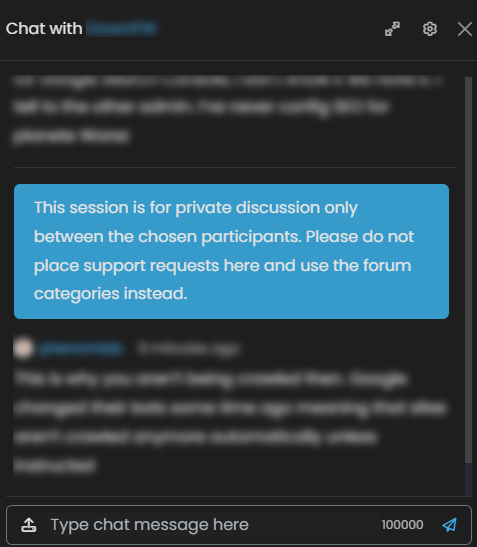
    What if you wanted to add a banner message to your chat messages, but didn’t know how? Here’s what that might look like, and how it would work

    0b4a91a4-35e2-4780-b3fc-1b235e1516bb-image.png

    I get a lot of support requests via Chat, and I can appreciate why because it’s convenient. However, whilst I’m helping you solve your issue, others are missing out on that information and resolution, so I will always request please that you ask questions in the forum categories, and only discuss sensitive information like usernames and passwords etc in chat.

    Let’s get started. It’s very simple providing you know what to target, which requires some examination of the HTML structure. In this case, we are going to target element [component="chat/message"] because it’s the element we need to inject into

    Firstly, the JS code

    function chatBanner() {
    $('[component="chat/message"]:last-of-type').append('<div id="chatbanner">This session is for private discussion only between the chosen participants. Please do not place support requests here and use the forum categories instead.</div>');
    }
    
    $(window).on('action:chat.loaded', function(data) {
    	$(document).ready(function() {
    		chatBanner()
    	});
    });
    

    And then some custom CSS

    div#chatbanner {
        padding: 10px 20px 10px 20px;
        background: var(--bs-alert-info-bg);
        border-radius: 0.375rem;
        margin: 0px 0 20px 0;
    }
    

    All done. This message will insert itself at the last [component="chat/message"] in the stream when the chat is loaded - you could make it display on each message, but that’s overkill in my view and people only need to see it once to read and understand.

    To accomplish only using the last of [component="chat/message"], we target [component="chat/message"]:last-of-type which is a common CSS denominator, and very powerful.

    Enjoy.


    @phenomlab said: @DownPW Possible, yes, but not using the existing code. It would need to be changed to test for multiple entries based on two distinct widget areas. This should work (it’s already applied on your DEV server) function chatBanner() { var roomName = $("h5[component='chat/header/title']").text().trim(); var roomNameWidget = $('[id*="chat-modal"] .btn-ghost.btn-sm.dropdown-toggle').text().trim(); var bannerContent; if (roomName === "General" || roomNameWidget === "General") { bannerContent = '<div id="chatbanner"><i class="fa fa-fw fa-circle-info link-primary" aria-hidden="true"></i> Message 1. </div>'; } else if (roomName === "Support" || roomNameWidget === "Support") { bannerContent = '<div id="chatbanner"><i class="fa fa-fw fa-circle-info link-primary" aria-hidden="true"></i> Message 2.</div>'; } else if (roomName === "Info" || roomNameWidget === "Info") { bannerContent = '<div id="chatbanner"><i class="fa fa-fw fa-circle-info link-primary" aria-hidden="true"></i> Message 3</div>'; } else if (roomName === "xxxxxx" || roomNameWidget === "xxxxxx") { bannerContent = '<div id="chatbanner"><i class="fa fa-fw fa-circle-info link-primary" aria-hidden="true"></i> Message 4</div>'; } else if (roomName === "xxxxxx" || roomNameWidget === "xxxxxx") { bannerContent = '<div id="chatbanner"><i class="fa fa-fw fa-circle-info link-primary" aria-hidden="true"></i> Message 5</div>'; } else if (roomName === "xxxxxx" || roomNameWidget === "xxxxxx") { bannerContent = '<div id="chatbanner"><i class="fa fa-fw fa-circle-info link-primary" aria-hidden="true"></i> Message 6</div>'; } else { bannerContent = '<div id="chatbanner"><i class="fa fa-fw fa-circle-info link-primary" aria-hidden="true"></i> Ce canal est une discussion privée. </div>'; } var chatMessagesContainer = $('[component="chat/system-message"]:last-of-type'); //var existingMessages = $('[component="chat/message"]'); var existingMessages = $('[component="chat/composer"]'); if (existingMessages.length === 0) { // If there are no messages, append the banner to the messages container chatMessagesContainer.first().after(bannerContent); } else { // If there are messages, add the banner after the last message //existingMessages.last().after(bannerContent); existingMessages.before(bannerContent); } } Here, we are using || which is essentially an OR operator. Because we cannot know the chat room ID in advance, it is necessary to use a wildcard to track it [id*="chat-modal"] .btn-ghost.btn-sm.dropdown-toggle I see bugs with this code and chat box widget I use on my categories page What was happening NodeBB allows multiple chat windows to be open simultaneously , the widget and the full/modal-page DM view. Both exist in the DOM at the same time. The original code used global jQuery selectors like $(‘[component=“chat/composer”]’) which scanned the entire page and found elements from both chat windows at once. When you opened “XY” caht while “XXY” was still open in the widget, the selectors would pick up the wrong room name or inject the banner into the wrong window. The key discovery was that the action:chat.loaded event passes the modal DOM element directly as data. By wrapping it in $(data) and using $modal.find(…) for every selector, all queries are scoped exclusively to the correct modal, making it impossible for two open chat windows to interfere with each other. FIX code (to adapt to your rooms) : function chatBanner(modalElement) { var $modal = $(modalElement); $modal.find('#chatbanner').remove(); var roomName = $modal.find('[component="chat/room/name"]').text().trim(); if (!roomName) { var placeholder = $modal.find('[component="chat/input"]').attr('placeholder') || ''; roomName = placeholder.replace(/^Message #?/, '').trim(); } var bannerContent; if (roomName === "General") { bannerContent = '<div id="chatbanner"><i class="fa fa-fw fa-circle-info link-primary" aria-hidden="true"></i> Chat message banner</div>'; } else if (roomName === "xxxxxxxxxx") { bannerContent = '<div id="chatbanner"><i class="fa fa-fw fa-circle-info link-primary" aria-hidden="true"></i> Chat message banner</div>'; } else if (roomName === "xxxxxxxxxx") { bannerContent = '<div id="chatbanner"><i class="fa fa-fw fa-circle-info link-primary" aria-hidden="true"></i> Chat message banner</div>'; } else if (roomName === "xxxxxxxxxx") { bannerContent = '<div id="chatbanner"><i class="fa fa-fw fa-circle-info link-primary" aria-hidden="true"></i> Chat message banner</div>'; } else if (roomName === "xxxxxxxxxx") { bannerContent = '<div id="chatbanner"><i class="fa fa-fw fa-circle-info link-primary" aria-hidden="true"></i> Chat message banner</div>'; } else if (roomName === "Les geeks de l'espace") { bannerContent = '<div id="chatbanner"><i class="fa fa-fw fa-circle-info link-primary" aria-hidden="true"></i> Chat message banner</div>'; } else { bannerContent = '<div id="chatbanner"><i class="fa fa-fw fa-circle-info link-primary" aria-hidden="true"></i> Chat message banner</div>'; } $modal.find('[component="chat/composer"]').first().before(bannerContent); } $(window).on('action:chat.loaded', function(ev, data) { chatBanner(data); });
  • Sampo2910

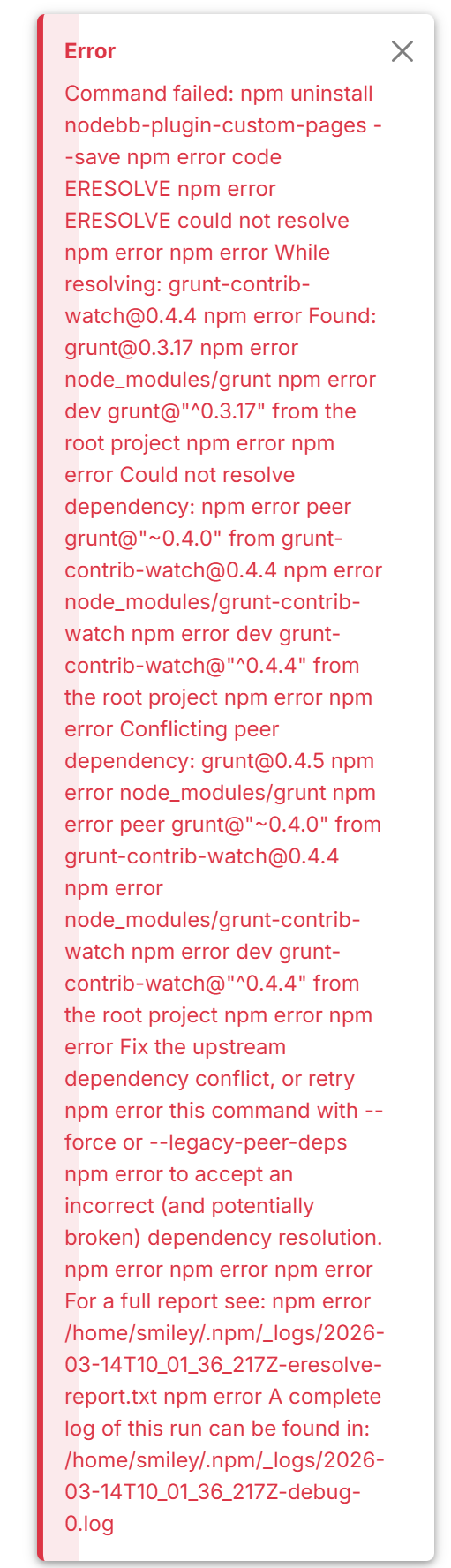
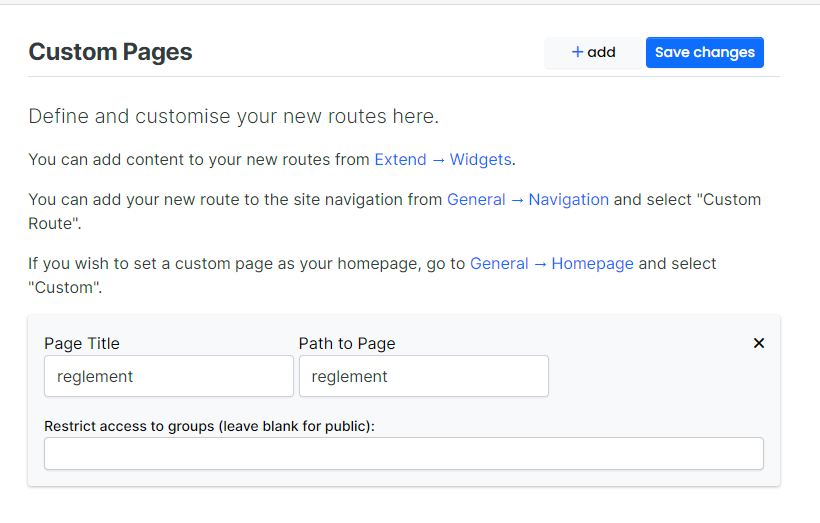
    Hi I am trying to create a custom page called GameTracker. I head to Navigation and add a custom route. Do i type /gametracker or gametracket.tpl in the route. ? To be honest none of them work. When I go to extend/widgets I do not see the template. I have uninstalled and reinstalled but with same problem. Nothing in logs what I can see. What am I doing wrong. I did this in the past no worries. Many of these older plugins to not install at all for me in the ACP. I get a huge error. Now I cannot even uninstall it without error.

    Screenshot 2026-03-14 120142.png

    I tried to gove nodebb the benefit of the doubt. I had new OS install, new mongo blah blah blah but soon as I touch this nodebb its a nightmare lol.

    I also did not have this below on my page. Maybe thats an older version. Someone was mentioning this here in Sudonix some time ago.

    575a537c-21e0-4d39-921c-25b9653a7748-image.png


    I’m happy to see this
  • Madchatthew

    So I have started a Bible Repair/Rebinding business. I repair Bibles and then rebind them with genuine leather. I can also repair other kinds of books and such as well. I am at some point after I break even, wanting to make a website for my business. I know I can use Wordpress + WooCommerce for an instant get up and running solution. I am kind of tired of the Wordpress environment because it is so locked in and most of the plugins you need to pay for, which is understandable even if I find ways or uses for them where you can just use the free portion to get done with what you want.

    I was thinking of looking into Nodebb with an eCommerce open source software to integrate into Nodebb. I am curious what other’s recommendations are and ideas in regard to this. Do I stick with what is fast and easy to setup like the Wordpress way or go the Nodebb + whichever open source would work best with it way?

    I know there are stuff out there like shopify and those types of platforms, but I have heard many stories that as you grow the more plugins and such that you need and the cost goes up with it and you are locked into their proprietary setup and such.

    Thank you all for all the input! I appreciate it!!


    PrestaShop + modules IA https://www.prestashop.com Magento https://developer.adobe.com/open/magento