Skip to content
  • Nodebb to Xenforo

    Solved Configure xenforo nodebb
    3
    0 Votes
    3 Posts
    1k Views
    phenomlab
    @cagatay as @downpw stated, there isn’t a native tool that will do this for you. You’d need to either develop your own or ask the nodebb team to assist which will be a paid exercise.
  • 2 Votes
    1 Posts
    639 Views
    No one has replied
  • 4 Votes
    3 Posts
    2k Views
    crazycells
    thanks @DownPW ! this is definitely very helpful.
  • Custom Page - nodebb

    Solved Customisation custom-pages nodebb
    13
    2
    5 Votes
    13 Posts
    3k Views
    DownPW
    I’m happy to see this
  • External Links - New Window

    Solved Customisation nodebb links settings
    8
    2 Votes
    8 Posts
    2k Views
    phenomlab
    @Sampo2910 search the forum here for ogproxy which is the client side version of that plugin I wrote. It’s in use here on this forum.
  • Nodebb vs Wordpress vs Other

    General wordpress nodebb woocomerce business
    4
    5 Votes
    4 Posts
    2k Views
    DownPW
    PrestaShop + modules IA https://www.prestashop.com Magento https://developer.adobe.com/open/magento
  • What’s going on with NodeBB?

    Performance nodebb script die
    20
    8 Votes
    20 Posts
    5k Views
    phenomlab
    @cagatay The most reliable way to upgrade Node.js on Ubuntu depends on how you originally installed it. Method 1: Using NVM (Recommended) If you already use Node Version Manager (NVM), upgrading is simple. NVM allows you to keep both versions and switch between them if needed. Install Node 22: nvm install 22 Switch to Node 22: nvm use 22 Set it as your default: nvm alias default 22 Verify the change: node -v Method 2: Using NodeSource (PPA) If you installed Node.js via apt using the NodeSource repository, you need to update the repository script to point to the new version. Remove the old NodeSource list (optional but cleaner): sudo rm /etc/apt/sources.list.d/nodesource.list Download and run the NodeSource setup script for Node 22: curl -fsSL [https://deb.nodesource.com/setup_22.x](https://deb.nodesource.com/setup_22.x) | sudo -E bash - Install/Upgrade Node.js: sudo apt-get install -y nodejs Verify the installation: node -v Method 3: Using the ‘n’ Package If you have npm installed, you can use the n interactive manager. Clear the npm cache: sudo npm cache clean -f Install the ‘n’ helper: sudo npm install -g n Install Node 22: sudo n 22 Update your shell: hash -r Troubleshooting Permission Denied: If you see permission errors using Method 2 or 3, ensure you are using sudo. Path Issues: If node -v still shows version 20 after upgrading via NVM, restart your terminal or run source ~/.bashrc. Conflicts: Avoid mixing these methods. If you switch from apt to nvm, it is best to sudo apt remove nodejs first to avoid path conflicts.

  • 3 Votes
    1 Posts
    1k Views
    No one has replied
  • NodeBB v4.0.0

    General nodebb sudonix version 4
    28
    4 Votes
    28 Posts
    8k Views
    phenomlab
    @Panda said in NodeBB v4.0.0: the workings of World aren’t intuitive Its not easy to get World populating when a forum is new to it This is a good point and one I’ve considered also. It’s a little confusing to be honest.
  • Please help me, I can't install nodebb

    Locked Solved Customisation nodebb
    7
    5 Votes
    7 Posts
    2k Views
    phenomlab
    Installation completed, verified, and tested. Correct installation methodology is below https://docs.nodebb.org/installing/os/ubuntu/
  • Spam spam spam

    Solved Configure nodebb
    6
    2 Votes
    6 Posts
    3k Views
    phenomlab
    @Panda said in Spam spam spam: ok, yes Ive seen the queue, it shows IP, but doesnt have a field for comments from registrant. It’s not designed for that. It merely serves as a gateway between posts appearing on your form or not. @Panda said in Spam spam spam: It would be better if nodebb had this plugin included in ACP list, as not only then do you know its approved and should work, but many people cant or dont want to use CLI on the server That’s a question for the NodeBB devs but in all honesty you can’t not use the CLI when installing nodebb so to be this isn’t a big deal.
  • Nodebb and emails

    Solved Configure nodebb
    27
    5 Votes
    27 Posts
    10k Views
    phenomlab
    @Panda it will use SMTP. In all cases, I never use any plugin to send email. I’ll always send it raw.
  • Forum customisation

    Customisation nodebb forum customised
    11
    2
    6 Votes
    11 Posts
    3k Views
    JAC
    Thank you Mark, the changes look fantastic!!
  • Planned sunset of NTFY plugin

    Pinned Announcements push nodebb ntfy
    7
    1
    8 Votes
    7 Posts
    4k Views
    phenomlab
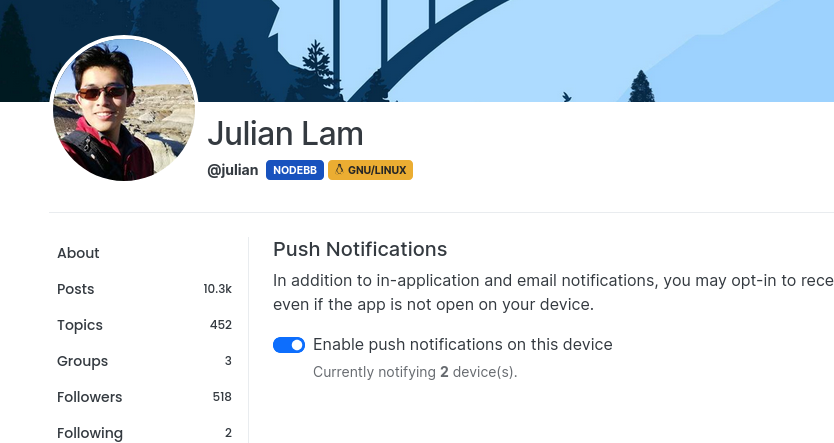
    I’ve noticed that I’m the only one subscribed to the push notifications on this site. If you were using NTFY previously, and have noticed that you’ve not had any alerts for a while, it’s because this feature has been disabled. You’ll now need to use the push notification to replace NTFY as mentioned in the first post.
  • Opening links in nodebb widget

    Solved Configure nodebb
    6
    4 Votes
    6 Posts
    3k Views
    phenomlab
    A more efficient way of including this would be to not over complicate it and leverage a standard iframe (providing the CSP headers of the remote site permit this) like below <iframe src="https://www.classmarker.com/online-test/start/?quiz=gag66aea7922f0a5" width="700" height="800"></iframe> This works first time every time on your site as intended.
  • Test of youtube embeds

    Solved Configure nodebb
    14
    11 Votes
    14 Posts
    5k Views
    Sampo2910
    @phenomlab Perfect!!! Many thanks.
  • 14 Votes
    17 Posts
    5k Views
    DownPW
    No problem dude ! I hope you have a good vacation. Enjoy your loved ones!
  • TNG + Nodebb

    General tng genealogy nodebb plugin
    4
    0 Votes
    4 Posts
    2k Views
    phenomlab
    @Madchatthew said in TNG + Nodebb: you have to try and use duck tape and super glue to change something to make it do what you want it to do I couldn’t have put that better myself.
  • NodeBB recent cards customisation

    Solved Customisation nodebb recent cards
    3
    1
    2 Votes
    3 Posts
    1k Views
    JAC
    @phenomlab thank you very much for the assistance Mark, massively appreciated as always. The great thing about this is it’s all documented for other NodeBB users that come looking for solutions . Looks far better .
  • MogoDB v6 to v7 upgrade

    Solved Configure nodebb
    5
    1 Votes
    5 Posts
    2k Views
    phenomlab
    @Panda if you used the Ubuntu PPA, I think this only goes as far as 6.x if I recall correctly.