Custom html in nodebb to prevent cache
-
@phenomlab yes, but the point about browser cache on mobile, I want the users to get a different background pic each time.
So I know I an manually clear cache, but the users shouldnt need to know about that.
@Panda how are you issuing the image? If you use
JSto do this, you won’t need to worry about browser cache. It’s a little unclear as to what you currently have in place.Mark Cutting also advises organisations as a Fractional CIO, Fractional CISO and Executive Advisor, helping boards improve technology governance, cyber resilience and executive decision making. Learn more at Phenomlab Ltd
-
@Panda how are you issuing the image? If you use
JSto do this, you won’t need to worry about browser cache. It’s a little unclear as to what you currently have in place.@phenomlab
Just css with a random image url
You have login, take a look? -
@phenomlab
Just css with a random image url
You have login, take a look?@Panda I’m not in front of a PC presently, but can look tomorrow.
Mark Cutting also advises organisations as a Fractional CIO, Fractional CISO and Executive Advisor, helping boards improve technology governance, cyber resilience and executive decision making. Learn more at Phenomlab Ltd
-
@phenomlab the forum looking so different on incognito and standard browser is so weird.
(This is on Android device)
Its like the Neon theme is much more Neon on the incognito, and the text is hard to read! -
@phenomlab the forum looking so different on incognito and standard browser is so weird.
(This is on Android device)
Its like the Neon theme is much more Neon on the incognito, and the text is hard to read!@Panda said in Custom html in nodebb to prevent cache:
Its like the Neon theme is much more Neon on the incognito, and the text is hard to read!
Incognito mode will always reflect the current state of affairs as it will not cache anything. If it looks bad in this session, this is how others will see it also.
-
@Panda What I see on checking the site is this
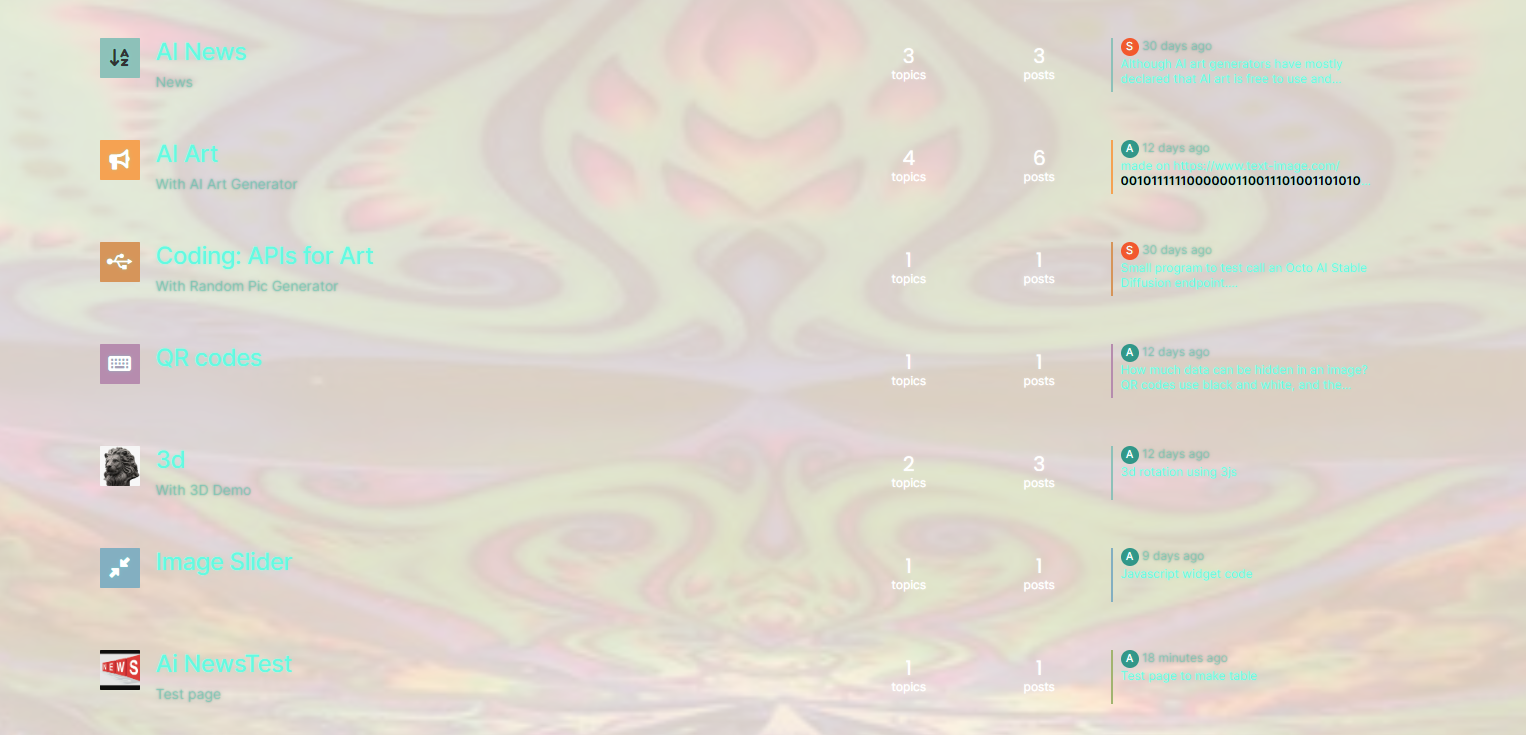
It looks psychedelic and the colours do not work at all.
Mark Cutting also advises organisations as a Fractional CIO, Fractional CISO and Executive Advisor, helping boards improve technology governance, cyber resilience and executive decision making. Learn more at Phenomlab Ltd
-
@Panda What I see on checking the site is this
It looks psychedelic and the colours do not work at all.
@phenomlab yes, but skins / themes arent supposed to cache.
So my main issue here is why was it looking different?
I’ve changed skin now, but still want to get round this caching, as still have problem on normal broswer that I dont get new background image every time browser bar refreshed -
@phenomlab yes, but skins / themes arent supposed to cache.
So my main issue here is why was it looking different?
I’ve changed skin now, but still want to get round this caching, as still have problem on normal broswer that I dont get new background image every time browser bar refreshed@Panda said in Custom html in nodebb to prevent cache:
yes, but skins / themes arent supposed to cache.
They will cache by default - by NGINX, and not anything you choose to put in the headers. The code you specified there would apply to the entire site, which defeats the purpose of using a cache to speed up delivery of assets that the browser already has. Even without the case in Incognito mode, the experience is awful because most of the text is unreadable.
The point you made about fonts looking blurry is because of the presence of
text-shadowas a CSS element. This technique is used to made text stand out by using a drop shadow of another colour. This now clashes with the changes you have made and makes the text look blurry. -
So if I cant prevent cache, how do I achieve different background each time?
-
@Panda You’ll need to do that with
js. With some quick CSS changes, it looks like this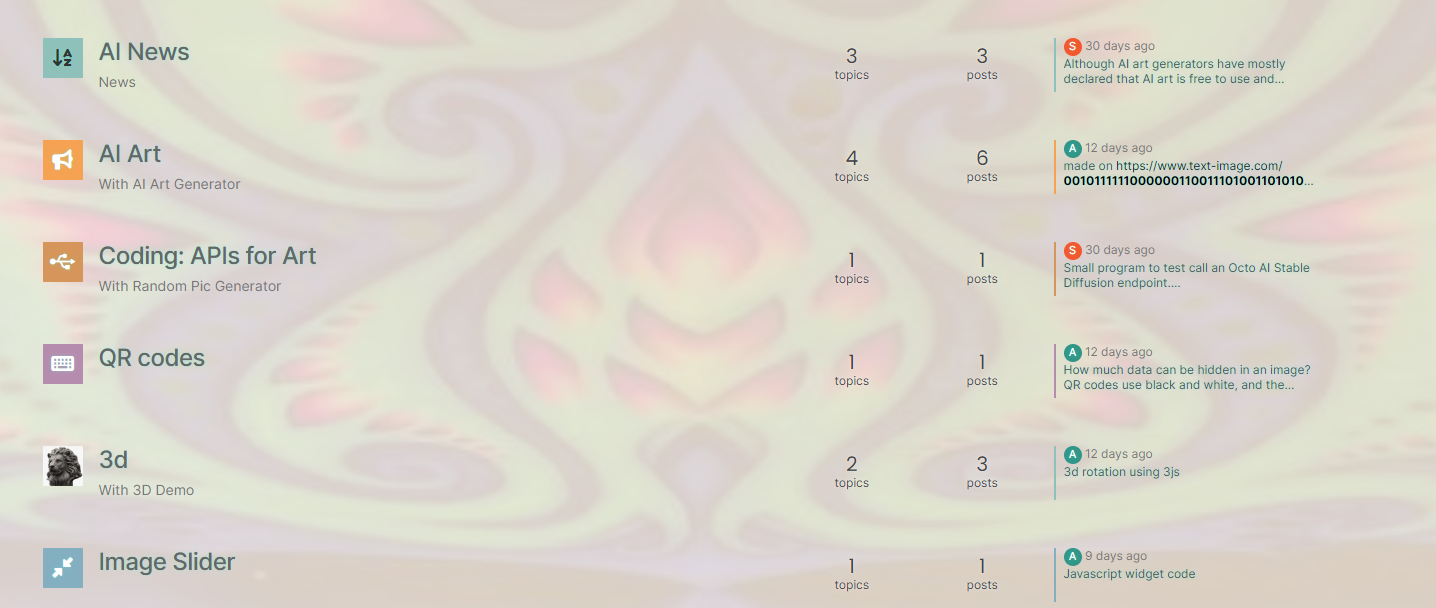
The colour choice is still really hard on the eye, but at least you can now read the text


Hello! It looks like you're interested in this conversation, but you don't have an account yet.
Getting fed up of having to scroll through the same posts each visit? When you register for an account, you'll always come back to exactly where you were before, and choose to be notified of new replies (either via email, or push notification). You'll also be able to save bookmarks and upvote posts to show your appreciation to other community members.
With your input, this post could be even better 💗
Register LoginRelated Topics
-
Nodebb and emails
Solved Configure -
-
NodeBB: Consent page
Solved Configure -
-
restarting nodebb on boot
Unsolved Configure -
Podcast Share NodeBB
Solved Configure -
-