Ubuntu 22.04 to Ubuntu 24.04 Unable to ping
-
-
Ubuntu 22.04 upgrade to Ubuntu 24.04 can’t ping, found the problem, resolv.conf is corrupted or does not exist, 24.04 official has abandoned resolv.conf, what is the best alternative to use.

@abcabc123 For years it’s been simple to set up DNS on a Linux machine. You’d usually just add a couple of entries to
/etc/resolv.confand you’re done.# Use Google's public DNS servers. nameserver 8.8.4.4 nameserver 8.8.8.8But things change and now it’s not that simple. If you now edit
/etc/resolv.confon Ubuntu you’ll find that the edits are ephemeral. If you restart (or even hibernate) your machine then they’ll be overwritten by default content.nameserver 127.0.0.53 search HomeThis is pretty simple to fix though.
Install the resolvconf package.
sudo apt install resolvconfEdit
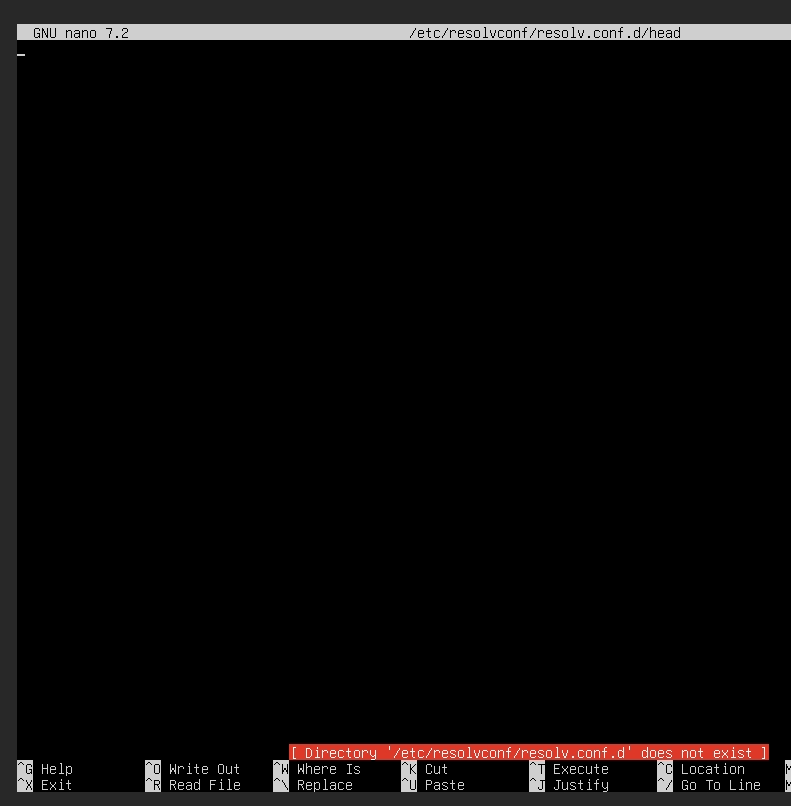
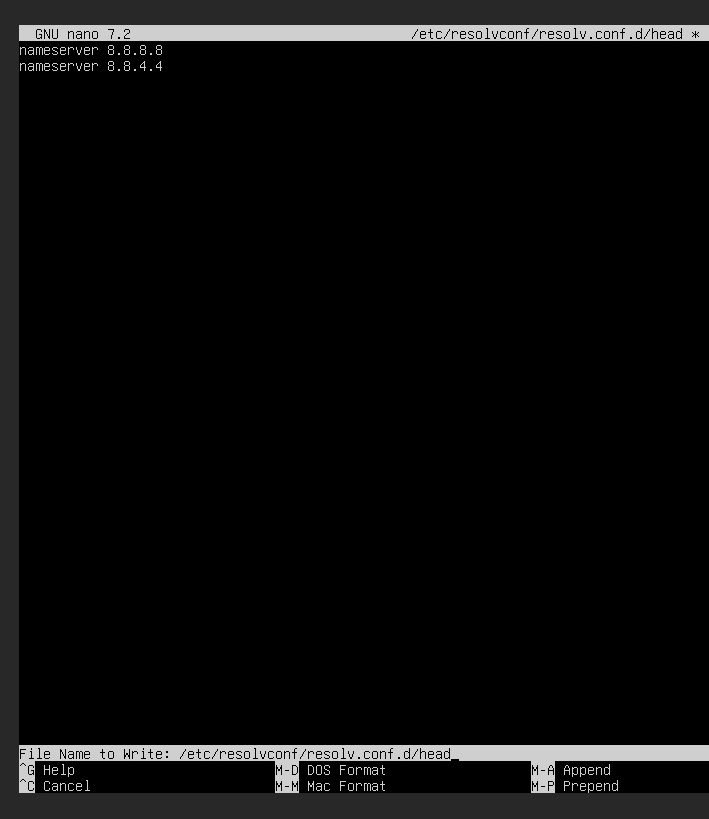
/etc/resolvconf/resolv.conf.d/headand add the following:#Make edits to /etc/resolvconf/resolv.conf.d/head. nameserver 8.8.4.4 nameserver 8.8.8.8Save the changes and restart the
systemd-resolvedservice as shown.sudo systemctl restart systemd-resolved.serviceIt’s also prudent to check the status of the resolver and ensure that it is active and running as expected:
sudo systemctl status systemd-resolved.serviceThen try pinging any website and the issue should be resolved even post reboot.
-
-
I won’t get it, can you help me with the installation

@abcabc123 You just need to follow the steps I posted.
-
-
-
I won’t install resolvconf and won’t configure
@abcabc123 said in Ubuntu 22.04 to Ubuntu 24.04 Unable to ping:
I won’t install resolvconf and won’t configure
You mean you won’t complete the steps? If you don’t, then how to you expect to resolve the issue? If you follow the steps I posted (you can copy and paste) then this will fix the issue.
-
-
I copied and pasted in and it showed that the command didn’t exist
@abcabc123 It does - you start with
sudo apt install resolvconf -
-

Tossed for 24 hours, it still hasn’t been resolved, and the file can’t be saved.
@abcabc123 are you using
sudoto open the file? For example,sudo nano /etc/resolvconf/resolv.conf.d/head -
-
-
-
-
@abcabc123 Hmm - ok. Let’s try this instead
To set a permanent DNS on the latest version of Ubuntu (e.g., Ubuntu 22.04 or later), you typically configure DNS settings via Netplan, the network configuration tool. Here’s how you can do it:
1. Locate the Netplan Configuration File
Netplan configuration files are located in the
/etc/netplan/directory. Typically, the file is named something like01-netcfg.yamlor50-cloud-init.yaml. Use the following command to list the files:ls /etc/netplan/
2. Edit the Configuration File
Open the appropriate Netplan file for editing. For example:
sudo nano /etc/netplan/01-netcfg.yaml
3. Modify the DNS Configuration
Add or modify the
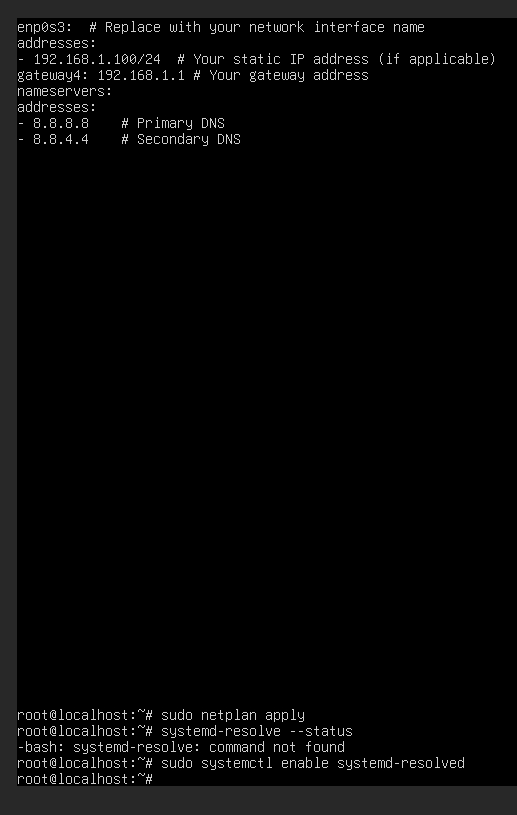
nameserverssection under the relevant interface. Your file might look like this:network: version: 2 ethernets: enp0s3: # Replace with your network interface name addresses: - 192.168.1.100/24 # Your static IP address (if applicable) gateway4: 192.168.1.1 # Your gateway address nameservers: addresses: - 8.8.8.8 # Primary DNS - 8.8.4.4 # Secondary DNS-
Replace
enp0s3with your actual network interface name, which you can find using:ip a -
Adjust the DNS servers (
8.8.8.8,8.8.4.4) to your preference.
4. Apply the Configuration
Save the file and apply the changes:
sudo netplan apply
5. Verify the DNS Configuration
Confirm that the DNS settings are applied:
systemd-resolve --statusLook for the
DNS Serversunder your active interface.
Additional Notes:
-
If you use NetworkManager (common on desktop installations), you can configure DNS through the GUI or by editing
/etc/NetworkManager/NetworkManager.conf. -
If your system uses systemd-resolved, ensure it’s enabled and running:
sudo systemctl enable systemd-resolved
sudo systemctl start systemd-resolved
This setup ensures the DNS settings persist across reboots. Let me know if you run into any issues!
-
-
-
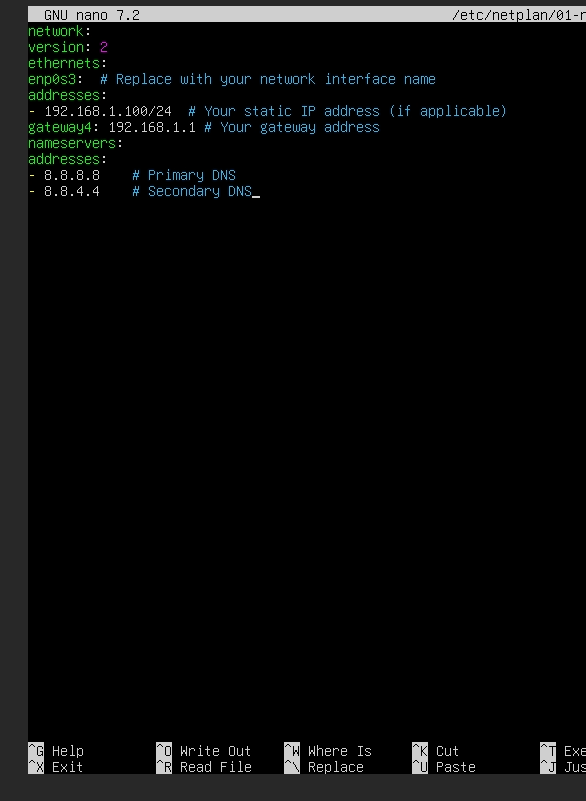
Is that right?
@abcabc123 Looks correct, yes.
-
-


Hello! It looks like you're interested in this conversation, but you don't have an account yet.
Getting fed up of having to scroll through the same posts each visit? When you register for an account, you'll always come back to exactly where you were before, and choose to be notified of new replies (either via email, or push notification). You'll also be able to save bookmarks and upvote posts to show your appreciation to other community members.
With your input, this post could be even better 💗
Register Login