Skip to content

Threaded post support for NodeBB

Let's Build It
146 5 116.5k 1
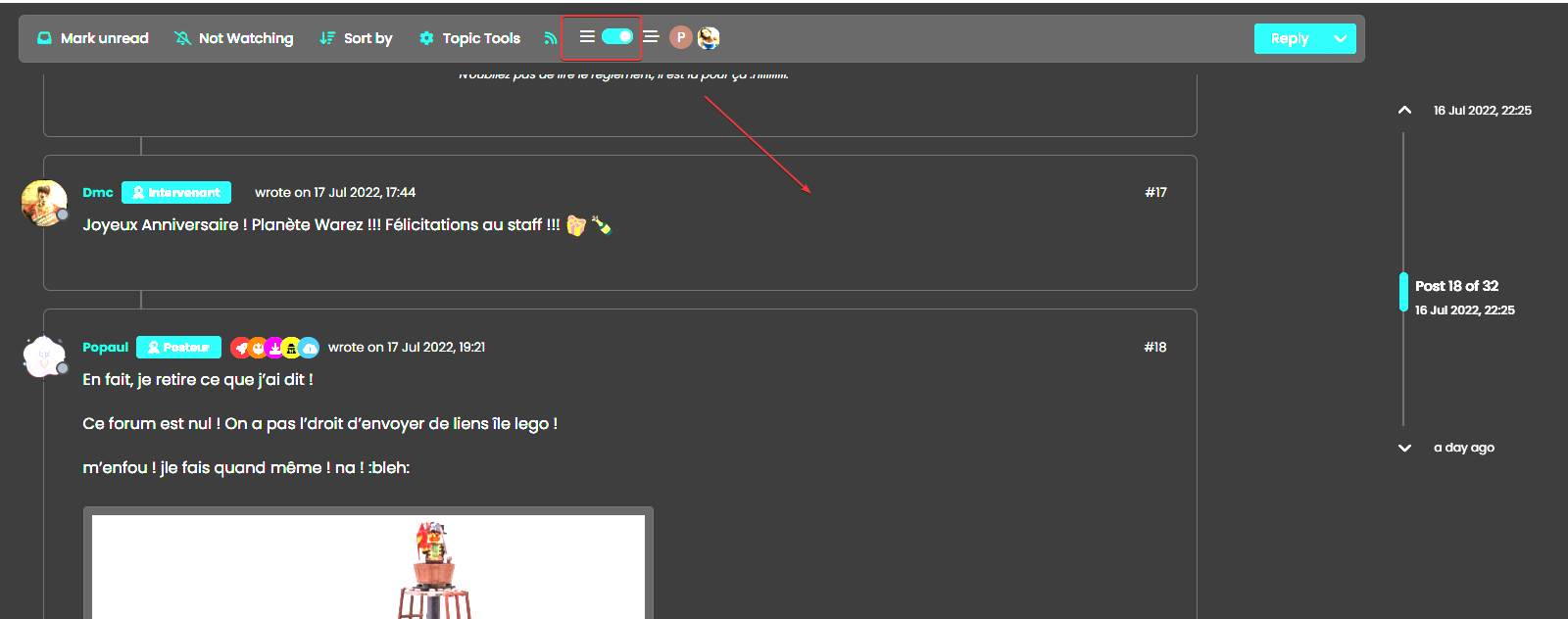
  • I have not the same result :

    image.png

    I have bs-body-bg with thread ON

    wrote on last edited by
    #68

    @DownPW Isn’t that correct, or do you want --bs-body-navbar ?

  • no return to vanilla background

    blink2.gif

    vanilla: bs-body-bg
    thread ON: bs-body-navbar

    wrote on last edited by
    #69

    @DownPW said in Threading support for NodeBB:

    vanilla: bs-body-bg
    thread ON: bs-body-navbar

  • @DownPW said in Threading support for NodeBB:

    vanilla: bs-body-bg
    thread ON: bs-body-navbar

    wrote on last edited by
    #70

    @DownPW Right. Hold on.

  • wrote on last edited by DownPW
    #71

    or maybe for each modification this must be specified twice ?

    THREAD OFF

    /* Start of threaded CSS rules */
    .page-topic .topic .posts.timeline .timeline-event,
    .page-topic .topic .posts.timeline > [component="post/placeholder"],
    .page-topic .topic .posts.timeline > [component="post"] {
      border-left: none;
      transition: transform 0.3s ease !important;
      background: var(--bs-body-bg);
      /* background: var(--bs-body-navbar); */
      border-radius: var(--bs-border-radius);
    }
    

    THREAD ON

    /* Start of threaded CSS rules */
    .page-topic .topic .posts.timeline .timeline-event,
    .page-topic .topic .posts.timeline > [component="post/placeholder"],
    .page-topic .topic .posts.timeline > [component="post"].threaded {
      border-left: none;
      transition: transform 0.3s ease !important;
      /* background: var(--bs-body-bg); */
      background: var(--bs-body-navbar);
      border-radius: var(--bs-border-radius);
    }
    

    Same things for other modif like border radius

  • or maybe for each modification this must be specified twice ?

    THREAD OFF

    /* Start of threaded CSS rules */
    .page-topic .topic .posts.timeline .timeline-event,
    .page-topic .topic .posts.timeline > [component="post/placeholder"],
    .page-topic .topic .posts.timeline > [component="post"] {
      border-left: none;
      transition: transform 0.3s ease !important;
      background: var(--bs-body-bg);
      /* background: var(--bs-body-navbar); */
      border-radius: var(--bs-border-radius);
    }
    

    THREAD ON

    /* Start of threaded CSS rules */
    .page-topic .topic .posts.timeline .timeline-event,
    .page-topic .topic .posts.timeline > [component="post/placeholder"],
    .page-topic .topic .posts.timeline > [component="post"].threaded {
      border-left: none;
      transition: transform 0.3s ease !important;
      /* background: var(--bs-body-bg); */
      background: var(--bs-body-navbar);
      border-radius: var(--bs-border-radius);
    }
    

    Same things for other modif like border radius

    wrote on last edited by
    #72

    @DownPW Try now.

  • wrote on last edited by
    #73

    🙂

    One or 2 classes are missing in Thread ON mode but this is the logic I want.

    What have you done that I can understand and modify?

  • 🙂

    One or 2 classes are missing in Thread ON mode but this is the logic I want.

    What have you done that I can understand and modify?

    wrote on last edited by
    #74

    @DownPW Good…

    Added

      li.pt-4.threaded {
        background: var(--bs-body-navbar) !important;
    }
    

    Modified

      .page-topic .topic .posts.timeline .timeline-event,
      .page-topic .topic .posts.timeline > [component="post/placeholder"],
      .page-topic .topic .posts.timeline > [component="post"] {
        border-left: none;
        transition: transform 0.3s ease !important;
        background: var(--bs-body-bg); 
        border-radius: var(--bs-border-radius);
      }
    
  • wrote on last edited by DownPW
    #75

    hmm Ok
    For once I don’t understand the logic 🙂

    Just one thing I have added befor one Thread ON mode :
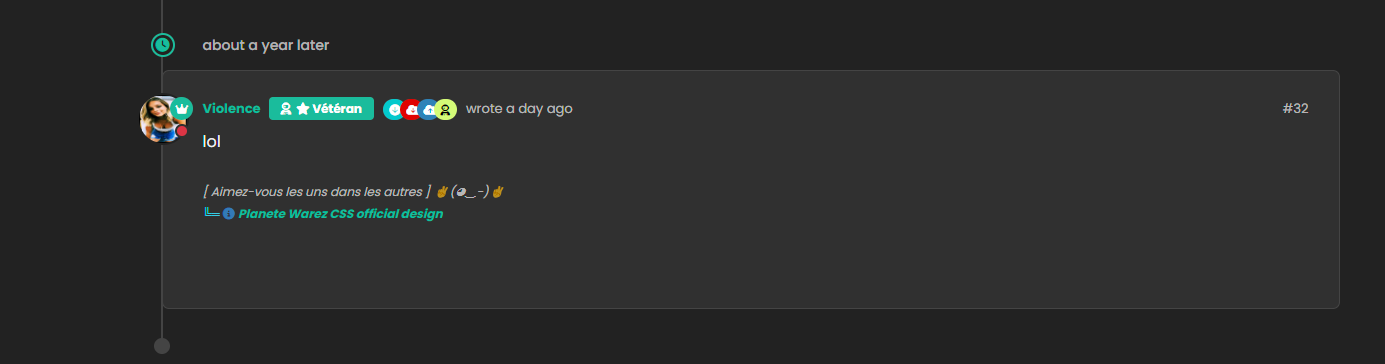
    image.png
    image.png

  • hmm Ok
    For once I don’t understand the logic 🙂

    Just one thing I have added befor one Thread ON mode :
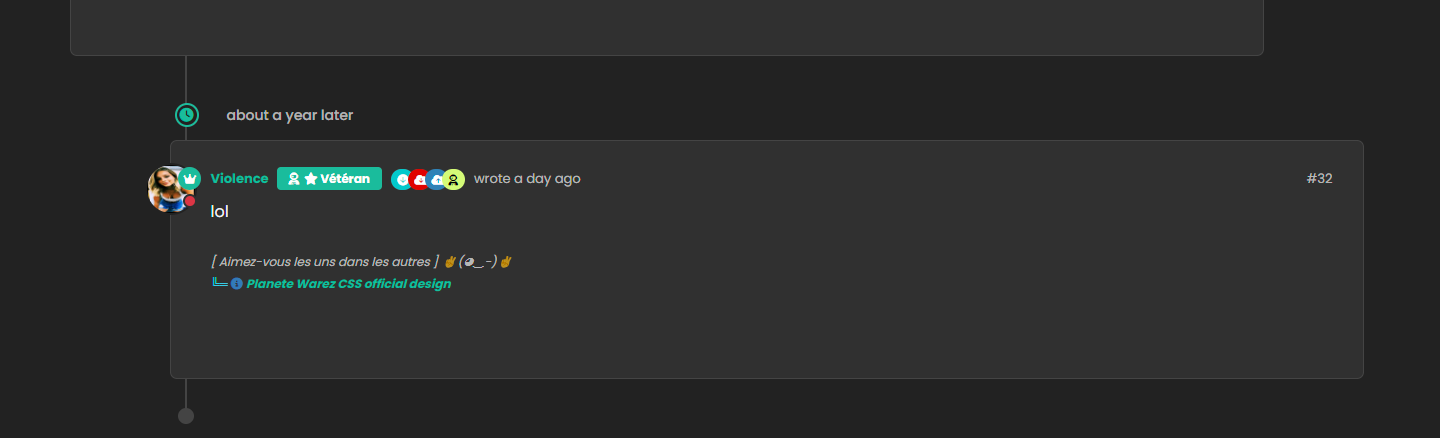
    image.png
    image.png

    wrote on last edited by
    #76

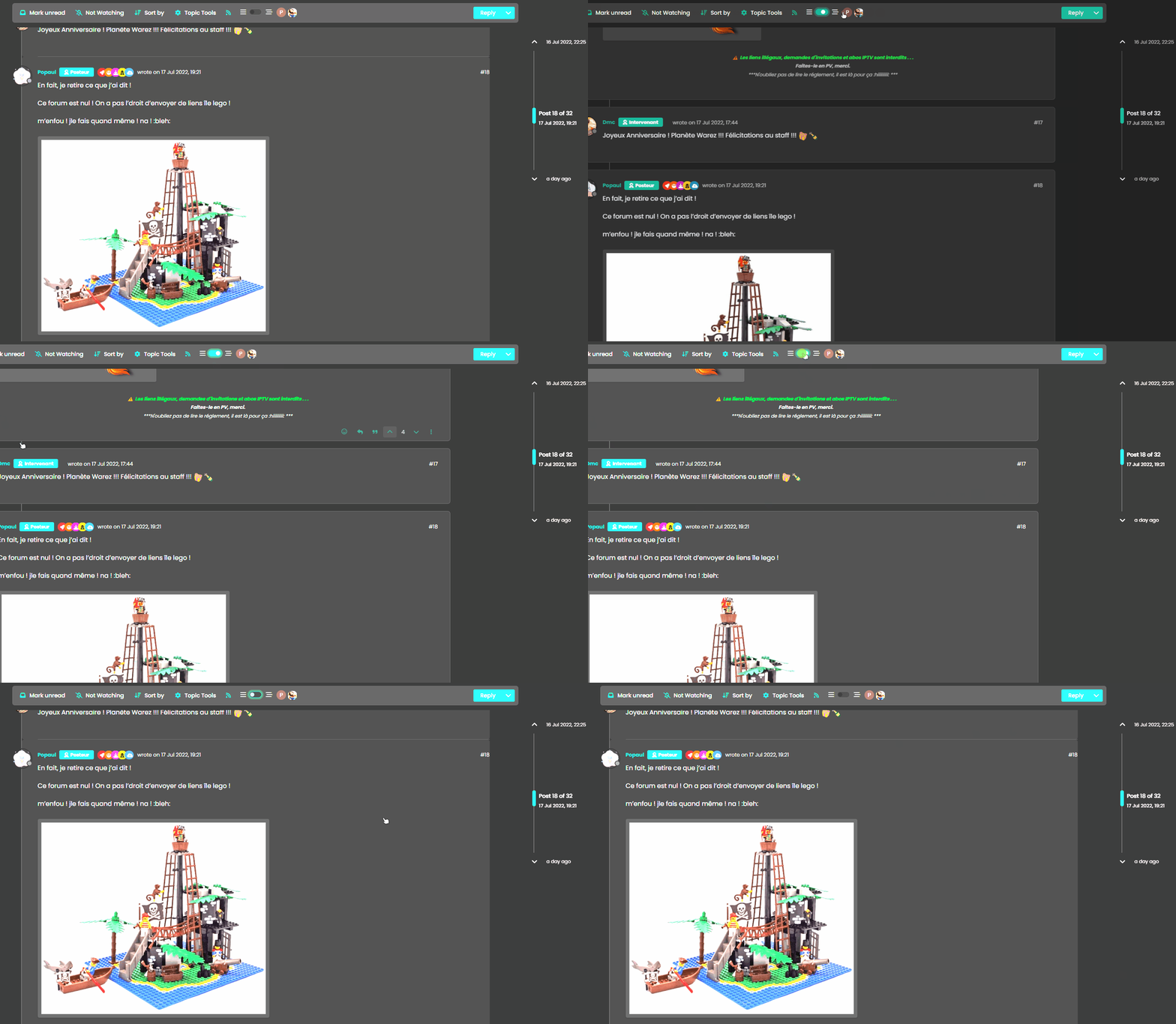
    @DownPW Caching issue I think. Seems to work ok for me

    Threading On

    00542631-8e3c-4ca7-b7ec-bb851a883bdb-image.png

    Threading Off

    f82a0eba-8361-4900-93e1-2af05e3b33a3-image.png

  • wrote on last edited by DownPW
    #77

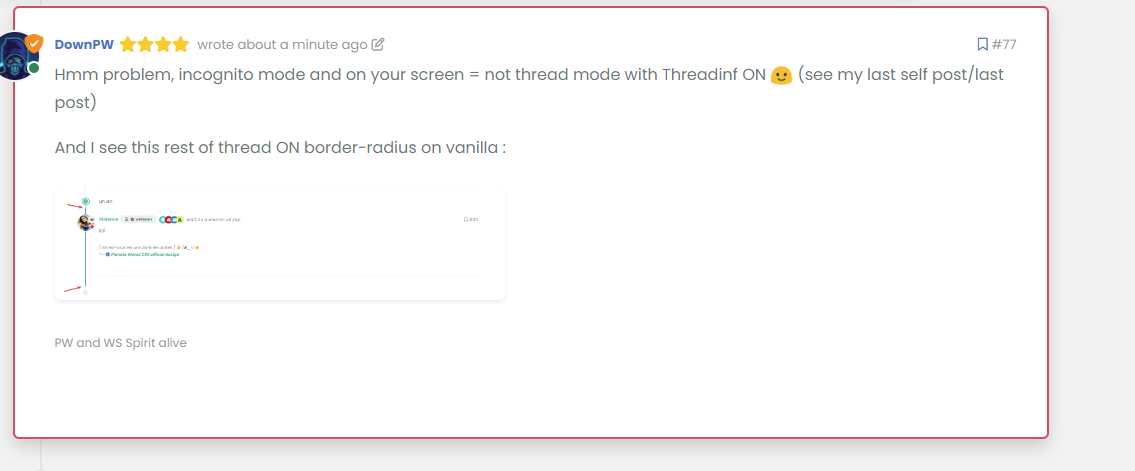
    Hmm problem, incognito mode and on your screen = not thread mode with Threadinf ON 🙂 (see my last self post/last post)

    And I see this rest of thread ON border-radius on vanilla :
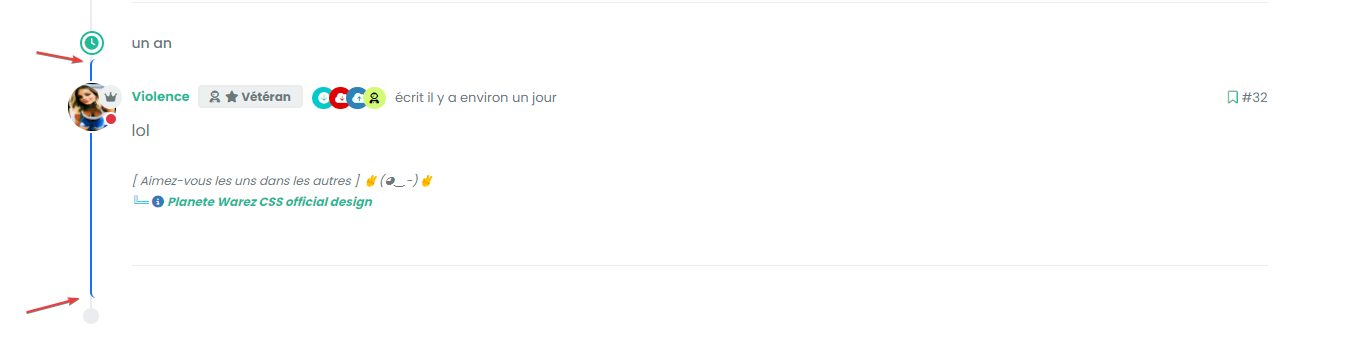
    image.png

    Seem very hard to understand

  • Hmm problem, incognito mode and on your screen = not thread mode with Threadinf ON 🙂 (see my last self post/last post)

    And I see this rest of thread ON border-radius on vanilla :

    image.png

    Seem very hard to understand

    wrote on last edited by phenomlab
    #78

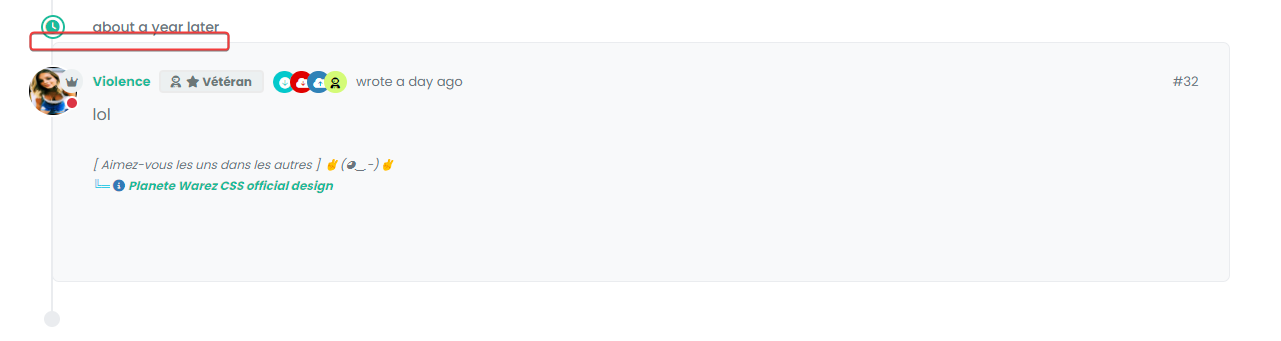
    @DownPW This one?

    9ab34fe4-53c7-4466-b2bf-ee77a9495cf1-image.png

    Seems fine to me?

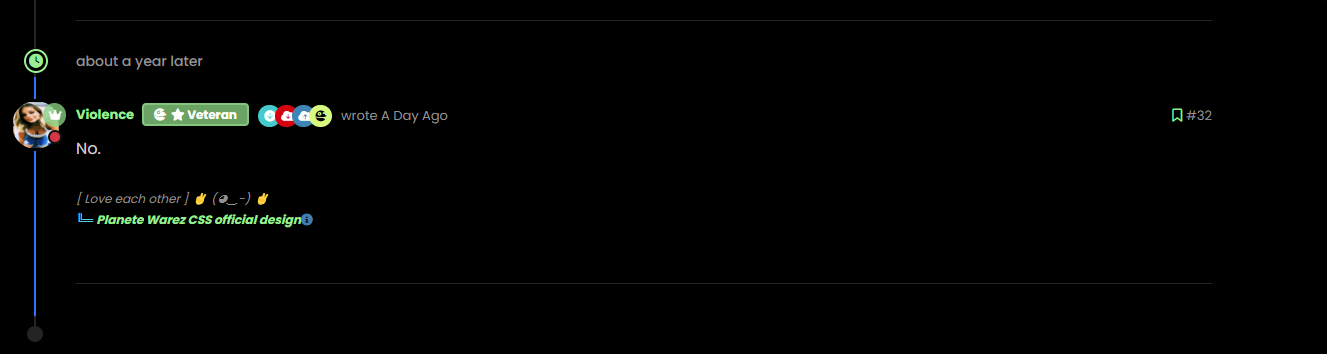
    For the radius issue on highlight, this will fix it (I updated your CSS already)

    .page-topic .topic .posts.timeline .timeline-event.highlight, .page-topic .topic .posts.timeline > [component="post/placeholder"].highlight, .page-topic .topic .posts.timeline > [component=post].highlight {
        border-left: 2px solid #0d6efd !important;
        margin-left: 22px;
        transition: transform 0.3s ease !important;
        border-radius: 0px;
    }
    

    7de4ff82-561b-49f2-9e80-b4876e2caaba-image.png

  • wrote on last edited by
    #79

    nope we have top and bottom left border radius. On vanilla harmony, we have not

  • wrote on last edited by
    #80

    but the most important thing for now is that we lost the Threading effect

  • nope we have top and bottom left border radius. On vanilla harmony, we have not

    wrote on last edited by
    #81

    @DownPW said in Threading support for NodeBB:

    nope we have top and bottom left border radius. On vanilla harmony, we have not

    No, you don’t - see my screenshot…

  • wrote on last edited by
    #82

    ah ok you just edited

  • but the most important thing for now is that we lost the Threading effect

    wrote on last edited by phenomlab
    #83

    @DownPW said in Threading support for NodeBB:

    but the most important thing for now is that we lost the Threading effect

    Nope. I see this as working correctly in standard and incognito mode.

  • wrote on last edited by DownPW
    #84

    Arf yes sorry. Apologies

    But it’s seem we have lost margin-left
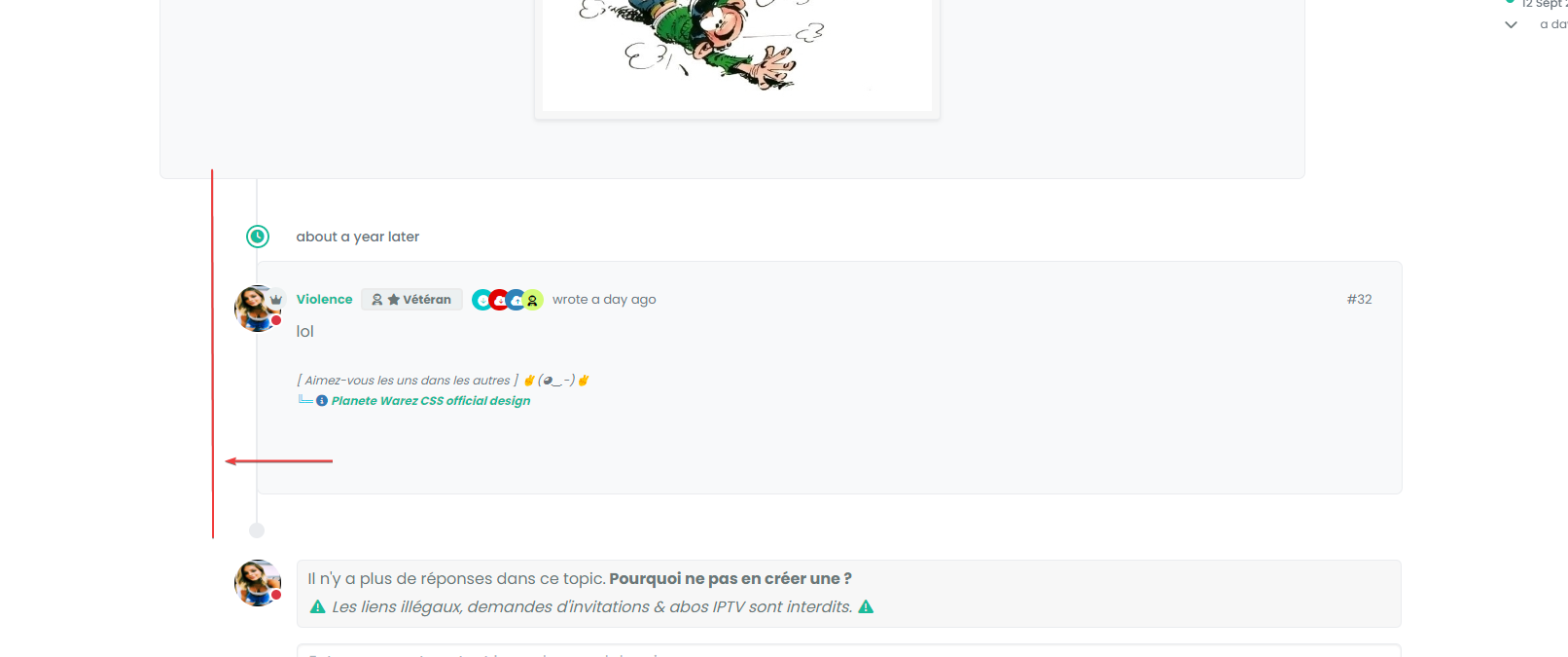
    image.png

    you have same things ?

  • Arf yes sorry. Apologies

    But it’s seem we have lost margin-left

    image.png

    you have same things ?

    wrote on last edited by
    #85

    @DownPW Can you provide the URL for that specific thread?

  • wrote on last edited by DownPW
    #86

    And this margin :

    image.png

    I have added before a margin between the topic and the timeline icon.

    we’ll come to an understanding 🙂

    But I admit that I don’t really understand.

  • And this margin :

    image.png

    I have added before a margin between the topic and the timeline icon.

    we’ll come to an understanding 🙂

    But I admit that I don’t really understand.

    wrote on last edited by
    #87

    @DownPW said in Threading support for NodeBB:

    But I admit that I don’t really understand.

    Neither do I ! 😕


Related Topics
  • 3 Votes
    2 Posts
    2k Views
    DownPW
    Very great
  • TNG + Nodebb

    General tng genealogy nodebb plugin
    4
    0 Votes
    4 Posts
    2k Views
    phenomlab
    @Madchatthew said in TNG + Nodebb: you have to try and use duck tape and super glue to change something to make it do what you want it to do I couldn’t have put that better myself.
  • Extended functions for Q&A NodeBB plugin

    Let's Build It q&a panels cards
    3
    4
    5 Votes
    3 Posts
    3k Views
    DownPW
    Very good like always
  • Interesting Widget code, but can't fetch API

    Solved Customisation nodebb
    26
    2 Votes
    26 Posts
    11k Views
    phenomlab
    @Panda said in Interesting Widget code, but can’t fetch API: How did you drop that widget into the post there? I hadnt seen this BSgenerator anywhere on sudonix site, do you use it somewhere already? Yes, here https://sudonix.org/topic/414/corporate-bullshit-generator?_=1687774393044 It’s not a “post” or “topic” in the common sense. It is actually a page in it’s own right and leverages nodebb-plugin-custom-pages. This in turn creates a new “route” which behaves like a page, meaning it is then exposed for widgets. @Panda said in Interesting Widget code, but can’t fetch API: Also can you explain more what you mean by calling the code externally. In my API call example, how would I go about doing that? By this, I mean create all the required code in an external JS file that is reachable by the NodeBB instance - so, in “public” for example - or in my case /public/js. The widget then “calls” that file and because it runs outside of the scope of NodeBB, you just need to return the values to the widget. Hope this makes sense?
  • Setup OGProxy for use in NodeBB

    Moved Let's Build It ogproxy opengraph npm node
    110
    2
    21 Votes
    110 Posts
    55k Views
    phenomlab
    @crazycells said in Setup OGProxy for use in NodeBB: are they cached for each user separately? No. It’s a shared cache @crazycells said in Setup OGProxy for use in NodeBB: additionally, this is also handling youtube videos etc, right? No. This is handled by nodebb-plugin-ns-embed
  • NodeBB v3 Chat Very Slow

    Moved Performance nodebb v3 nodebb chat
    47
    11 Votes
    47 Posts
    21k Views
    phenomlab
    @DownPW Seems fine.
  • Setting up a beta NodeBB v3 environment

    Moved Let's Build It nodebb upgrades beta1
    14
    3
    11 Votes
    14 Posts
    6k Views
    phenomlab
    @dave1904 excellent news. Thanks for the feedback
  • NodeBB Design help

    Solved Customisation
    8
    3
    2 Votes
    8 Posts
    4k Views
    phenomlab
    @riekmedia I’ve applied some new CSS to your site. Can you reload the page and try again ? For the record, this is what I added #footer { background: #2d343e; border-top: 4px solid #2d343e; font-size: 0.9em; margin-top: 70px; padding: 80px 0 0; position: relative; clear: both; bottom: 0; left: 0; right: 0; z-index: 1000; margin-left: -15px; margin-right: -338px; } The /categories page seems a bit messed up, so looking at that currently EDIT - issued some override CSS in the CATEGORIES widget <!--- CSS fix for overspill on /categories page - DO NOT DELETE --> <style> #footer { margin-right: -45px; } </style> That should resolve the /categories issue.