Skip to content

Threaded post support for NodeBB

Let's Build It
146 5 116.5k 1
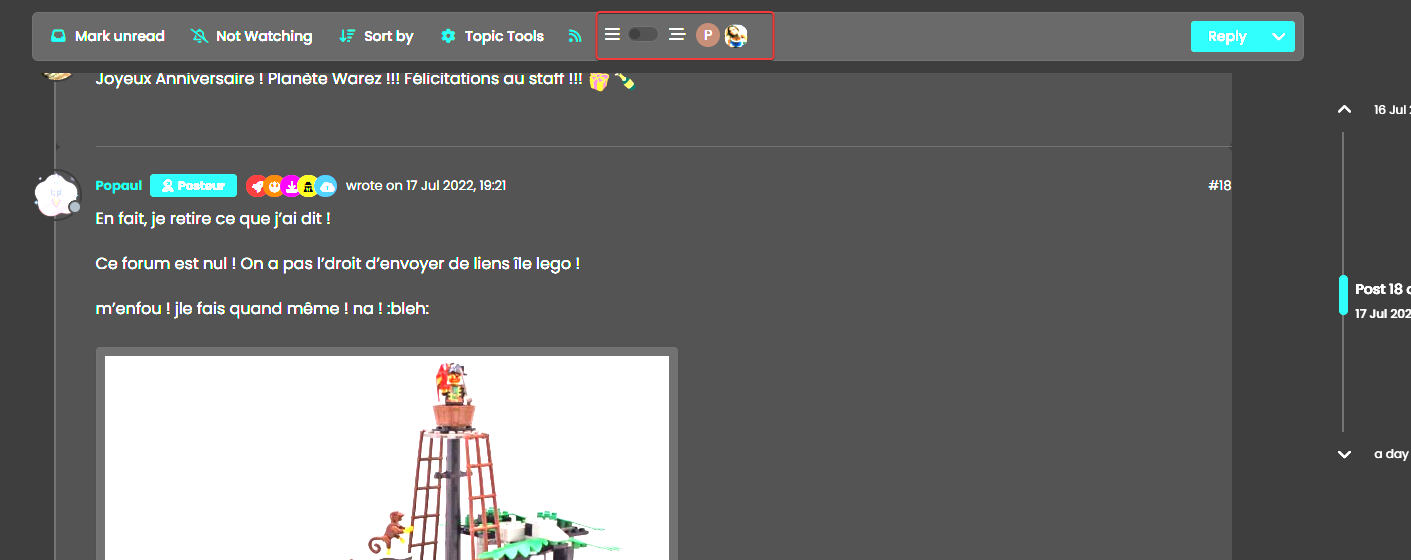
  • yep but these 2 class have problem, on your screens, with Threading Off, background color use –bs-body-navbar and not –bs-body-bg.
    And if you seen topi event is not transparent like vanilla

    wrote on last edited by phenomlab
    #61

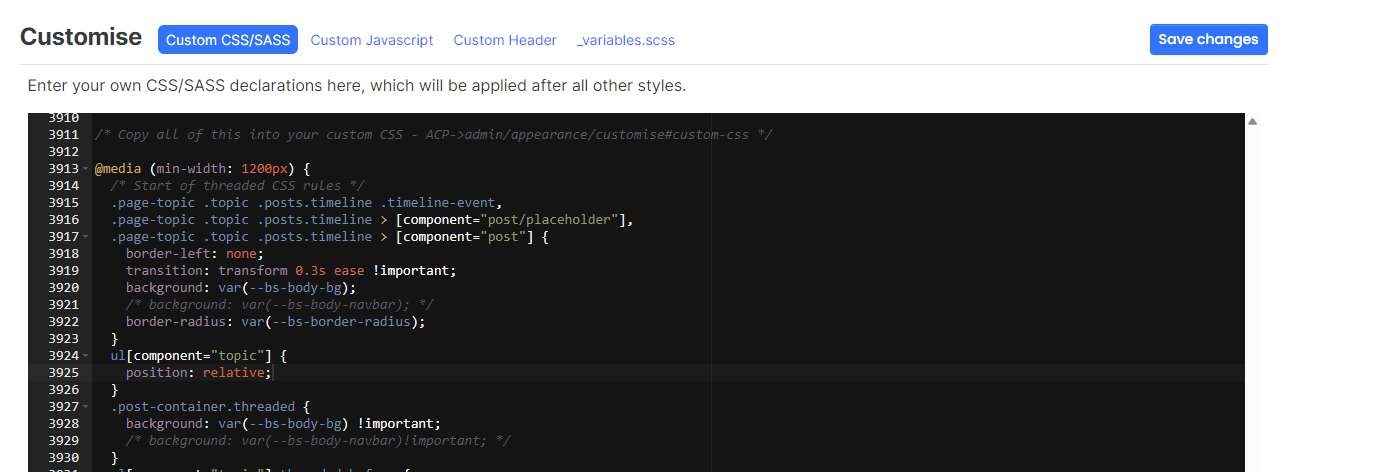
    @DownPW That should make no difference?

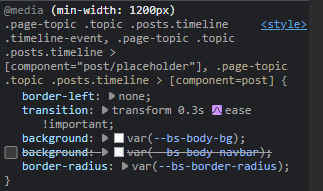
    Just remove it from the class

    .page-topic .topic .posts.timeline .timeline-event, .page-topic .topic .posts.timeline > [component="post/placeholder"], .page-topic .topic .posts.timeline > [component=post] {
        border-left: none;
        transition: transform 0.3s ease !important;
        background: var(--bs-body-bg);
        /* background: var(--bs-body-navbar); */
        border-radius: var(--bs-border-radius);
    }
    

    9871c5b3-1b9b-415b-b848-0f663341fc09-image.png

  • wrote on last edited by DownPW
    #62

    that makes all the difference 🙂

    Vanilla is like this:

    image.png

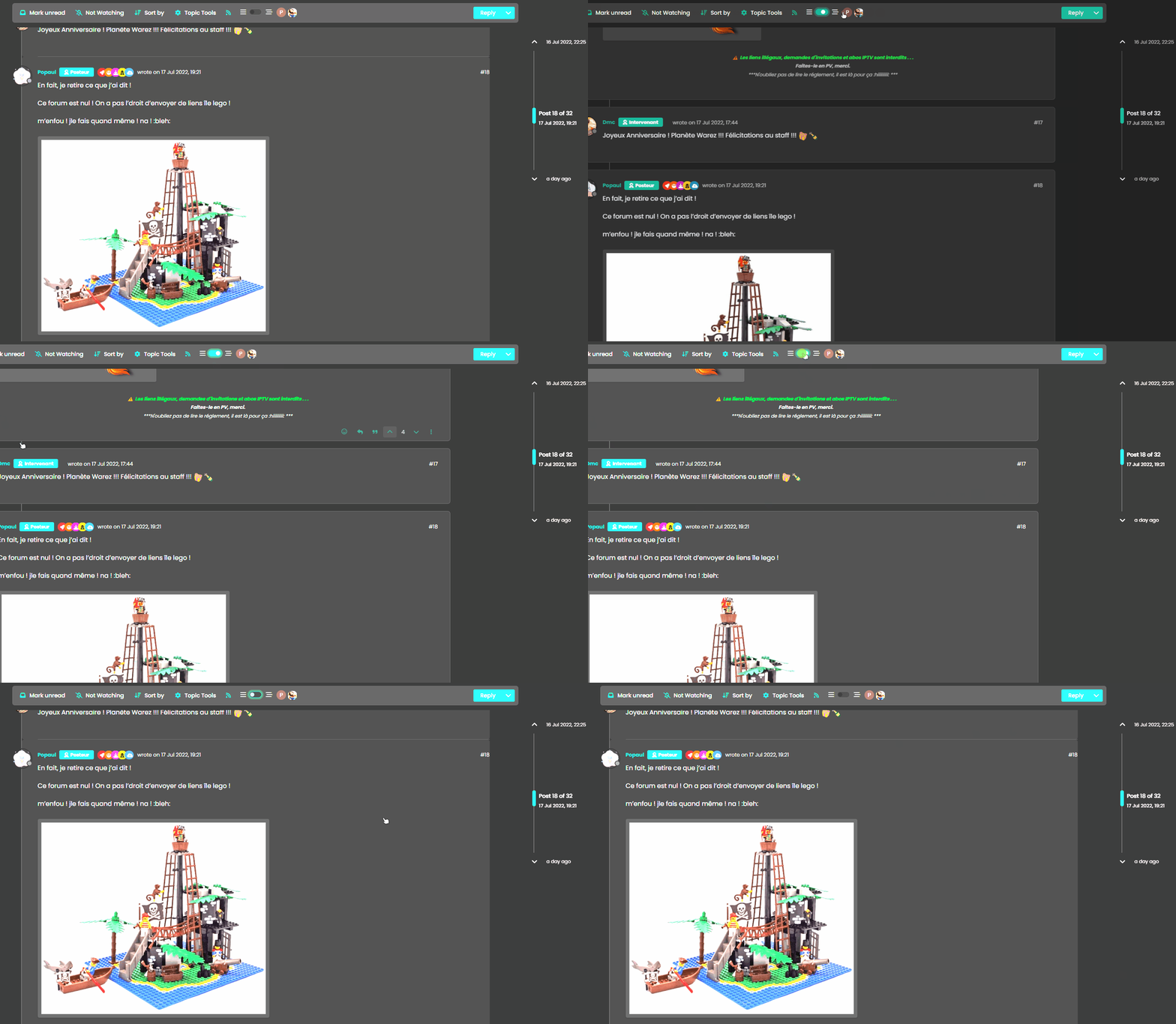
  • yep but these 2 class have problem, on your screens, with Threading Off, background color use –bs-body-navbar and not –bs-body-bg.
    And if you seen topi event is not transparent like vanilla

    wrote on last edited by
    #63

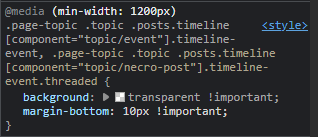
    @DownPW said in Threading support for NodeBB:

    And if you seen topi event is not transparent like vanilla

    It is for me
    6d89cea9-6311-48d1-8eea-07b7b827eafd-image.png

  • wrote on last edited by
    #64

    nope for me

    image.png

  • wrote on last edited by DownPW
    #65

    no return to vanilla background

    blink2.gif

    vanilla: bs-body-bg
    thread ON: bs-body-navbar

  • no return to vanilla background

    blink2.gif

    vanilla: bs-body-bg
    thread ON: bs-body-navbar

    wrote on last edited by
    #66

    @DownPW Because your CSS has not been altered dude.

    ebe21e6c-5409-498f-a5dd-605403c52622-image.png

    Try now. It works for me?

  • wrote on last edited by DownPW
    #67

    I have not the same result :

    image.png

    I have bs-body-bg with thread ON

  • I have not the same result :

    image.png

    I have bs-body-bg with thread ON

    wrote on last edited by
    #68

    @DownPW Isn’t that correct, or do you want --bs-body-navbar ?

  • no return to vanilla background

    blink2.gif

    vanilla: bs-body-bg
    thread ON: bs-body-navbar

    wrote on last edited by
    #69

    @DownPW said in Threading support for NodeBB:

    vanilla: bs-body-bg
    thread ON: bs-body-navbar

  • @DownPW said in Threading support for NodeBB:

    vanilla: bs-body-bg
    thread ON: bs-body-navbar

    wrote on last edited by
    #70

    @DownPW Right. Hold on.

  • wrote on last edited by DownPW
    #71

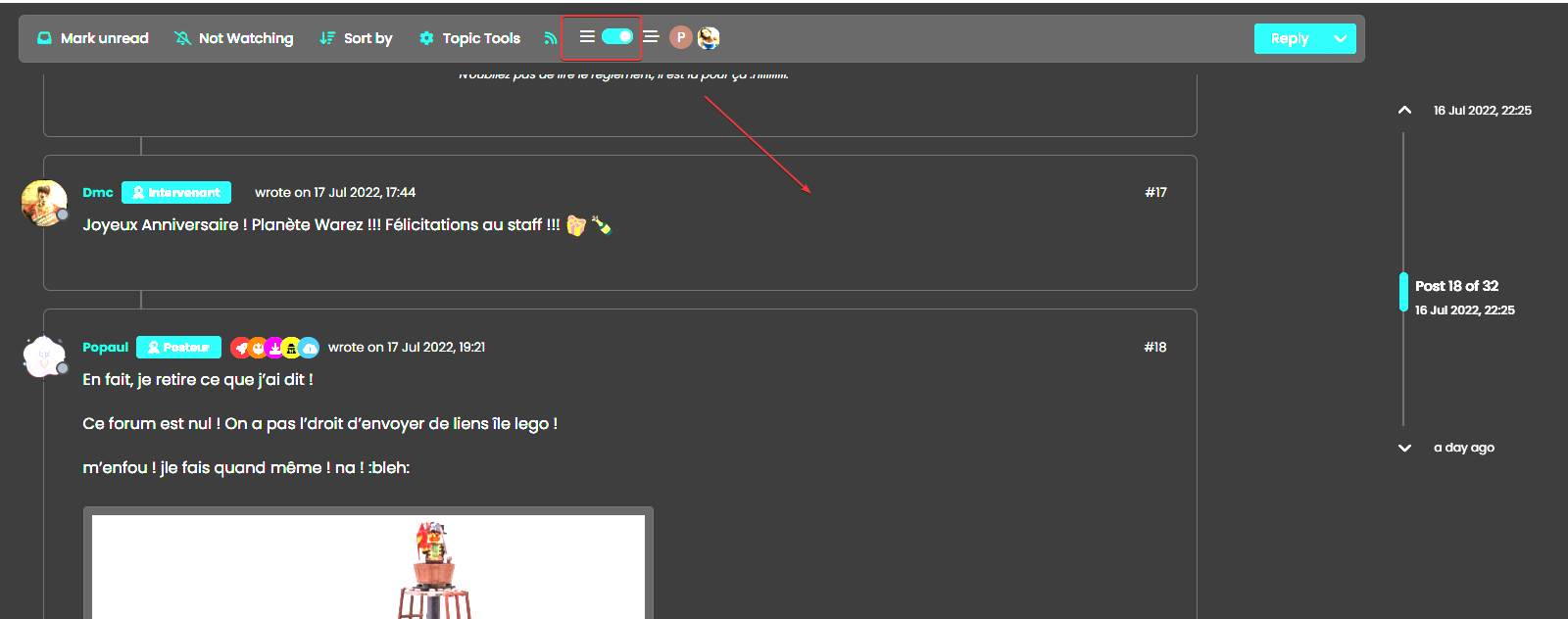
    or maybe for each modification this must be specified twice ?

    THREAD OFF

    /* Start of threaded CSS rules */
    .page-topic .topic .posts.timeline .timeline-event,
    .page-topic .topic .posts.timeline > [component="post/placeholder"],
    .page-topic .topic .posts.timeline > [component="post"] {
      border-left: none;
      transition: transform 0.3s ease !important;
      background: var(--bs-body-bg);
      /* background: var(--bs-body-navbar); */
      border-radius: var(--bs-border-radius);
    }
    

    THREAD ON

    /* Start of threaded CSS rules */
    .page-topic .topic .posts.timeline .timeline-event,
    .page-topic .topic .posts.timeline > [component="post/placeholder"],
    .page-topic .topic .posts.timeline > [component="post"].threaded {
      border-left: none;
      transition: transform 0.3s ease !important;
      /* background: var(--bs-body-bg); */
      background: var(--bs-body-navbar);
      border-radius: var(--bs-border-radius);
    }
    

    Same things for other modif like border radius

  • or maybe for each modification this must be specified twice ?

    THREAD OFF

    /* Start of threaded CSS rules */
    .page-topic .topic .posts.timeline .timeline-event,
    .page-topic .topic .posts.timeline > [component="post/placeholder"],
    .page-topic .topic .posts.timeline > [component="post"] {
      border-left: none;
      transition: transform 0.3s ease !important;
      background: var(--bs-body-bg);
      /* background: var(--bs-body-navbar); */
      border-radius: var(--bs-border-radius);
    }
    

    THREAD ON

    /* Start of threaded CSS rules */
    .page-topic .topic .posts.timeline .timeline-event,
    .page-topic .topic .posts.timeline > [component="post/placeholder"],
    .page-topic .topic .posts.timeline > [component="post"].threaded {
      border-left: none;
      transition: transform 0.3s ease !important;
      /* background: var(--bs-body-bg); */
      background: var(--bs-body-navbar);
      border-radius: var(--bs-border-radius);
    }
    

    Same things for other modif like border radius

    wrote on last edited by
    #72

    @DownPW Try now.

  • wrote on last edited by
    #73

    🙂

    One or 2 classes are missing in Thread ON mode but this is the logic I want.

    What have you done that I can understand and modify?

  • 🙂

    One or 2 classes are missing in Thread ON mode but this is the logic I want.

    What have you done that I can understand and modify?

    wrote on last edited by
    #74

    @DownPW Good…

    Added

      li.pt-4.threaded {
        background: var(--bs-body-navbar) !important;
    }
    

    Modified

      .page-topic .topic .posts.timeline .timeline-event,
      .page-topic .topic .posts.timeline > [component="post/placeholder"],
      .page-topic .topic .posts.timeline > [component="post"] {
        border-left: none;
        transition: transform 0.3s ease !important;
        background: var(--bs-body-bg); 
        border-radius: var(--bs-border-radius);
      }
    
  • wrote on last edited by DownPW
    #75

    hmm Ok
    For once I don’t understand the logic 🙂

    Just one thing I have added befor one Thread ON mode :
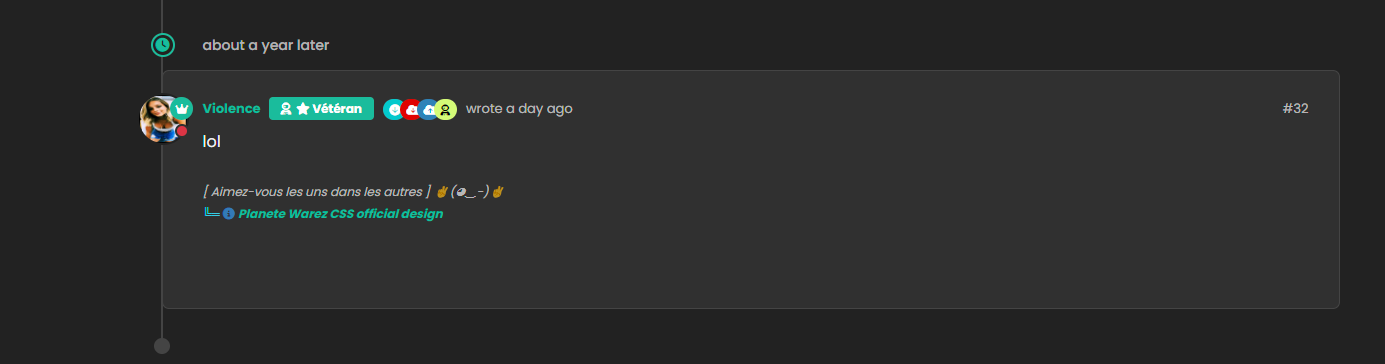
    image.png
    image.png

  • hmm Ok
    For once I don’t understand the logic 🙂

    Just one thing I have added befor one Thread ON mode :
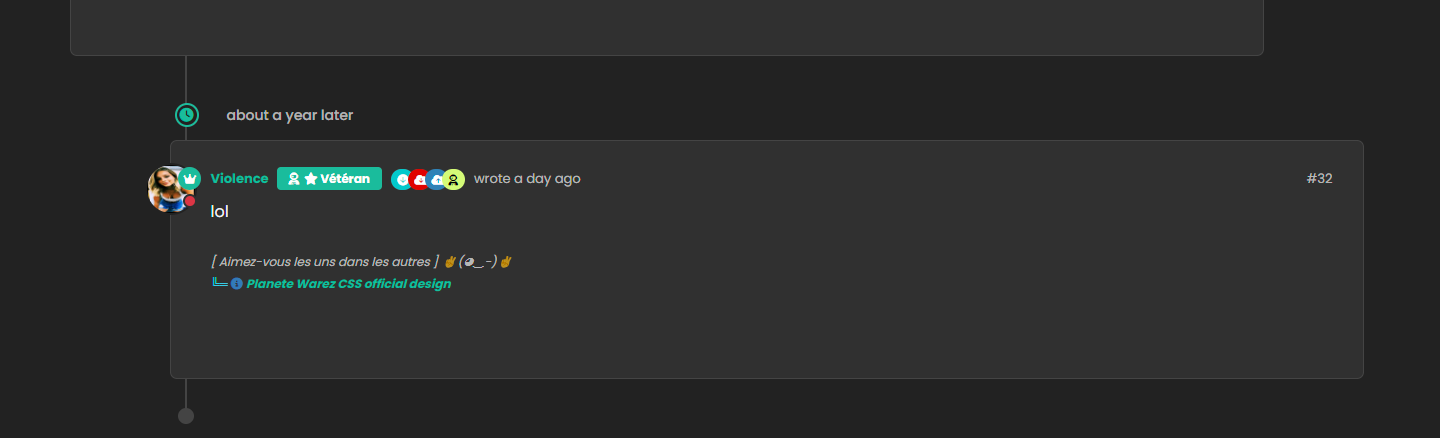
    image.png
    image.png

    wrote on last edited by
    #76

    @DownPW Caching issue I think. Seems to work ok for me

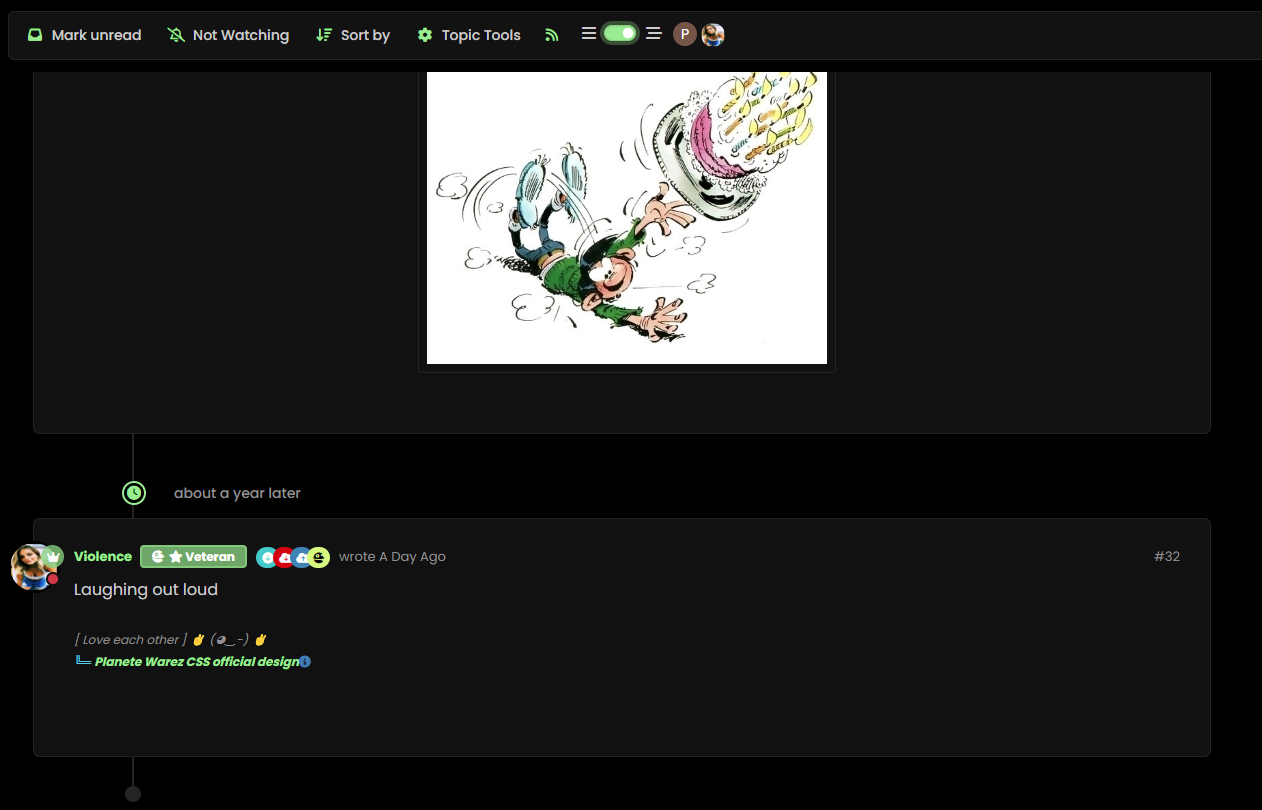
    Threading On

    00542631-8e3c-4ca7-b7ec-bb851a883bdb-image.png

    Threading Off

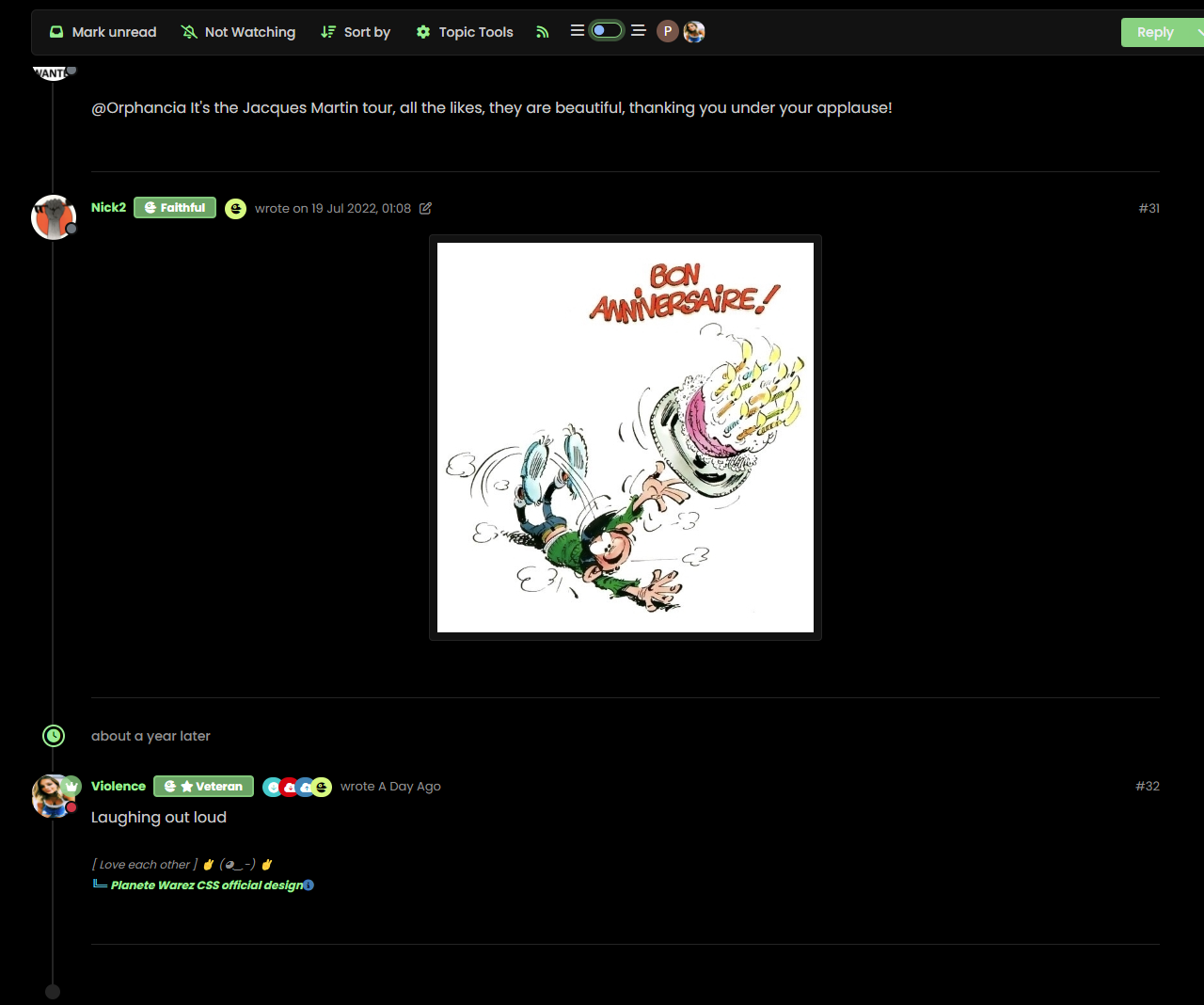
    f82a0eba-8361-4900-93e1-2af05e3b33a3-image.png

  • wrote on last edited by DownPW
    #77

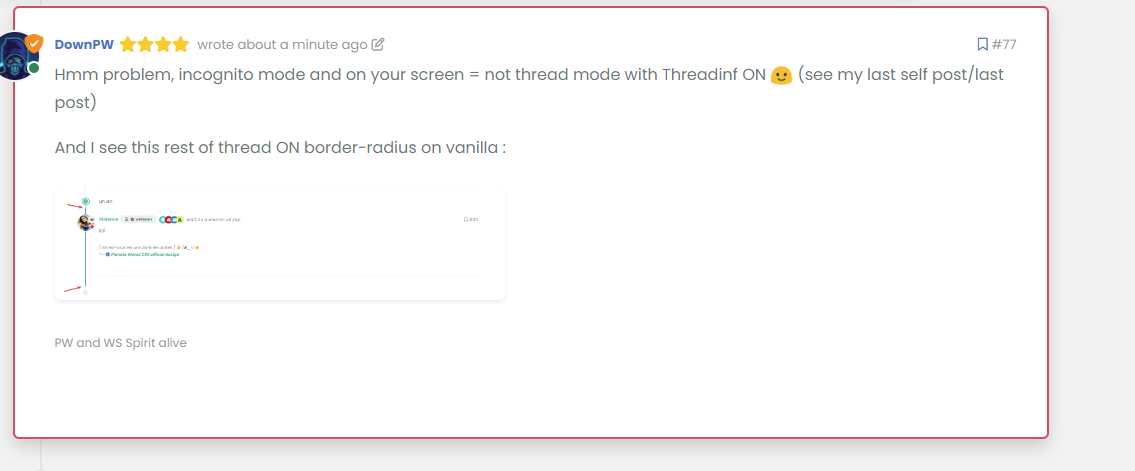
    Hmm problem, incognito mode and on your screen = not thread mode with Threadinf ON 🙂 (see my last self post/last post)

    And I see this rest of thread ON border-radius on vanilla :
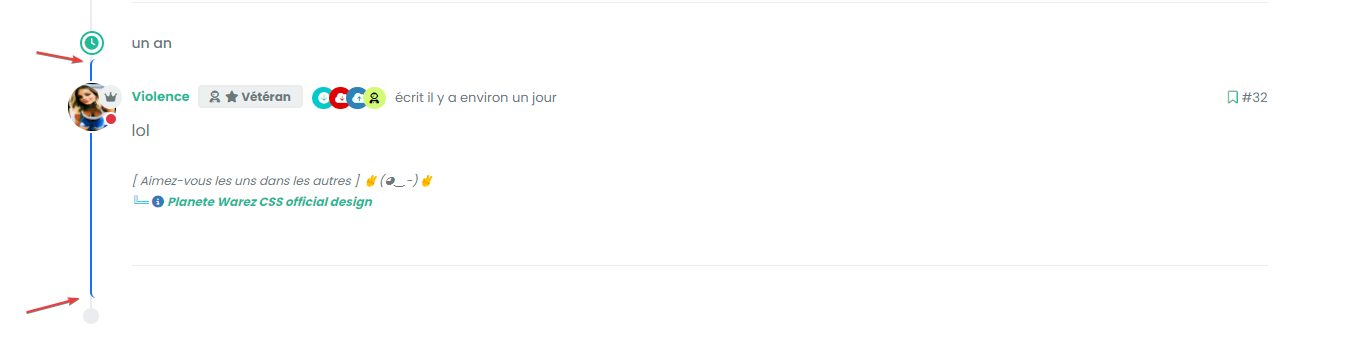
    image.png

    Seem very hard to understand

  • Hmm problem, incognito mode and on your screen = not thread mode with Threadinf ON 🙂 (see my last self post/last post)

    And I see this rest of thread ON border-radius on vanilla :

    image.png

    Seem very hard to understand

    wrote on last edited by phenomlab
    #78

    @DownPW This one?

    9ab34fe4-53c7-4466-b2bf-ee77a9495cf1-image.png

    Seems fine to me?

    For the radius issue on highlight, this will fix it (I updated your CSS already)

    .page-topic .topic .posts.timeline .timeline-event.highlight, .page-topic .topic .posts.timeline > [component="post/placeholder"].highlight, .page-topic .topic .posts.timeline > [component=post].highlight {
        border-left: 2px solid #0d6efd !important;
        margin-left: 22px;
        transition: transform 0.3s ease !important;
        border-radius: 0px;
    }
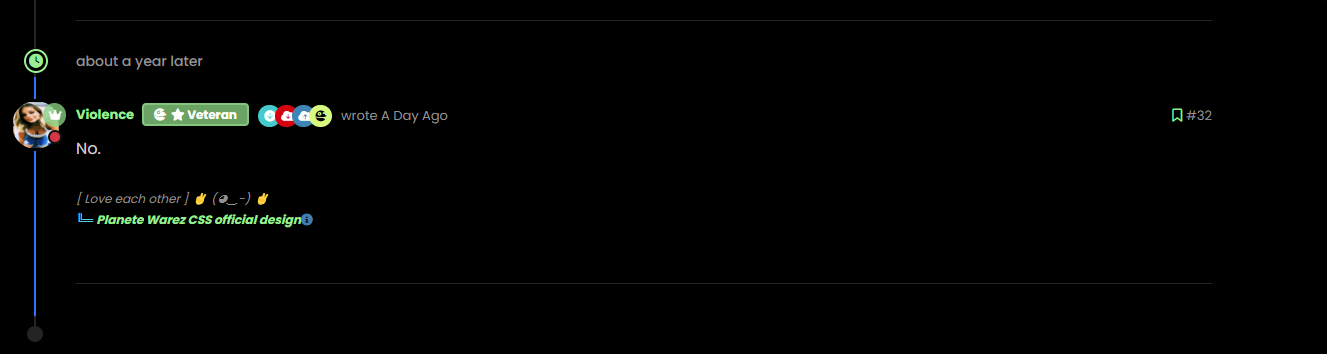
    

    7de4ff82-561b-49f2-9e80-b4876e2caaba-image.png

  • wrote on last edited by
    #79

    nope we have top and bottom left border radius. On vanilla harmony, we have not

  • wrote on last edited by
    #80

    but the most important thing for now is that we lost the Threading effect


Related Topics
  • NodeBB recent cards customisation

    Solved Customisation nodebb recent cards
    3
    1
    2 Votes
    3 Posts
    1k Views
    JAC
    @phenomlab thank you very much for the assistance Mark, massively appreciated as always. The great thing about this is it’s all documented for other NodeBB users that come looking for solutions . Looks far better .
  • Extended functions for Q&A NodeBB plugin

    Let's Build It q&a panels cards
    3
    4
    5 Votes
    3 Posts
    3k Views
    DownPW
    Very good like always
  • Threaded chat support for NodeBB

    Let's Build It threaded chat code
    35
    1
    19 Votes
    35 Posts
    16k Views
    phenomlab
    @DownPW said in Threaded chat support for NodeBB: Better like this : add shadow and border-left on self answer Of course - you style to your own requirements and taste I’ll commit that CSS we discussed yesterday also
  • www. Infront stops website access?

    Solved Configure nodebb
    10
    1 Votes
    10 Posts
    3k Views
    phenomlab
    @Panda because there is no match for the DNS entry specified. The receiving web server parses the headers looking for a destination hostname to match, and anything the web server is unable to resolve will be sent back to the root.
  • NodeBB v3 Chat Very Slow

    Moved Performance nodebb v3 nodebb chat
    47
    11 Votes
    47 Posts
    21k Views
    phenomlab
    @DownPW Seems fine.
  • Setting up a beta NodeBB v3 environment

    Moved Let's Build It nodebb upgrades beta1
    14
    3
    11 Votes
    14 Posts
    6k Views
    phenomlab
    @dave1904 excellent news. Thanks for the feedback
  • How to fix size of photos & videos NodeBB

    Solved Customisation nodebb nodebb size
    7
    3 Votes
    7 Posts
    3k Views
    phenomlab
    @crazycells pleasure. Using percentages makes much more sense in this case. It’s the same argument with px vs pt vs em with fonts, margins, padding, etc., in the sense that em is generally preferred over px and pt https://stackoverflow.com/questions/609517/why-em-instead-of-px
  • Top Ranked Forums

    Chitchat nodebb top ranked
    9
    1
    3 Votes
    9 Posts
    3k Views
    phenomlab
    The real issue here is that most people consider forums to be “dead” in the sense that nobody uses them anymore, and social media groups have taken their place. Their once dominant stance in the 90’s and early 00’s will never be experienced again, but having said that, there are a number of forums that did in fact survive the social media onslaught, and still enjoy a large user base. Forums tend to be niche. One that immediately sticks out is Reddit - despite looking like it was designed in the 80s, it still has an enormous user base. Another is Stack Overflow, which needs no introduction. The key to any forum is the content it offers, and the more people whom contribute in terms of posting , the more popular and widely respected it becomes as a reliable source of information. Forums are still intensely popular with gamers, alongside those that offer tips on hacking etc.