Skip to content

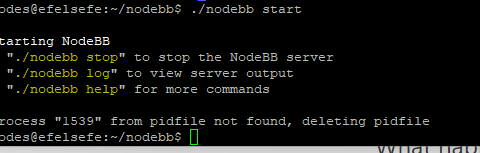
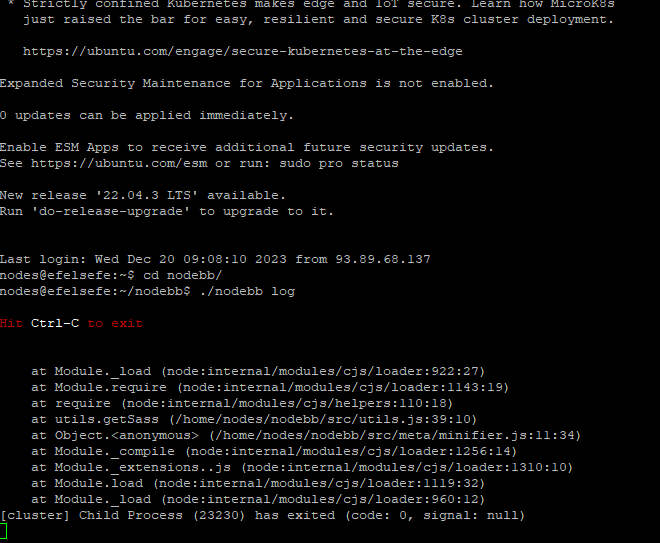
Getting Eror When Started NodeBB

Solved Configure
7 2 1.3k 1

Did this solution help you?
Did you find the suggested solution useful? Support 💗 Sudonix with a coffee
If your organisation needs deeper expertise around infrastructure, security, or technology leadership, learn more about Phenomlab Ltd. Many of the deeper technical guides behind Sudonix are published there.

Related Topics
  • Layout Issues/Transparency

    Solved Bugs bug reply transparent
    5
    2
    2 Votes
    5 Posts
    712 Views
    @phenomlab said in Layout Issues/Transparency: Does it work properly now? Yes, it does
  • problem with search page and copyright in footer

    Solved Bugs bug
    13
    1
    6 Votes
    13 Posts
    2k Views
    @phenomlab yes, search page is fixed thanks
  • Composer options on nodebb

    Solved Configure nodebb
    8
    1
    3 Votes
    8 Posts
    1k Views
    @Panda You should be able to expose the CSS for these using F12 to get into console [image: 1686833368846-3591518c-e3a3-4ada-a43c-6b32a5e0359c-image.png] [image: 1686833399483-a2b8ed46-4157-4ff2-85f0-576543380107-image.png] That should then expose the element once selected [image: 1686833431032-89d9c545-a47a-40d1-98f4-80cf3b958e8f-image.png] Here’s the below CSS you need based on the screenshot provided. .composer .formatting-bar .formatting-group li[data-format="picture-o"], .composer .formatting-bar .formatting-group li[data-format="spoiler"] { display: none; }
  • NodeBB: Opening the Composer for replies

    Solved Configure cms composer
    2
    0 Votes
    2 Posts
    696 Views
    @mventures Quick reply is basically exactly that. However, it’s possible to trigger the full composer as below [image: 1681314389744-82ca1209-31be-4a51-a641-9887b5a238b8-image.png] Failing that, you’ll need to use the reply button in the sticky toolbar [image: 1681314442570-1d230bcb-ff8e-4756-94f7-6e2fb7a94bc4-image.png]
  • NodeBB: Consent page

    Solved Configure nodebb consent
    16
    4 Votes
    16 Posts
    4k Views
    @DownPW I still do not see any issues.
  • NodeBB: Favicon upload issue

    Solved Configure nodebb favicon
    12
    1
    3 Votes
    12 Posts
    2k Views
    @phenomlab I am on a Mac, so I used the “Option + Command + I”, and then performed the steps. It loaded my favicon! I checked on Firefox which I haven’t used before, and it showed my favicon also! That’s fantastic and thank you for the help!
  • MailGun Not Working NodeBB

    Solved Configure mail mailgun
    6
    1 Votes
    6 Posts
    1k Views
    @phenomlab did it i did not create smtp user on mailgun. everything is working now. [image: 1667569376261-6cc6061f-ed5d-41f6-8eb7-5d98f98b3706-image.png]
  • NodeBB metadata

    Solved Configure nodebb

    4
    2 Votes
    4 Posts
    1k Views
    @phenomlab said in NodeBB metadata: @jac Are you sure ? https://www.google.co.uk/search?q=site%3Astockportcounty.fans&sxsrf=AOaemvLwnaZL-PliU_2dBOg_Eo1pMVhBjg%3A1638982328139&source=hp&ei=uOKwYeatBcOsad3yp7AE&iflsig=ALs-wAMAAAAAYbDwyLBSDcG5XYoFCKwQFhgz94wTxOcV&ved=0ahUKEwjm6dX71NT0AhVDVhoKHV35CUYQ4dUDCAk&uact=5&oq=site%3Astockportcounty.fans&gs_lcp=Cgdnd3Mtd2l6EAM6BAgjECc6CwgAEIAEELEDEIMBOg4ILhCABBCxAxDHARCjAjoRCC4QgAQQsQMQgwEQxwEQowI6BQguEIAEOggIABCABBCxAzoFCAAQgAQ6CAguELEDEIMBOgsILhCABBDHARCvAToICC4QgAQQsQM6BQgAELEDOgsILhCABBDHARDRAzoLCAAQgAQQsQMQyQM6BQgAEJIDUABYySZg0CdoAHAAeACAAW2IAa0NkgEEMjMuMpgBAKABAQ&sclient=gws-wiz Fair enough 🤪🤪.