Threaded post support for NodeBB

-
@DownPW not necessarily. I can still develop something for you to use as a base.
-
Oh really ?
That would be super cool
Have 2 versions maybe. One adapted to your personalized code and one adapted to Harmony (without customizing the appearance of topics (stock))
I’m probably asking too much
PW and WS Spirit alive
-
Oh really ?
That would be super coolHave 2 versions maybe. One adapted to your personalized code and one adapted to Harmony (without customizing the appearance of topics (stock))
I’m probably asking too much
@DownPW said in Threading support for NodeBB:
I’m probably asking too much
Nope. Not at all. I’m fact, developing one from stock Harmony is probably a better idea as it’ll work out of the box.
Leave it with me.
Mark Cutting also advises organisations as a Fractional CIO, Fractional CISO and Executive Advisor, helping boards improve technology governance, cyber resilience and executive decision making. Learn more at Phenomlab Ltd
-
I’ve set my DEV environment to vanilla and will develop a working solution for that.
-
Hi All,
Some very early (subject to the odd bug) code released in DEV. You will need an account there - let me know if you need a password reset
https://sudonix.dev/topic/331/how-to-install-a-self-hosted-instance-of-iframely-for-use-with-nodebb
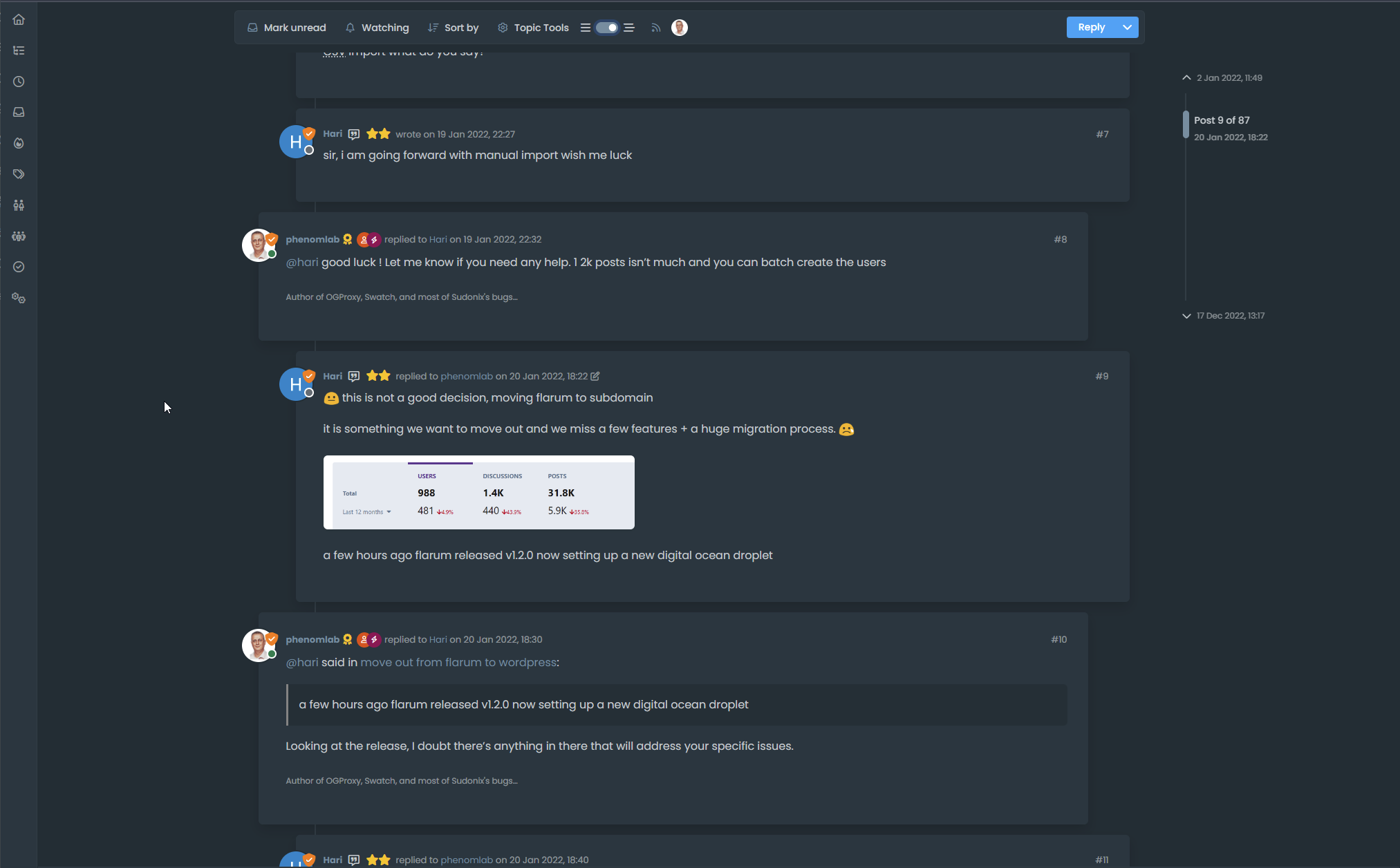
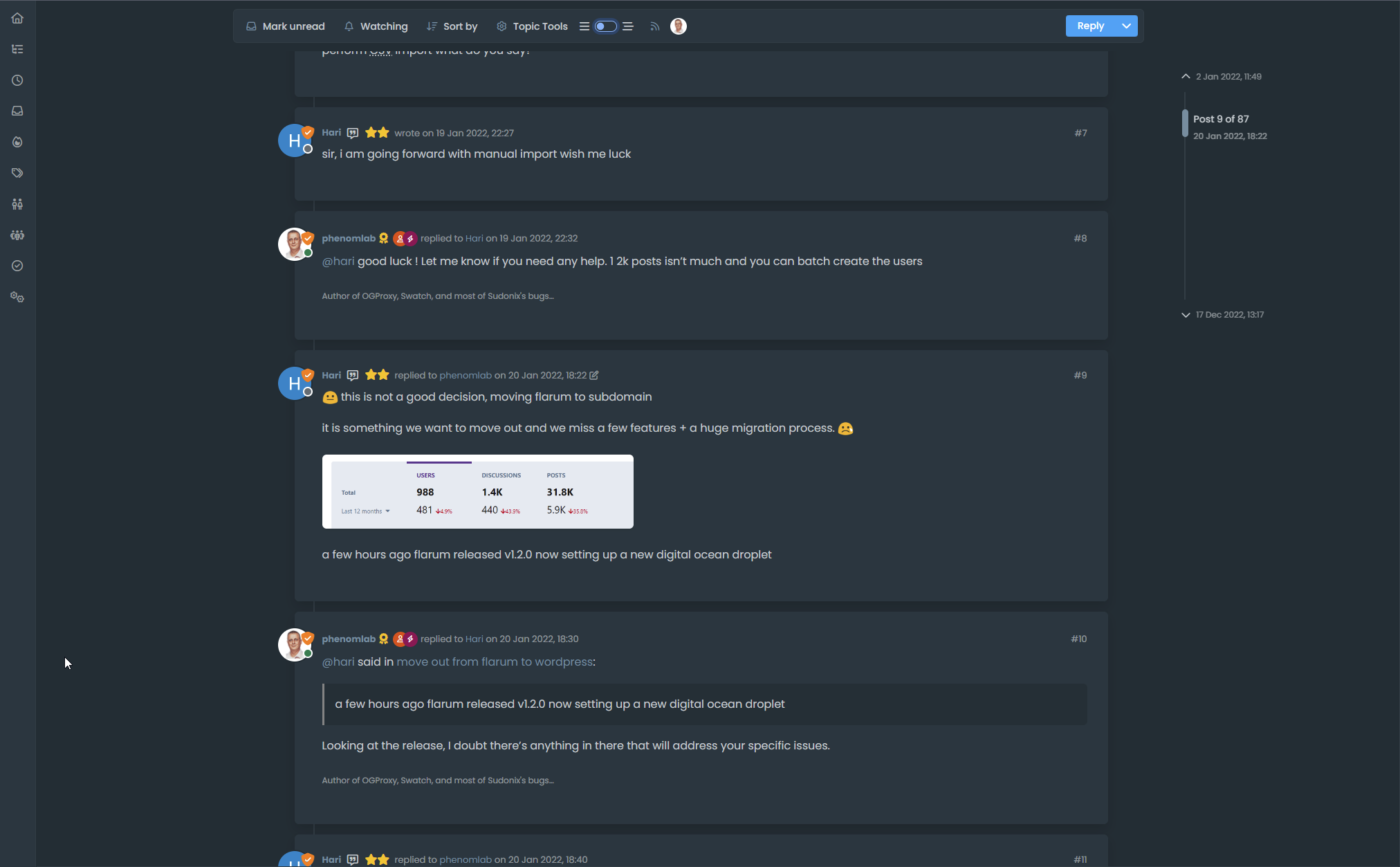
This code is quite complex, and leverages some interesting CSS classes. The most important change is that it removes the stock timeline bar, and will replace it with it’s own. This is for a variety of reasons - mostly around cumulative layout shift and pseudo elements being used in the stock CSS.
-
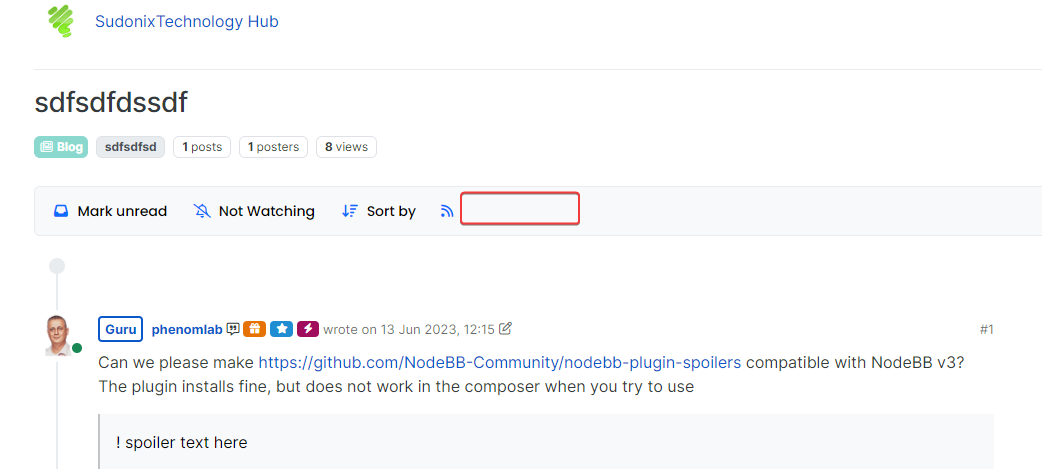
I have tested but I don’t see switch on dev
PW and WS Spirit alive
-
@DownPW It only triggers at
1200pxand above - do you have your browser size set smaller? -
Just added some transition effects. Note that depending on how many elements there are on the screen, this might cause layout shift.
-
oh yes I’m on 1920 x 1080 screen
oups
PW and WS Spirit alive
-
@DownPW Does it work now? By
1200pxI meant wide -
-
Odd. Seems to work for me.
-
nope it’s normal, i’m on 1080px height
PW and WS Spirit alive
-
@DownPW I’m going to reset your DEV password and login as you to check
-
I see why. Let me fix that
-
@DownPW can you log back into DEV and try again? Should be working now.
-
Here’s a video of the threading code working on stock Harmony on NodeBB.
However, it’s important to note that the timeline bar is removed and recreated. There is a good reason for this, as without taking this route, it would mean that the timeline bar will look out of place. It’s certainly possible to use the existing bar and use a variety of CSS to move it around, although this is VERY inconsistent in my testing, and lands up being far too complex when it comes to having multiple CSS classes that do not include a specific scenario etc.
In this case, it’s so much quicker to hide and replace the existing one - we do this in the default view also with the threaded view disabled, and I’m sure you won’t notice the difference
For obvious reasons, this code is configured to only fire on displays of 1200pxor more - obviously, firing on a mobile device wouldn’t look very good at all.Here’s the video
If you like what you see, here’s the code.
https://github.com/phenomlab/nodebb-harmony-threading
Final note - The code you see in the video is designed to work with stock Harmony. The code running on Sudonix is VERY different and uses a variety of CSS to render the view you see here. It’s “possible” to emulate this look, although it does mean that you will have to replace your custom CSS with that of Sudonix.
Mark Cutting also advises organisations as a Fractional CIO, Fractional CISO and Executive Advisor, helping boards improve technology governance, cyber resilience and executive decision making. Learn more at Phenomlab Ltd
-
Here’s a video of the threading code working on stock Harmony on NodeBB.
However, it’s important to note that the timeline bar is removed and recreated. There is a good reason for this, as without taking this route, it would mean that the timeline bar will look out of place. It’s certainly possible to use the existing bar and use a variety of CSS to move it around, although this is VERY inconsistent in my testing, and lands up being far too complex when it comes to having multiple CSS classes that do not include a specific scenario etc.
In this case, it’s so much quicker to hide and replace the existing one - we do this in the default view also with the threaded view disabled, and I’m sure you won’t notice the difference
For obvious reasons, this code is configured to only fire on displays of 1200pxor more - obviously, firing on a mobile device wouldn’t look very good at all.Here’s the video
If you like what you see, here’s the code.
https://github.com/phenomlab/nodebb-harmony-threading
Final note - The code you see in the video is designed to work with stock Harmony. The code running on Sudonix is VERY different and uses a variety of CSS to render the view you see here. It’s “possible” to emulate this look, although it does mean that you will have to replace your custom CSS with that of Sudonix.
@phenomlab wow… that looks really cool. I need to fire up a NodeBB box and test.
-
NOTE: Minor bugfixes applied
-
this is very cool. Thanks @phenomlab





Hello! It looks like you're interested in this conversation, but you don't have an account yet.
Getting fed up of having to scroll through the same posts each visit? When you register for an account, you'll always come back to exactly where you were before, and choose to be notified of new replies (either via email, or push notification). You'll also be able to save bookmarks and upvote posts to show your appreciation to other community members.
With your input, this post could be even better 💗
Register LoginRelated Topics
-
Spam spam spam
Solved Configure -
-
-
-
-
-
-