Issues getting Flarum to work on new host
-
@Hari you can go ahead and use
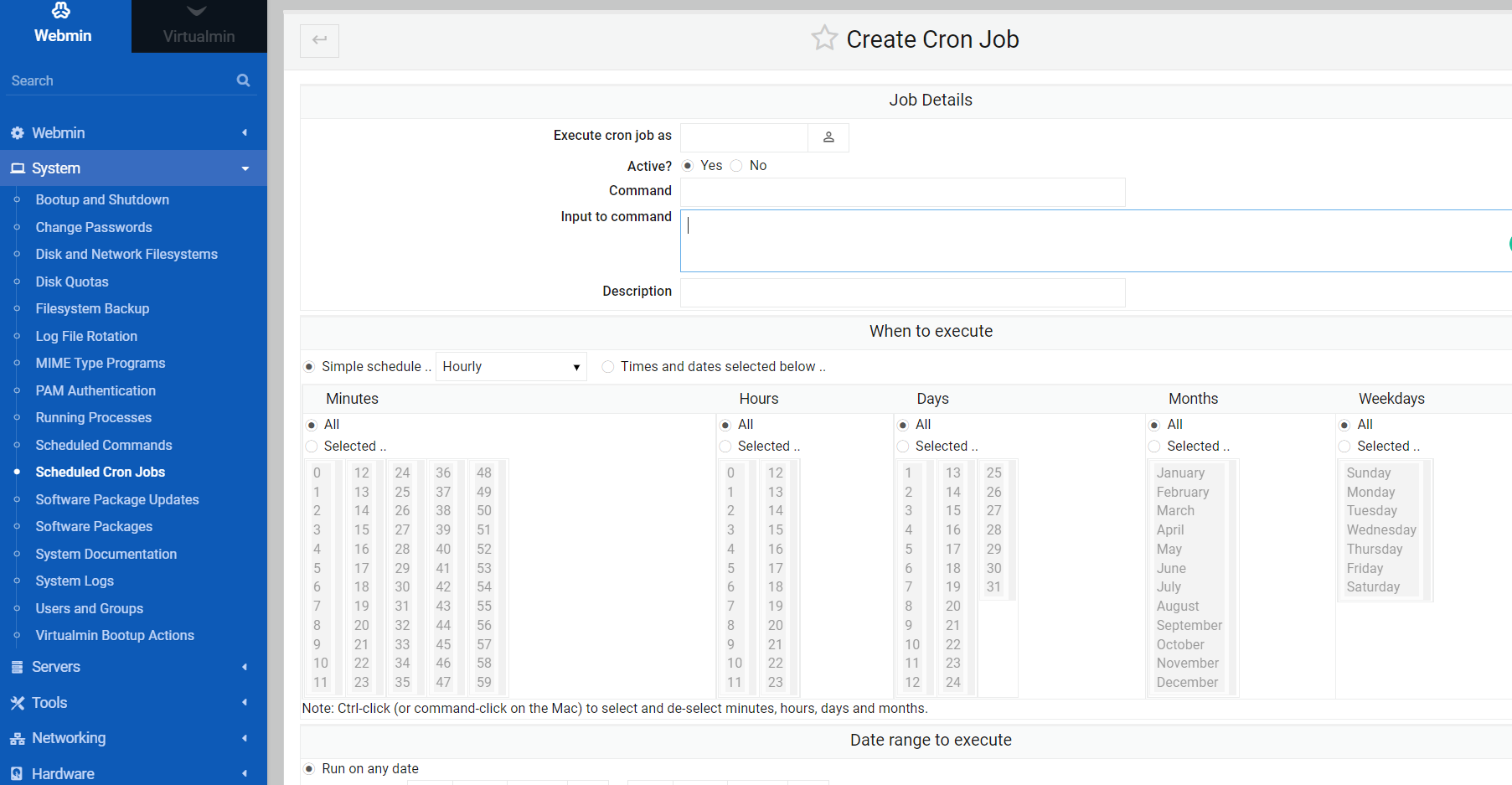
sudo apt install redis-server redis-toolsto get Redis up and running now. After that, (hopefully) Flarum should boot.@phenomlab i should also setup cron jobs now searching
-
@phenomlab i should also setup cron jobs now searching
@Hari This should help
https://sudonix.org/topic/27/help-me-configuring-cron-job-for-fof-sitemap-flarum?_=1645013723647
Mark Cutting also advises organisations as a Fractional CIO, Fractional CISO and Executive Advisor, helping boards improve technology governance, cyber resilience and executive decision making. Learn more at Phenomlab Ltd
-
@phenomlab i have added cron job
updated the config file but flarum is not running on IP
when i disable redis its not loading inner pages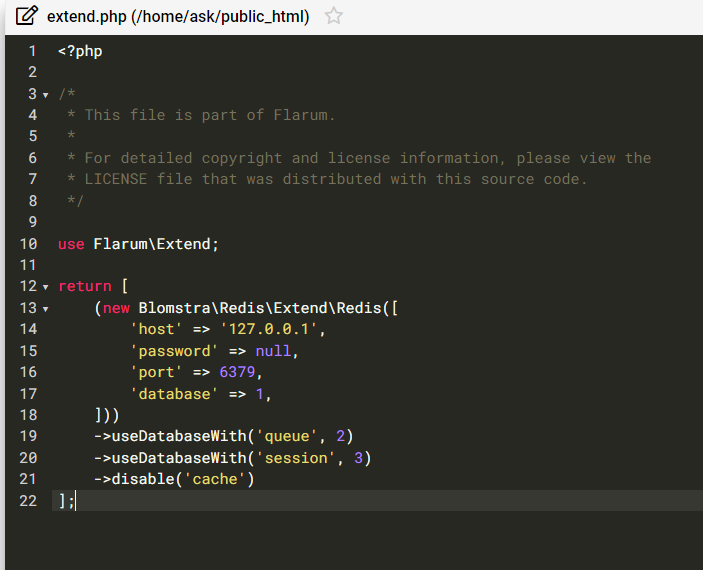
-
@phenomlab i have added cron job
updated the config file but flarum is not running on IP
when i disable redis its not loading inner pages@Hari That’s expected because you didn’t run
sudo apt install redis-server redis-tools
I’ve just done this, and the site now loads.Mark Cutting also advises organisations as a Fractional CIO, Fractional CISO and Executive Advisor, helping boards improve technology governance, cyber resilience and executive decision making. Learn more at Phenomlab Ltd
-
@Hari That’s expected because you didn’t run
sudo apt install redis-server redis-tools
I’ve just done this, and the site now loads.@phenomlab i did execute that command, the inner discussion pages still not loading
-
@phenomlab i did execute that command, the inner discussion pages still not loading
@Hari said in Issues getting Flarum to work on new host:
i did execute that command, the inner discussion pages still not loading
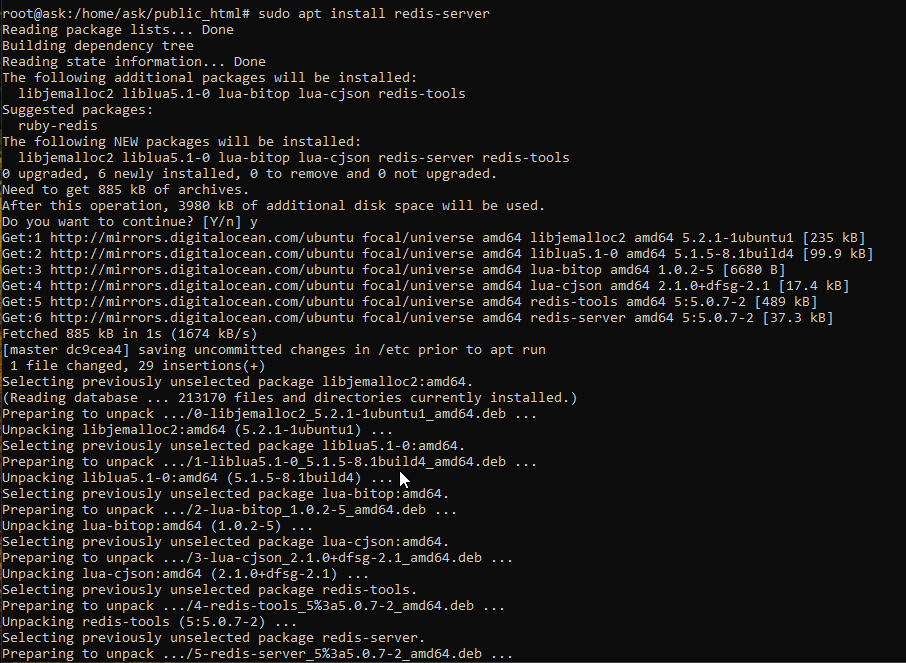
If you’d executed it, then it wouldn’t have installed when I ran it
@Hari said in Issues getting Flarum to work on new host:
the inner discussion pages still not loading
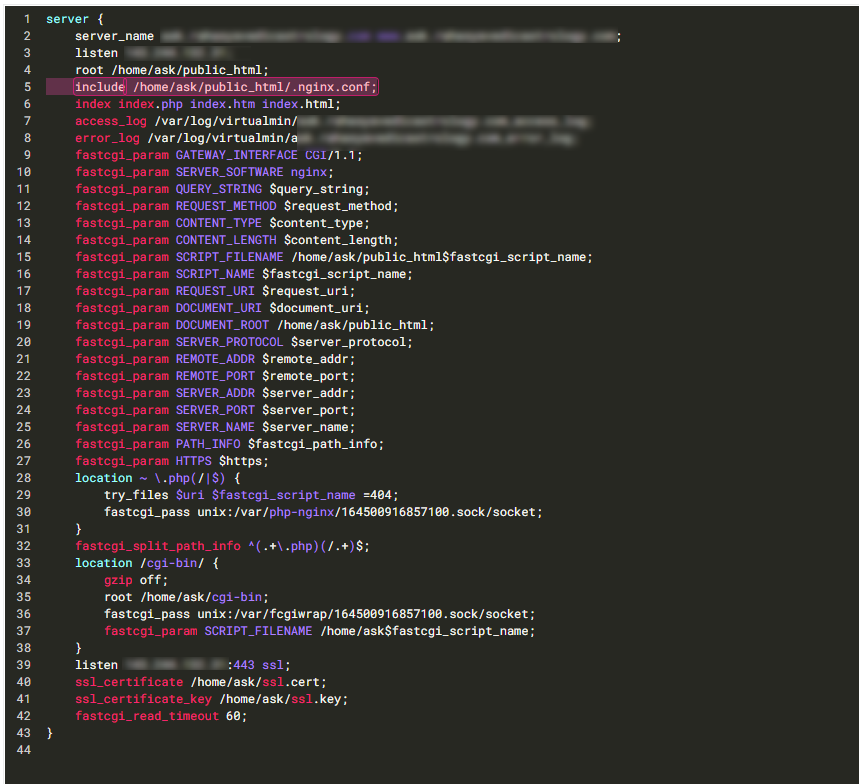
This is also expected as you haven’t included the
.nginx.conffile. Hold on a second. -
@Hari works now - see config below (highlighted section)
Mark Cutting also advises organisations as a Fractional CIO, Fractional CISO and Executive Advisor, helping boards improve technology governance, cyber resilience and executive decision making. Learn more at Phenomlab Ltd
-
 undefined phenomlab referenced this topic on
-
-
@phenomlab is this config file?
@Hari Your NGINX site config file, yes. Essentially, we just include the
.nginx.conffile in there so it’s loaded when the site is. You needmod_rewritefor Flarum to workMark Cutting also advises organisations as a Fractional CIO, Fractional CISO and Executive Advisor, helping boards improve technology governance, cyber resilience and executive decision making. Learn more at Phenomlab Ltd
-
@Hari Your NGINX site config file, yes. Essentially, we just include the
.nginx.conffile in there so it’s loaded when the site is. You needmod_rewritefor Flarum to work@phenomlab could you tell me the path of this file
-
@phenomlab could you tell me the path of this file
@Hari Sending in PM for security reasons
-
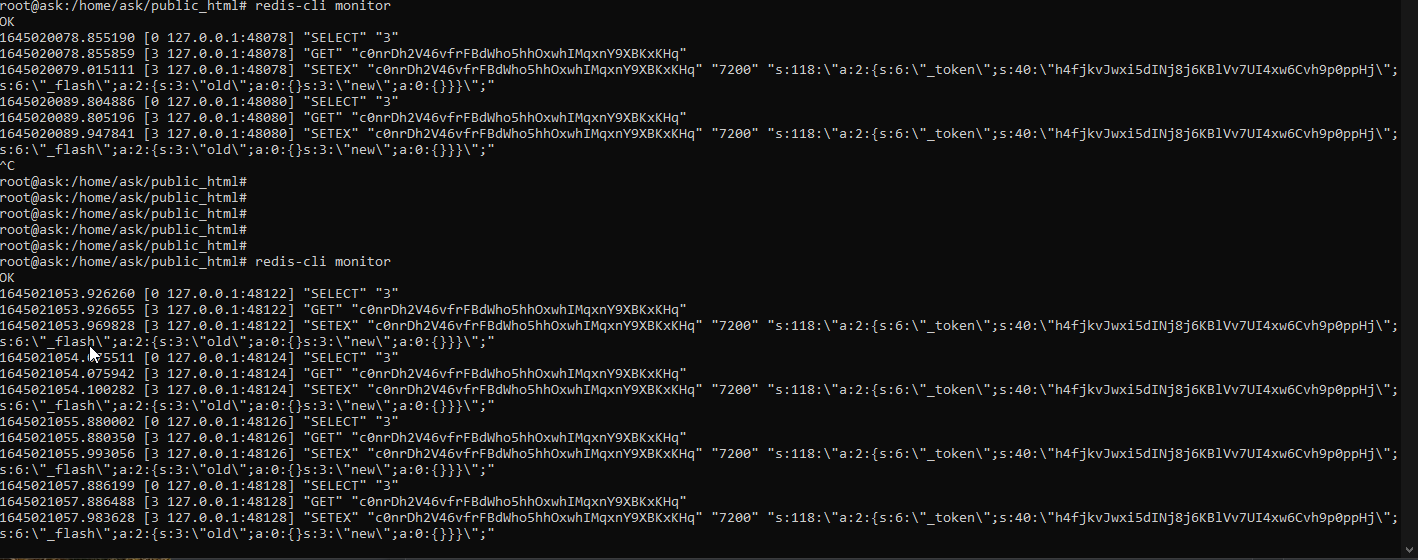
@Hari Redis also functioning as expected
Mark Cutting also advises organisations as a Fractional CIO, Fractional CISO and Executive Advisor, helping boards improve technology governance, cyber resilience and executive decision making. Learn more at Phenomlab Ltd
-
@phenomlab i think my server has no proper ssl configured
should i need to set this to default? at domain level (virtualmin server ) lets encrypt also failing to issue certificate
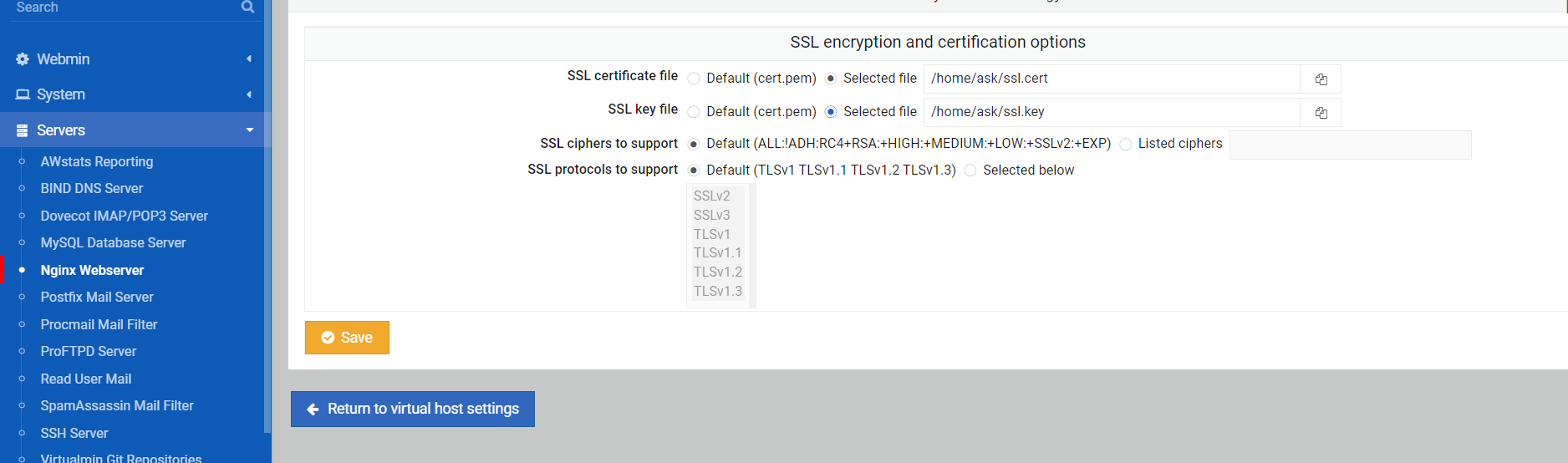
i think i should change IP to my subdomain in nignx file? at the above screenshot area?
-
failure reason
Domain: www.ask.domain.com Type: unauthorized Detail: No TXT record found at _acme-challenge.www.ask.domain.com -
failure reason
Domain: www.ask.domain.com Type: unauthorized Detail: No TXT record found at _acme-challenge.www.ask.domain.com@Hari You should only apply the certificate at Virtualmin level, so here for example. You’ll need to update your DNS first before you can get a certificate.

Mark Cutting also advises organisations as a Fractional CIO, Fractional CISO and Executive Advisor, helping boards improve technology governance, cyber resilience and executive decision making. Learn more at Phenomlab Ltd
-
@Hari You should only apply the certificate at Virtualmin level, so here for example. You’ll need to update your DNS first before you can get a certificate.
@phenomlab sorry, i have no clue where to update DNS
i have pointed ask.domain.com to my DO IP at CF
anything else that needs to be done?
-
@phenomlab sorry, i have no clue where to update DNS
i have pointed ask.domain.com to my DO IP at CF
anything else that needs to be done?
@Hari said in Issues getting Flarum to work on new host:
sorry, i have no clue where to update DNS
i have pointed ask.domain.com to my DO IP at CFThat’s all you need to do. Let me see if I can get the cert to work
Mark Cutting also advises organisations as a Fractional CIO, Fractional CISO and Executive Advisor, helping boards improve technology governance, cyber resilience and executive decision making. Learn more at Phenomlab Ltd
-
@Hari said in Issues getting Flarum to work on new host:
sorry, i have no clue where to update DNS
i have pointed ask.domain.com to my DO IP at CFThat’s all you need to do. Let me see if I can get the cert to work
@phenomlab thanks, daily upvote limit reched
-
@phenomlab thanks, daily upvote limit reched
@Hari said in Issues getting Flarum to work on new host:
thanks, daily upvote limit reched
Yeah, I need to fix that !!
Mark Cutting also advises organisations as a Fractional CIO, Fractional CISO and Executive Advisor, helping boards improve technology governance, cyber resilience and executive decision making. Learn more at Phenomlab Ltd
-
@Hari said in Issues getting Flarum to work on new host:
thanks, daily upvote limit reched
Yeah, I need to fix that !!
@phenomlab do i need to update the subdomain at Nginx config files? i have seen IP there

Hello! It looks like you're interested in this conversation, but you don't have an account yet.
Getting fed up of having to scroll through the same posts each visit? When you register for an account, you'll always come back to exactly where you were before, and choose to be notified of new replies (either via email, or push notification). You'll also be able to save bookmarks and upvote posts to show your appreciation to other community members.
With your input, this post could be even better 💗
Register LoginDid this solution help you?
Related Topics
-
-
-
-
-
-
iFramely self host help
Solved Configure -
-