Digitalocean Ubuntu configuration
-
@gotwf I’m looking at this now. The WWW record is there, but the cert doesn’t cover it as you’ve pointed out. I guess we could just place a redirect at Apache or NGINX level to get around this.

@phenomlab I could remedy this in moments via Dehydrated and Let’s Encrypt so am presuming the GUI’zed offering at ZeroSSL sports some clickery to achieve same. That would be the preferred solution.
Opinionated two bit opinions are my own. Caveat emptor, eh?
-
@phenomlab I could remedy this in moments via Dehydrated and Let’s Encrypt so am presuming the GUI’zed offering at ZeroSSL sports some clickery to achieve same. That would be the preferred solution.

@gotwf The real issue here is that @justoverclock isn’t an expert with Linux, so we’re going to rebuilt this droplet using Webmin and Virtualmin. This will give him a way of managing the entire server using a GUI (us old crusties prefer the command line of course), and using Virtualmin will allow him to use Let’s Encrypt.
He’ll just need nodejs installed (MySQL, PHP, and NGINX are installed as part of the build), so it’s a simple case of installing Ghost after that, then recovering his site and DB from backup.
-
@justoverclock I’ve rebuilt this droplet with Virtualmin, and have completed the below
- Setup domain justoverlock.it so that it points to the new server
- Secured the site with HTTPS using let’s encrypt
- Installed PHPMyAdmin
- Installed NodeJS version 14.x (supported by Ghost and recommended)
- Installed and base configured GHOST.
- Configured nginx.conf to use reverse proxy as below
location / {
    proxy_set_header X-Forwarded-For $proxy_add_x_forwarded_for;
    proxy_set_header X-Forwarded-Proto $scheme;
    proxy_set_header X-Real-IP $remote_addr;
    proxy_set_header Host $http_host;
    proxy_pass http://127.0.0.1:2368;
}

client_max_body_size 50m;
Now ready at https://justoverclock.it

We should discuss the following
- Backup plans
- Additional memory for server, as 1Gb RAM is leaving things a little “short”
- Maintenance (all latest updates have been installed) - handover back to you when you are comfortable.
Mark Cutting also advises organisations as a Fractional CIO, Fractional CISO and Executive Advisor, helping boards improve technology governance, cyber resilience and executive decision making. Learn more at Gratmore Ltd
-
phenomlab has marked this topic as solved on
-
@justoverclock I’ve rebuilt this droplet with Virtualmin, and have completed the below
- Setup domain justoverlock.it so that it points to the new server
- Secured the site with HTTPS using let’s encrypt
- Installed PHPMyAdmin
- Installed NodeJS version 14.x (supported by Ghost and recommended)
- Installed and base configured GHOST.
- Configured nginx.conf to use reverse proxy as below
location / {
    proxy_set_header X-Forwarded-For $proxy_add_x_forwarded_for;
    proxy_set_header X-Forwarded-Proto $scheme;
    proxy_set_header X-Real-IP $remote_addr;
    proxy_set_header Host $http_host;
    proxy_pass http://127.0.0.1:2368;
}

client_max_body_size 50m;
Now ready at https://justoverclock.it
We should discuss the following
- Backup plans
- Additional memory for server, as 1Gb RAM is leaving things a little “short”
- Maintenance (all latest updates have been installed) - handover back to you when you are comfortable.

@phenomlab great work as always, now i’ve noticed a terrible problem…
all my email @justoverclock.it that previously works…are now stopped…there’s a way to have it again?
-
@phenomlab great work as always, now i’ve noticed a terrible problem…
all my email @justoverclock.it that previously works…are now stopped…there’s a way to have it again?
@justoverclock said in Digitalocean Ubuntu configuration:
all my email @justoverclock.it that previously works…are now stopped…there’s a way to have it again?
As discussed over PM, this is now resolved and confirmed working.
Mark Cutting also advises organisations as a Fractional CIO, Fractional CISO and Executive Advisor, helping boards improve technology governance, cyber resilience and executive decision making. Learn more at Gratmore Ltd
-
@justoverclock said in Digitalocean Ubuntu configuration:
all my email @justoverclock.it that previously works…are now stopped…there’s a way to have it again?
As discussed over PM, this is now resolved and confirmed working.
@phenomlab yes, it a confirmation that sudonix (phenomlab) is a great resource for everyone like me is at first attempt to manage a server…
i do not have words to say thanks
-
@phenomlab yes, it a confirmation that sudonix (phenomlab) is a great resource for everyone like me is at first attempt to manage a server…
i do not have words to say thanks
@justoverclock From what I see now, you just need to setup your forum. I think you’re good to go at this point, so (as per PM) I’m handing this server back to you. At some point (very soon - let’s not forget), we need to discuss backup policies etc.
Create a snapshot once you’re done, so if the worst comes to it, you can get everything back.
Mark Cutting also advises organisations as a Fractional CIO, Fractional CISO and Executive Advisor, helping boards improve technology governance, cyber resilience and executive decision making. Learn more at Gratmore Ltd
-
@justoverclock From what I see now, you just need to setup your forum. I think you’re good to go at this point, so (as per PM) I’m handing this server back to you. At some point (very soon - let’s not forget), we need to discuss backup policies etc.
Create a snapshot once you’re done, so if the worst comes to it, you can get everything back.
@phenomlab said in Digitalocean Ubuntu configuration:
Create a snapshot once you’re done, so if the worst comes to it, you can get everything back.

-
@justoverclock From what I see now, you just need to setup your forum. I think you’re good to go at this point, so (as per PM) I’m handing this server back to you. At some point (very soon - let’s not forget), we need to discuss backup policies etc.
Create a snapshot once you’re done, so if the worst comes to it, you can get everything back.
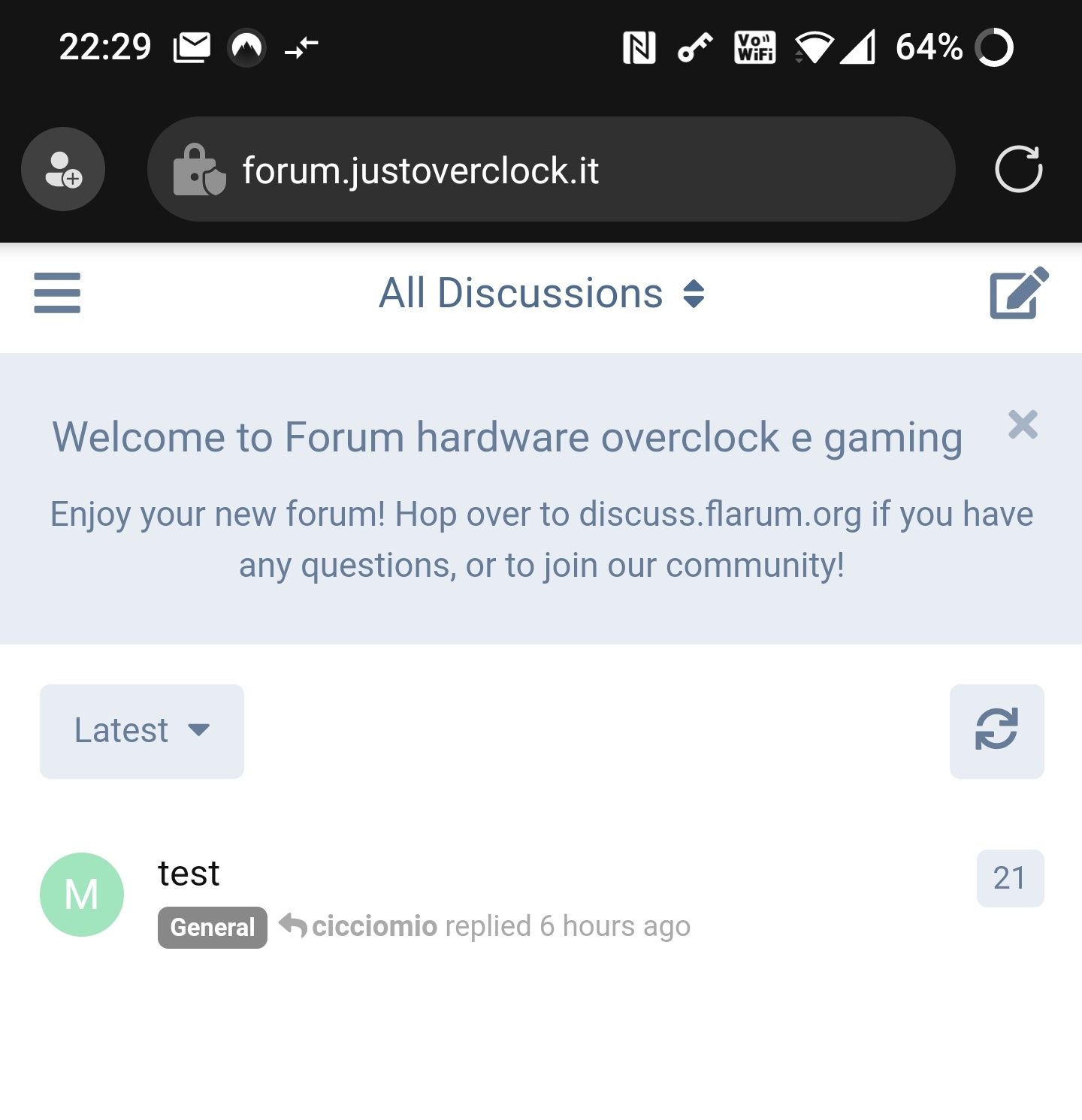
@phenomlab yep sure, now i’ve just noticed that forum.justoverclock.it is not reacheable on my phone but works on my pc…
-
@phenomlab yep sure, now i’ve just noticed that forum.justoverclock.it is not reacheable on my phone but works on my pc…
@justoverclock works fine on my phone.
Mark Cutting also advises organisations as a Fractional CIO, Fractional CISO and Executive Advisor, helping boards improve technology governance, cyber resilience and executive decision making. Learn more at Gratmore Ltd
-
@justoverclock works fine on my phone.
@phenomlab is a mystery…on my iphone does not work…and i’m on the same wifi of my house
-
@phenomlab is a mystery…on my iphone does not work…and i’m on the same wifi of my house
@justoverclock does it work on 4g ?
Mark Cutting also advises organisations as a Fractional CIO, Fractional CISO and Executive Advisor, helping boards improve technology governance, cyber resilience and executive decision making. Learn more at Gratmore Ltd
-
@justoverclock does it work on 4g ?
-
@phenomlab not work
@justoverclock Very odd indeed. Do you get any specific error message and does it work from a laptop on the same WiFi network ?
Mark Cutting also advises organisations as a Fractional CIO, Fractional CISO and Executive Advisor, helping boards improve technology governance, cyber resilience and executive decision making. Learn more at Gratmore Ltd
-
@justoverclock Very odd indeed. Do you get any specific error message and does it work from a laptop on the same WiFi network ?
@phenomlab tomorrow i will try from work pc. here i have only my pc (and works) ant phone (not)
-
@phenomlab tomorrow i will try from work pc. here i have only my pc (and works) ant phone (not)
@justoverclock this is a real mistery, it works on all computer except my iphone :)…i can’t see the website only on my phone, with 4g, with wifi…odd
-
@justoverclock this is a real mistery, it works on all computer except my iphone :)…i can’t see the website only on my phone, with 4g, with wifi…odd
@justoverclock said in Digitalocean Ubuntu configuration:
i can’t see the website only on my phone, with 4g, with wifi…odd
Odd indeed. Do you get the same issue if you try with another browser on the iPhone ?
Mark Cutting also advises organisations as a Fractional CIO, Fractional CISO and Executive Advisor, helping boards improve technology governance, cyber resilience and executive decision making. Learn more at Gratmore Ltd
-
@justoverclock said in Digitalocean Ubuntu configuration:
i can’t see the website only on my phone, with 4g, with wifi…odd
Odd indeed. Do you get the same issue if you try with another browser on the iPhone ?
@phenomlab on an android tablet i get CERT AUTHORITY INVALID, but if i click “proceed” i can see the forum
-
@phenomlab on an android tablet i get CERT AUTHORITY INVALID, but if i click “proceed” i can see the forum
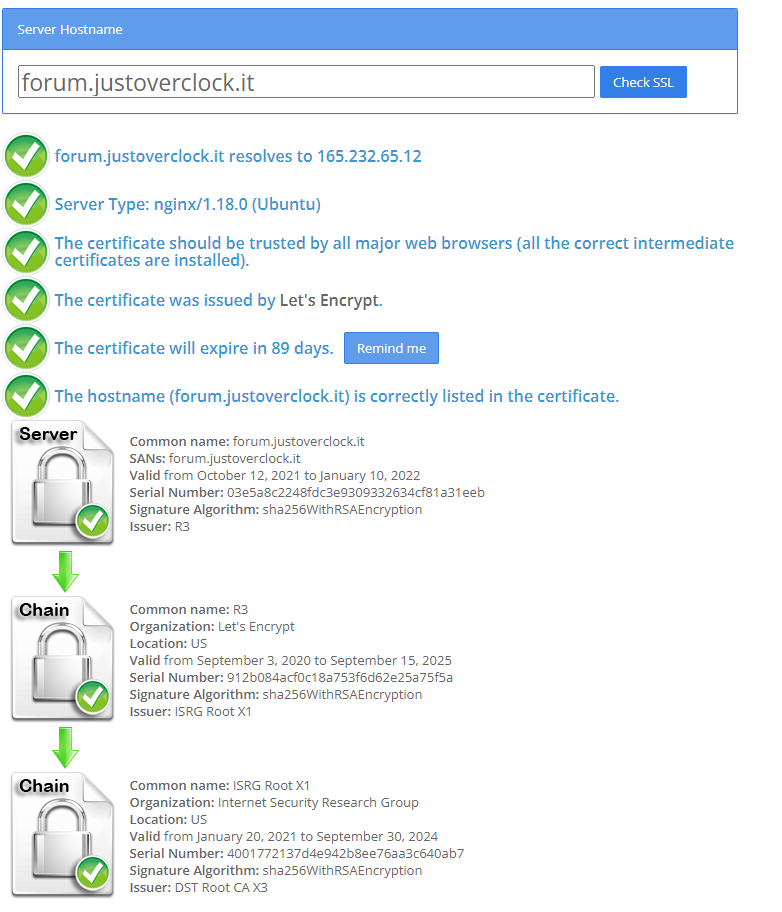
@justoverclock Hmm - you only get that message if the cert is invalid. According to this, it’s broken
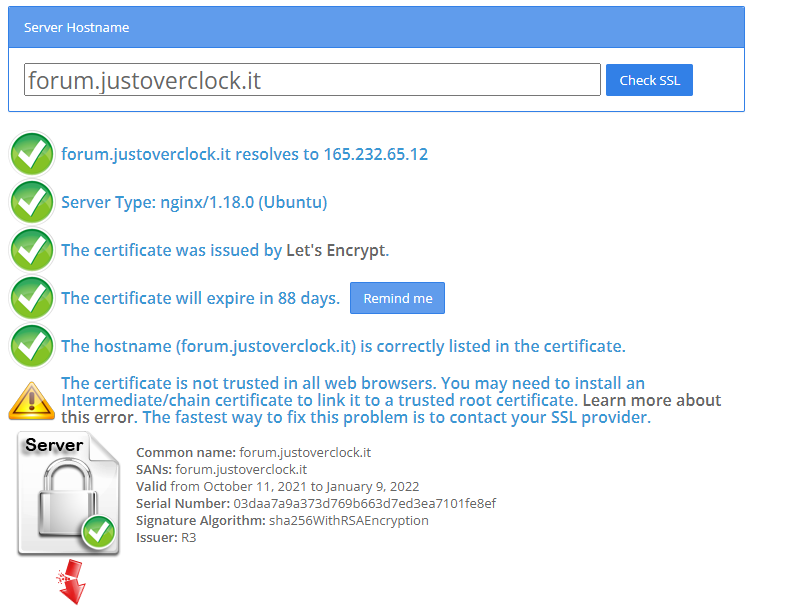
Let me have a look
-
Mark Cutting also advises organisations as a Fractional CIO, Fractional CISO and Executive Advisor, helping boards improve technology governance, cyber resilience and executive decision making. Learn more at Gratmore Ltd
Hello! It looks like you're interested in this conversation, but you don't have an account yet.
Getting fed up of having to scroll through the same posts each visit? When you register for an account, you'll always come back to exactly where you were before, and choose to be notified of new replies (either via email, or push notification). You'll also be able to save bookmarks and upvote posts to show your appreciation to other community members.
With your input, this post could be even better 💗
Register Login