Skip to content

NodeBB upgrade now cant post

Solved Bugs
5 2 1.3k 1
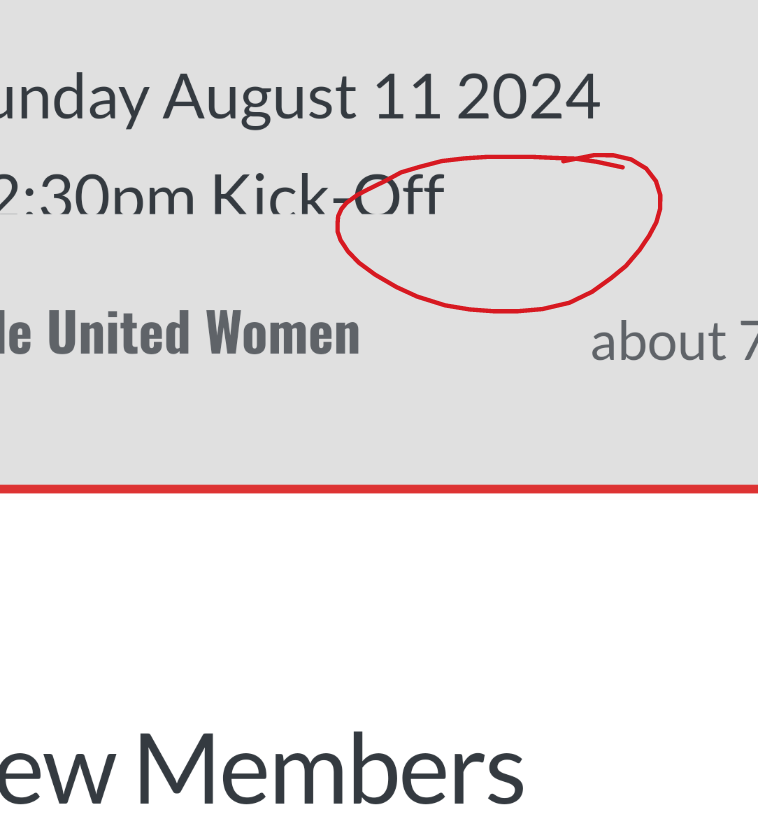
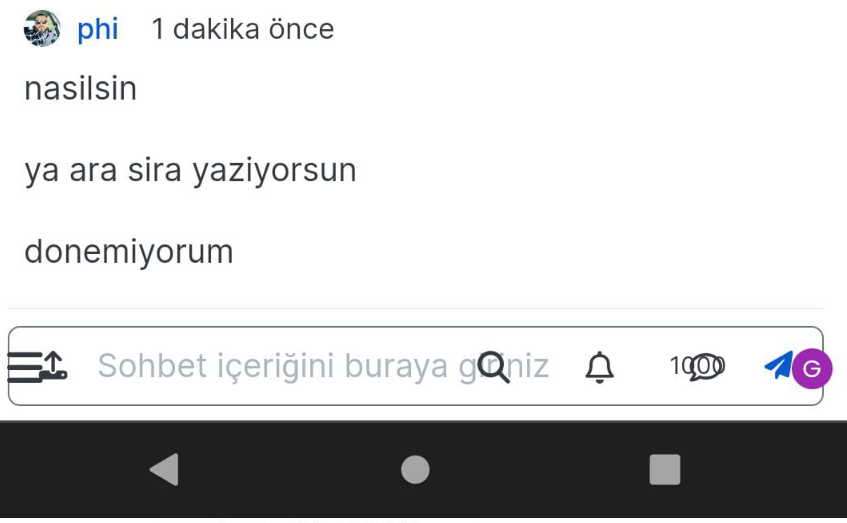
  • On my site An annoying ‘n out of n’ banner comes over the reply button, and the forum bar is just below that
    So I can just see a fraction of the reply button but cant click it.
    I cant even screenshot it to show example now as that seems ‘disabled’ as a new ‘feature’

    Id like to stop screenshot disabled, and remove this ‘8 out of 8 banner’. Is that possible?

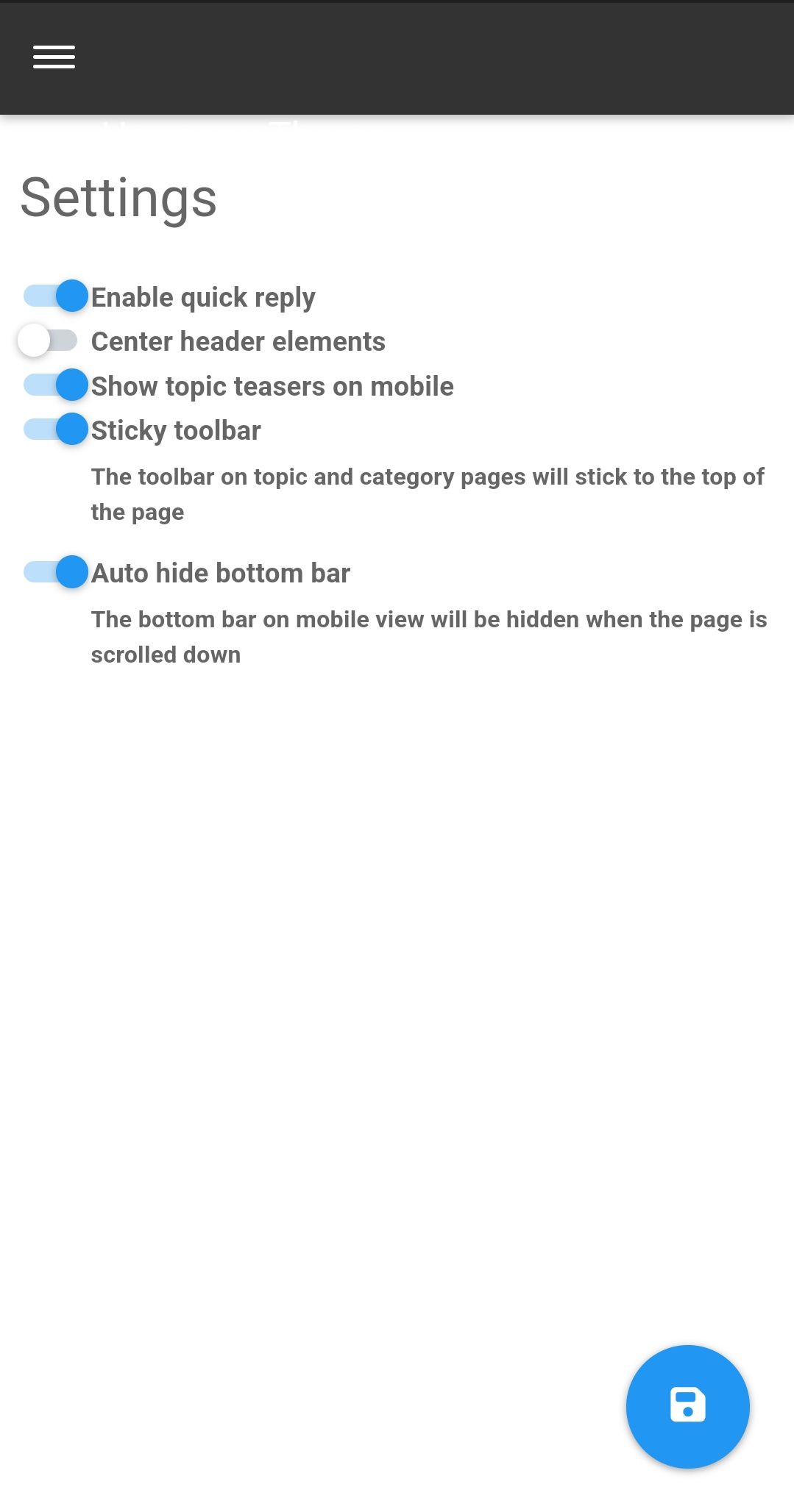
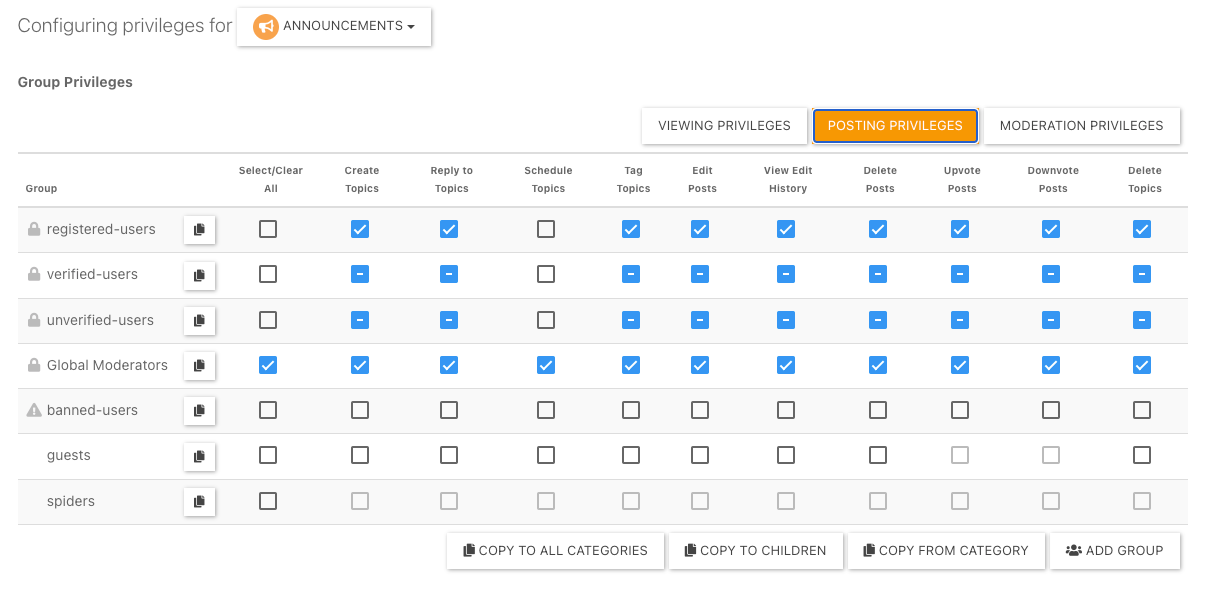
  • I’ve just seen the duplicate post on NodeBB. Can you go to /admin/plugins/harmony and match the settings below then save

    Screenshot_2023-05-28-11-10-14-46_e4424258c8b8649f6e67d283a50a2cbc.jpg

    That issue is caused by element positioning where the bottom bar should auto hide to prevent that issue. If that doesn’t work, disable the quick reply feature and see if that helps.

  • On my site An annoying ‘n out of n’ banner comes over the reply button, and the forum bar is just below that
    So I can just see a fraction of the reply button but cant click it.
    I cant even screenshot it to show example now as that seems ‘disabled’ as a new ‘feature’

    Id like to stop screenshot disabled, and remove this ‘8 out of 8 banner’. Is that possible?

    @Panda NodeBB doesn’t disable the ability to take a screenshot. That’s at operating system level not application, so something else is stopping that.

    I’ll need a screenshot of sorts, or access to your forum to be able to see what’s going on.

  • I’ve just seen the duplicate post on NodeBB. Can you go to /admin/plugins/harmony and match the settings below then save

    Screenshot_2023-05-28-11-10-14-46_e4424258c8b8649f6e67d283a50a2cbc.jpg

    That issue is caused by element positioning where the bottom bar should auto hide to prevent that issue. If that doesn’t work, disable the quick reply feature and see if that helps.

  • Thanks, can post now.
    I find it disconcerting that ‘out of the box settings’ dont work. If it wasnt for your help I would have broken forum now!
    Thats why sometimes I double post urgent questions on both forums as I appreciate your fast and accurate responses 🙂

  • Thanks, can post now.
    I find it disconcerting that ‘out of the box settings’ dont work. If it wasnt for your help I would have broken forum now!
    Thats why sometimes I double post urgent questions on both forums as I appreciate your fast and accurate responses 🙂

    @Panda yes, for some reason, that is the case. If you need an urgent response, it’s probably better to post here because of the time difference.

  • phenomlabundefined phenomlab marked this topic as a question on
  • phenomlabundefined phenomlab has marked this topic as solved on

Did this solution help you?
Did you find the suggested solution useful? Support 💗 Sudonix with a coffee
If your organisation needs deeper expertise around infrastructure, security, or technology leadership, learn more about Phenomlab Ltd. Many of the deeper technical guides behind Sudonix are published there.

Related Topics
  • Nodebb and emails

    Solved Configure nodebb
    27
    5 Votes
    27 Posts
    5k Views
    @Panda it will use SMTP. In all cases, I never use any plugin to send email. I’ll always send it raw.
  • Planned sunset of NTFY plugin

    Pinned Announcements push nodebb ntfy
    7
    1
    8 Votes
    7 Posts
    2k Views
    I’ve noticed that I’m the only one subscribed to the push notifications on this site. If you were using NTFY previously, and have noticed that you’ve not had any alerts for a while, it’s because this feature has been disabled. You’ll now need to use the push notification to replace NTFY as mentioned in the first post.
  • Whitespace fixes in Nodebb

    Solved Customisation nodebb
    18
    2
    7 Votes
    18 Posts
    4k Views
    @Panda Just circling back here with something of an update (which I think you’ll like). I’ve completely restructured the ranking system. There are now less ranks, with a higher point threshold to reach them. More importantly, if you reload the site, you’ll notice that the ranks are now icons. I also removed the “Author” badge, and made this a single icon, which (to me) looks much better.
  • Difficult to move posts now, on mobile.

    Bugs nodebb
    16
    1
    5 Votes
    16 Posts
    4k Views
    @DownPW Yes, it is. It’s set far too low meaning other elements with a higher preference will sit over the top of it.
  • Where are widgets stored?

    Solved Configure nodebb
    3
    1 Votes
    3 Posts
    961 Views
    @phenomlab Thanks, have DMed you
  • Can you adjust Admin settings on your NodeBB?

    Bugs nodebb
    5
    0 Votes
    5 Posts
    1k Views
    @Panda as, yes, now I understand and that makes 100% sense. It means those who get down voted can still have an opinion and use common services. And yes, you’re right. Rather than down vote, just ignore if you don’t agree.
  • Email validation NodeBB

    Bugs nodebb
    21
    3 Votes
    21 Posts
    6k Views
    @Panda said in Email validation NodeBB: Did you configure that as a custom change to the usual quote icon. How do you do that? I notice on NodeBB site its a solid blue quotes Yes, I changed it. NodeBB by default users the free font awesome library whereas I use the pro (paid) version SDK have access to a wider set of icons, and at different thicknesses etc. The change of colour is just simple CSS.
  • [NODEBB] Help for my custom CSS

    Solved Customisation nodebb css bugfix
    237
    49 Votes
    237 Posts
    100k Views
    @baris said: You should change your selectors so it doesn’t look at the entire document. You probably only want to apply fancybox to stuff inside the #content element which is what changes when the user navigates around the page. So use $('#content a').... for your selectors then the forum logo in the header won’t be selected. I modified the JS Fancybox code now and this code and it seem better // --------------------------------------------- // Fancybox Media Reader (Without Website Logo) // --------------------------------------------- if (top.location.pathname !== '/login') { $(window).on('action:posts.loaded', function(data) { console.log("Polling DOM for lazyLoaded images to apply Fancybox"); $(document).ready(function() { $('#content a').not('.forum-logo').not(".avatar").not(".emoji").not(".bmac-noanimate").each(function() { $('#content a[href*=".jpg"], #content a[href*=".jpeg"], #content a[href*=".png"], #content a[href*=".gif"], #content a[href*=".webp"]').addClass("noanimate"); }); }); }); } if (top.location.pathname !== '/login') { $(document).ready(function() { $(window).on('action:ajaxify.end', function(data) { $('#content a').not('.logo').not(".avatar").not(".emoji").not(".bmac-noanimate").each(function() { $('#content a[href*=".jpg"], #content a[href*=".jpeg"], #content a[href*=".png"], #content a[href*=".gif"], #content a[href*=".webp"]').addClass("noanimate"); data.preventDefault() // Strip out the images contained inside blockquotes as this looks nasty :) $('#content blockquote img').remove(); }); Fancybox.bind( '#content a[href*=".jpg"], #content a[href*=".jpeg"], #content a[href*=".png"], #content a[href*=".gif"], #content a[href*=".webp"]', { groupAll: true, } ); }); }); } // Chat fancybox - fires when chat module loaded and AJAX calls new chat $(document).ready(function() { $(window).on('action:chat.loaded', function(data) { // >>> Se limiter au contenu principal uniquement <<< $('#content img').not('.forum-logo').not(".avatar").not(".emoji").not(".bmac-noanimate").each(function() { var newHref = $(this).attr("src"); $(this).wrap("<a class='fancybox' href='" + newHref + "'/>"); $('#content a[href*=".jpg"], #content a[href*=".jpeg"], #content a[href*=".png"], #content a[href*=".gif"], #content a[href*=".webp"]').addClass("noanimate"); data.preventDefault(); // Strip out the images contained inside blockquotes as this looks nasty :) $('#content blockquote img').remove(); }); Fancybox.bind( '#content a[href*=".jpg"], #content a[href*=".jpeg"], #content a[href*=".png"], #content a[href*=".gif"], #content a[href*=".webp"]', { groupAll: true, } ); }); }); For the logo, I must use overflow: visible !important; on [component="brand/logo"] /* --- Logo --- */ [component="brand/logo"] { max-height: 50px; width: auto; height: auto; max-width: 100%; display: block; object-fit: contain; object-position: left center; overflow: visible !important; } Better result !!