Q&A Plugin Changes NodeBB
-
@phenomlab i think there is some mistake for my css code which you wrote it for me. in your forum as i see all topic as opened by Q&A but in my forum just Soru&Cevap forum using Q&A.
So your css code for my post style view has isSolved it comes from Q&A i think or i m false?
@cagatay yes, that’s correct. You can remove that CSS class. I customized it which would explain the odd positioning.
Mark Cutting also advises organisations as a Fractional CIO, Fractional CISO and Executive Advisor, helping boards improve technology governance, cyber resilience and executive decision making. Learn more at Phenomlab Ltd
-
@cagatay yes, that’s correct. You can remove that CSS class. I customized it which would explain the odd positioning.
@phenomlab so delete all?
li.self-post .content:not(.isSolved [component="post/content"])[itemprop="text"] { background: #dee6f3; padding: 30px; border-radius: 6px; margin-right: 8.5rem !important; } li.self-post .content:not(.isSolved [component="post/content"]):after, li.self-post.topic-owner-post:first-child:after { border-right: 20px solid transparent; border-top: 20px solid var(--self-post); top: 66px; content: ""; position: absolute; right: 90px; left: unset !important; border-bottom: none !important; bottom: unset !important; } li.self-post.topic-response-post .pull-left { float: right !important; } li.self-post .content:not(.isSolved [component="post/content"]):after, li.self-post.topic-owner-post:first-child:after { border-right: 20px solid transparent; border-top: 20px solid #dee6f3; top: 58px; content: ""; position: absolute; right: 95px; left: unset !important; border-bottom: none !important; bottom: unset !important; } -
@phenomlab so delete all?
li.self-post .content:not(.isSolved [component="post/content"])[itemprop="text"] { background: #dee6f3; padding: 30px; border-radius: 6px; margin-right: 8.5rem !important; } li.self-post .content:not(.isSolved [component="post/content"]):after, li.self-post.topic-owner-post:first-child:after { border-right: 20px solid transparent; border-top: 20px solid var(--self-post); top: 66px; content: ""; position: absolute; right: 90px; left: unset !important; border-bottom: none !important; bottom: unset !important; } li.self-post.topic-response-post .pull-left { float: right !important; } li.self-post .content:not(.isSolved [component="post/content"]):after, li.self-post.topic-owner-post:first-child:after { border-right: 20px solid transparent; border-top: 20px solid #dee6f3; top: 58px; content: ""; position: absolute; right: 95px; left: unset !important; border-bottom: none !important; bottom: unset !important; }@cagatay no, none of that. If you look at the CSS, it’s targeting
:not(is solved)which means so not match that class. If you delete that CSS you’ll land up deleting the work we did earlier for the messenger style commenting.Mark Cutting also advises organisations as a Fractional CIO, Fractional CISO and Executive Advisor, helping boards improve technology governance, cyber resilience and executive decision making. Learn more at Phenomlab Ltd
-
@cagatay no, none of that. If you look at the CSS, it’s targeting
:not(is solved)which means so not match that class. If you delete that CSS you’ll land up deleting the work we did earlier for the messenger style commenting.@phenomlab so i do not touch any css code
 waiting customized codes the odd positioning
 -
@phenomlab so i do not touch any css code
waiting customized codes the odd positioning @cagatay yes. Don’t touch any existing code. I’ll have a look at this tomorrow. Any specific style you are looking for ?
Mark Cutting also advises organisations as a Fractional CIO, Fractional CISO and Executive Advisor, helping boards improve technology governance, cyber resilience and executive decision making. Learn more at Phenomlab Ltd
-
Hi again.
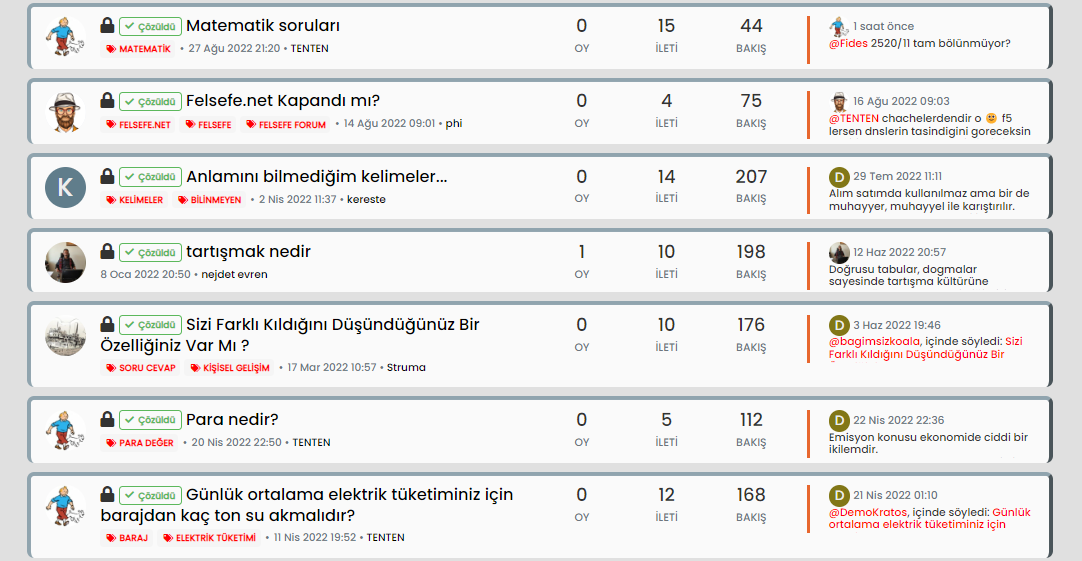
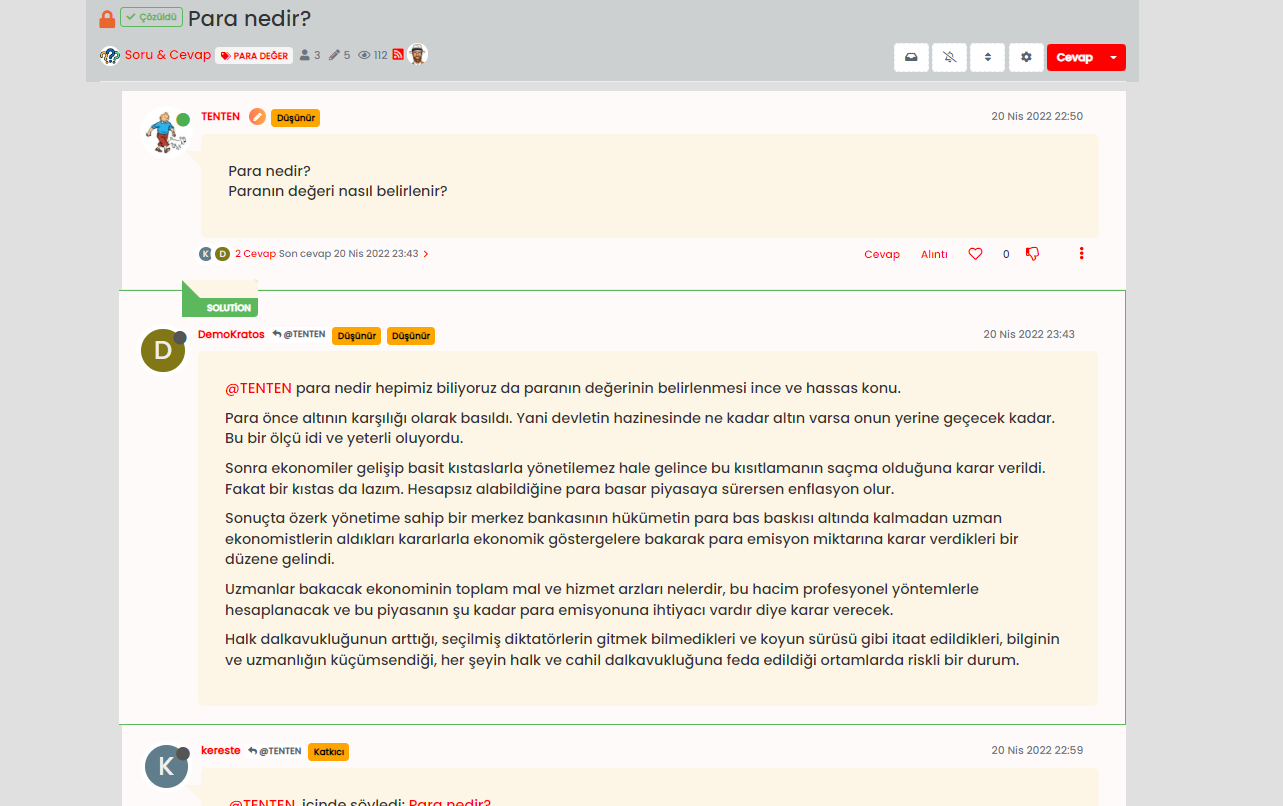
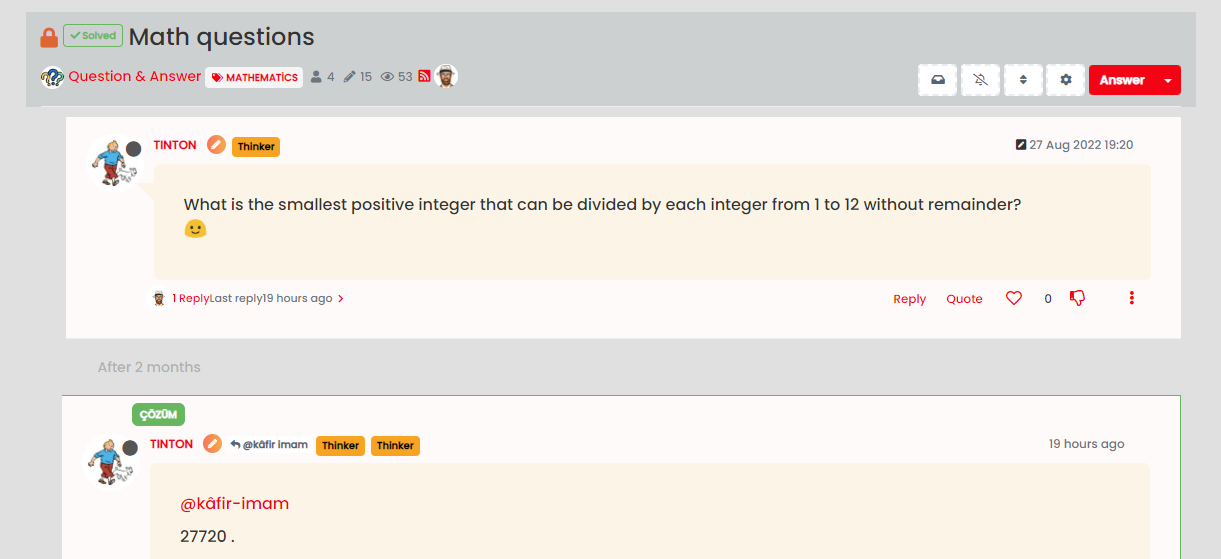
How can i change Solution word to Turkish language on post? Also my style of solution box not good how can i fix like good position and box type?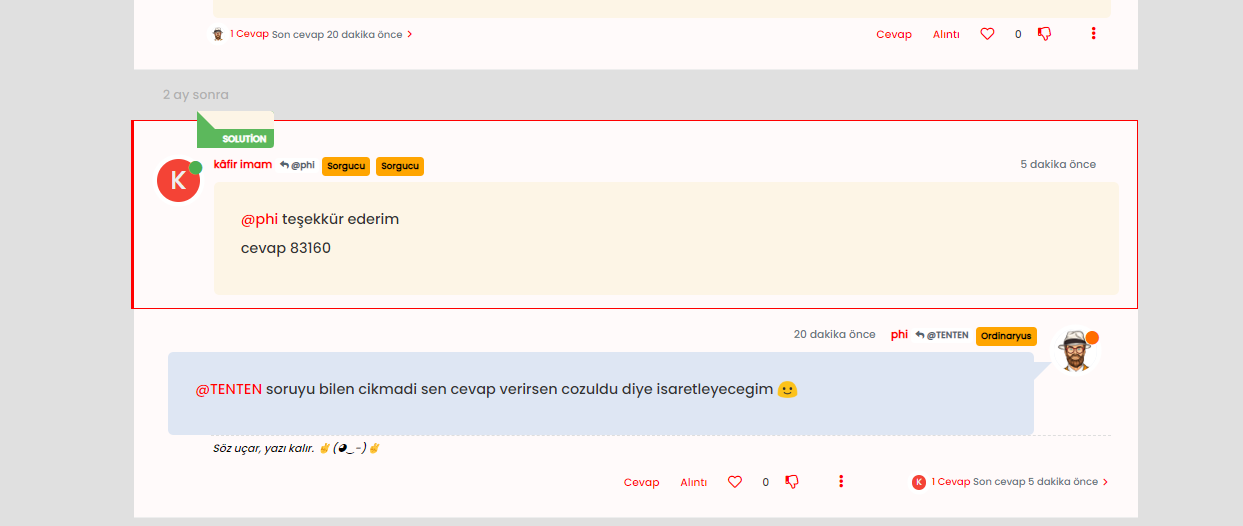
I think there should already be a Turkish translation for this word…
-
@cagatay yes. Don’t touch any existing code. I’ll have a look at this tomorrow. Any specific style you are looking for ?
@phenomlab said in Q&A Plugin Changes NodeBB:
@cagatay yes. Don’t touch any existing code. I’ll have a look at this tomorrow. Any specific style you are looking for ?
ok, no i m not looking any specific style, just it should be look like well
@crazycells the plugin translation is good just when you chose correct answer for question become to flag as Solution that is in english not turkish, rest of in turkish.
-
@phenomlab said in Q&A Plugin Changes NodeBB:
@cagatay yes. Don’t touch any existing code. I’ll have a look at this tomorrow. Any specific style you are looking for ?
ok, no i m not looking any specific style, just it should be look like well
@crazycells the plugin translation is good just when you chose correct answer for question become to flag as Solution that is in english not turkish, rest of in turkish.
@cagatay then it is a bug. I will report it to GitHub.
-
@cagatay then it is a bug. I will report it to GitHub.
-
@cagatay yeap, I reported this here:
https://github.com/NodeBB/nodebb-plugin-question-and-answer/issues/94
-
@cagatay did you take the CSS from here for that ? It’s missing some positioning, but if you search the CSS you have and look for
content: "solution"you should be able to change it to the Turkish equivalent.@phenomlab is “solution” label native to the plugin? or it is a label that you added?
-
@phenomlab is “solution” label native to the plugin? or it is a label that you added?
@crazycells it’s native from recollection. Let me have a look and see what I can do with this tomorrow.
-
@cagatay upgrade the plugin to 1.0.4 , the translation issue is fixed.
-
@cagatay upgrade the plugin to 1.0.4 , the translation issue is fixed.
-
@crazycells upgraded, problem is fixed.
@cagatay The CSS should look a bit better now
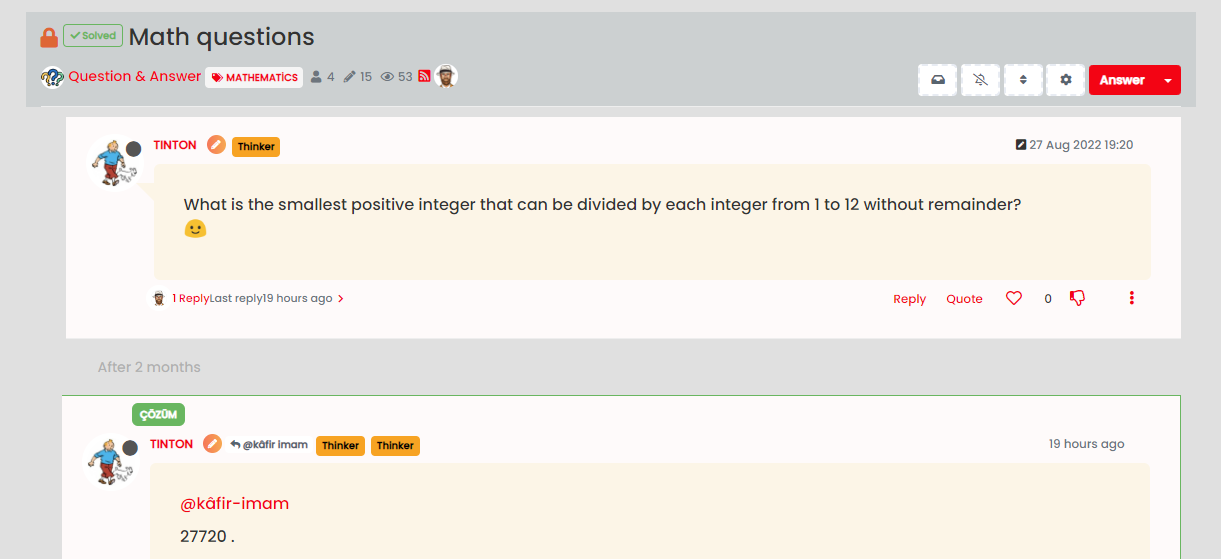
Added new block below on your site
.posts [component=post][data-index="-1"].isSolved:before {
    border: none !important;
    border-radius: 6px;
}
Feel free to change positions etc., as you see fit.
Mark Cutting also advises organisations as a Fractional CIO, Fractional CISO and Executive Advisor, helping boards improve technology governance, cyber resilience and executive decision making. Learn more at Phenomlab Ltd
-
@cagatay The CSS should look a bit better now
Added new block below on your site
.posts [component=post][data-index="-1"].isSolved:before {
    border: none !important;
    border-radius: 6px;
}
Feel free to change positions etc., as you see fit.
@phenomlab i think we changed same time CSS codes so i cant see yours code which added. I should add this code CSS side?
-
@phenomlab i think we changed same time CSS codes so i cant see yours code which added. I should add this code CSS side?
@cagatay No, I’ve already added it for you. The code I provided is just to tell you what I added
This is it here on your site
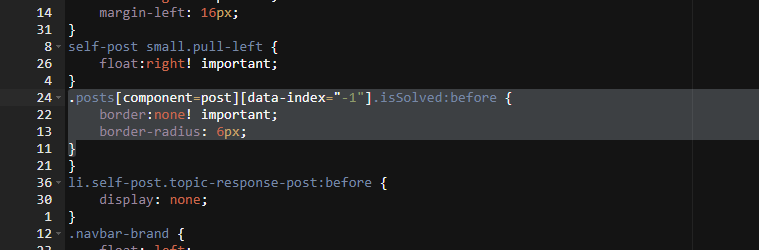
Ignore the numbering - this is Edge trying to convert numbers into English from Turkish, which is an epic failure
Mark Cutting also advises organisations as a Fractional CIO, Fractional CISO and Executive Advisor, helping boards improve technology governance, cyber resilience and executive decision making. Learn more at Phenomlab Ltd
-
@cagatay No, I’ve already added it for you. The code I provided is just to tell you what I added
This is it here on your site
Ignore the numbering - this is Edge trying to convert numbers into English from Turkish, which is an epic failure
-
@cagatay you’d need to either use
float: right;orposition: absolute;and then make use ofleft, rightvariables. If you useabsolutethen you’d also need to set a top value (which I think is already there).This will take experimentation - the CSS I added also only triggers at screen estates of a minimum of
1200pxto prevent it looking strange on mobile breakpoints.EDIT: Actually, this will work
.posts [component=post][data-index="-1"].isSolved:before {
    border: none !important;
    border-radius: 6px;
    float: right;
    left: 10px;
}
Look for the block
.posts [component=post][data-index="-1"].isSolved:beforeand add thefloatandleftvalues to it, then save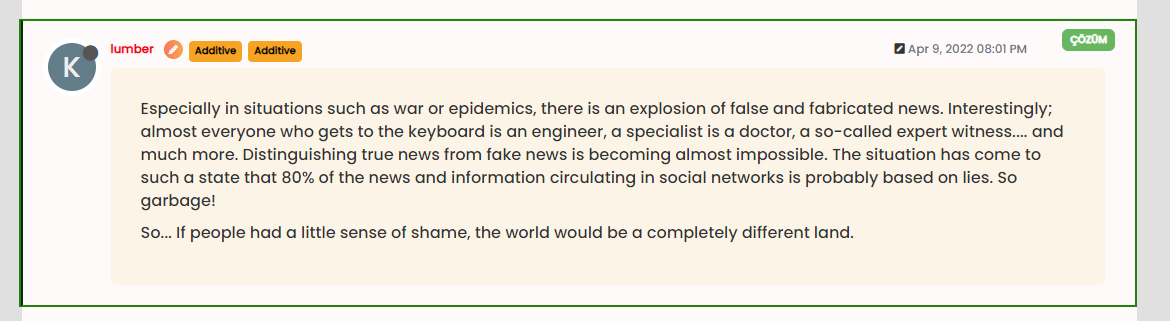
Mark Cutting also advises organisations as a Fractional CIO, Fractional CISO and Executive Advisor, helping boards improve technology governance, cyber resilience and executive decision making. Learn more at Phenomlab Ltd
-
@cagatay you’d need to either use
float: right;orposition: absolute;and then make use ofleft, rightvariables. If you useabsolutethen you’d also need to set a top value (which I think is already there).This will take experimentation - the CSS I added also only triggers at screen estates of a minimum of
1200pxto prevent it looking strange on mobile breakpoints.EDIT: Actually, this will work
.posts [component=post][data-index="-1"].isSolved:before {
    border: none !important;
    border-radius: 6px;
    float: right;
    left: 10px;
}
Look for the block
.posts [component=post][data-index="-1"].isSolved:beforeand add thefloatandleftvalues to it, then save -
 undefined cagatay has marked this topic as solved on


Hello! It looks like you're interested in this conversation, but you don't have an account yet.
Getting fed up of having to scroll through the same posts each visit? When you register for an account, you'll always come back to exactly where you were before, and choose to be notified of new replies (either via email, or push notification). You'll also be able to save bookmarks and upvote posts to show your appreciation to other community members.
With your input, this post could be even better 💗
Register LoginDid this solution help you?
Related Topics
-
-
-
Podcast Share NodeBB
Solved Configure -
-
-
-
-
NodeBB Discord Plugins
Unsolved Customisation