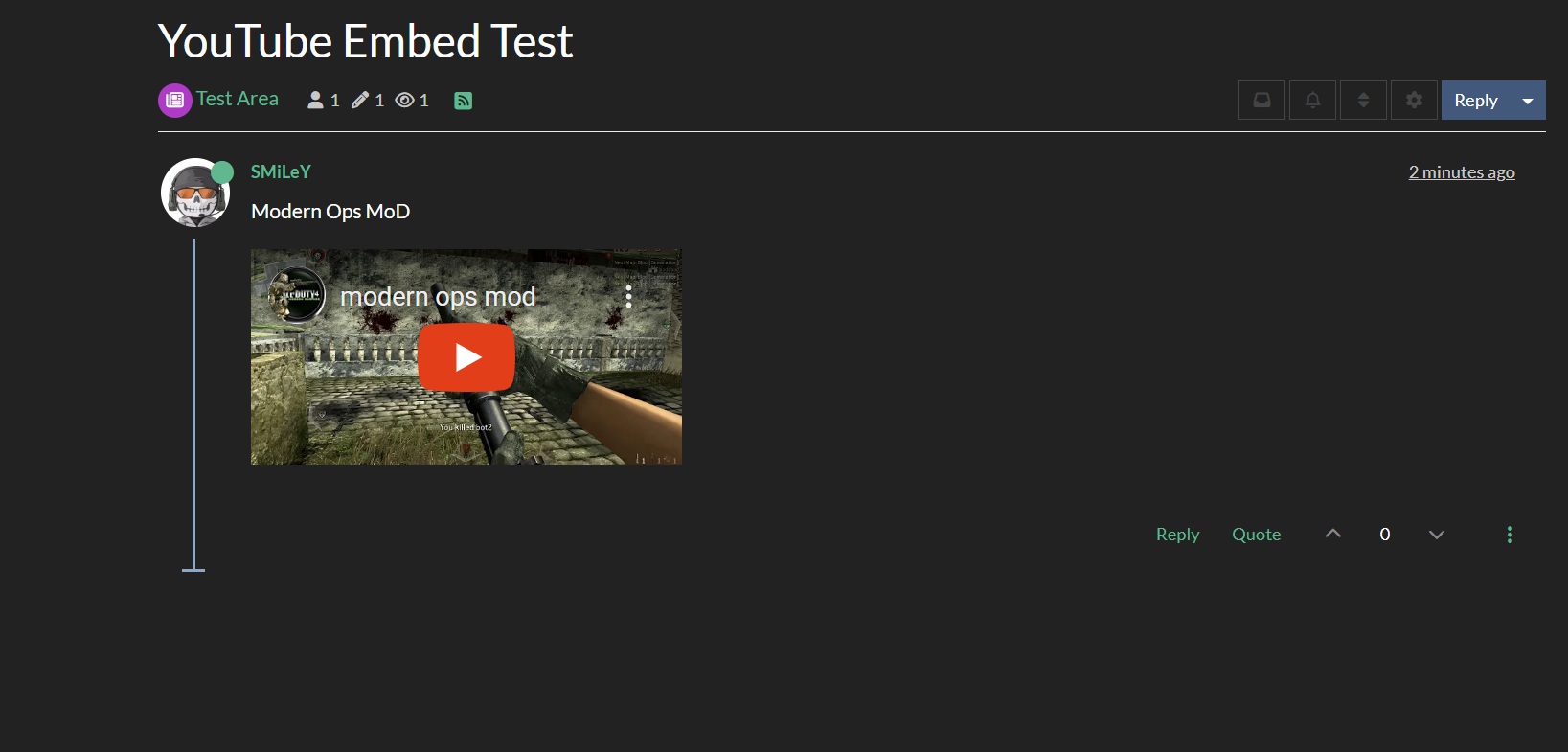
Test of youtube embeds
-
Hope its ok to do a test here of how Sudonix does youtube embeds, as I think this side uses the ns plugin.
From my recall, ns has better functionality than the currently recommeded plugin.
I dont know why the ns plugin isnt whitelisted?
@phenomlab, out of interest, do you know who coded the ns plugin?For this test, I picked a slightly relevant video!
Test1: a youtu.be link -
Hope its ok to do a test here of how Sudonix does youtube embeds, as I think this side uses the ns plugin.
From my recall, ns has better functionality than the currently recommeded plugin.
I dont know why the ns plugin isnt whitelisted?
@phenomlab, out of interest, do you know who coded the ns plugin?For this test, I picked a slightly relevant video!
Test1: a youtu.be linkOk that test worked so ns can embed even the unusual shortened youtube links.
Ive forgotten how to instal plugins on the server, as its not whitelisted will need to do it that way.
@phenomlab could you remind me please? -
Ok that test worked so ns can embed even the unusual shortened youtube links.
Ive forgotten how to instal plugins on the server, as its not whitelisted will need to do it that way.
@phenomlab could you remind me please?@Panda said in Test of youtube embeds:
could you remind me please?
You’ll need to get a CLI session to your server and from the directory where nodebb is installed, run
npm install nodebb-plugin-ns-embedThen activate the plugin in the usual manner and rebuild
Mark Cutting also advises organisations as a Fractional CIO, Fractional CISO and Executive Advisor, helping boards improve technology governance, cyber resilience and executive decision making. Learn more at Phenomlab Ltd
-
@Panda said in Test of youtube embeds:
could you remind me please?
You’ll need to get a CLI session to your server and from the directory where nodebb is installed, run
npm install nodebb-plugin-ns-embedThen activate the plugin in the usual manner and rebuild
@phenomlab Do you need to be in the plugins folder to run that, or does it automatically install the plugin into the plugins folder?
-
@phenomlab Do you need to be in the plugins folder to run that, or does it automatically install the plugin into the plugins folder?
@Madchatthew no, you just need to be in NodeBB root
Mark Cutting also advises organisations as a Fractional CIO, Fractional CISO and Executive Advisor, helping boards improve technology governance, cyber resilience and executive decision making. Learn more at Phenomlab Ltd
-
 undefined Panda has marked this topic as solved on
-
This is a nice embed plugin but…the size of the embed is very small. I used one in the past that was bigger but cannot remember which one

-
This is a nice embed plugin but…the size of the embed is very small. I used one in the past that was bigger but cannot remember which one
@Sampo2910 nothing that CSS can’t fix

Mark Cutting also advises organisations as a Fractional CIO, Fractional CISO and Executive Advisor, helping boards improve technology governance, cyber resilience and executive decision making. Learn more at Phenomlab Ltd
-
@Sampo2910 nothing that CSS can’t fix
@phenomlab I have the exact same issue.
-
@Sampo2910 nothing that CSS can’t fix
@phenomlab Can you enlighten me with some please
Not in my skill set.

-
@phenomlab Can you enlighten me with some please
Not in my skill set.
@Sampo2910 @jac you just need to target the
iframeitself (be aware that this will affect all other iframes, so you may want to be more specific if need be). Something like this will work - just play with theheightandwidthvalues to get the desired result.iframe { height: 400px; width: 400px; }Mark Cutting also advises organisations as a Fractional CIO, Fractional CISO and Executive Advisor, helping boards improve technology governance, cyber resilience and executive decision making. Learn more at Phenomlab Ltd
-
@Sampo2910 @jac you just need to target the
iframeitself (be aware that this will affect all other iframes, so you may want to be more specific if need be). Something like this will work - just play with theheightandwidthvalues to get the desired result.iframe { height: 400px; width: 400px; }@phenomlab Perfect …Thank you.
-
@Sampo2910 @jac you just need to target the
iframeitself (be aware that this will affect all other iframes, so you may want to be more specific if need be). Something like this will work - just play with theheightandwidthvalues to get the desired result.iframe { height: 400px; width: 400px; }@phenomlab said in Test of youtube embeds:
be aware that this will affect all other iframes, so you may want to be more specific
Is there a way that we can only be specific to this embed?
-
@phenomlab said in Test of youtube embeds:
be aware that this will affect all other iframes, so you may want to be more specific
Is there a way that we can only be specific to this embed?
@Sampo2910 yes, you could try
iframe[src*="youtube"] {
    height: 400px;
    width: 400px;
}
This is of course an example that looks for “youtube” in the
srcstring. You’d need to adapt it as necessary. The only other way possible here would be to assign adivID to the container but that would require a change to the underlying plugin code.If you need to apply this to mobile only views, it’ll be to be
@media (max-width: 767px) {
    iframe {
        height: 370px;
        width: 360px !important;
    }
}
Mark Cutting also advises organisations as a Fractional CIO, Fractional CISO and Executive Advisor, helping boards improve technology governance, cyber resilience and executive decision making. Learn more at Phenomlab Ltd
-
@Sampo2910 yes, you could try
iframe[src*="youtube"] {
    height: 400px;
    width: 400px;
}
This is of course an example that looks for “youtube” in the
srcstring. You’d need to adapt it as necessary. The only other way possible here would be to assign adivID to the container but that would require a change to the underlying plugin code.If you need to apply this to mobile only views, it’ll be to be
@media (max-width: 767px) { iframe { height: 370px; width: 360px !important; } }@phenomlab Perfect!!! Many thanks.






Hello! It looks like you're interested in this conversation, but you don't have an account yet.
Getting fed up of having to scroll through the same posts each visit? When you register for an account, you'll always come back to exactly where you were before, and choose to be notified of new replies (either via email, or push notification). You'll also be able to save bookmarks and upvote posts to show your appreciation to other community members.
With your input, this post could be even better 💗
Register Login