Skip to content

Threaded post support for NodeBB

Let's Build It
146 5 116.4k 1
  • wrote on last edited by
    #12

    do you think it can be adapted for the stock default display of topics?

  • do you think it can be adapted for the stock default display of topics?

    wrote on last edited by
    #13

    @DownPW yes, but it’ll need a rewrite to be compatible with the stock NodeBB harmony theme. Sudonix makes a lot changes to the default layout so without those additional modifications, it’ll look odd.

  • wrote on last edited by DownPW
    #14

    ooh ok. I would have liked to apply it on my site too bad for me then 🙂

  • ooh ok. I would have liked to apply it on my site too bad for me then 🙂

    wrote on last edited by
    #15

    @DownPW not necessarily. I can still develop something for you to use as a base.

  • wrote on last edited by DownPW
    #16

    Oh really ?
    That would be super cool 🙂

    Have 2 versions maybe. One adapted to your personalized code and one adapted to Harmony (without customizing the appearance of topics (stock))

    I’m probably asking too much 🙂

  • Oh really ?
    That would be super cool 🙂

    Have 2 versions maybe. One adapted to your personalized code and one adapted to Harmony (without customizing the appearance of topics (stock))

    I’m probably asking too much 🙂

    wrote on last edited by
    #17

    @DownPW said in Threading support for NodeBB:

    I’m probably asking too much

    Nope. Not at all. I’m fact, developing one from stock Harmony is probably a better idea as it’ll work out of the box.

    Leave it with me.

  • wrote on last edited by
    #18

    I’ve set my DEV environment to vanilla and will develop a working solution for that.

  • wrote on last edited by phenomlab
    #19

    Hi All,

    Some very early (subject to the odd bug) code released in DEV. You will need an account there - let me know if you need a password reset

    https://sudonix.dev/topic/331/how-to-install-a-self-hosted-instance-of-iframely-for-use-with-nodebb

    This code is quite complex, and leverages some interesting CSS classes. The most important change is that it removes the stock timeline bar, and will replace it with it’s own. This is for a variety of reasons - mostly around cumulative layout shift and pseudo elements being used in the stock CSS.

  • wrote on last edited by
    #20

    I have tested but I don’t see switch on dev
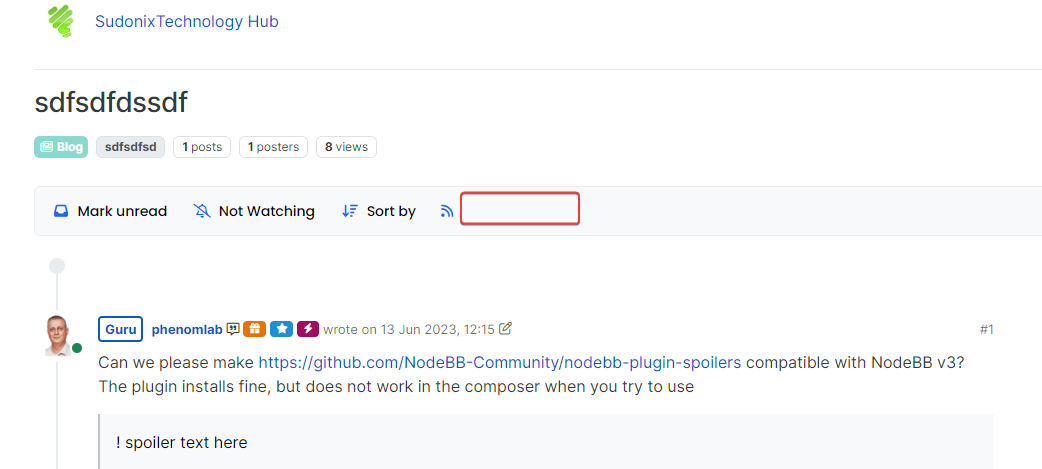
    image.png

  • I have tested but I don’t see switch on dev

    image.png

    wrote on last edited by
    #21

    @DownPW It only triggers at 1200px and above - do you have your browser size set smaller?

  • wrote on last edited by
    #22

    Just added some transition effects. Note that depending on how many elements there are on the screen, this might cause layout shift.

  • wrote on last edited by DownPW
    #23

    oh yes I’m on 1920 x 1080 screen

    oups 🙂

  • oh yes I’m on 1920 x 1080 screen

    oups 🙂

    wrote on last edited by
    #24

    @DownPW Does it work now? By 1200px I meant wide

  • wrote on last edited by
    #25

    hmmmm nope

  • hmmmm nope

    wrote on last edited by
    #26

    Odd. Seems to work for me.

  • wrote on last edited by DownPW
    #27

    nope it’s normal, i’m on 1080px height

  • nope it’s normal, i’m on 1080px height

    wrote on last edited by
    #28

    @DownPW I’m going to reset your DEV password and login as you to check

  • wrote on last edited by
    #29

    I see why. Let me fix that

  • wrote on last edited by
    #30

    @DownPW can you log back into DEV and try again? Should be working now.

  • wrote on last edited by phenomlab
    #31

    Here’s a video of the threading code working on stock Harmony on NodeBB.

    However, it’s important to note that the timeline bar is removed and recreated. There is a good reason for this, as without taking this route, it would mean that the timeline bar will look out of place. It’s certainly possible to use the existing bar and use a variety of CSS to move it around, although this is VERY inconsistent in my testing, and lands up being far too complex when it comes to having multiple CSS classes that do not include a specific scenario etc.

    In this case, it’s so much quicker to hide and replace the existing one - we do this in the default view also with the threaded view disabled, and I’m sure you won’t notice the difference 🙂 For obvious reasons, this code is configured to only fire on displays of 1200px or more - obviously, firing on a mobile device wouldn’t look very good at all.

    Here’s the video

    If you like what you see, here’s the code.

    https://github.com/phenomlab/nodebb-harmony-threading

    Final note - The code you see in the video is designed to work with stock Harmony. The code running on Sudonix is VERY different and uses a variety of CSS to render the view you see here. It’s “possible” to emulate this look, although it does mean that you will have to replace your custom CSS with that of Sudonix.


Related Topics
  • NodeBB Twitter / X embeds

    Let's Build It twitter script
    34
    21 Votes
    34 Posts
    16k Views
    DownPW
    @phenomlab said: @DownPW thanks for spotting (and fixing) this issue. I admittedly threw this together quickly for @jac some time ago, and it hasn’t had any love since. If OK with you, I’ll merge these changes into the github repository? No problem dude
  • MogoDB v6 to v7 upgrade

    Solved Configure nodebb
    5
    1 Votes
    5 Posts
    2k Views
    phenomlab
    @Panda if you used the Ubuntu PPA, I think this only goes as far as 6.x if I recall correctly.
  • Material View Support for Stock NodeBB

    Unsolved Let's Build It material view javascript css
    51
    4
    15 Votes
    51 Posts
    27k Views
    DownPW
    Oh yes, that’s what’s super cool, I learn something every day. Afterwards I start from so low in JS
  • Threaded chat support for NodeBB

    Let's Build It threaded chat code
    35
    1
    19 Votes
    35 Posts
    16k Views
    phenomlab
    @DownPW said in Threaded chat support for NodeBB: Better like this : add shadow and border-left on self answer Of course - you style to your own requirements and taste I’ll commit that CSS we discussed yesterday also
  • Setup OGProxy for use in NodeBB

    Moved Let's Build It ogproxy opengraph npm node
    110
    2
    21 Votes
    110 Posts
    55k Views
    phenomlab
    @crazycells said in Setup OGProxy for use in NodeBB: are they cached for each user separately? No. It’s a shared cache @crazycells said in Setup OGProxy for use in NodeBB: additionally, this is also handling youtube videos etc, right? No. This is handled by nodebb-plugin-ns-embed
  • Smart Widgets

    Solved Configure nodebb
    9
    3 Votes
    9 Posts
    3k Views
    phenomlab
    @Panda said in Smart Widgets: So why is that, or conversely why would the function to expose username ever be required, as it seems app.user is already an available global object? It is, yes, but not if you are using it outside of a widget. The function I wrote is also historical and comes from the 2.x train
  • optional "snow falling" theme

    Solved Customisation nodebb
    6
    6 Votes
    6 Posts
    2k Views
    phenomlab
    @Sala ok, but that’s still the same loop which is going to have an impact on the CPU.
  • Bootstrap Version

    Solved Customisation nodebb bootstrap

    8
    5 Votes
    8 Posts
    3k Views
    Madchatthew
    @phenomlab That will be nice once they have completed that. It will be interesting to see how long that takes. So for now I will use custom css to make it look the way I want. Frameworks just make things a little faster. Thanks @phenomlab