Skip to content

NodeBB upgrade now cant post

Solved Bugs
5 2 1.6k 1
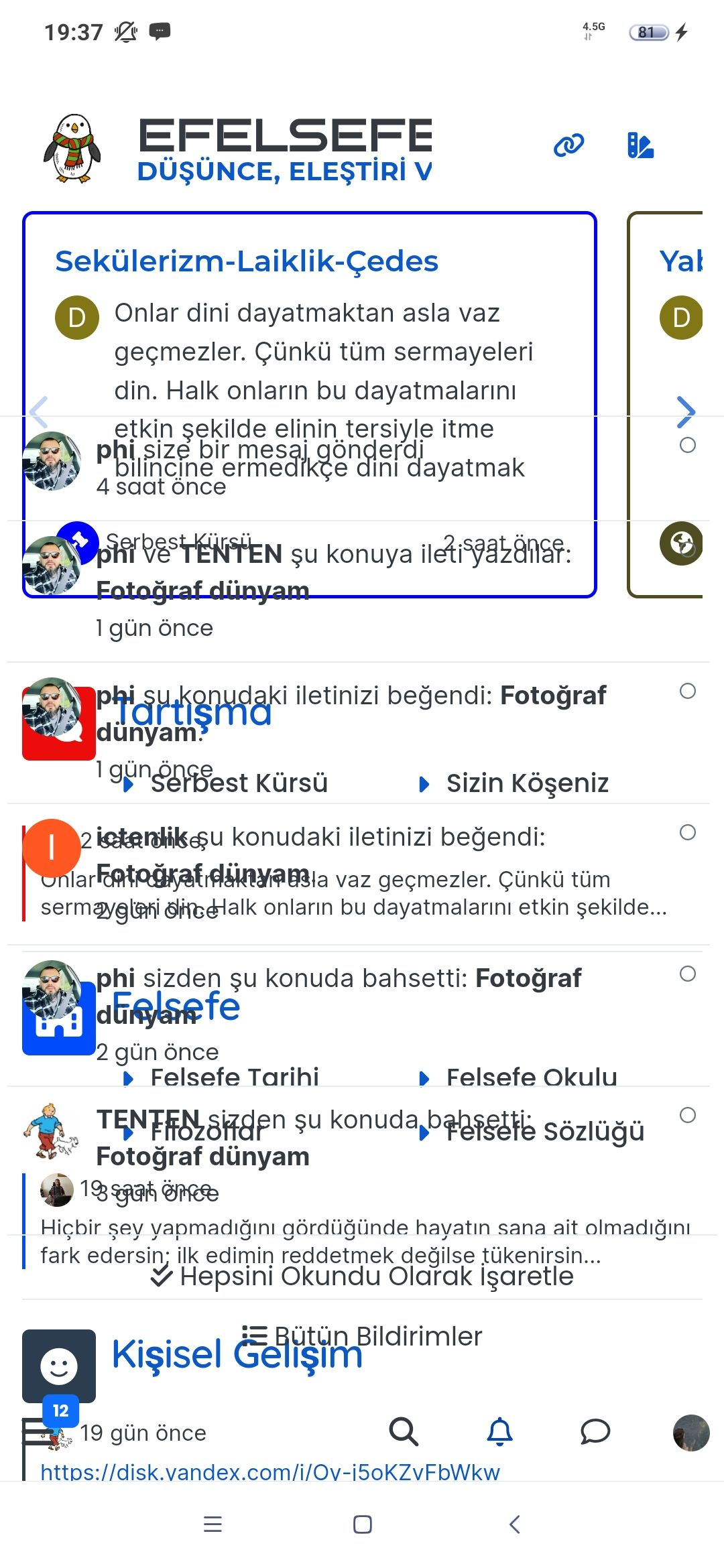
  • On my site An annoying ‘n out of n’ banner comes over the reply button, and the forum bar is just below that
    So I can just see a fraction of the reply button but cant click it.
    I cant even screenshot it to show example now as that seems ‘disabled’ as a new ‘feature’

    Id like to stop screenshot disabled, and remove this ‘8 out of 8 banner’. Is that possible?

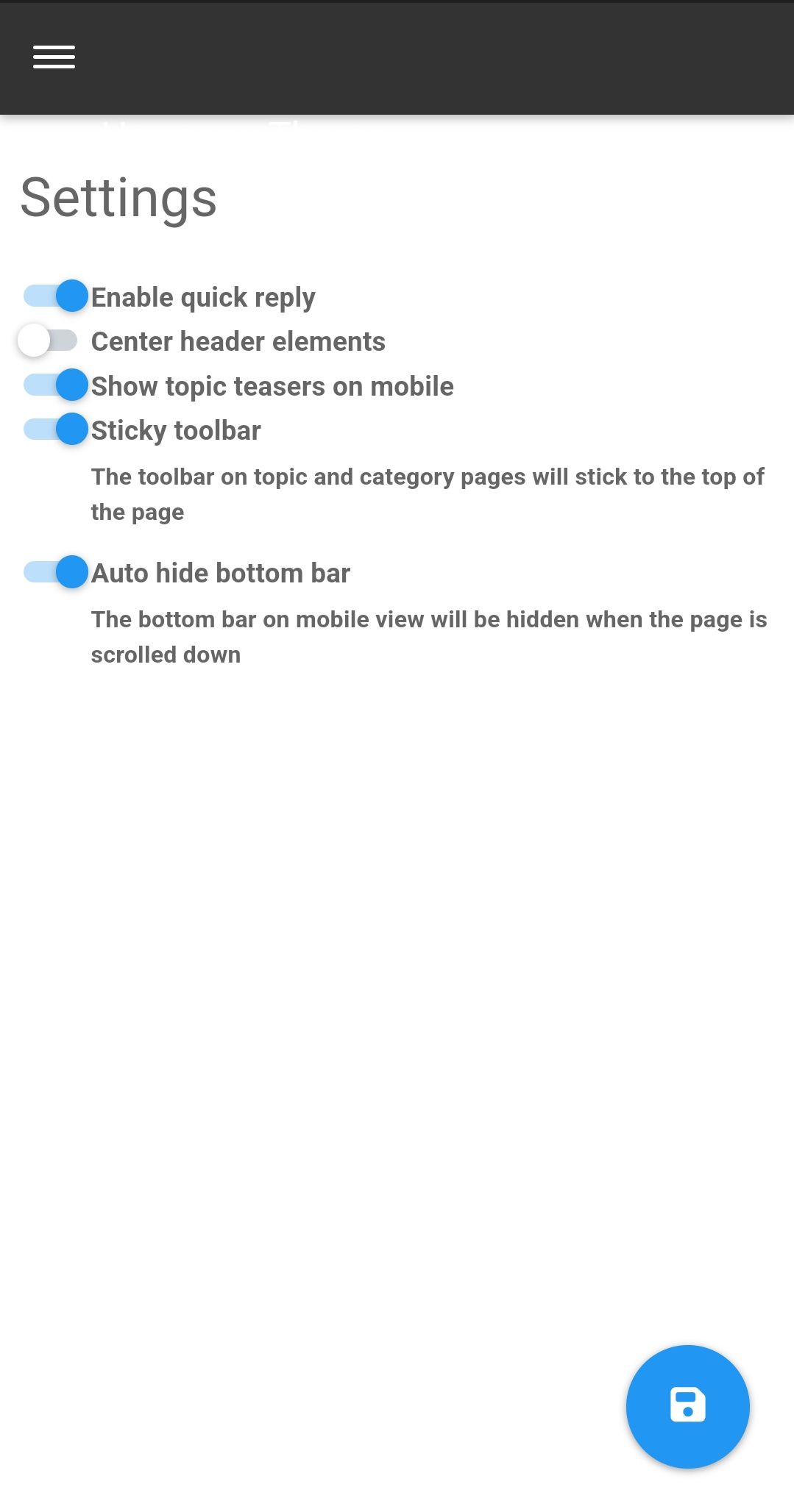
  • I’ve just seen the duplicate post on NodeBB. Can you go to /admin/plugins/harmony and match the settings below then save

    Screenshot_2023-05-28-11-10-14-46_e4424258c8b8649f6e67d283a50a2cbc.jpg

    That issue is caused by element positioning where the bottom bar should auto hide to prevent that issue. If that doesn’t work, disable the quick reply feature and see if that helps.

  • On my site An annoying ‘n out of n’ banner comes over the reply button, and the forum bar is just below that
    So I can just see a fraction of the reply button but cant click it.
    I cant even screenshot it to show example now as that seems ‘disabled’ as a new ‘feature’

    Id like to stop screenshot disabled, and remove this ‘8 out of 8 banner’. Is that possible?

    @Panda NodeBB doesn’t disable the ability to take a screenshot. That’s at operating system level not application, so something else is stopping that.

    I’ll need a screenshot of sorts, or access to your forum to be able to see what’s going on.

  • I’ve just seen the duplicate post on NodeBB. Can you go to /admin/plugins/harmony and match the settings below then save

    Screenshot_2023-05-28-11-10-14-46_e4424258c8b8649f6e67d283a50a2cbc.jpg

    That issue is caused by element positioning where the bottom bar should auto hide to prevent that issue. If that doesn’t work, disable the quick reply feature and see if that helps.

  • Thanks, can post now.
    I find it disconcerting that ‘out of the box settings’ dont work. If it wasnt for your help I would have broken forum now!
    Thats why sometimes I double post urgent questions on both forums as I appreciate your fast and accurate responses 🙂

  • Thanks, can post now.
    I find it disconcerting that ‘out of the box settings’ dont work. If it wasnt for your help I would have broken forum now!
    Thats why sometimes I double post urgent questions on both forums as I appreciate your fast and accurate responses 🙂

    @Panda yes, for some reason, that is the case. If you need an urgent response, it’s probably better to post here because of the time difference.

  • phenomlabundefined phenomlab marked this topic as a question on
  • phenomlabundefined phenomlab has marked this topic as solved on

Did this solution help you?
Did you find the suggested solution useful? Support 💗 Sudonix with a coffee
If your organisation needs deeper expertise around infrastructure, security, or technology leadership, learn more about Phenomlab Ltd. Many of the deeper technical guides behind Sudonix are published there.

Related Topics
  • 3 Votes
    6 Posts
    3k Views
    @kadir-ay-0 marking as resolved based on https://community.nodebb.org/topic/17109/manual-build-a-night-mode-for-harmony/5 Please do not raise requests in two places - here and the NodeBB forums. All this does is create unnecessary load for both parties.
  • Rendering issues post migration to Sudonix theme/code

    Solved Bugs
    49
    1
    20 Votes
    49 Posts
    16k Views
    @cagatay Those are in /admin/extend/widgets/brand header. Look inside the HTML widget that is there, and you’ll find <div class="socialicons"> <a class="btn-ghost p-2" href="https://github.com/phenomlab" rel="noreferrer noopener"><i style="color: #333;background: #ffffff; width: 26px" class="fa fa-2x fa-github-square"></i></a> <a class="btn-ghost p-2" href="https://linkedin.com/in/phenomlab" rel="noreferrer noopener"><i style="color: #0077B5;background: #ffffff; width: 26px" class="fa fa-2x fa-brands fa-linkedin-square"></i></a> <a class="btn-ghost p-2" href="https://twitter.com/phenomlab" rel="noreferrer noopener"><i style="color: #1DA1F2;background: #ffffff; width: 26px" class="fa fa-2x fa-twitter-square"></i></a> <!-- <a class="btn-ghost p-2" href="https://www.facebook.com/sudonixtech" rel="noreferrer noopener"><i style="color: #4268B2;background: #ffffff; width: 26px" class="fa fa-2x fa-facebook-square"></i></a> --> </div> Remove that block and save.
  • 1 Votes
    1 Posts
    772 Views
    No one has replied
  • Nodebb 3.2.0

    Bugs nodebb nodebb 3.2.0
    20
    1
    2 Votes
    20 Posts
    6k Views
    @crazycells yes, I’m aware of that. Need to fix EDIT- fixed. Caused by the same CSS that is used to absolutely position the “verified” group badge in the posts view. Amended this CSS so that is specifically targets the post stream as below li[component="post"] a[href*="/groups/verified"] { position: absolute !important; left: 8px; z-index: 2; margin-top: 1px; border-radius: 999px !important; line-height: 14px; display: block; height: 22px; margin-left: 0px !important; }
  • Difficult to move posts now, on mobile.

    Bugs nodebb
    16
    1
    5 Votes
    16 Posts
    4k Views
    @DownPW Yes, it is. It’s set far too low meaning other elements with a higher preference will sit over the top of it.
  • Email validation NodeBB

    Bugs nodebb
    21
    3 Votes
    21 Posts
    8k Views
    @Panda said in Email validation NodeBB: Did you configure that as a custom change to the usual quote icon. How do you do that? I notice on NodeBB site its a solid blue quotes Yes, I changed it. NodeBB by default users the free font awesome library whereas I use the pro (paid) version SDK have access to a wider set of icons, and at different thicknesses etc. The change of colour is just simple CSS.
  • adding some console.log to Nodebb

    Solved Customisation nodebb
    4
    1 Votes
    4 Posts
    2k Views
    @eeeee if you’re using the console, you could try node app.js > app.log 2>&1 This would redirect stdout to a file named app.log and redirect stderr to stdout. I’m not sure about standard logging under NodeBB, but there is an error log located at logs/error.log. Failing that, you could always stop the NodeBB service then use ./nodebb dev from the console which would then provide debug output.
  • ineffecient use of space on mobile

    Solved Customisation nodebb
    10
    2
    7 Votes
    10 Posts
    3k Views
    @phenomlab Thanks