Adjusting the size of boxes in posts-list class
-
Hi @phenomlab ,
In NodeBB, there are many pages containing a list of posts such as bookmarks, upvoted, etc.
For example:
https://sudonix.com/user/crazycells/upvotedHow can I change the height of the boxes containing the post with CSS? I would like to increase the box size, so a bigger part of the post will show as a preview in those lists…
All those lists contain “posts-list” class…
-
Hi @phenomlab ,
In NodeBB, there are many pages containing a list of posts such as bookmarks, upvoted, etc.
For example:
https://sudonix.com/user/crazycells/upvotedHow can I change the height of the boxes containing the post with CSS? I would like to increase the box size, so a bigger part of the post will show as a preview in those lists…
All those lists contain “posts-list” class…
@crazycells It’s not so much the height of the boxes that causes the issue here, but more the CSS class
overflow: hidden;. You could change that to the below.posts-list .posts-list-item .content { overflow: auto; }This would then give you something like this
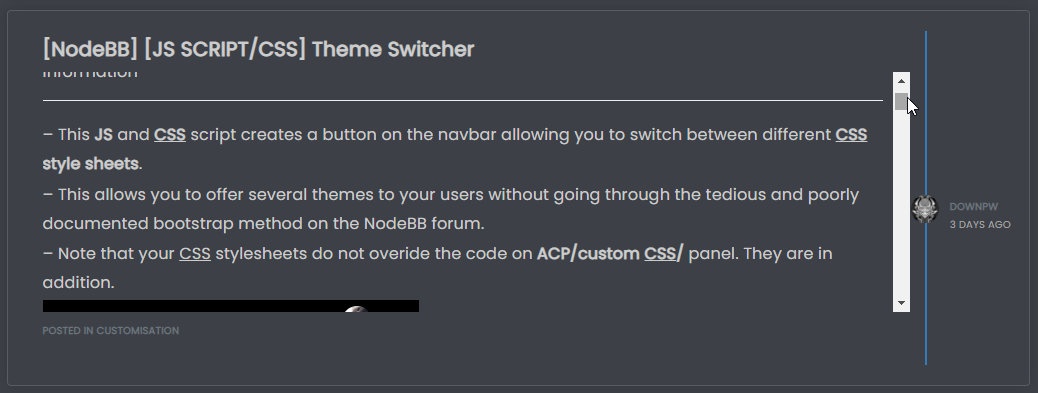
Notice the scrollbar that appears meaning you scan keep the same panel height, but still scroll through the message to be able to read all of it.
If you wanted the panel height to size with the content, you’d need to do this
.posts-list .posts-list-item .content {
    max-height: none;
    height: auto;
}
Which in turn would result in this
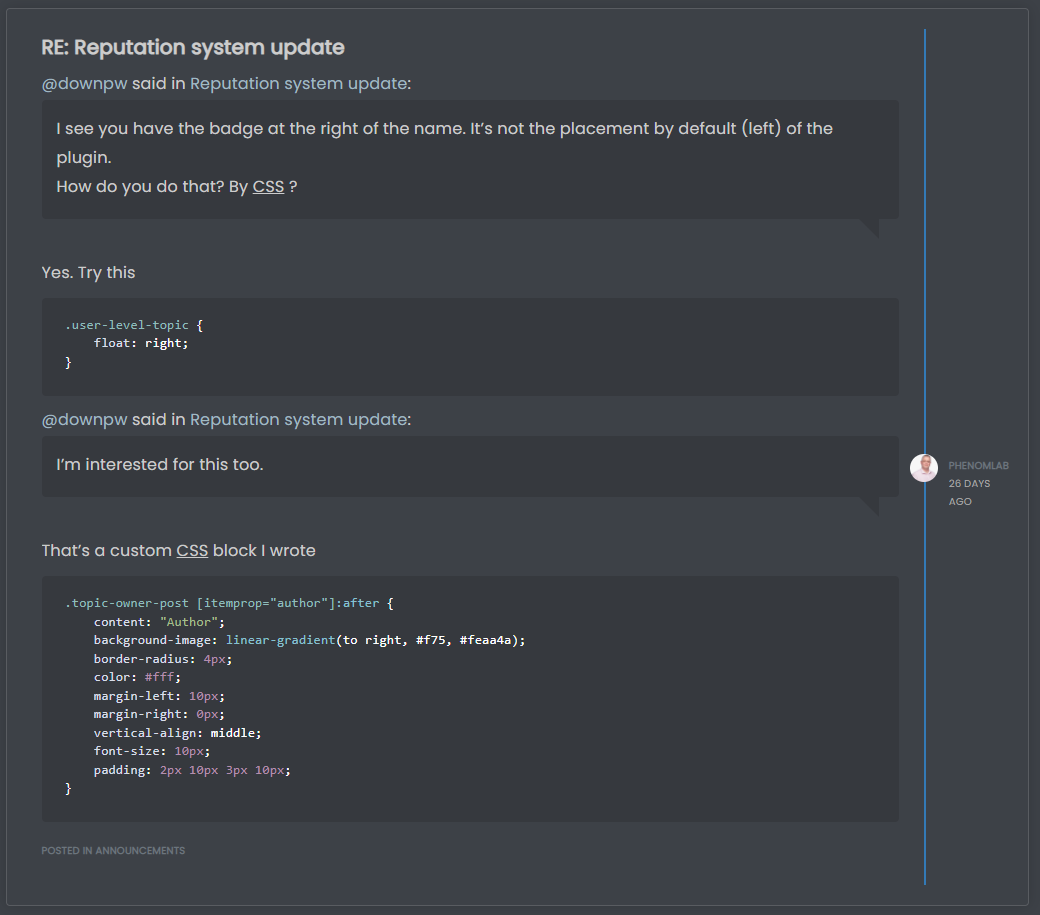
I’d personally take the
overflow: auto;route as this is easier on the eyes. However, you get a balance of the two by setting a higher value formax-height, so.posts-list .posts-list-item .content { max-height: 600px; }This would still require
overflow: auto;, but by settingmax-heightyou are able to increase the height of the panel to something more aligned with your requirements, and still be able to read the entire message without having to open it.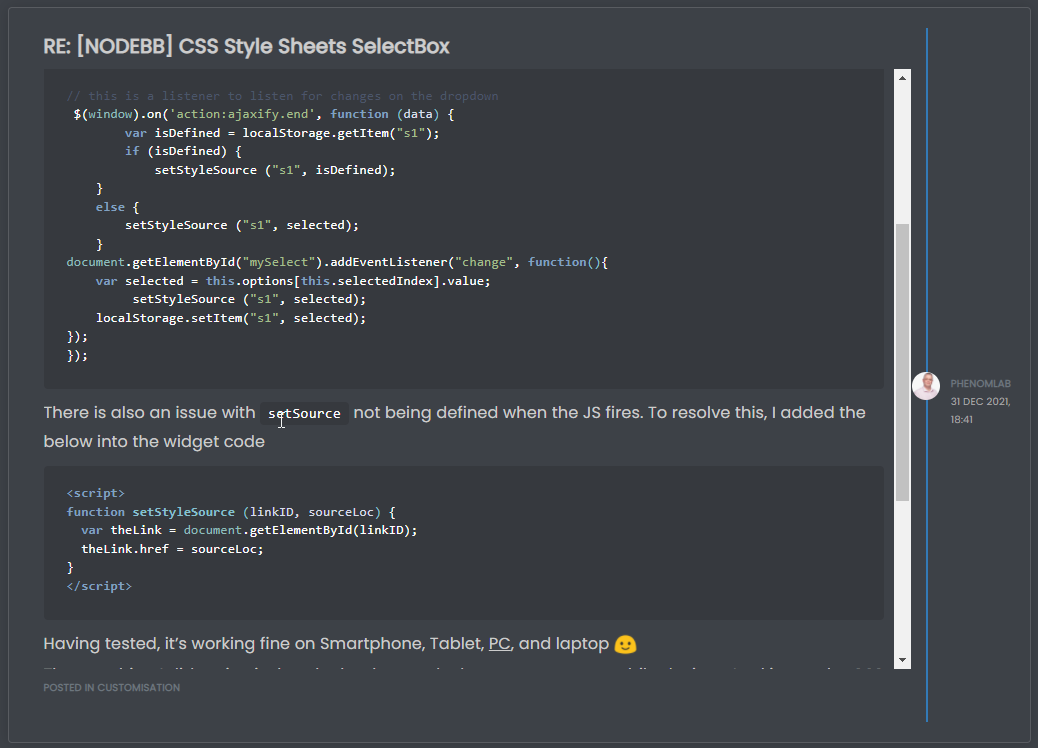
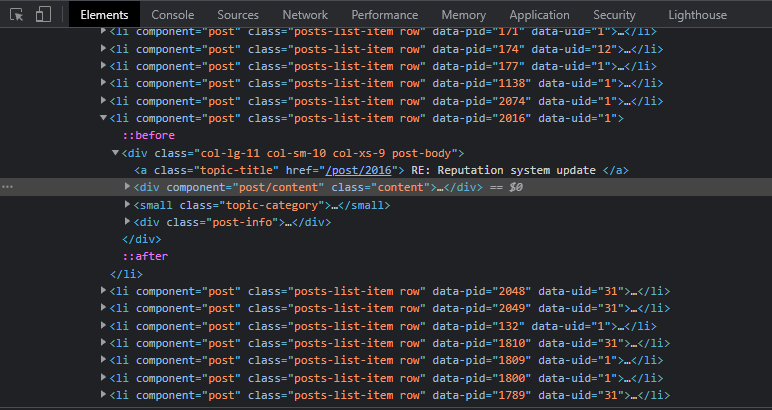
The block of HTML being targeted here is below
Mark Cutting also advises organisations as a Fractional CIO, Fractional CISO and Executive Advisor, helping boards improve technology governance, cyber resilience and executive decision making. Learn more at Phenomlab Ltd
-
@crazycells It’s not so much the height of the boxes that causes the issue here, but more the CSS class
overflow: hidden;. You could change that to the below.posts-list .posts-list-item .content { overflow: auto; }This would then give you something like this
Notice the scrollbar that appears meaning you scan keep the same panel height, but still scroll through the message to be able to read all of it.
If you wanted the panel height to size with the content, you’d need to do this
.posts-list .posts-list-item .content {
    max-height: none;
    height: auto;
}
Which in turn would result in this
I’d personally take the
overflow: auto;route as this is easier on the eyes. However, you get a balance of the two by setting a higher value formax-height, so.posts-list .posts-list-item .content { max-height: 600px; }This would still require
overflow: auto;, but by settingmax-heightyou are able to increase the height of the panel to something more aligned with your requirements, and still be able to read the entire message without having to open it.The block of HTML being targeted here is below
@phenomlab thanks a lot, this combination works best

.posts-list .posts-list-item .content { overflow: auto; max-height: 600px; } -
 undefined crazycells has marked this topic as solved on

Hello! It looks like you're interested in this conversation, but you don't have an account yet.
Getting fed up of having to scroll through the same posts each visit? When you register for an account, you'll always come back to exactly where you were before, and choose to be notified of new replies (either via email, or push notification). You'll also be able to save bookmarks and upvote posts to show your appreciation to other community members.
With your input, this post could be even better 💗
Register LoginDid this solution help you?
Related Topics
-
-
NodeBB: Creating pages
Solved Configure -
-
-
-
Bootstrap Version
Solved Customisation -
-