Skip to content

Adjusting the size of boxes in posts-list class

Solved Customisation
3 2 1.1k 1
  • Hi @phenomlab ,

    In NodeBB, there are many pages containing a list of posts such as bookmarks, upvoted, etc.

    For example:
    https://sudonix.com/user/crazycells/upvoted

    How can I change the height of the boxes containing the post with CSS? I would like to increase the box size, so a bigger part of the post will show as a preview in those lists…

    All those lists contain “posts-list” class…

  • Hi @phenomlab ,

    In NodeBB, there are many pages containing a list of posts such as bookmarks, upvoted, etc.

    For example:
    https://sudonix.com/user/crazycells/upvoted

    How can I change the height of the boxes containing the post with CSS? I would like to increase the box size, so a bigger part of the post will show as a preview in those lists…

    All those lists contain “posts-list” class…

    @crazycells It’s not so much the height of the boxes that causes the issue here, but more the CSS class overflow: hidden;. You could change that to the below

    .posts-list .posts-list-item .content {
        overflow: auto;
    }
    

    This would then give you something like this
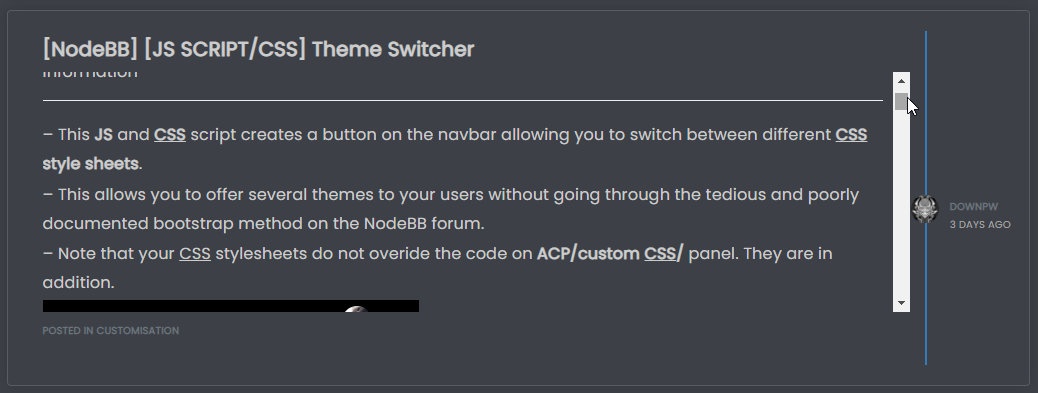
    9d3f213c-f4b7-4795-b7de-99689fd07ed4-image.png

    Notice the scrollbar that appears meaning you scan keep the same panel height, but still scroll through the message to be able to read all of it.

    If you wanted the panel height to size with the content, you’d need to do this

    .posts-list .posts-list-item .content {
        max-height: none;
        height: auto;
    }
    

    Which in turn would result in this
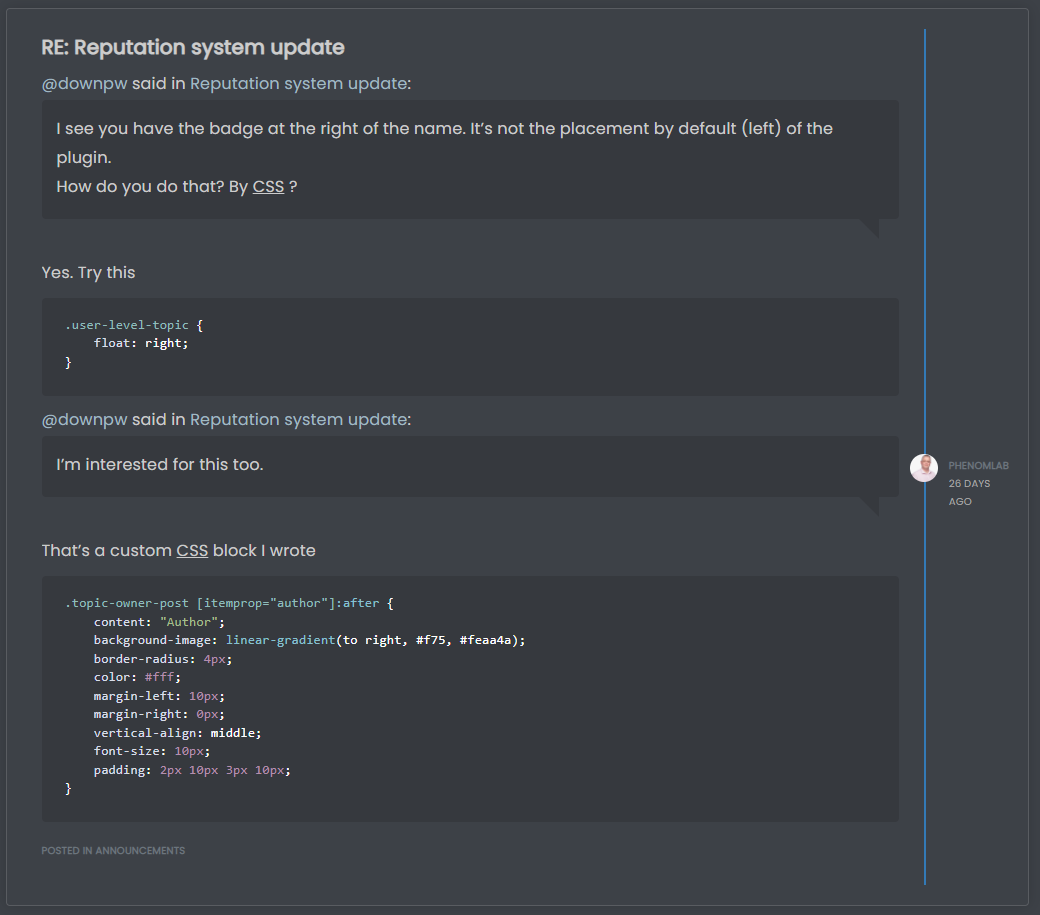
    569b9c79-eadc-4eb2-ae3b-d612b401f010-image.png

    I’d personally take the overflow: auto; route as this is easier on the eyes. However, you get a balance of the two by setting a higher value for max-height , so

    .posts-list .posts-list-item .content {
        max-height: 600px;
    }
    

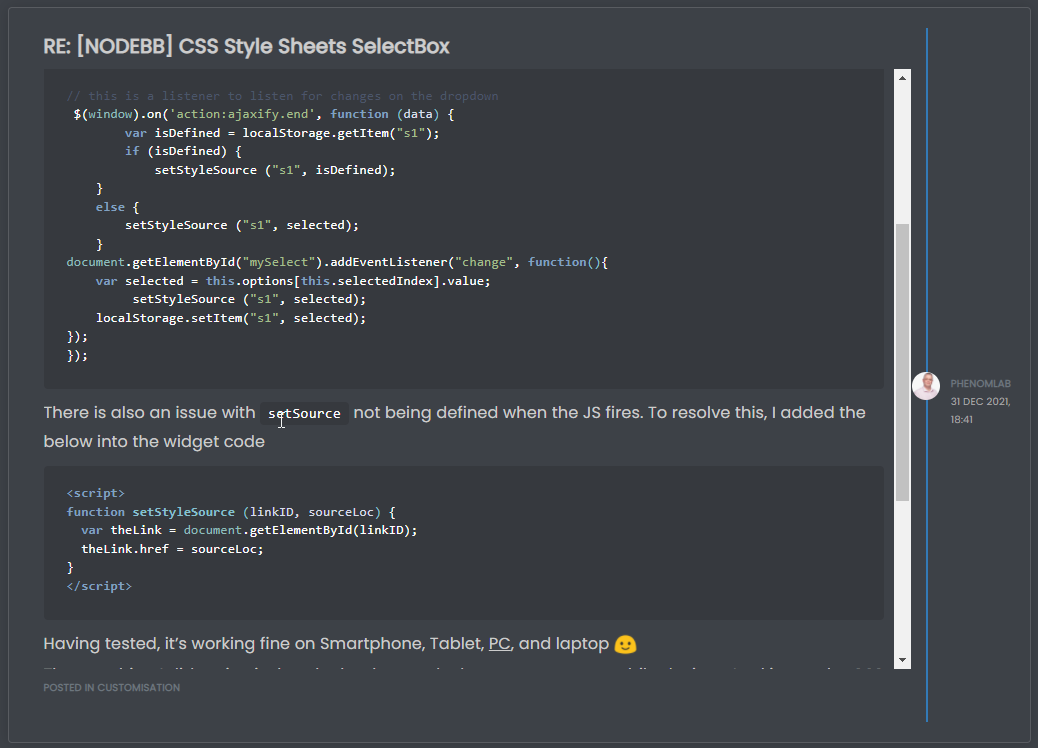
    This would still require overflow: auto;, but by setting max-height you are able to increase the height of the panel to something more aligned with your requirements, and still be able to read the entire message without having to open it.
    c3ad820c-0cc3-4fee-b099-4cc3466959ce-image.png

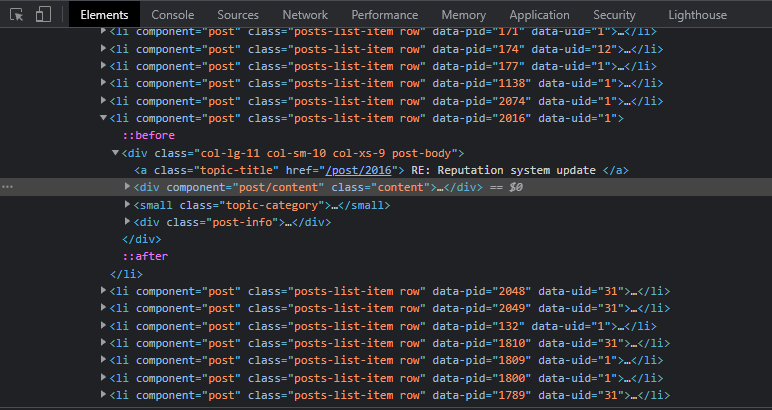
    The block of HTML being targeted here is below
    1358ca2c-4d07-4314-bf0c-8ccd1b322941-image.png

  • @crazycells It’s not so much the height of the boxes that causes the issue here, but more the CSS class overflow: hidden;. You could change that to the below

    .posts-list .posts-list-item .content {
        overflow: auto;
    }
    

    This would then give you something like this

    9d3f213c-f4b7-4795-b7de-99689fd07ed4-image.png

    Notice the scrollbar that appears meaning you scan keep the same panel height, but still scroll through the message to be able to read all of it.

    If you wanted the panel height to size with the content, you’d need to do this

    .posts-list .posts-list-item .content {
        max-height: none;
        height: auto;
    }
    

    Which in turn would result in this

    569b9c79-eadc-4eb2-ae3b-d612b401f010-image.png

    I’d personally take the overflow: auto; route as this is easier on the eyes. However, you get a balance of the two by setting a higher value for max-height , so

    .posts-list .posts-list-item .content {
        max-height: 600px;
    }
    

    This would still require overflow: auto;, but by setting max-height you are able to increase the height of the panel to something more aligned with your requirements, and still be able to read the entire message without having to open it.

    c3ad820c-0cc3-4fee-b099-4cc3466959ce-image.png

    The block of HTML being targeted here is below

    1358ca2c-4d07-4314-bf0c-8ccd1b322941-image.png

    @phenomlab thanks a lot, this combination works best 👍

    .posts-list .posts-list-item .content {
        overflow: auto;
        max-height: 600px;
    }
    
  • crazycellsundefined crazycells has marked this topic as solved on

Did this solution help you?
Did you find the suggested solution useful? Support 💗 Sudonix with a coffee
If your organisation needs deeper expertise around infrastructure, security, or technology leadership, learn more about Phenomlab Ltd. Many of the deeper technical guides behind Sudonix are published there.

Related Topics
  • Spam spam spam

    Solved Configure nodebb
    6
    2 Votes
    6 Posts
    854 Views
    @Panda said in Spam spam spam: ok, yes Ive seen the queue, it shows IP, but doesnt have a field for comments from registrant. It’s not designed for that. It merely serves as a gateway between posts appearing on your form or not. @Panda said in Spam spam spam: It would be better if nodebb had this plugin included in ACP list, as not only then do you know its approved and should work, but many people cant or dont want to use CLI on the server That’s a question for the NodeBB devs but in all honesty you can’t not use the CLI when installing nodebb so to be this isn’t a big deal.
  • Nodebb design

    Solved General nodebb
    2
    1 Votes
    2 Posts
    844 Views
    @Panda said in Nodebb design: One negative is not being so good for SEO as more Server side rendered forums, if web crawlers dont run the JS to read the forum. From recollection, Google and Bing have the capability to read and process JS, although it’s not in the same manner as a physical person will consume content on a page. It will be seen as plain text, but will be indexed. However, it’s important to note that Yandex and Baidu will not render JS, although seeing as Google has a 90% share of the content available on the web in terms of indexing, this isn’t something you’ll likely lose sleep over. @Panda said in Nodebb design: The “write api” is preferred for server-to-server interactions. This is mostly based around overall security - you won’t typically want a client machine changing database elements or altering data. This is why you have “client-side” which could be DOM manipulation etc, and “server-side” which performs more complex operations as it can communicate directly with the database whereas the client cannot (and if it can, then you have a serious security flaw). Reading from the API is perfectly acceptable on the client-side, but not being able to write. A paradigm here would be something like SNMP. This protocol exists as a UDP (UDP is very efficient, as it is “fire and forget” and does not wait for a response like TCP does) based service which reads performance data from a remote source, thus enabling an application to parse that data for use in a monitoring application. In all cases, SNMP access should be “RO” (Read Only) and not RW (Read Write). It is completely feasible to assume complete control over a firewall for example by having RW access to SNMP and then exposing it to the entire internet with a weak passphrase. You wouldn’t do it (at least, I hope you wouldn’t) and the same ethic applies to server-side rendering and the execution of commands.
  • Header Menu After Upgrading V3.1.1

    Solved Customisation header nodebb
    2
    1
    2 Votes
    2 Posts
    659 Views
    @cagatay this relates to a change the css classes used for the brand header meaning it will now float to the left instead of right. If you’d like to retain the original behavior, you can add this css class [data-widget-area="brand-header"] { justify-content: end; display: flex; } Further information here https://community.nodebb.org/topic/17090/manual-build-a-custom-header-in-harmony/19?_=1684069325296
  • NodeBB 3.0 alpha1 : Error on install

    Solved Configure nodebb version 3 install error
    19
    2 Votes
    19 Posts
    3k Views
    @phenomlab Work now
  • How to fix size of photos & videos NodeBB

    Solved Customisation nodebb nodebb size
    7
    3 Votes
    7 Posts
    1k Views
    @crazycells pleasure. Using percentages makes much more sense in this case. It’s the same argument with px vs pt vs em with fonts, margins, padding, etc., in the sense that em is generally preferred over px and pt https://stackoverflow.com/questions/609517/why-em-instead-of-px
  • Post Style View

    Solved Customisation post style sudonix nodebb
    67
    2
    18 Votes
    67 Posts
    16k Views
    @cagatay Just add margin-left on the element like @phenomlab said to you : topic [component="post/parent"] { margin-left: 10px; } [image: 1669191112290-aa08c62b-4223-4cba-8c0f-c73d50474c0d-image.png] Maybe @phenomlab have a better way
  • [NodeBB] First post customization

    Solved Customisation nodebb
    5
    4 Votes
    5 Posts
    1k Views
    @phenomlab thanks
  • [NodeBB] Creating new user to auto post content

    Solved Customisation
    3
    0 Votes
    3 Posts
    1k Views
    @phenomlab many thanks Mark .