nodebb dropdown menu
-
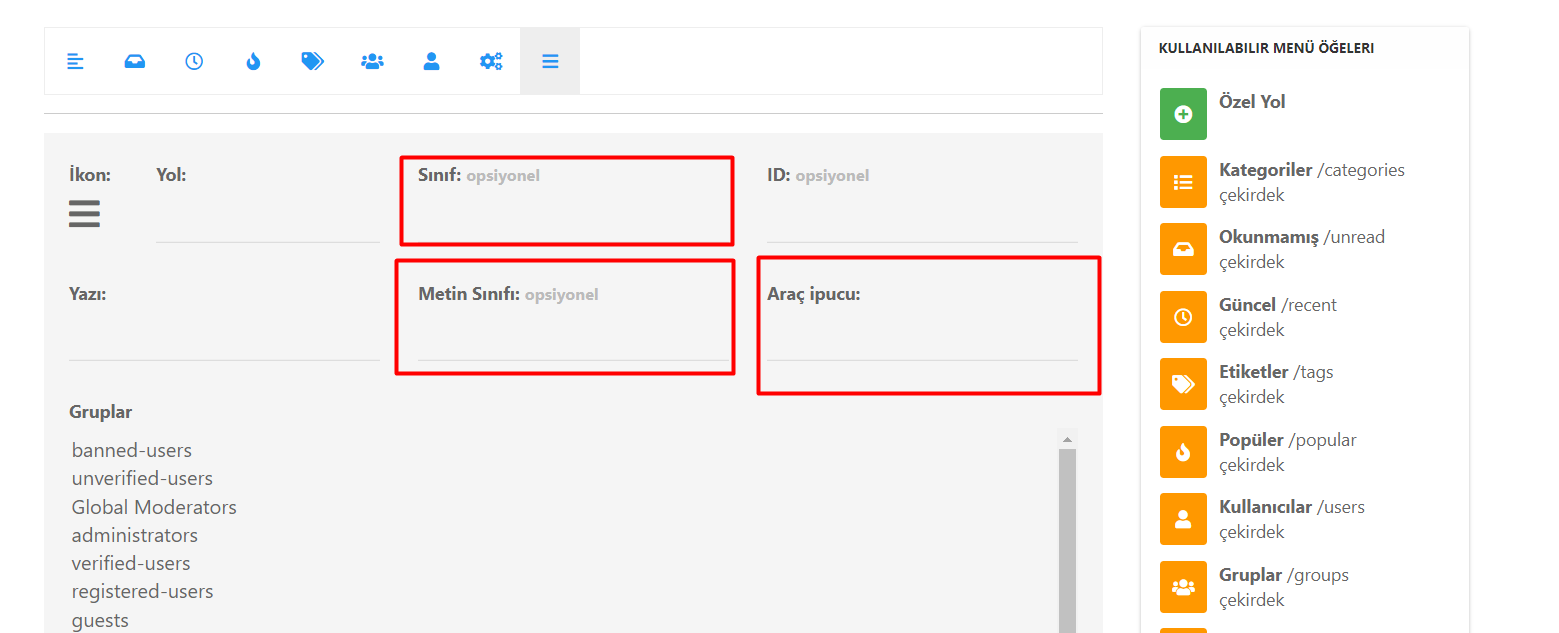
What do I write in these fields to create a drop-down menu in NodeBB?
An internet explorer who is fond of forum software.
-
What do I write in these fields to create a drop-down menu in NodeBB?
@kurulumu-net You set it like the below example taken from this site
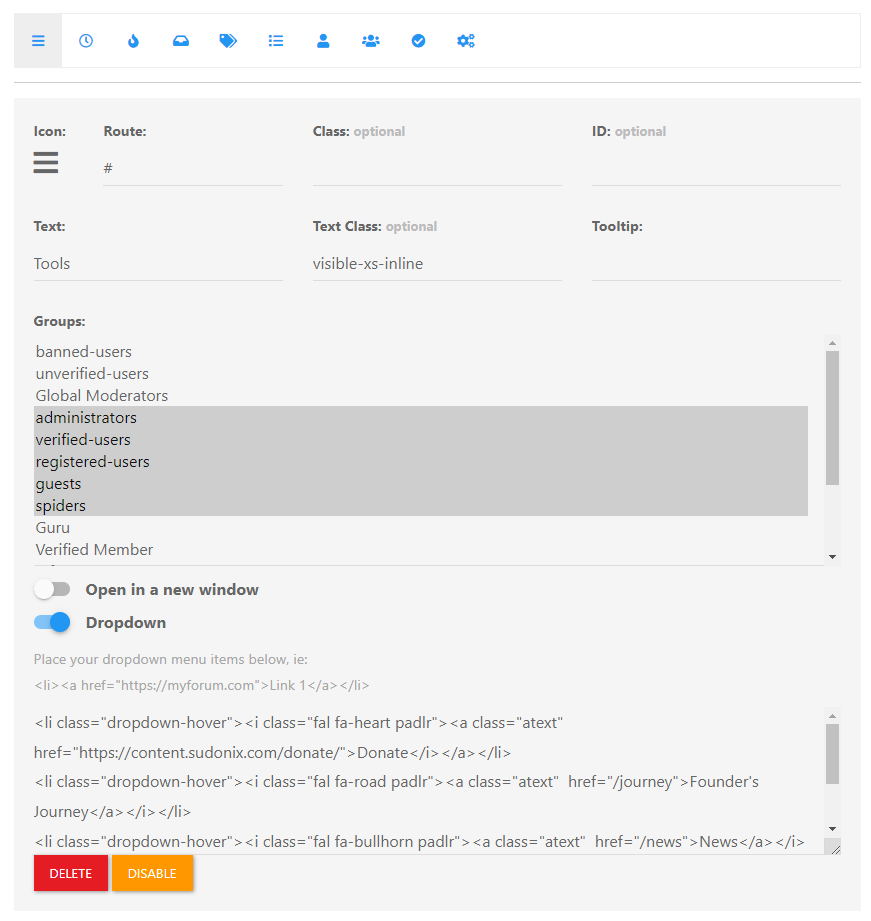
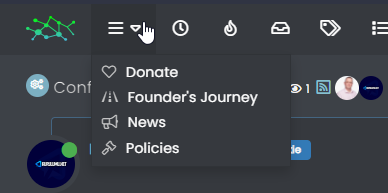
Which presents this
Mark Cutting also advises organisations as a Fractional CIO, Fractional CISO and Executive Advisor, helping boards improve technology governance, cyber resilience and executive decision making. Learn more at Phenomlab Ltd
-
@kurulumu-net You set it like the below example taken from this site
Which presents this
@phenomlab I found why I can’t add list items. Turns out you had to click the activate button first.
An internet explorer who is fond of forum software.
-
@phenomlab I found why I can’t add list items. Turns out you had to click the activate button first.
@kurulumu-net Yep

Mark Cutting also advises organisations as a Fractional CIO, Fractional CISO and Executive Advisor, helping boards improve technology governance, cyber resilience and executive decision making. Learn more at Phenomlab Ltd
-
undefined kurulumuNet has marked this topic as solved on
-
@kurulumu-net You set it like the below example taken from this site
Which presents this
@phenomlab said in nodebb dropdown menu:
@kurulumu-net You set it like the below example taken from this site
Which presents this
Very interesting…
I actually thought this wasn’t possible, as I remember it being asked in the NodeBB forum.
Is this something new that’s been implemented? I’ll 100% be doing that when I’m on the laptop over the weekend.
-
 undefined phenomlab referenced this topic on

Hello! It looks like you're interested in this conversation, but you don't have an account yet.
Getting fed up of having to scroll through the same posts each visit? When you register for an account, you'll always come back to exactly where you were before, and choose to be notified of new replies (either via email, or push notification). You'll also be able to save bookmarks and upvote posts to show your appreciation to other community members.
With your input, this post could be even better 💗
Register LoginDid this solution help you?
Related Topics
-
-
-
-
NodeBB: Creating pages
Solved Configure -
Forum Icons NodeBB
Solved Customisation -
NodeBB Footer
Solved Customisation -
NodeBB metadata
Solved Configure -