'use strict';
const winston = require('winston');
const user = require('../user');
const notifications = require('../notifications');
const sockets = require('../socket.io');
const plugins = require('../plugins');
const meta = require('../meta');
module.exports = function (Messaging) {
Messaging.notifyQueue = {}; // Only used to notify a user of a new chat message, see Messaging.notifyUser
Messaging.notifyUsersInRoom = async (fromUid, roomId, messageObj) => {
let uids = await Messaging.getUidsInRoom(roomId, 0, -1);
uids = await user.blocks.filterUids(fromUid, uids);
let data = {
roomId: roomId,
fromUid: fromUid,
message: messageObj,
uids: uids,
};
data = await plugins.hooks.fire('filter:messaging.notify', data);
if (!data || !data.uids || !data.uids.length) {
return;
}
uids = data.uids;
uids.forEach((uid) => {
data.self = parseInt(uid, 10) === parseInt(fromUid, 10) ? 1 : 0;
Messaging.pushUnreadCount(uid);
sockets.in(`uid_${uid}`).emit('event:chats.receive', data);
});
if (messageObj.system) {
return;
}
// Delayed notifications
let queueObj = Messaging.notifyQueue[`${fromUid}:${roomId}`];
if (queueObj) {
queueObj.message.content += `\n${messageObj.content}`;
clearTimeout(queueObj.timeout);
} else {
queueObj = {
message: messageObj,
};
Messaging.notifyQueue[`${fromUid}:${roomId}`] = queueObj;
}
queueObj.timeout = setTimeout(async () => {
try {
await sendNotifications(fromUid, uids, roomId, queueObj.message);
} catch (err) {
winston.error(`[messaging/notifications] Unabled to send notification\n${err.stack}`);
}
}, meta.config.notificationSendDelay * 1000);
};
async function sendNotifications(fromuid, uids, roomId, messageObj) {
const isOnline = await user.isOnline(uids);
uids = uids.filter((uid, index) => !isOnline[index] && parseInt(fromuid, 10) !== parseInt(uid, 10));
if (!uids.length) {
return;
}
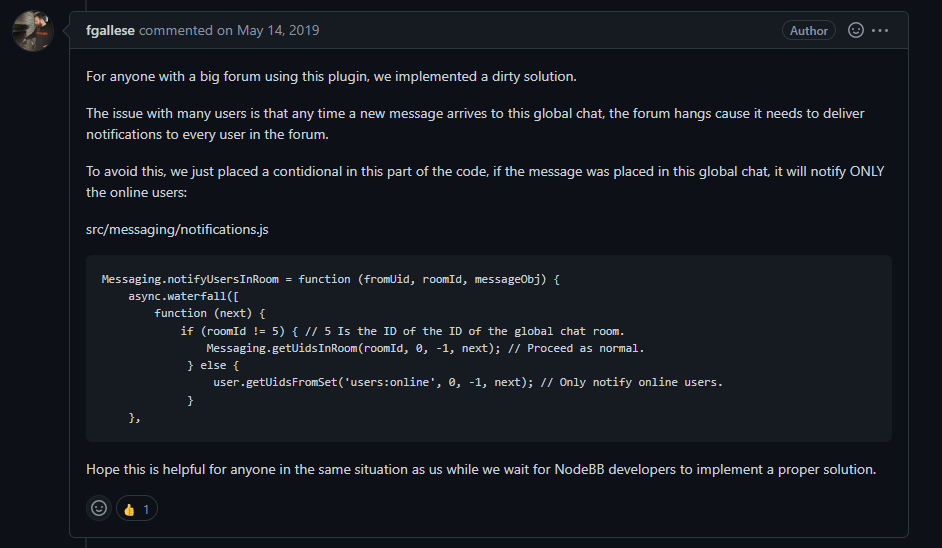
if (roomId != 11) { // 5 Is the ID of the ID of the global chat room.
Messaging.getUidsInRoom(roomId, 0, -1); // Proceed as normal.
} else {
user.getUidsFromSet('users:online', 0, -1); // Only notify online users.
}
const { displayname } = messageObj.fromUser;
const isGroupChat = await Messaging.isGroupChat(roomId);
const notification = await notifications.create({
type: isGroupChat ? 'new-group-chat' : 'new-chat',
subject: `email:notif.chat.subject, ${displayname}`,
bodyShort: `notifications:new_message_from, ${displayname}`,
bodyLong: messageObj.content,
nid: `chat_${fromuid}_${roomId}`,
from: fromuid,
path: `/chats/${messageObj.roomId}`,
});
delete Messaging.notifyQueue[`${fromuid}:${roomId}`];
notifications.push(notification, uids);
}
};

 undefined phenomlab has marked this topic as solved on