NodeBB - Created pages not found?
-
-
Hi Mark,
I have created a few pages, one works fine, the other two say “Not found”.
I have looked and can’t see any issue?

@jac I’ve deleted them and re -created them.
Once in widgets it seems like the old widgets (created pages) are still there with a capital letter which was the first one I created.
It needs to work without a capital letter, but it won’t show as a page without it? I wonder if you can take a look?
Many thanks
-
-

@jac I’ve had a look at this, and he reason as to why this fails is because the slug specified starts with a capital letter. Under Windows, there is no distinction, but under Linux (which is what your VPS is running), this matters in the sense that you can use the same wording but different cases allows you to treat them as separate pages.
To work around this, the “Path To Page” value should always be in lower case. I’ve changed these so they should work now
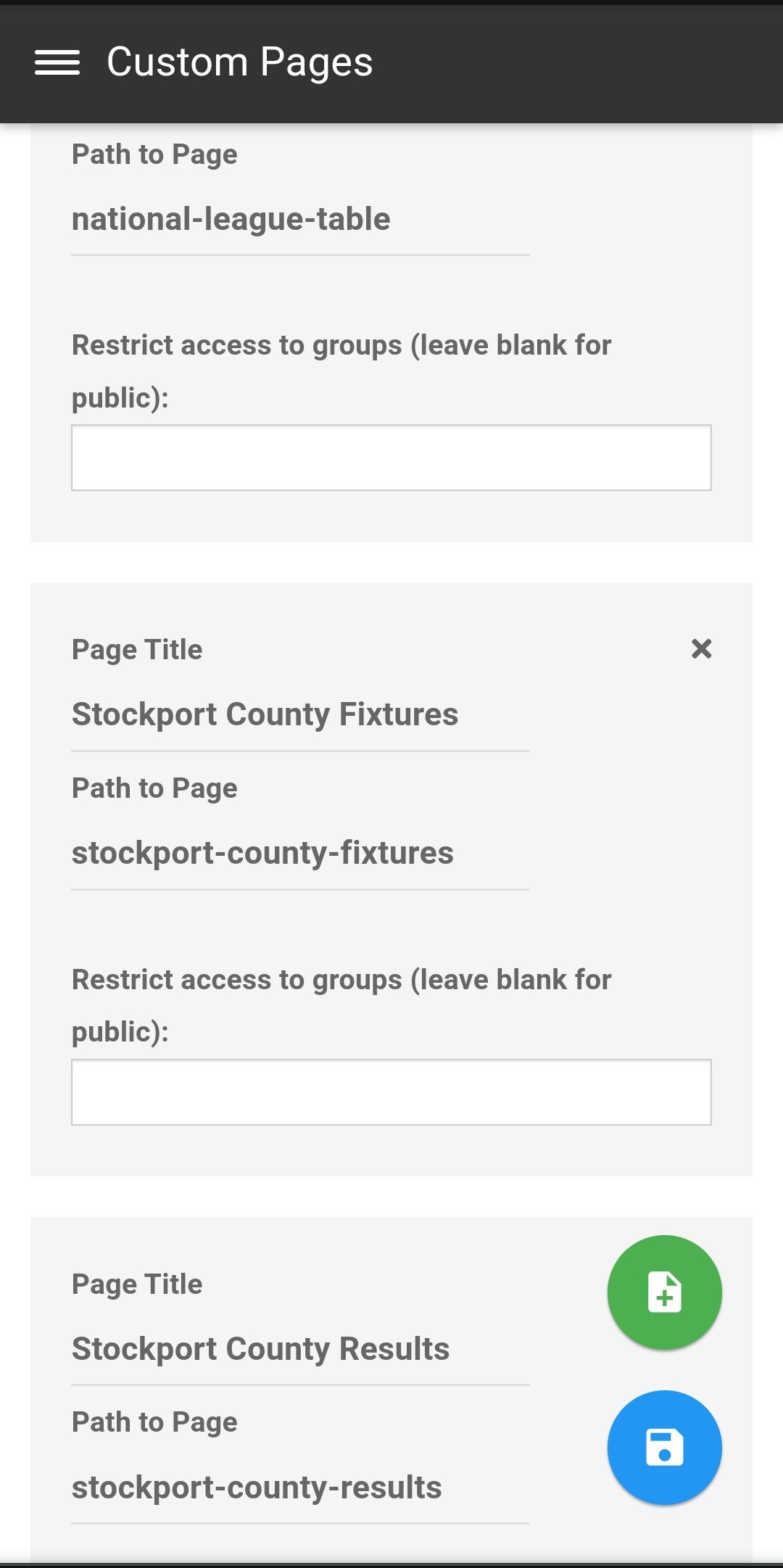
It would be pretty rare for a URL to contain uppercase letters. If you do a Google search for anything you’ll notice the URL returned is always lower case as that’s the industry standard.
Mark Cutting also advises organisations as a Fractional CIO, Fractional CISO and Executive Advisor, helping boards improve technology governance, cyber resilience and executive decision making. Learn more at Gratmore Ltd
-
@jac I’ve had a look at this, and he reason as to why this fails is because the slug specified starts with a capital letter. Under Windows, there is no distinction, but under Linux (which is what your VPS is running), this matters in the sense that you can use the same wording but different cases allows you to treat them as separate pages.
To work around this, the “Path To Page” value should always be in lower case. I’ve changed these so they should work now
It would be pretty rare for a URL to contain uppercase letters. If you do a Google search for anything you’ll notice the URL returned is always lower case as that’s the industry standard.
@phenomlab said in NodeBB - Created pages not found?:
@jac I’ve had a look at this, and he reason as to why this fails is because the slug specified starts with a capital letter. Under Windows, there is no distinction, but under Linux (which is what your VPS is running), this matters in the sense that you can use the same wording but different cases allows you to treat them as separate pages.
To work around this, the “Path To Page” value should always be in lower case. I’ve changed these so they should work now
It would be pretty rare for a URL to contain uppercase letters. If you do a Google search for anything you’ll notice the URL returned is always lower case as that’s the industry standard.
Absolutely, I’d changed them to lower case and they still returned a page not found message. However when I entered a capital letter at the start the page then was showing fine.
-
@phenomlab said in NodeBB - Created pages not found?:
@jac I’ve had a look at this, and he reason as to why this fails is because the slug specified starts with a capital letter. Under Windows, there is no distinction, but under Linux (which is what your VPS is running), this matters in the sense that you can use the same wording but different cases allows you to treat them as separate pages.
To work around this, the “Path To Page” value should always be in lower case. I’ve changed these so they should work now
It would be pretty rare for a URL to contain uppercase letters. If you do a Google search for anything you’ll notice the URL returned is always lower case as that’s the industry standard.
Absolutely, I’d changed them to lower case and they still returned a page not found message. However when I entered a capital letter at the start the page then was showing fine.
@jac said in NodeBB - Created pages not found?:
@phenomlab said in NodeBB - Created pages not found?:
@jac I’ve had a look at this, and he reason as to why this fails is because the slug specified starts with a capital letter. Under Windows, there is no distinction, but under Linux (which is what your VPS is running), this matters in the sense that you can use the same wording but different cases allows you to treat them as separate pages.
To work around this, the “Path To Page” value should always be in lower case. I’ve changed these so they should work now
It would be pretty rare for a URL to contain uppercase letters. If you do a Google search for anything you’ll notice the URL returned is always lower case as that’s the industry standard.
Absolutely, I’d changed them to lower case and they still returned a page not found message. However when I entered a capital letter at the start the page then was showing fine.
Looks like it is working now mate, thanks very much. I will find and re-add the fixtures code.
-
@jac said in NodeBB - Created pages not found?:
@phenomlab said in NodeBB - Created pages not found?:
@jac I’ve had a look at this, and he reason as to why this fails is because the slug specified starts with a capital letter. Under Windows, there is no distinction, but under Linux (which is what your VPS is running), this matters in the sense that you can use the same wording but different cases allows you to treat them as separate pages.
To work around this, the “Path To Page” value should always be in lower case. I’ve changed these so they should work now
It would be pretty rare for a URL to contain uppercase letters. If you do a Google search for anything you’ll notice the URL returned is always lower case as that’s the industry standard.
Absolutely, I’d changed them to lower case and they still returned a page not found message. However when I entered a capital letter at the start the page then was showing fine.
Looks like it is working now mate, thanks very much. I will find and re-add the fixtures code.
@jac Ok. Good.
Mark Cutting also advises organisations as a Fractional CIO, Fractional CISO and Executive Advisor, helping boards improve technology governance, cyber resilience and executive decision making. Learn more at Gratmore Ltd
-
@phenomlab said in NodeBB - Created pages not found?:
@jac Ok. Good.
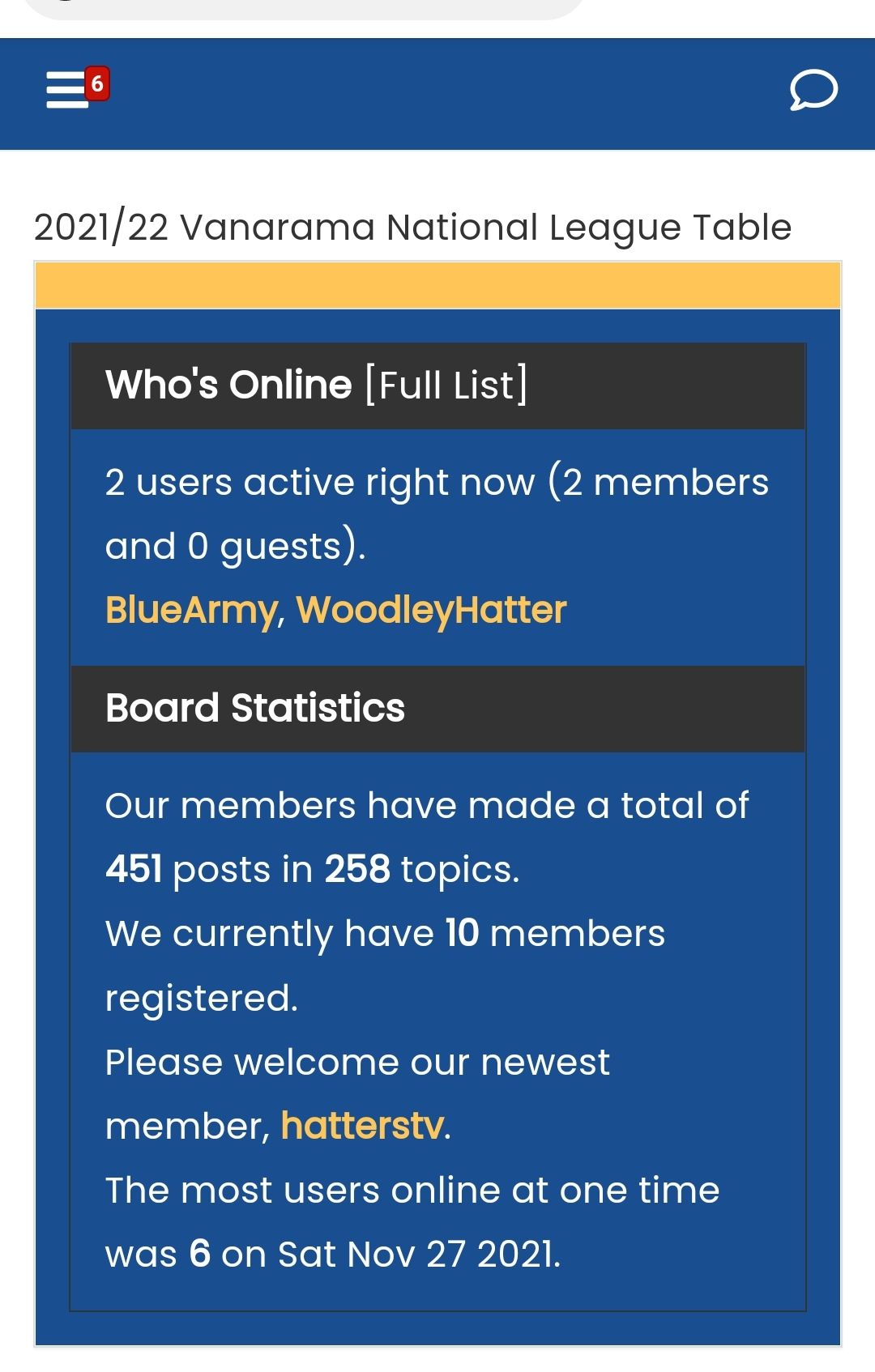
I think when the links from the Nav bar drop-down are clicked the page loads but the football content (table) for example doesn’t load.
Could this be because it’s asked to open in a new tab? Although this doesn’t load either.
-
@phenomlab said in NodeBB - Created pages not found?:
@jac Ok. Good.
I think when the links from the Nav bar drop-down are clicked the page loads but the football content (table) for example doesn’t load.
Could this be because it’s asked to open in a new tab? Although this doesn’t load either.
-
-
@jac this should work now. It’s a little primitive, and means the page has to load twice, but it’ll work as desired. Essentially, the below code when added to each widget will force the page to reload directly
<script>
$(window).on('action:ajaxify.end', function (data) {
    location.reload();
});
</script>
Mark Cutting also advises organisations as a Fractional CIO, Fractional CISO and Executive Advisor, helping boards improve technology governance, cyber resilience and executive decision making. Learn more at Gratmore Ltd
-
@jac this should work now. It’s a little primitive, and means the page has to load twice, but it’ll work as desired. Essentially, the below code when added to each widget will force the page to reload directly
<script>
$(window).on('action:ajaxify.end', function (data) {
    location.reload();
});
</script>
@phenomlab said in NodeBB - Created pages not found?:
@jac this should work now. It’s a little primitive, and means the page has to load twice, but it’ll work as desired. Essentially, the below code when added to each widget will force the page to reload directly
<script>
$(window).on('action:ajaxify.end', function (data) {
    location.reload();
});
</script>
Brilliant, thank you very much Mark!
Will try this again now. Not been on here much as the Mrs has Covid so we are all off not feeling great.
-
@phenomlab said in NodeBB - Created pages not found?:
@jac this should work now. It’s a little primitive, and means the page has to load twice, but it’ll work as desired. Essentially, the below code when added to each widget will force the page to reload directly
<script>
$(window).on('action:ajaxify.end', function (data) {
    location.reload();
});
</script>
Brilliant, thank you very much Mark!
Will try this again now. Not been on here much as the Mrs has Covid so we are all off not feeling great.
@jac Sorry to hear that. Hope everything’s ok.
Mark Cutting also advises organisations as a Fractional CIO, Fractional CISO and Executive Advisor, helping boards improve technology governance, cyber resilience and executive decision making. Learn more at Gratmore Ltd
-
@phenomlab said in NodeBB - Created pages not found?:
@jac Sorry to hear that. Hope everything’s ok.
Thanks Mark, appreciate it.
Fortunately for now it’s just a temperature and a barking cough.
So I’ve got my son at home too as we are awaiting his PCR result to see if he can go back into school. It’s a strange one, if his result comes back as negative he’s allowed back into school
 , but I have to stay off even though my lateral flow results were negative despite feeling unwell all week it was only on Tuesday night that the Mrs had similar symptoms to me and did a test and was negative on all three just be sure.
-
@phenomlab said in NodeBB - Created pages not found?:
@jac Sorry to hear that. Hope everything’s ok.
Thanks Mark, appreciate it.
Fortunately for now it’s just a temperature and a barking cough.
So I’ve got my son at home too as we are awaiting his PCR result to see if he can go back into school. It’s a strange one, if his result comes back as negative he’s allowed back into school
, but I have to stay off even though my lateral flow results were negative despite feeling unwell all week it was only on Tuesday night that the Mrs had similar symptoms to me and did a test and was negative on all three just be sure.
@jac A strange setup indeed. I have one of my team at work who has tested positive and needs to self-isolate.
Mark Cutting also advises organisations as a Fractional CIO, Fractional CISO and Executive Advisor, helping boards improve technology governance, cyber resilience and executive decision making. Learn more at Gratmore Ltd
-
@jac A strange setup indeed. I have one of my team at work who has tested positive and needs to self-isolate.
@phenomlab definitely strange, as I’ve had the result back today from the PCR test done on Wednesday and it’s positive despite 3 lateral flow tests being negative.
-
@phenomlab definitely strange, as I’ve had the result back today from the PCR test done on Wednesday and it’s positive despite 3 lateral flow tests being negative.
@jac Yeah, not surprised. I’ve heard numerous stories of multiple LF tests showing as negative, when a PCR is positive.
Mark Cutting also advises organisations as a Fractional CIO, Fractional CISO and Executive Advisor, helping boards improve technology governance, cyber resilience and executive decision making. Learn more at Gratmore Ltd
-
@jac Yeah, not surprised. I’ve heard numerous stories of multiple LF tests showing as negative, when a PCR is positive.
@phenomlab absolutely, seems a pointless exercise really for many to do the lateral flow test for it to be falsely negative to then go in work etc and spread it when being genuinely positive.
-
@phenomlab absolutely, seems a pointless exercise really for many to do the lateral flow test for it to be falsely negative to then go in work etc and spread it when being genuinely positive.
@jac Exactly. Hard point to argue.
Mark Cutting also advises organisations as a Fractional CIO, Fractional CISO and Executive Advisor, helping boards improve technology governance, cyber resilience and executive decision making. Learn more at Gratmore Ltd
Hello! It looks like you're interested in this conversation, but you don't have an account yet.
Getting fed up of having to scroll through the same posts each visit? When you register for an account, you'll always come back to exactly where you were before, and choose to be notified of new replies (either via email, or push notification). You'll also be able to save bookmarks and upvote posts to show your appreciation to other community members.
With your input, this post could be even better 💗
Register Login