
Virgin Media Broadband
-
@phenomlab said in Virgin Media Broadband:
@jac Thanks. Very interested in the results.
Without VPN
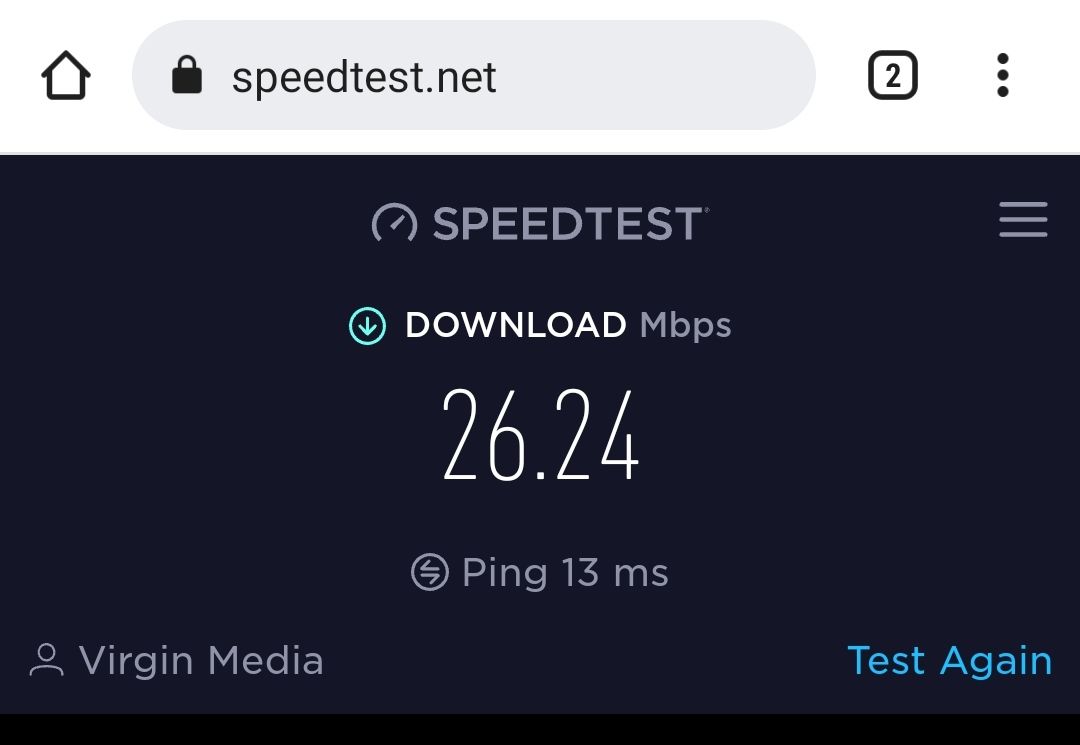
With VPN
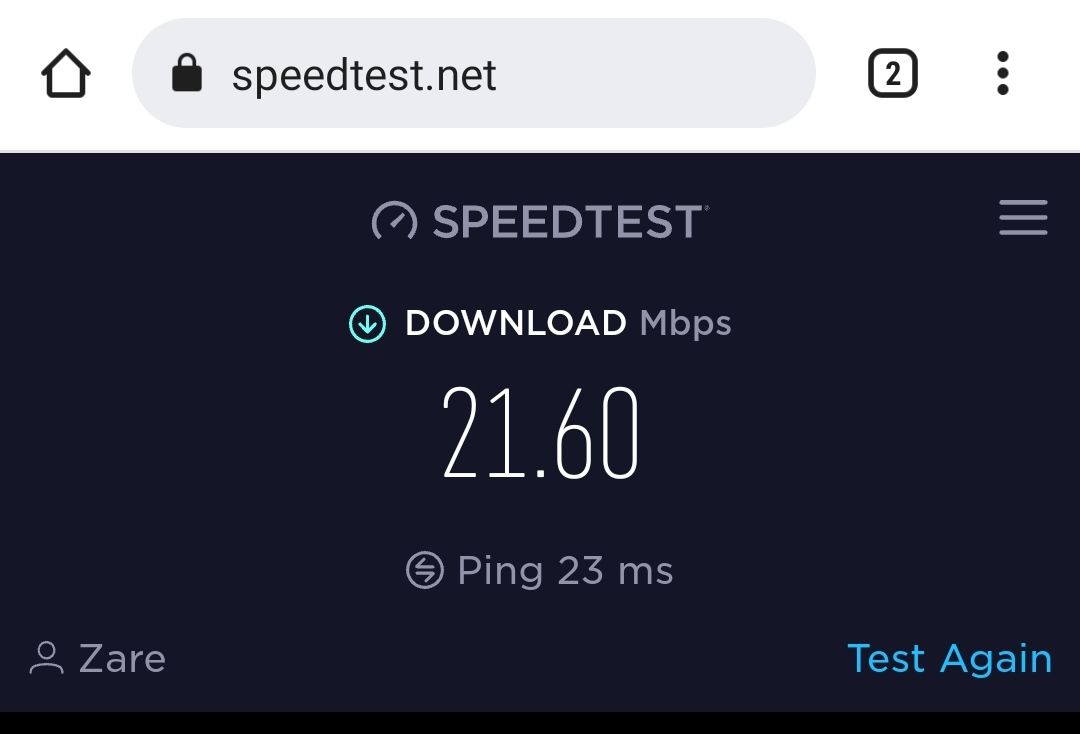
Absolutely infuriating again, look at them slow speeds
 .

@jac said in Virgin Media Broadband:
@phenomlab said in Virgin Media Broadband:
@jac Thanks. Very interested in the results.
Without VPN
With VPN
Absolutely infuriating again, look at them slow speeds
.Although they are coming out on Saturday,onto Virgin I go again.
-
@phenomlab said in Virgin Media Broadband:
@jac Thanks. Very interested in the results.
Without VPN
With VPN
Absolutely infuriating again, look at them slow speeds
. -
Just ran another test. The VPN only being 2.1 Mbps slower.

@jac Yes, I’d expect a slight drop in speed because of the additional proxy (upstream) but not that much. I’m surprised that this is virgin.
Mark Cutting also advises organisations as a Fractional CIO, Fractional CISO and Executive Advisor, helping boards improve technology governance, cyber resilience and executive decision making. Learn more at Gratmore Ltd
-
@jac actually, do you have a network cable ? You should probably try the same exercise in terms of speed test with your laptop contacted 5 directly into the back of the router itself. This would eliminate any potential wi-fi related issues.
Mark Cutting also advises organisations as a Fractional CIO, Fractional CISO and Executive Advisor, helping boards improve technology governance, cyber resilience and executive decision making. Learn more at Gratmore Ltd
-
@jac Yes, I’d expect a slight drop in speed because of the additional proxy (upstream) but not that much. I’m surprised that this is virgin.
@phenomlab said in Virgin Media Broadband:
@jac Yes, I’d expect a slight drop in speed because of the additional proxy (upstream) but not that much. I’m surprised that this is virgin.
I kid you not… Just ran these…
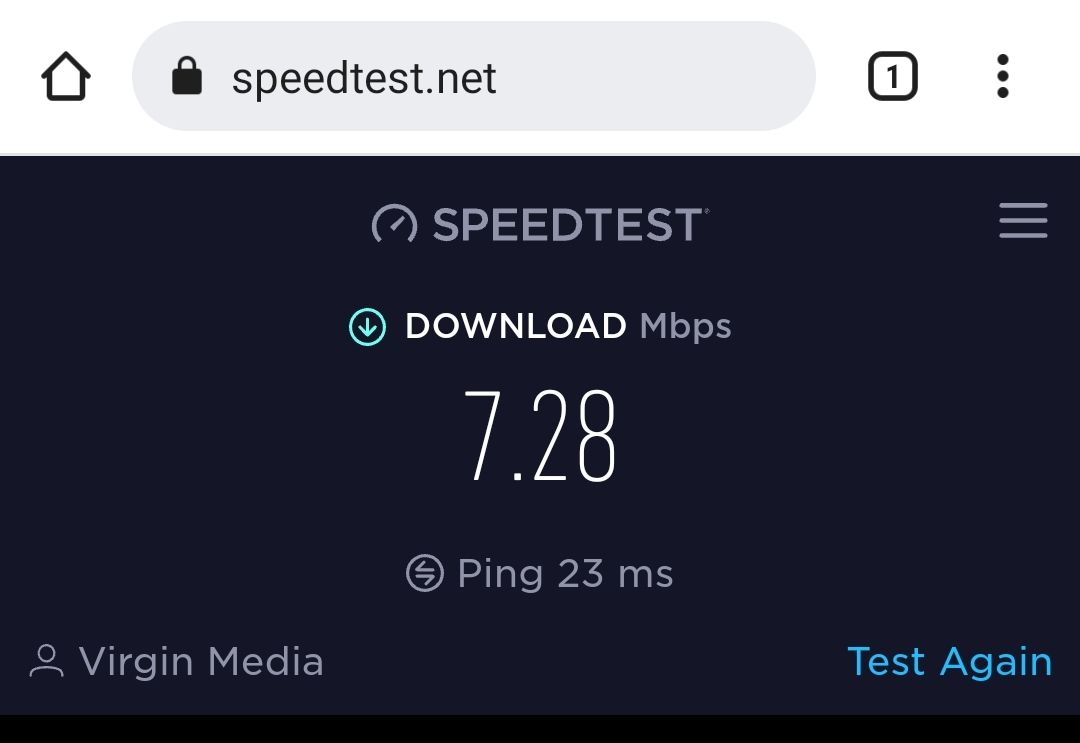
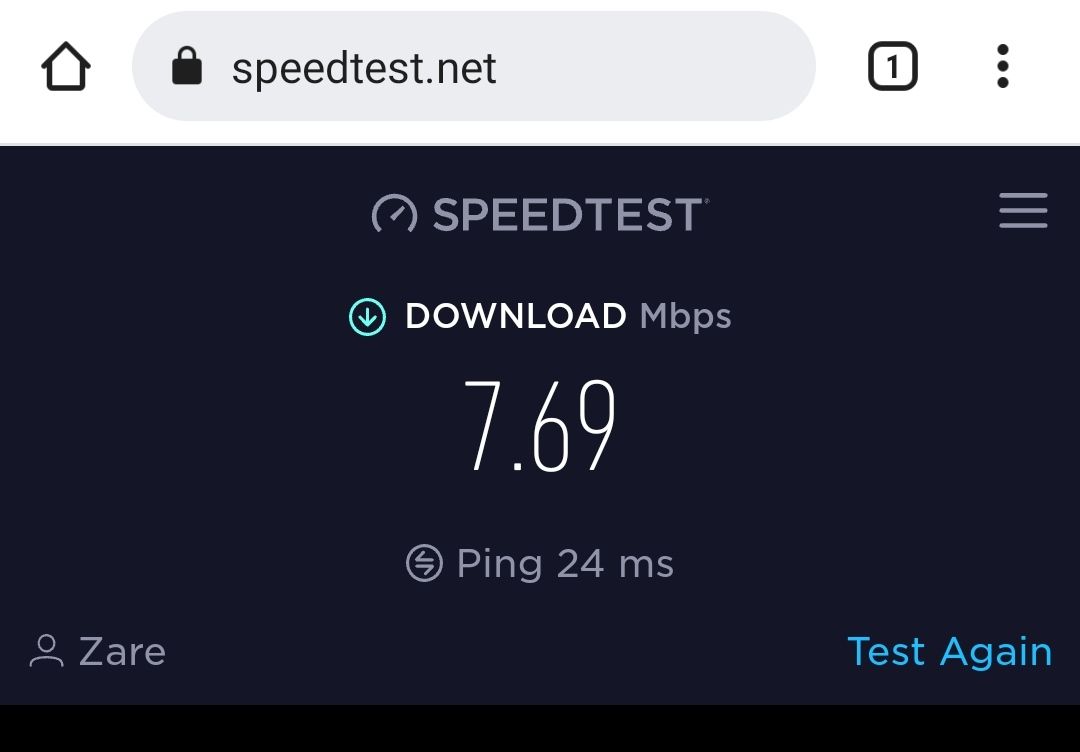
-
@jac actually, do you have a network cable ? You should probably try the same exercise in terms of speed test with your laptop contacted 5 directly into the back of the router itself. This would eliminate any potential wi-fi related issues.
@phenomlab said in Virgin Media Broadband:
@jac actually, do you have a network cable ? You should probably try the same exercise in terms of speed test with your laptop contacted 5 directly into the back of the router itself. This would eliminate any potential wi-fi related issues.
I don’t I’m afraid matey. Virgin have no issues on their end everything is running fine they says and to wait until the engineer to come out.
-
@phenomlab said in Virgin Media Broadband:
@jac actually, do you have a network cable ? You should probably try the same exercise in terms of speed test with your laptop contacted 5 directly into the back of the router itself. This would eliminate any potential wi-fi related issues.
I don’t I’m afraid matey. Virgin have no issues on their end everything is running fine they says and to wait until the engineer to come out.
@jac yes, they’ve tested it to the Virgin hub. If the engineer determines that the hub itself is fine, you’re on your own.
This is why I mentioned testing with a network cable so you can eliminate WiFi related issues. Another test would be to stand close to the hub and test again. WiFi doesn’t perform too well through solid walls for example and it’s easily distorted by overhead lighting.
Mark Cutting also advises organisations as a Fractional CIO, Fractional CISO and Executive Advisor, helping boards improve technology governance, cyber resilience and executive decision making. Learn more at Gratmore Ltd
-
@jac yes, they’ve tested it to the Virgin hub. If the engineer determines that the hub itself is fine, you’re on your own.
This is why I mentioned testing with a network cable so you can eliminate WiFi related issues. Another test would be to stand close to the hub and test again. WiFi doesn’t perform too well through solid walls for example and it’s easily distorted by overhead lighting.
@phenomlab said in Virgin Media Broadband:
@jac yes, they’ve tested it to the Virgin hub. If the engineer determines that the hub itself is fine, you’re on your own.
This is why I mentioned testing with a network cable so you can eliminate WiFi related issues. Another test would be to stand close to the hub and test again. WiFi doesn’t perform too well through solid walls for example and it’s easily distorted by overhead lighting.
Ok so I’ve done a few more tests.
Well basically I’ve stood next to the closest booster and that shows a great speed as shown below.
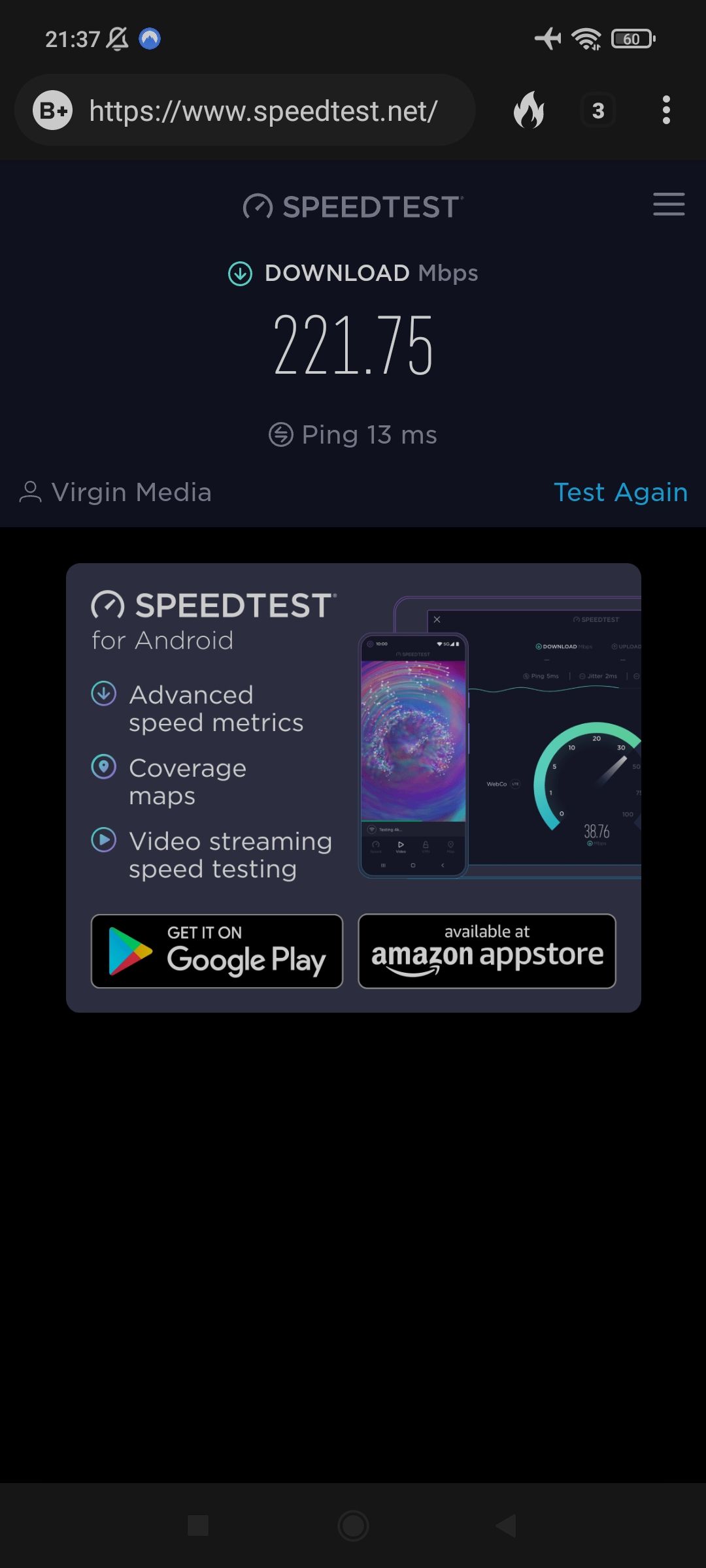
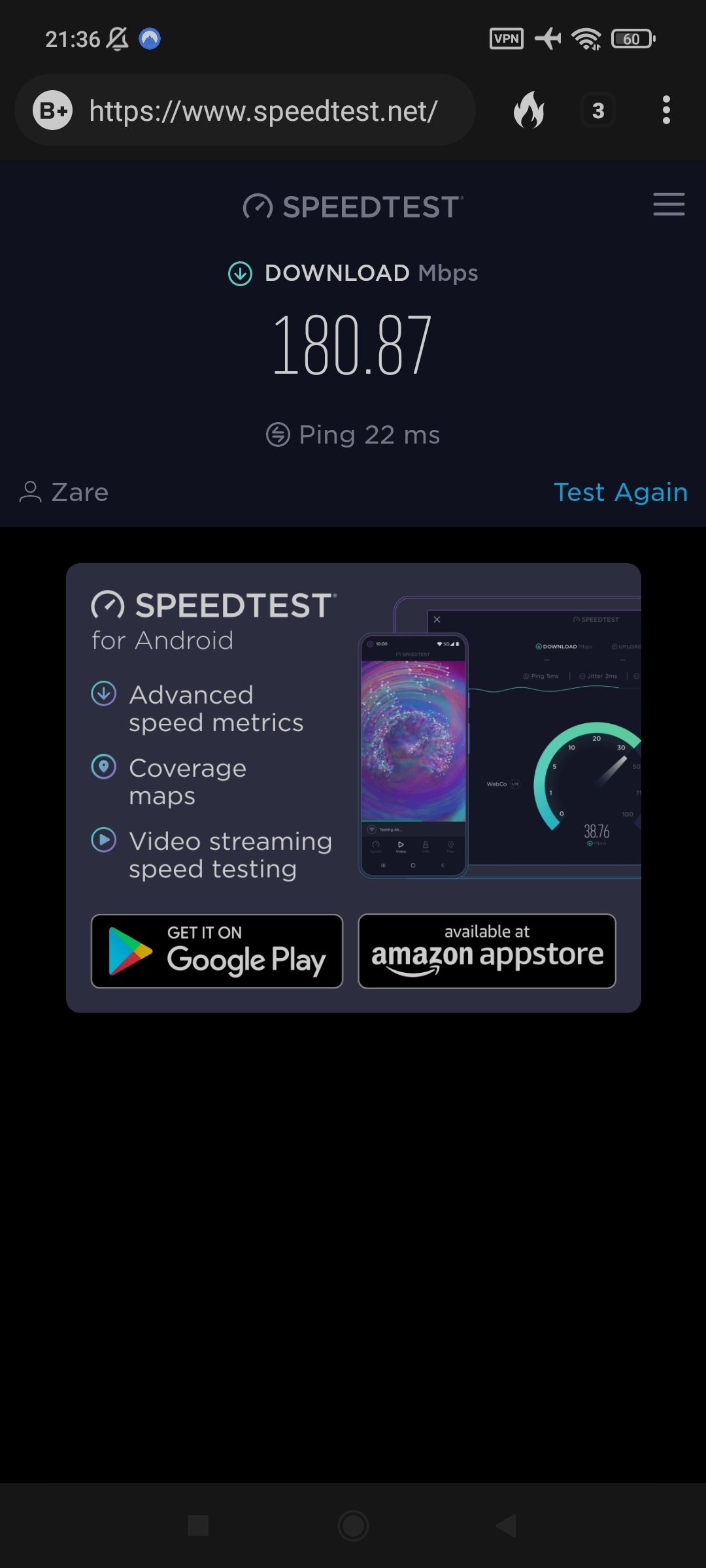
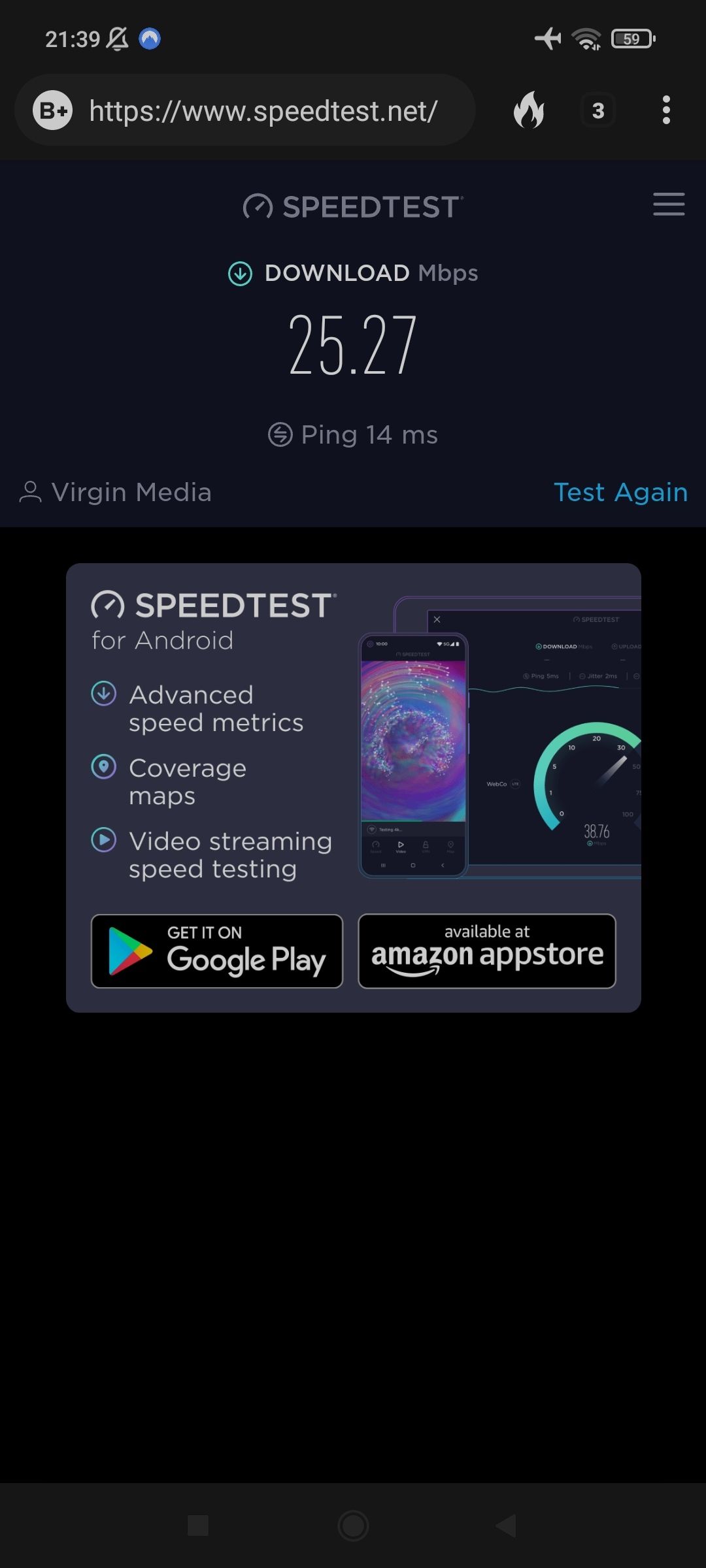
And then as soon as I get upstairs in a certain room it goes back down to 25mbps!
-
@phenomlab said in Virgin Media Broadband:
@jac yes, they’ve tested it to the Virgin hub. If the engineer determines that the hub itself is fine, you’re on your own.
This is why I mentioned testing with a network cable so you can eliminate WiFi related issues. Another test would be to stand close to the hub and test again. WiFi doesn’t perform too well through solid walls for example and it’s easily distorted by overhead lighting.
Ok so I’ve done a few more tests.
Well basically I’ve stood next to the closest booster and that shows a great speed as shown below.
And then as soon as I get upstairs in a certain room it goes back down to 25mbps!
@jac Yep. That’s an issue inside your house then mate
 I fully expected this to be the case. You may have to replace that booster. Do you know if it operates on 2.4Ghz or 5 ?
Mark Cutting also advises organisations as a Fractional CIO, Fractional CISO and Executive Advisor, helping boards improve technology governance, cyber resilience and executive decision making. Learn more at Gratmore Ltd
-
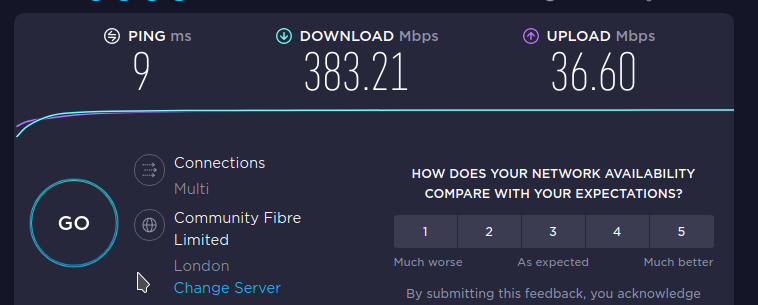
Here’s my speed test from home - Cat 6 cabling
Mark Cutting also advises organisations as a Fractional CIO, Fractional CISO and Executive Advisor, helping boards improve technology governance, cyber resilience and executive decision making. Learn more at Gratmore Ltd
-
@jac Yep. That’s an issue inside your house then mate
I fully expected this to be the case. You may have to replace that booster. Do you know if it operates on 2.4Ghz or 5 ?
@phenomlab said in Virgin Media Broadband:
@jac Yep. That’s an issue inside your house then mate
I fully expected this to be the case. You may have to replace that booster. Do you know if it operates on 2.4Ghz or 5 ?180mbps was with the VPN.
It’s this one displayed here - https://www.virginmedia.com/help/virgin-media-booster-troubleshooting
I’m not sure on the frequency mate, I can look tomorrow if that helps?
The real issue is I don’t want a booster in the bedroom that’s why it’s in a different room what I would have thought would be close enough.
-
Here’s my speed test from home - Cat 6 cabling
@phenomlab said in Virgin Media Broadband:
Here’s my speed test from home - Cat 6 cabling
Wow!!
How on earth did you get them speeds
-
@phenomlab said in Virgin Media Broadband:
Here’s my speed test from home - Cat 6 cabling
Wow!!
How on earth did you get them speeds
@jac Because I have the 380mbps package 🤭
Mark Cutting also advises organisations as a Fractional CIO, Fractional CISO and Executive Advisor, helping boards improve technology governance, cyber resilience and executive decision making. Learn more at Gratmore Ltd
-
@phenomlab said in Virgin Media Broadband:
@jac Because I have the 380mbps package 🤭
What I mean is have you just got the regular Virgin Hub? I have 256 mbps mate and it doesn’t work as you’ve seen
 .
-
@phenomlab said in Virgin Media Broadband:
@jac Because I have the 380mbps package 🤭
What I mean is have you just got the regular Virgin Hub? I have 256 mbps mate and it doesn’t work as you’ve seen
. -
@phenomlab said in Virgin Media Broadband:
@jac Because I have the 380mbps package 🤭
We talked about this a while ago but I need to definitely invest in a different hub.
-
@phenomlab said in Virgin Media Broadband:
@jac Because I have the 380mbps package 🤭
We talked about this a while ago but I need to definitely invest in a different hub.
@jac Can you send a picture of what your existing hub looks like ? Wondering if mine is next generation.
Mark Cutting also advises organisations as a Fractional CIO, Fractional CISO and Executive Advisor, helping boards improve technology governance, cyber resilience and executive decision making. Learn more at Gratmore Ltd
-
@jac Can you send a picture of what your existing hub looks like ? Wondering if mine is next generation.
@phenomlab said in Virgin Media Broadband:
@jac Can you send a picture of what your existing hub looks like ? Wondering if mine is next generation.
-
@phenomlab said in Virgin Media Broadband:
@jac Can you send a picture of what your existing hub looks like ? Wondering if mine is next generation.
@jac said in Virgin Media Broadband:
@phenomlab said in Virgin Media Broadband:
@jac Can you send a picture of what your existing hub looks like ? Wondering if mine is next generation.
Exactly the same as mine
Mark Cutting also advises organisations as a Fractional CIO, Fractional CISO and Executive Advisor, helping boards improve technology governance, cyber resilience and executive decision making. Learn more at Gratmore Ltd
-
@jac said in Virgin Media Broadband:
@phenomlab said in Virgin Media Broadband:
@jac Can you send a picture of what your existing hub looks like ? Wondering if mine is next generation.
Exactly the same as mine
@phenomlab said in Virgin Media Broadband:
@jac said in Virgin Media Broadband:
@phenomlab said in Virgin Media Broadband:
@jac Can you send a picture of what your existing hub looks like ? Wondering if mine is next generation.
Exactly the same as mine
Like you say mate something is definitely wrong. The Hub 4 is only for 1Gb customers so there’s no chance of a new box, maybe a replacement box but it is probably worth it in my case to invest in something.
Bizarre, now I’m back from work, I’ve come upstairs to test again and only getting just over 6mbps!!!
Hello! It looks like you're interested in this conversation, but you don't have an account yet.
Getting fed up of having to scroll through the same posts each visit? When you register for an account, you'll always come back to exactly where you were before, and choose to be notified of new replies (either via email, or push notification). You'll also be able to save bookmarks and upvote posts to show your appreciation to other community members.
With your input, this post could be even better 💗
Register Login
