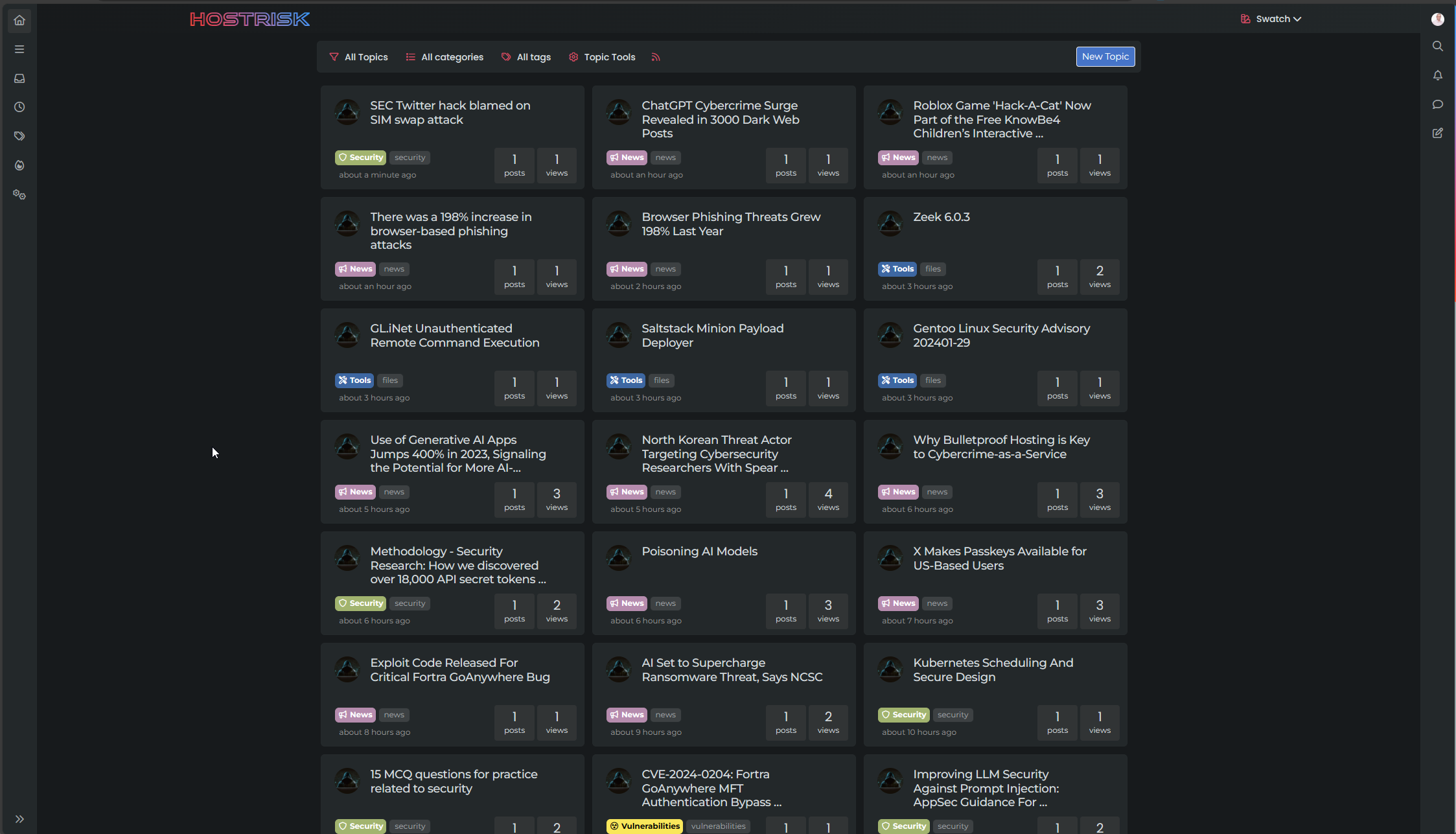
Switch between list and card view function
-
hmm I think they was other thing.
I have not update the css file, I have just :
- activated development mode in CF,
- purge everything cache in CF,
- and test in new incognito windows on firefox
and I have the bug.
Edit : Same with the CSS updated
PW and WS Spirit alive
-
hmm I think they was other thing.
I have not update the css file, I have just :
- activated development mode in CF,
- purge everything cache in CF,
- and test in new incognito windows on firefox
and I have the bug.
Edit : Same with the CSS updated
@DownPW is this in your dev environment? I checked that earlier and the bug wasn’t present.
-
yes the bug is in my dev environment
PW and WS Spirit alive
-
@DownPW yes, correct.
-
yes the bug is in my dev environment. tested now
PW and WS Spirit alive
-
@DownPW it wasn’t there when I tested incognito.
-
I do all my tets in incognito too
I will test with another accountYou must scroll down a little to see
PW and WS Spirit alive
-
I do all my tets in incognito too
I will test with another accountYou must scroll down a little to see
@DownPW I scrolled through but found no issues
-
yes same with admin account in new incognito
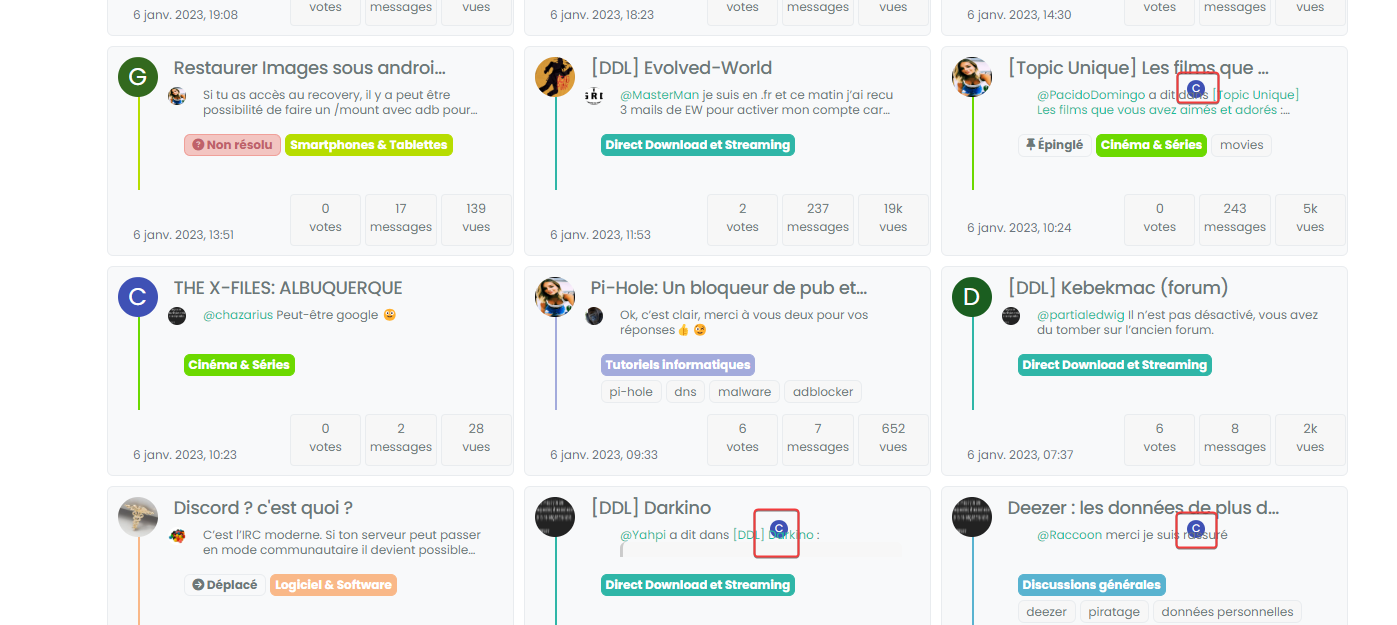
PW and WS Spirit alive
-
@DownPW can you target both the correctly positioned elements and the incorrectly positioned and compare the results?
I’m guessing they are different, but shouldn’t be.
-
correctly positionned :

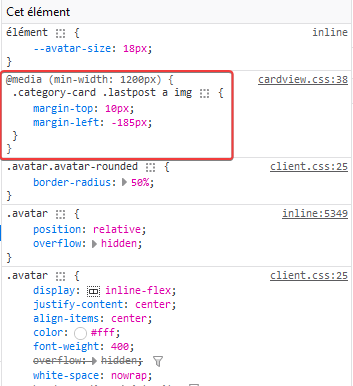
incorrectly positioned :

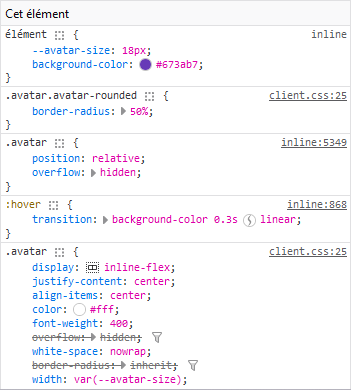
PW and WS Spirit alive
-
@DownPW so the class isn’t being applied. Thanks. Let me have another look at this.
-
@DownPW from my further testing, this is 100% CF, but I don’t know why. I’ve tried Page Rules, Cache Rules, setting security in the page rules to “Essentially Off” - nothing seems to work (for me at least). I’ve stripped back my testing domain and disabled CF completely, and everything works as intended.
I was never able to reproduce the issue here, and that’s because I don’t use CF !
-
Too bad. I will therefore not be able to use this function or perhaps by just deleting the problematic avatar if that is possible
PW and WS Spirit alive
-
Too bad. I will therefore not be able to use this function or perhaps by just deleting the problematic avatar if that is possible
@DownPW you could use `display: none’ to hide that specific class? I do intend to try and identify the issue with CF but it’s difficult because I don’t traditionally use it.
-
I can possibly use this code if you find a solution (or not)
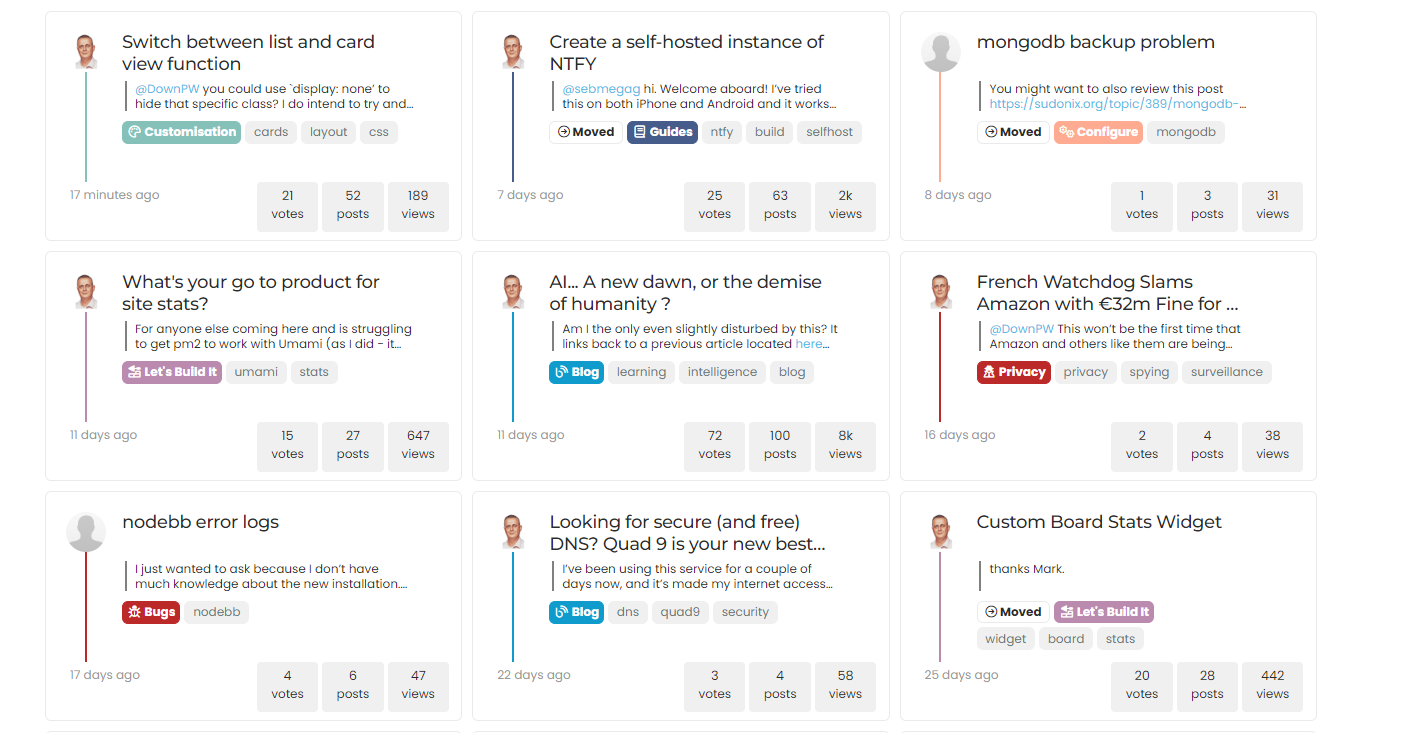
With just a left border on post-content.category-card .lastpost .post-content { border-left: 2px solid grey; }.category-card .lastpost a img { display: none; }.category-card .line-clamp-sm-2 { margin-left: 38px !important; }Result :
PW and WS Spirit alive
-
hmmm, on my website, in fact the elements on the class have not been applied are still displayed

Is there a way to prevent them from showing up either?
PW and WS Spirit alive
-
I can possibly use this code if you find a solution (or not)
With just a left border on post-content.category-card .lastpost .post-content { border-left: 2px solid grey; }.category-card .lastpost a img { display: none; }.category-card .line-clamp-sm-2 { margin-left: 38px !important; }Result :
@DownPW that looks really good!
-
hmm no @phenomlab
it’s ok on your site but not on minelook at the screens above
if I not display this class too, I have no avatar on all the site because it’s the original class .
In fact I can’t do anything. In all cases, avatars with the wrong location are displayed in the same way
or you would have to make sure that this element never appears with card view on this page but I’m not even sure that would work
-
if you have solution for me, I take it
PW and WS Spirit alive


Hello! It looks like you're interested in this conversation, but you don't have an account yet.
Getting fed up of having to scroll through the same posts each visit? When you register for an account, you'll always come back to exactly where you were before, and choose to be notified of new replies (either via email, or push notification). You'll also be able to save bookmarks and upvote posts to show your appreciation to other community members.
With your input, this post could be even better 💗
Register Login