Threaded post support for NodeBB

-

Based on the previous “threaded” capabilities Sudonix had in v2 of NodeBB, and despite me stating that it wouldn’t return… well - I’ve missed it! So much so, that I’ve completely redesigned and developed it.
Those with eagle eyes might have noticed this toggle switch in the thread view - note that this will only trigger on desktops with a size of
1200pxminimum for obvious screen estate reasons, so it won’t be available on mobile devices. I “could” make it available, but in my opinion, it would look horrible (so I haven’t).
So that does this “toggle switch” do?

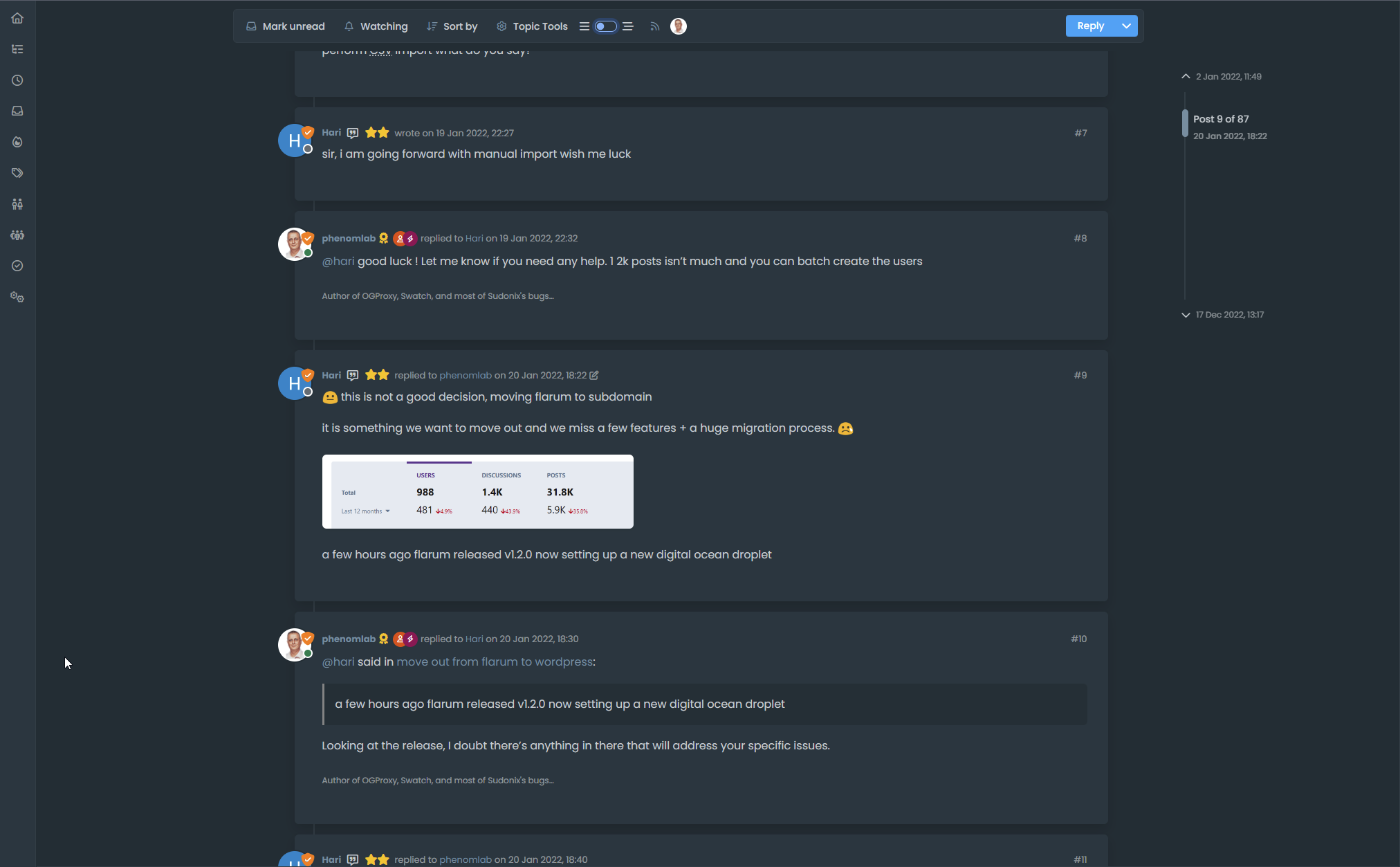
You’ll notice that to the left, you have a simple “bars” icon, and to the right, a “staggered bars” icon. This essentially means that if the toggle is off, the normal post view is presented -which looks a bit like this

Nothing new there you might say (apart from the timeline positioning perhaps…). Now toggle the switch…and you should see the “magic” happen

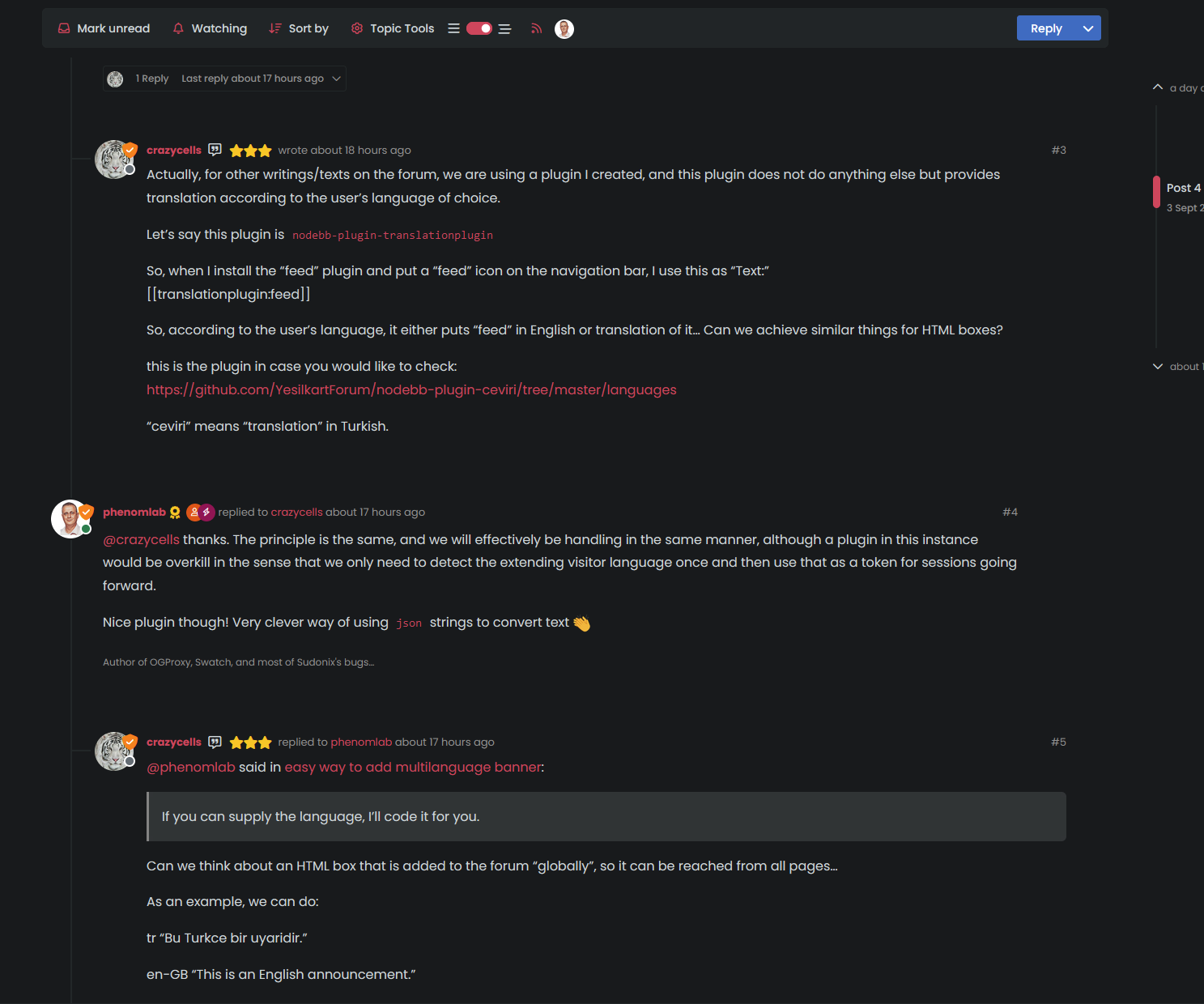
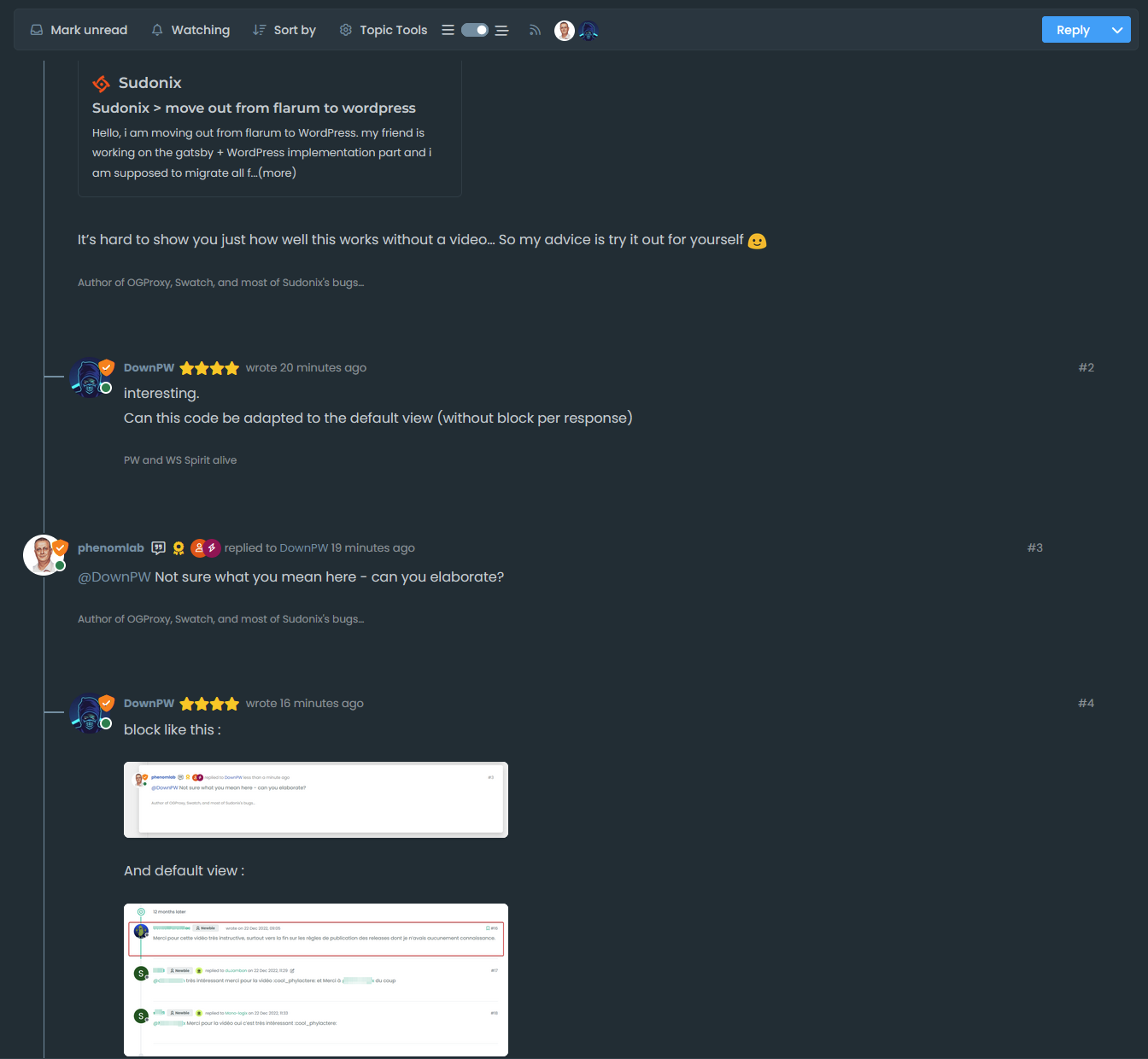
You’ll (hopefully) notice that the post view becomes “threaded” in the sense that it takes the approach of whom is posting, and makes a decision to reposition those elements to give you a “threaded” view. This (well, I think so) significantly improves readibility on larger screens and makes the reading experience so much better on the eyes.
Take a good long thread like the below to see it in full
https://sudonix.org/topic/184/move-out-from-flarum-to-wordpress
It’s hard to show you just how well this works without a video… So my advice is try it out for yourself

Mark Cutting also advises organisations as a Fractional CIO, Fractional CISO and Executive Advisor, helping boards improve technology governance, cyber resilience and executive decision making. Learn more at Gratmore Ltd
-
-
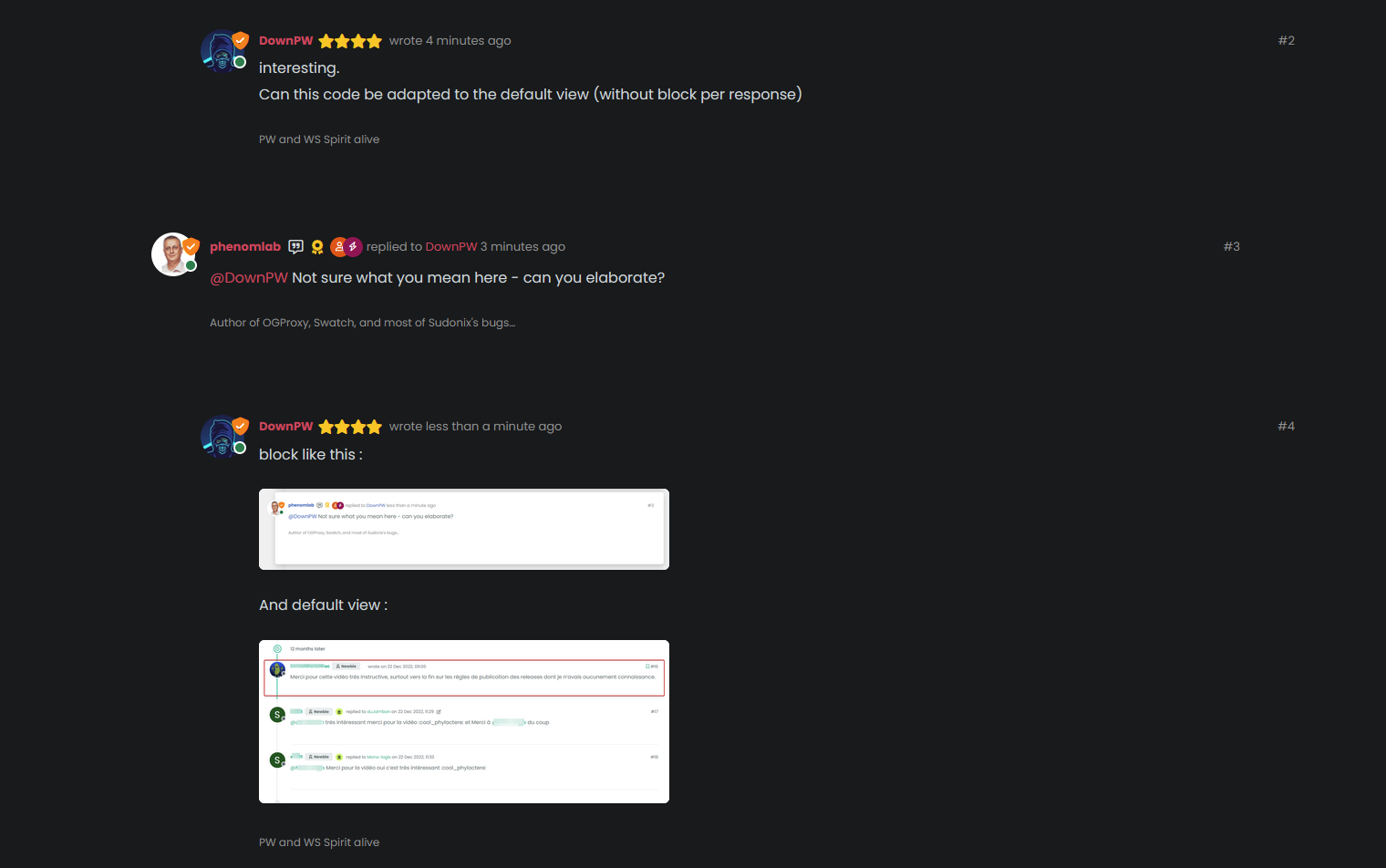
interesting.
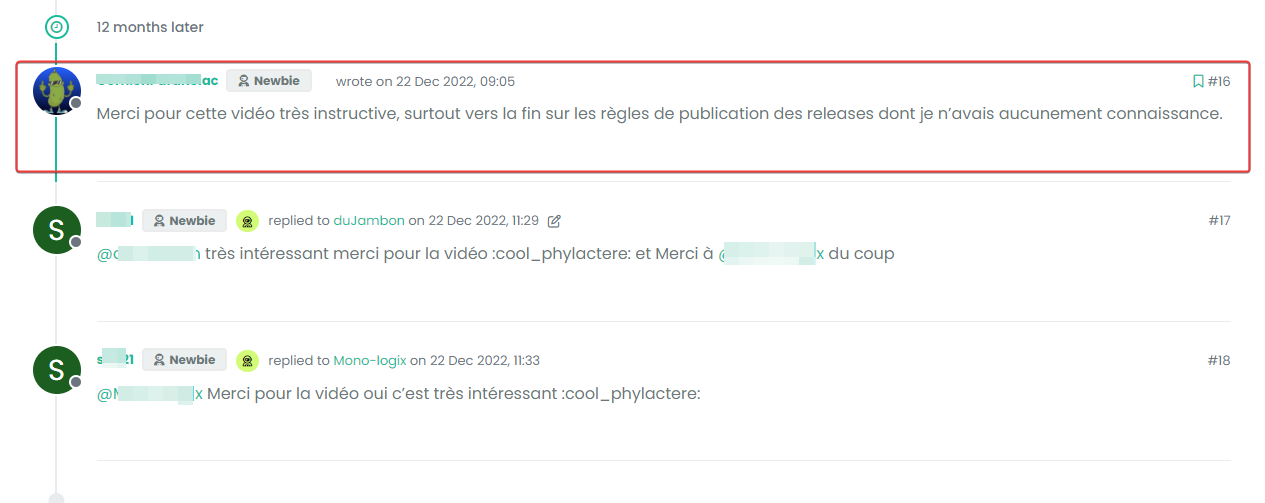
Can this code be adapted to the default view (without block per response) -
-
block like this :

And default view :
-
-
-
-
yes it’s good.
I use default view for thread (not custom like you) so I don’t know what that would be like, I’ll have to try it to see.
@DownPW It might need some adaptions to work before I can release it based on the points you’ve raised. Leave it with me.
Mark Cutting also advises organisations as a Fractional CIO, Fractional CISO and Executive Advisor, helping boards improve technology governance, cyber resilience and executive decision making. Learn more at Gratmore Ltd
-
-
-
-
do you think it can be adapted for the stock default display of topics?
-
-
ooh ok. I would have liked to apply it on my site too bad for me then
-
-
Oh really ?
That would be super coolHave 2 versions maybe. One adapted to your personalized code and one adapted to Harmony (without customizing the appearance of topics (stock))
I’m probably asking too much
@DownPW said in Threading support for NodeBB:
I’m probably asking too much
Nope. Not at all. I’m fact, developing one from stock Harmony is probably a better idea as it’ll work out of the box.
Leave it with me.
Mark Cutting also advises organisations as a Fractional CIO, Fractional CISO and Executive Advisor, helping boards improve technology governance, cyber resilience and executive decision making. Learn more at Gratmore Ltd
-
-
Hi All,
Some very early (subject to the odd bug) code released in DEV. You will need an account there - let me know if you need a password reset
https://sudonix.dev/topic/331/how-to-install-a-self-hosted-instance-of-iframely-for-use-with-nodebb
This code is quite complex, and leverages some interesting CSS classes. The most important change is that it removes the stock timeline bar, and will replace it with it’s own. This is for a variety of reasons - mostly around cumulative layout shift and pseudo elements being used in the stock CSS.
-




Hello! It looks like you're interested in this conversation, but you don't have an account yet.
Getting fed up of having to scroll through the same posts each visit? When you register for an account, you'll always come back to exactly where you were before, and choose to be notified of new replies (either via email, or push notification). You'll also be able to save bookmarks and upvote posts to show your appreciation to other community members.
With your input, this post could be even better 💗
Register LoginRelated Topics
-
-

Spam spam spam
Solved Configure -
-
-
-
-
-