Skip to content

Threaded post support for NodeBB

Let's Build It
146 5 116.4k 1
  • wrote on last edited by phenomlab
    #1

    Based on the previous “threaded” capabilities Sudonix had in v2 of NodeBB, and despite me stating that it wouldn’t return… well - I’ve missed it! So much so, that I’ve completely redesigned and developed it.

    Those with eagle eyes might have noticed this toggle switch in the thread view - note that this will only trigger on desktops with a size of 1200px minimum for obvious screen estate reasons, so it won’t be available on mobile devices. I “could” make it available, but in my opinion, it would look horrible 🤢 (so I haven’t).

    So that does this “toggle switch” do?

    faa8375f-d823-44b0-9a3a-946a127f9ebb-image.png

    You’ll notice that to the left, you have a simple “bars” icon, and to the right, a “staggered bars” icon. This essentially means that if the toggle is off, the normal post view is presented -which looks a bit like this

    95922787-ecb2-48c0-a468-a22a06e71c7b-image.png

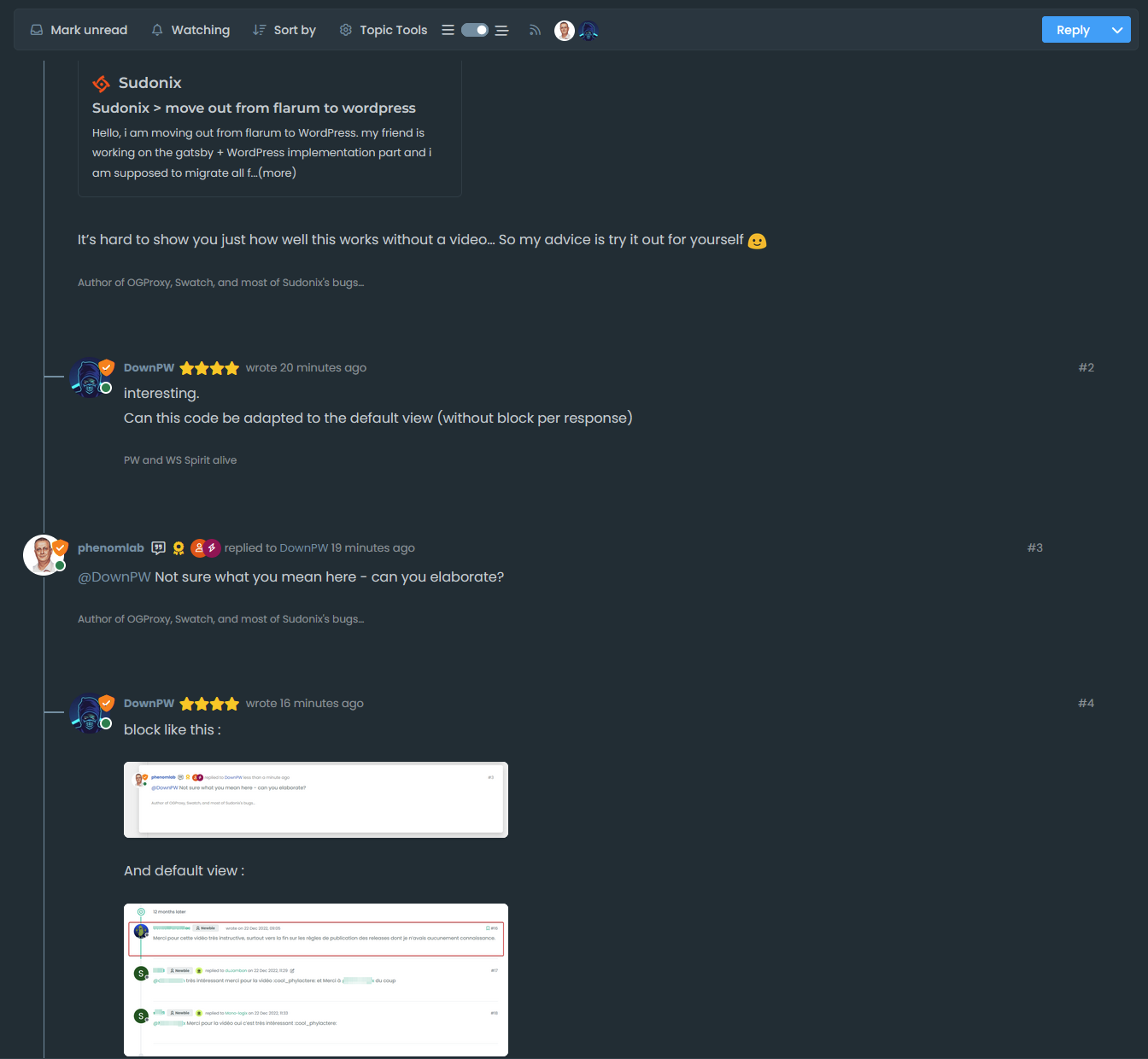
    Nothing new there you might say (apart from the timeline positioning perhaps…). Now toggle the switch…and you should see the “magic” happen

    d76fe017-2c01-4a63-a679-ca873e39f9d1-image.png

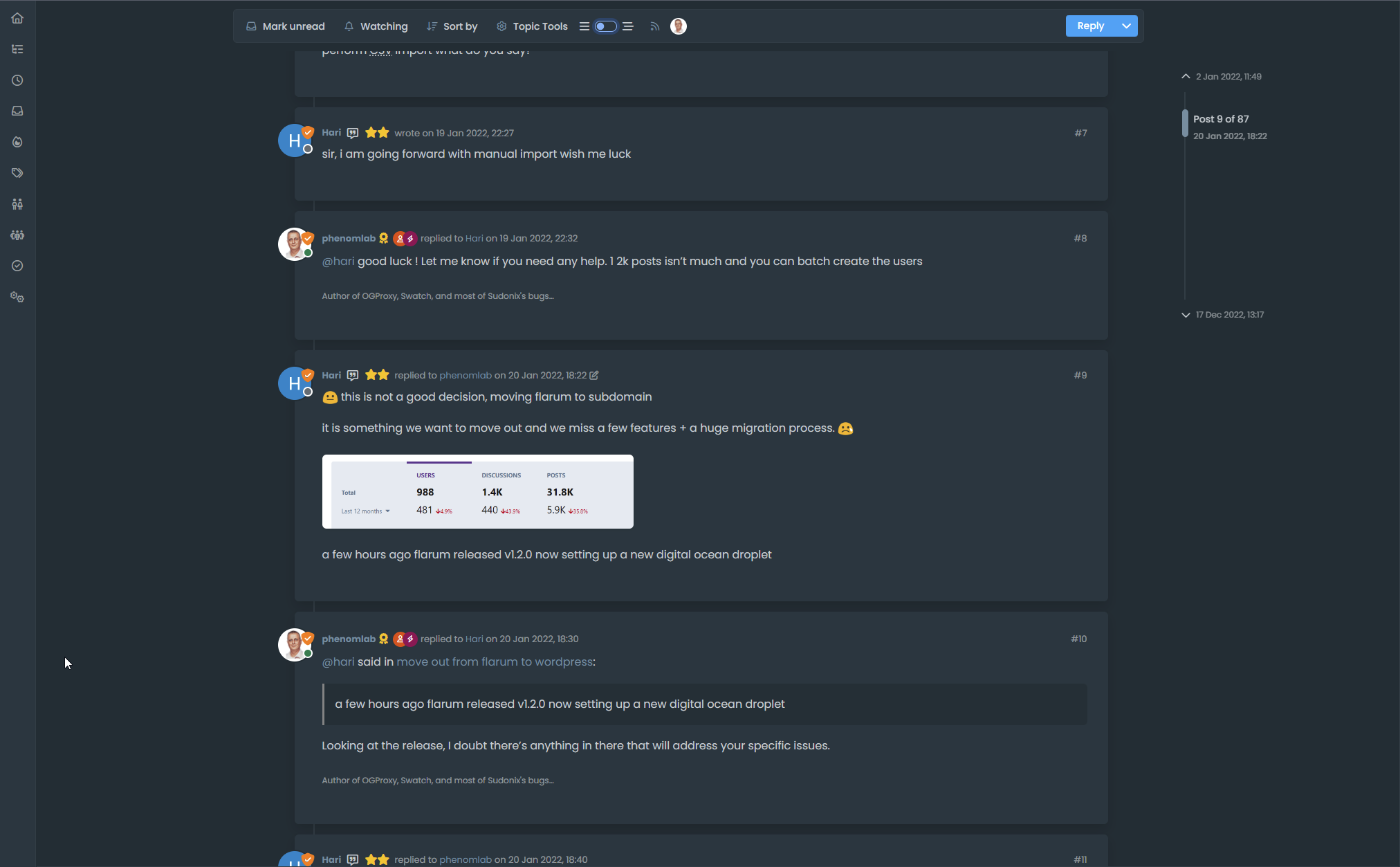
    You’ll (hopefully) notice that the post view becomes “threaded” in the sense that it takes the approach of whom is posting, and makes a decision to reposition those elements to give you a “threaded” view. This (well, I think so) significantly improves readibility on larger screens and makes the reading experience so much better on the eyes.

    Take a good long thread like the below to see it in full

    https://sudonix.org/topic/184/move-out-from-flarum-to-wordpress

    It’s hard to show you just how well this works without a video… So my advice is try it out for yourself 🙂

  • wrote on last edited by
    #2

    interesting.
    Can this code be adapted to the default view (without block per response)

  • interesting.
    Can this code be adapted to the default view (without block per response)

    wrote on last edited by
    #3

    @DownPW Not sure what you mean here - can you elaborate?

  • wrote on last edited by
    #4

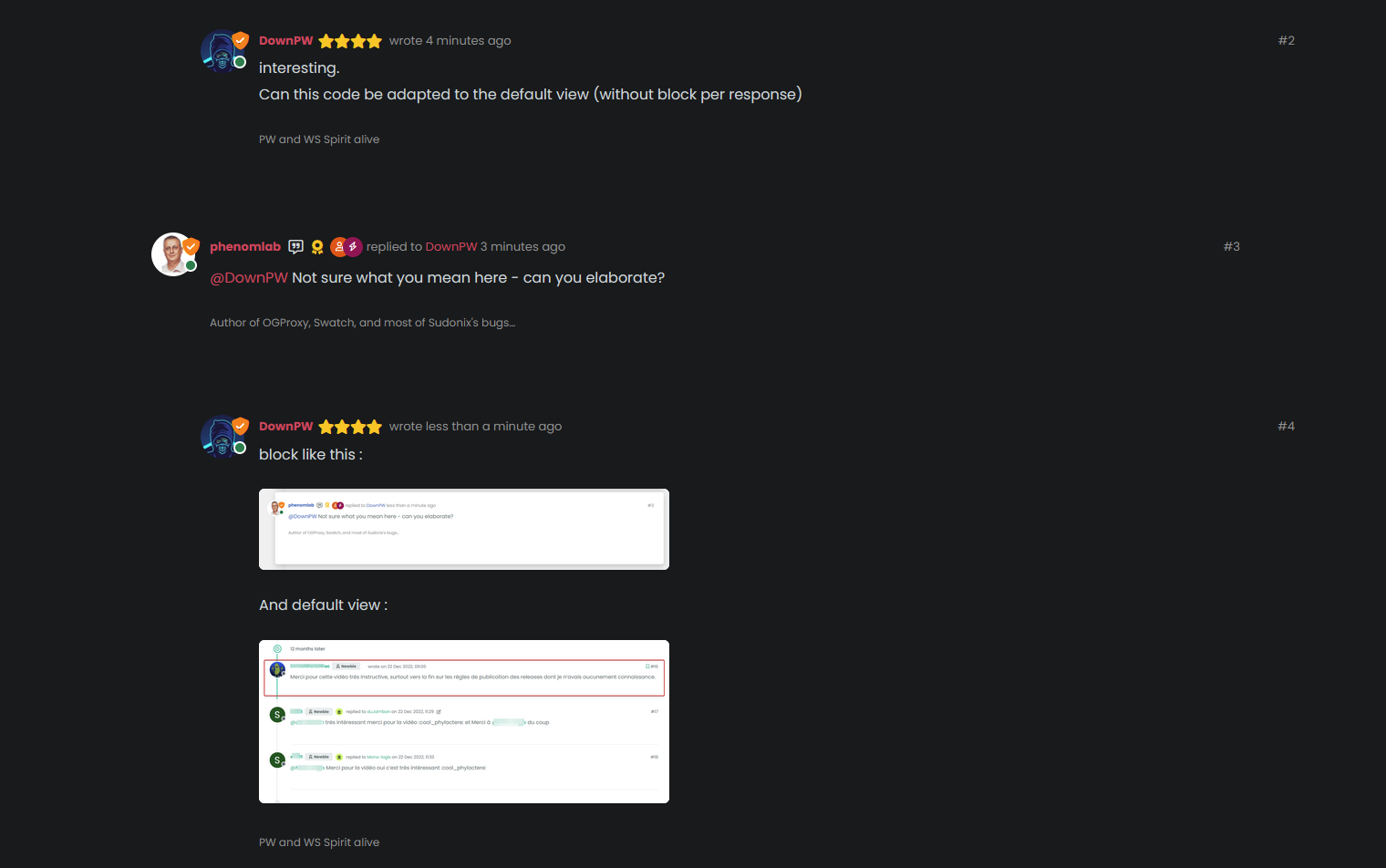
    block like this :

    image.png

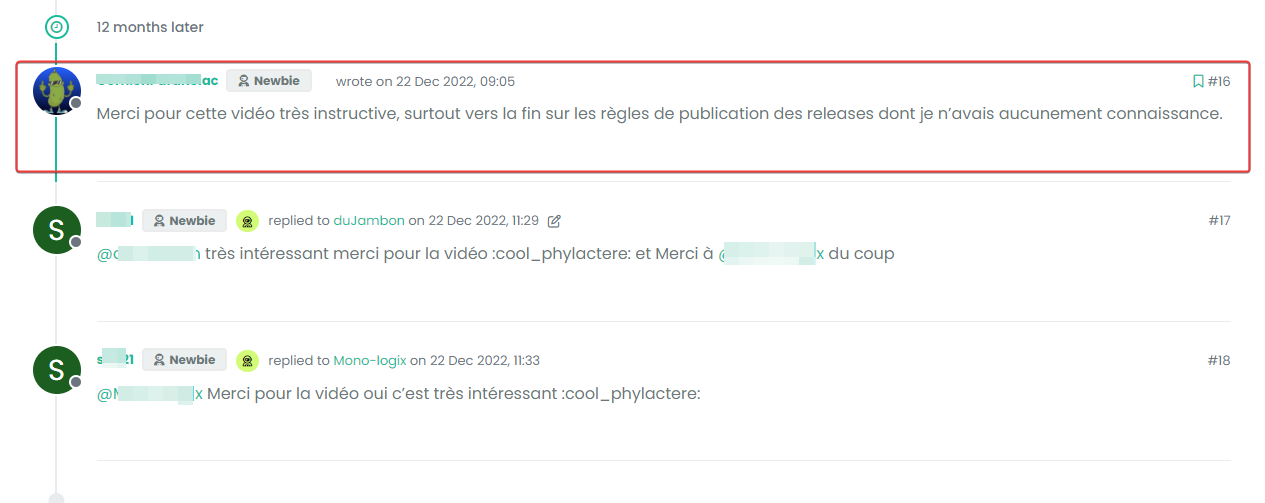
    And default view :

    image.png

  • block like this :

    image.png

    And default view :

    image.png

    wrote on last edited by
    #5

    @DownPW Something like this I think?

    b5104809-31c2-4548-86d5-0c0b6eceea85-image.png

    The answer is “yes”. I’m using custom styling on Sudonix, so the blocks won’t be seen by default - and that also means thaty the timeline needs to be moved also otherwise it looks terrible…

  • wrote on last edited by
    #6

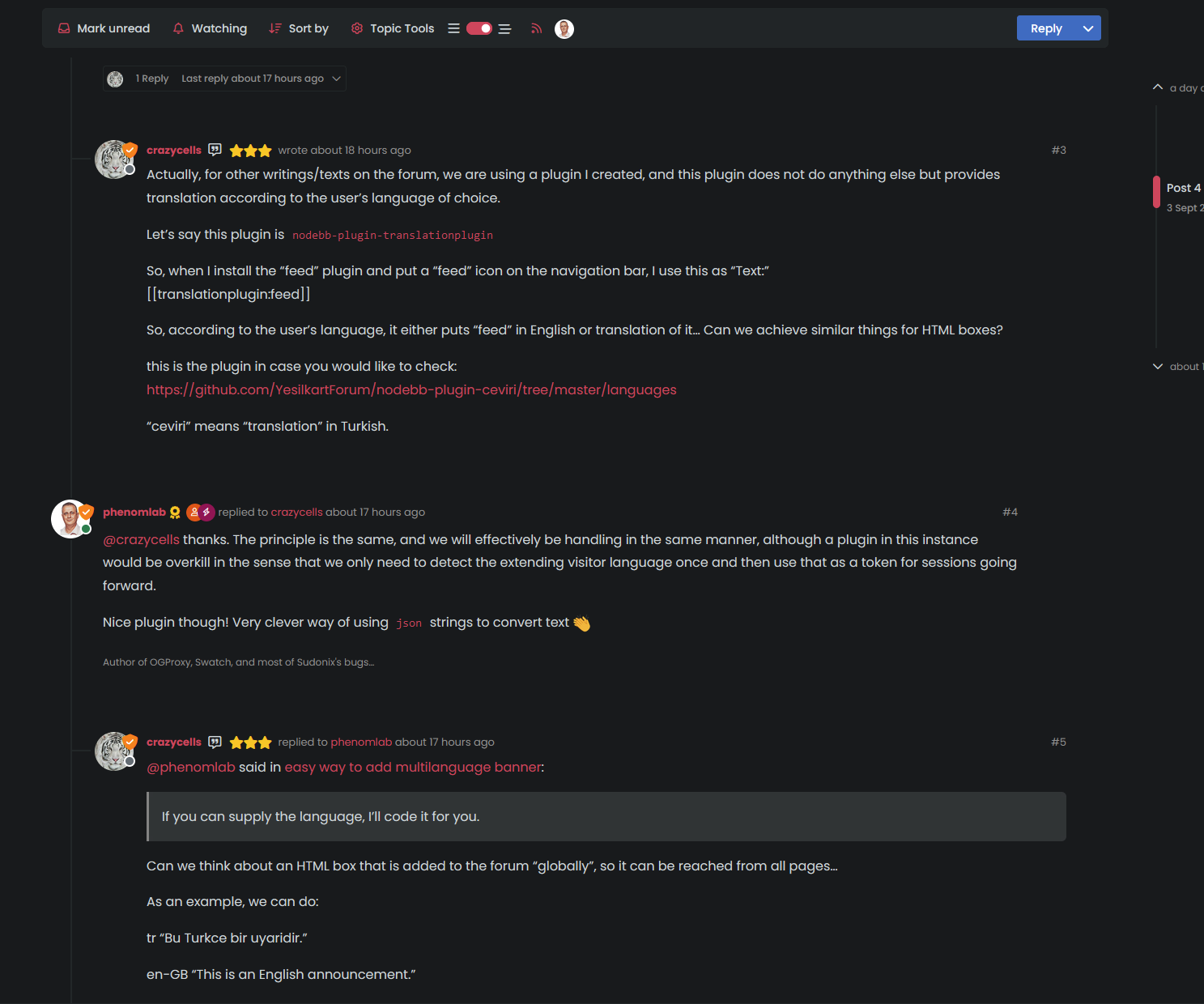
    So, if you played around with the positioning a bit, and used psuedonym elements, you could get something a bit “reddit” like

    image.png

  • wrote on last edited by
    #7

    @DownPW better still…

    image.png

  • wrote on last edited by
    #8

    yes it’s good.
    I use default view for thread (not custom like you) so I don’t know what that would be like, I’ll have to try it to see.

  • yes it’s good.
    I use default view for thread (not custom like you) so I don’t know what that would be like, I’ll have to try it to see.

    wrote on last edited by
    #9

    @DownPW It might need some adaptions to work before I can release it based on the points you’ve raised. Leave it with me.

  • wrote on last edited by
    #10

    @DownPW developing against sudonix.dev currently so you have something to test. Almost done, but still needs some work.

  • wrote on last edited by phenomlab
    #11

    I’ll just leave this here 🙂

  • wrote on last edited by
    #12

    do you think it can be adapted for the stock default display of topics?

  • do you think it can be adapted for the stock default display of topics?

    wrote on last edited by
    #13

    @DownPW yes, but it’ll need a rewrite to be compatible with the stock NodeBB harmony theme. Sudonix makes a lot changes to the default layout so without those additional modifications, it’ll look odd.

  • wrote on last edited by DownPW
    #14

    ooh ok. I would have liked to apply it on my site too bad for me then 🙂

  • ooh ok. I would have liked to apply it on my site too bad for me then 🙂

    wrote on last edited by
    #15

    @DownPW not necessarily. I can still develop something for you to use as a base.

  • wrote on last edited by DownPW
    #16

    Oh really ?
    That would be super cool 🙂

    Have 2 versions maybe. One adapted to your personalized code and one adapted to Harmony (without customizing the appearance of topics (stock))

    I’m probably asking too much 🙂

  • Oh really ?
    That would be super cool 🙂

    Have 2 versions maybe. One adapted to your personalized code and one adapted to Harmony (without customizing the appearance of topics (stock))

    I’m probably asking too much 🙂

    wrote on last edited by
    #17

    @DownPW said in Threading support for NodeBB:

    I’m probably asking too much

    Nope. Not at all. I’m fact, developing one from stock Harmony is probably a better idea as it’ll work out of the box.

    Leave it with me.

  • wrote on last edited by
    #18

    I’ve set my DEV environment to vanilla and will develop a working solution for that.

  • wrote on last edited by phenomlab
    #19

    Hi All,

    Some very early (subject to the odd bug) code released in DEV. You will need an account there - let me know if you need a password reset

    https://sudonix.dev/topic/331/how-to-install-a-self-hosted-instance-of-iframely-for-use-with-nodebb

    This code is quite complex, and leverages some interesting CSS classes. The most important change is that it removes the stock timeline bar, and will replace it with it’s own. This is for a variety of reasons - mostly around cumulative layout shift and pseudo elements being used in the stock CSS.

  • wrote on last edited by
    #20

    I have tested but I don’t see switch on dev

    image.png


Related Topics
  • What’s going on with NodeBB?

    Performance nodebb script die
    20
    8 Votes
    20 Posts
    5k Views
    phenomlab
    @cagatay The most reliable way to upgrade Node.js on Ubuntu depends on how you originally installed it. Method 1: Using NVM (Recommended) If you already use Node Version Manager (NVM), upgrading is simple. NVM allows you to keep both versions and switch between them if needed. Install Node 22: nvm install 22 Switch to Node 22: nvm use 22 Set it as your default: nvm alias default 22 Verify the change: node -v Method 2: Using NodeSource (PPA) If you installed Node.js via apt using the NodeSource repository, you need to update the repository script to point to the new version. Remove the old NodeSource list (optional but cleaner): sudo rm /etc/apt/sources.list.d/nodesource.list Download and run the NodeSource setup script for Node 22: curl -fsSL [https://deb.nodesource.com/setup_22.x](https://deb.nodesource.com/setup_22.x) | sudo -E bash - Install/Upgrade Node.js: sudo apt-get install -y nodejs Verify the installation: node -v Method 3: Using the ‘n’ Package If you have npm installed, you can use the n interactive manager. Clear the npm cache: sudo npm cache clean -f Install the ‘n’ helper: sudo npm install -g n Install Node 22: sudo n 22 Update your shell: hash -r Troubleshooting Permission Denied: If you see permission errors using Method 2 or 3, ensure you are using sudo. Path Issues: If node -v still shows version 20 after upgrading via NVM, restart your terminal or run source ~/.bashrc. Conflicts: Avoid mixing these methods. If you switch from apt to nvm, it is best to sudo apt remove nodejs first to avoid path conflicts.
  • NodeBB Twitter / X embeds

    Let's Build It twitter script
    34
    21 Votes
    34 Posts
    16k Views
    DownPW
    @phenomlab said: @DownPW thanks for spotting (and fixing) this issue. I admittedly threw this together quickly for @jac some time ago, and it hasn’t had any love since. If OK with you, I’ll merge these changes into the github repository? No problem dude
  • Material View Support for Stock NodeBB

    Unsolved Let's Build It material view javascript css
    51
    4
    15 Votes
    51 Posts
    27k Views
    DownPW
    Oh yes, that’s what’s super cool, I learn something every day. Afterwards I start from so low in JS
  • Threaded chat support for NodeBB

    Let's Build It threaded chat code
    35
    1
    19 Votes
    35 Posts
    16k Views
    phenomlab
    @DownPW said in Threaded chat support for NodeBB: Better like this : add shadow and border-left on self answer Of course - you style to your own requirements and taste I’ll commit that CSS we discussed yesterday also
  • Further Widgets question

    Solved Configure nodebb
    4
    1
    1 Votes
    4 Posts
    2k Views
    phenomlab
    @Panda category is for a category in its own, so for example, “fruit” whereas categories is the page that contains all categories as a list.
  • Setting up a beta NodeBB v3 environment

    Moved Let's Build It nodebb upgrades beta1
    14
    3
    11 Votes
    14 Posts
    6k Views
    phenomlab
    @dave1904 excellent news. Thanks for the feedback
  • what does sound/mute button do?

    Solved Customisation nodebb
    20
    1
    9 Votes
    20 Posts
    6k Views
    phenomlab
    @crazycells Yeah, looking at the plugin itself, that’s a hard coded limit [image: 3d6dbc10-185b-4102-9470-0c2731a10750-image.png] I’ll probably remove that… eventually…
  • unable to upvote on forum

    Solved Performance
    10
    1
    3 Votes
    10 Posts
    4k Views
    Hari
    @phenomlab yes, i can understand. it is working now