Skip to content

Threaded post support for NodeBB

Let's Build It
146 5 116.4k 1
  • wrote on last edited by
    #4

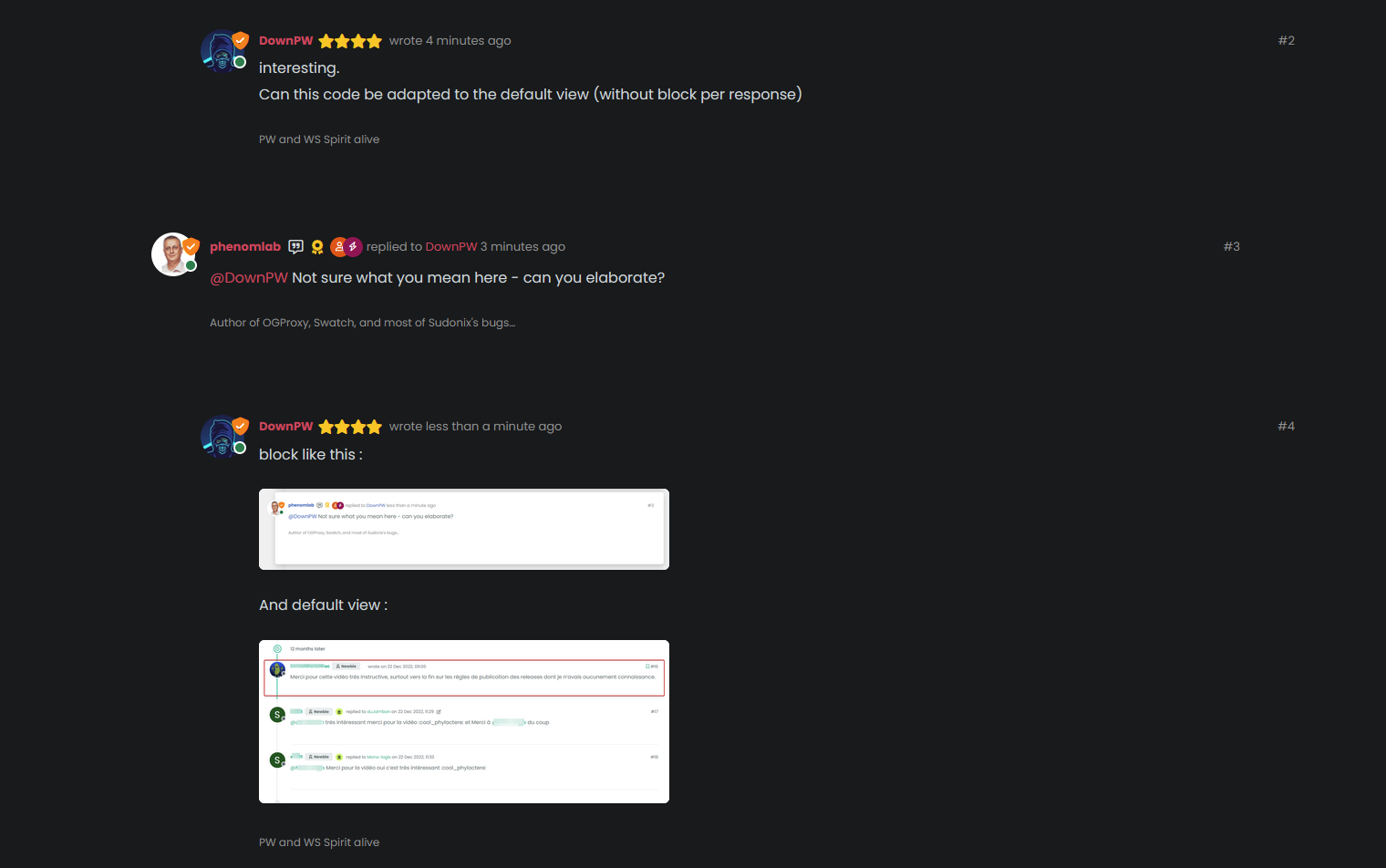
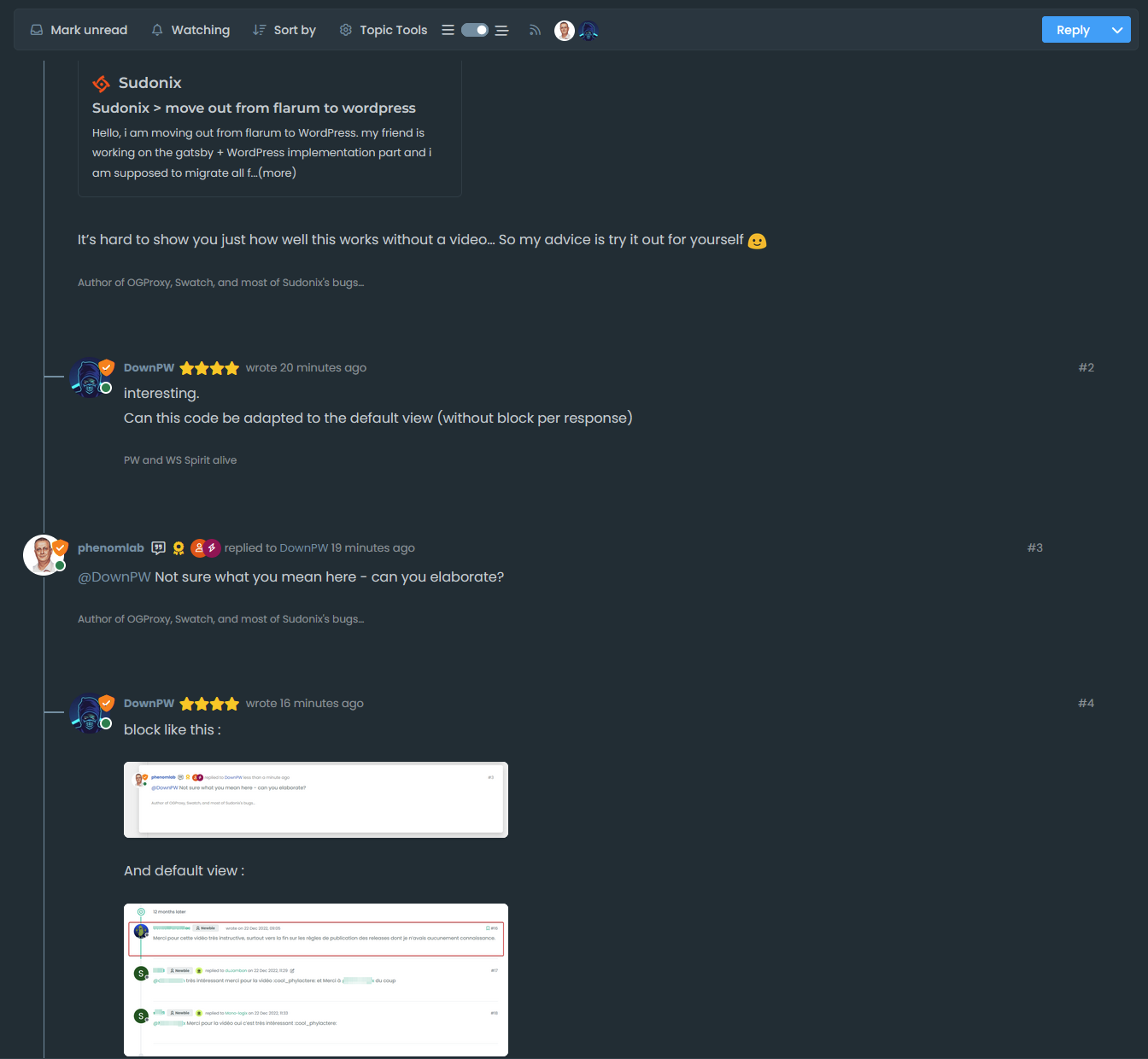
    block like this :

    image.png

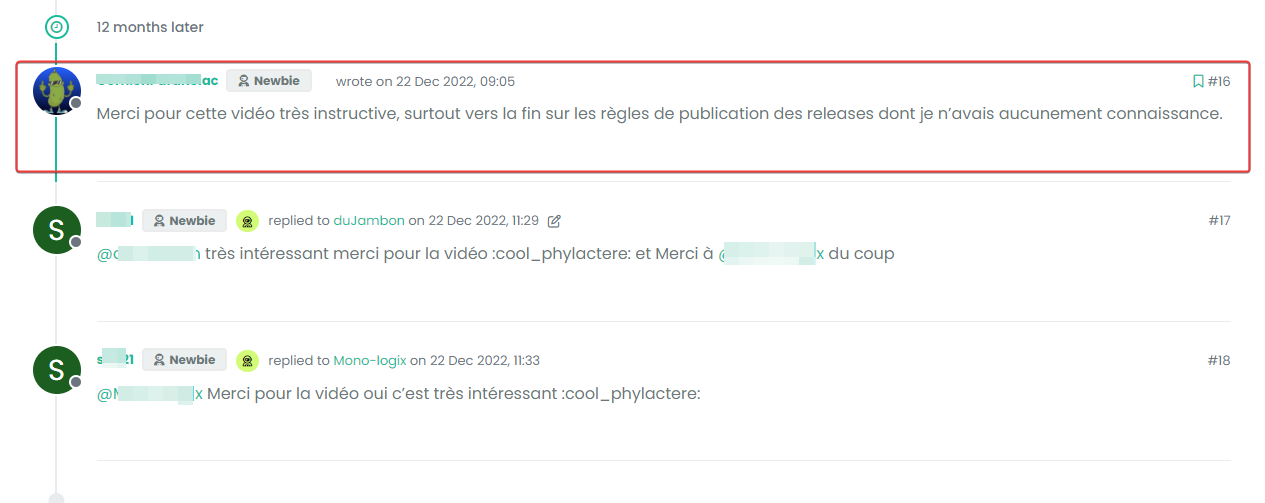
    And default view :

    image.png

  • block like this :

    image.png

    And default view :

    image.png

    wrote on last edited by
    #5

    @DownPW Something like this I think?

    b5104809-31c2-4548-86d5-0c0b6eceea85-image.png

    The answer is “yes”. I’m using custom styling on Sudonix, so the blocks won’t be seen by default - and that also means thaty the timeline needs to be moved also otherwise it looks terrible…

  • wrote on last edited by
    #6

    So, if you played around with the positioning a bit, and used psuedonym elements, you could get something a bit “reddit” like

    image.png

  • wrote on last edited by
    #7

    @DownPW better still…

    image.png

  • wrote on last edited by
    #8

    yes it’s good.
    I use default view for thread (not custom like you) so I don’t know what that would be like, I’ll have to try it to see.

  • yes it’s good.
    I use default view for thread (not custom like you) so I don’t know what that would be like, I’ll have to try it to see.

    wrote on last edited by
    #9

    @DownPW It might need some adaptions to work before I can release it based on the points you’ve raised. Leave it with me.

  • wrote on last edited by
    #10

    @DownPW developing against sudonix.dev currently so you have something to test. Almost done, but still needs some work.

  • wrote on last edited by phenomlab
    #11

    I’ll just leave this here 🙂

  • wrote on last edited by
    #12

    do you think it can be adapted for the stock default display of topics?

  • do you think it can be adapted for the stock default display of topics?

    wrote on last edited by
    #13

    @DownPW yes, but it’ll need a rewrite to be compatible with the stock NodeBB harmony theme. Sudonix makes a lot changes to the default layout so without those additional modifications, it’ll look odd.

  • wrote on last edited by DownPW
    #14

    ooh ok. I would have liked to apply it on my site too bad for me then 🙂

  • ooh ok. I would have liked to apply it on my site too bad for me then 🙂

    wrote on last edited by
    #15

    @DownPW not necessarily. I can still develop something for you to use as a base.

  • wrote on last edited by DownPW
    #16

    Oh really ?
    That would be super cool 🙂

    Have 2 versions maybe. One adapted to your personalized code and one adapted to Harmony (without customizing the appearance of topics (stock))

    I’m probably asking too much 🙂

  • Oh really ?
    That would be super cool 🙂

    Have 2 versions maybe. One adapted to your personalized code and one adapted to Harmony (without customizing the appearance of topics (stock))

    I’m probably asking too much 🙂

    wrote on last edited by
    #17

    @DownPW said in Threading support for NodeBB:

    I’m probably asking too much

    Nope. Not at all. I’m fact, developing one from stock Harmony is probably a better idea as it’ll work out of the box.

    Leave it with me.

  • wrote on last edited by
    #18

    I’ve set my DEV environment to vanilla and will develop a working solution for that.

  • wrote on last edited by phenomlab
    #19

    Hi All,

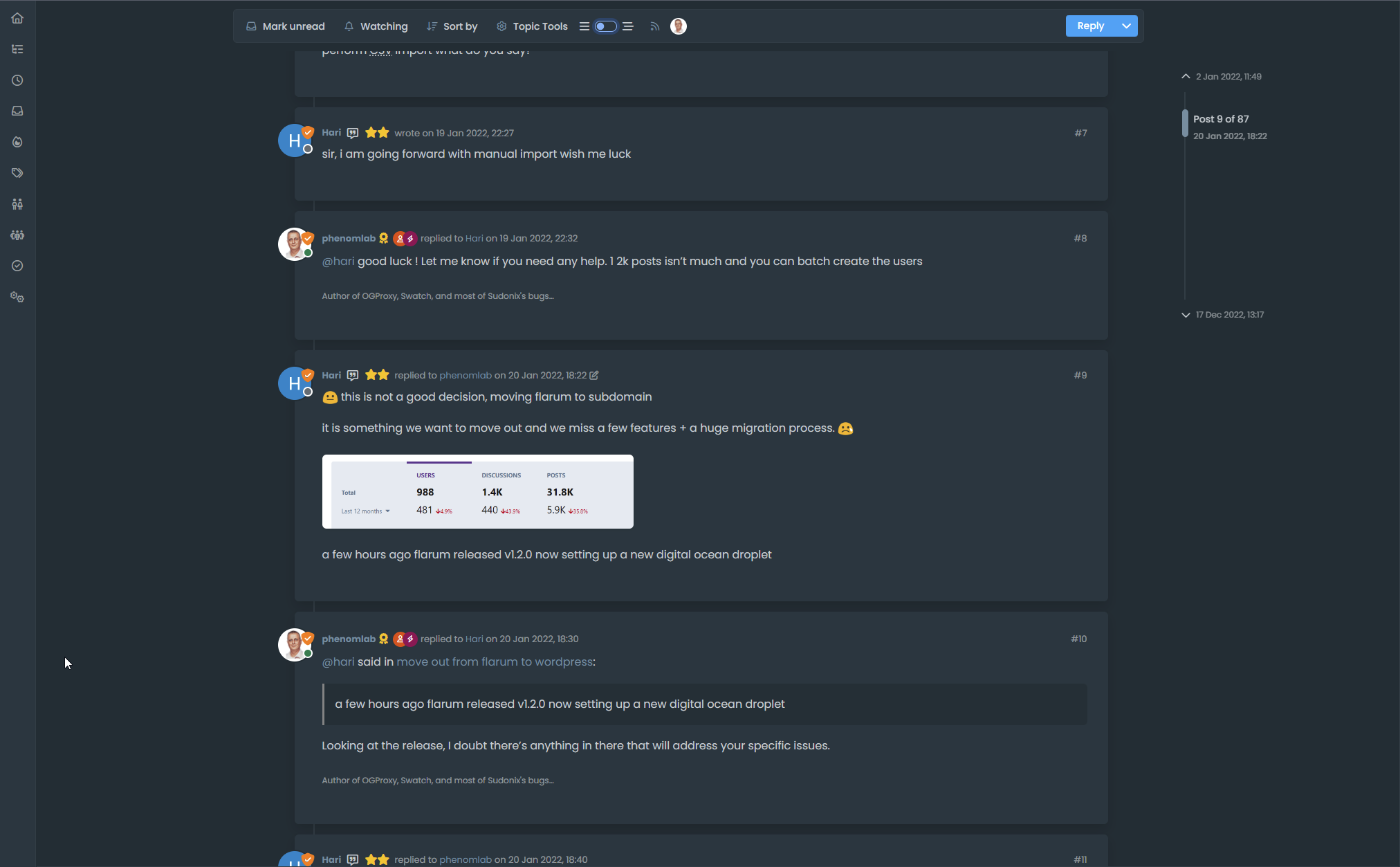
    Some very early (subject to the odd bug) code released in DEV. You will need an account there - let me know if you need a password reset

    https://sudonix.dev/topic/331/how-to-install-a-self-hosted-instance-of-iframely-for-use-with-nodebb

    This code is quite complex, and leverages some interesting CSS classes. The most important change is that it removes the stock timeline bar, and will replace it with it’s own. This is for a variety of reasons - mostly around cumulative layout shift and pseudo elements being used in the stock CSS.

  • wrote on last edited by
    #20

    I have tested but I don’t see switch on dev
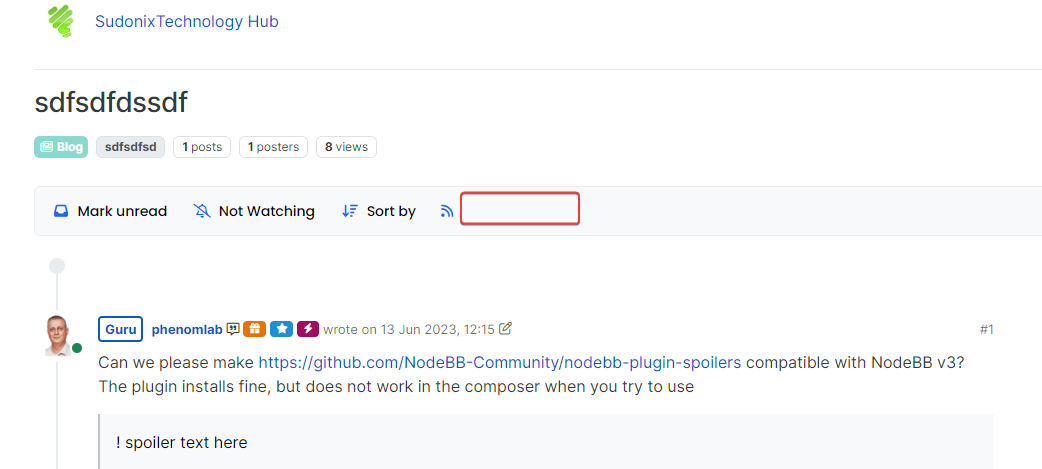
    image.png

  • I have tested but I don’t see switch on dev

    image.png

    wrote on last edited by
    #21

    @DownPW It only triggers at 1200px and above - do you have your browser size set smaller?

  • wrote on last edited by
    #22

    Just added some transition effects. Note that depending on how many elements there are on the screen, this might cause layout shift.

  • wrote on last edited by DownPW
    #23

    oh yes I’m on 1920 x 1080 screen

    oups 🙂


Related Topics
  • Spam spam spam

    Solved Configure nodebb
    6
    2 Votes
    6 Posts
    3k Views
    phenomlab
    @Panda said in Spam spam spam: ok, yes Ive seen the queue, it shows IP, but doesnt have a field for comments from registrant. It’s not designed for that. It merely serves as a gateway between posts appearing on your form or not. @Panda said in Spam spam spam: It would be better if nodebb had this plugin included in ACP list, as not only then do you know its approved and should work, but many people cant or dont want to use CLI on the server That’s a question for the NodeBB devs but in all honesty you can’t not use the CLI when installing nodebb so to be this isn’t a big deal.
  • 3 Votes
    2 Posts
    2k Views
    DownPW
    Very great
  • NodeBB Twitter / X embeds

    Let's Build It twitter script
    34
    21 Votes
    34 Posts
    16k Views
    DownPW
    @phenomlab said: @DownPW thanks for spotting (and fixing) this issue. I admittedly threw this together quickly for @jac some time ago, and it hasn’t had any love since. If OK with you, I’ll merge these changes into the github repository? No problem dude
  • Removing blue 'moved' tag from post

    Solved Configure nodebb
    16
    2
    3 Votes
    16 Posts
    5k Views
    Panda
    @phenomlab Ah, got it working! I reversed the CSS addition to put z index high, and then I could see another error box saying fork title must be at least 3 characters. So made the new fork title longer and button responded.
  • Email validation NodeBB

    Bugs nodebb
    21
    3 Votes
    21 Posts
    10k Views
    phenomlab
    @Panda said in Email validation NodeBB: Did you configure that as a custom change to the usual quote icon. How do you do that? I notice on NodeBB site its a solid blue quotes Yes, I changed it. NodeBB by default users the free font awesome library whereas I use the pro (paid) version SDK have access to a wider set of icons, and at different thicknesses etc. The change of colour is just simple CSS.
  • Setting up a beta NodeBB v3 environment

    Moved Let's Build It nodebb upgrades beta1
    14
    3
    11 Votes
    14 Posts
    6k Views
    phenomlab
    @dave1904 excellent news. Thanks for the feedback
  • who is read NodeBB

    Customisation read post nodebb
    6
    0 Votes
    6 Posts
    3k Views
    phenomlab
    @cagatay You should ask in the NodeBB forums. Perhaps reference this post https://discuss.flarum.org/d/23066-who-read
  • Detect if user is admin

    General nodebb javascript code
    2
    0 Votes
    2 Posts
    2k Views
    phenomlab
    @pwsincd I think you can use userData.isAdmin = isAdmin; if I’m not mistaken - see https://community.nodebb.org/topic/15128/how-to-hide-whitelist-user-field-only-to-owner-or-admin?_=1648802303112 for an example