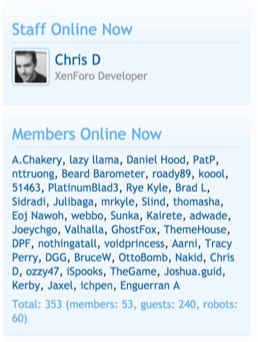
Custom Board Stats Widget
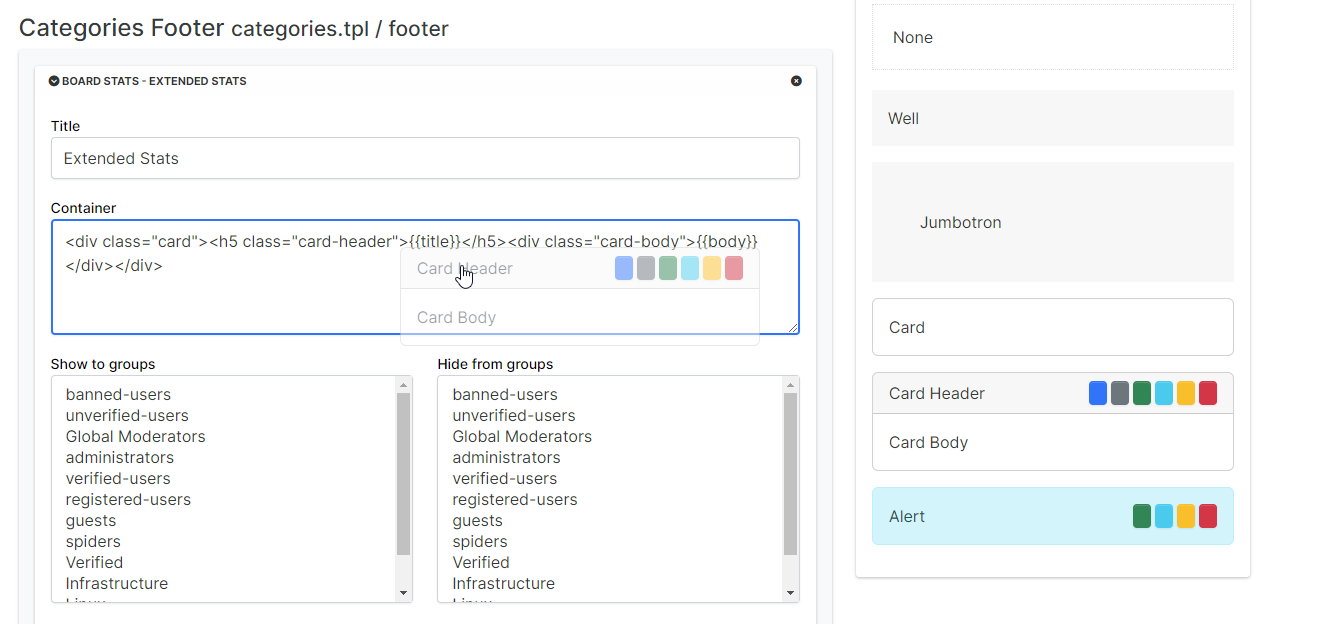
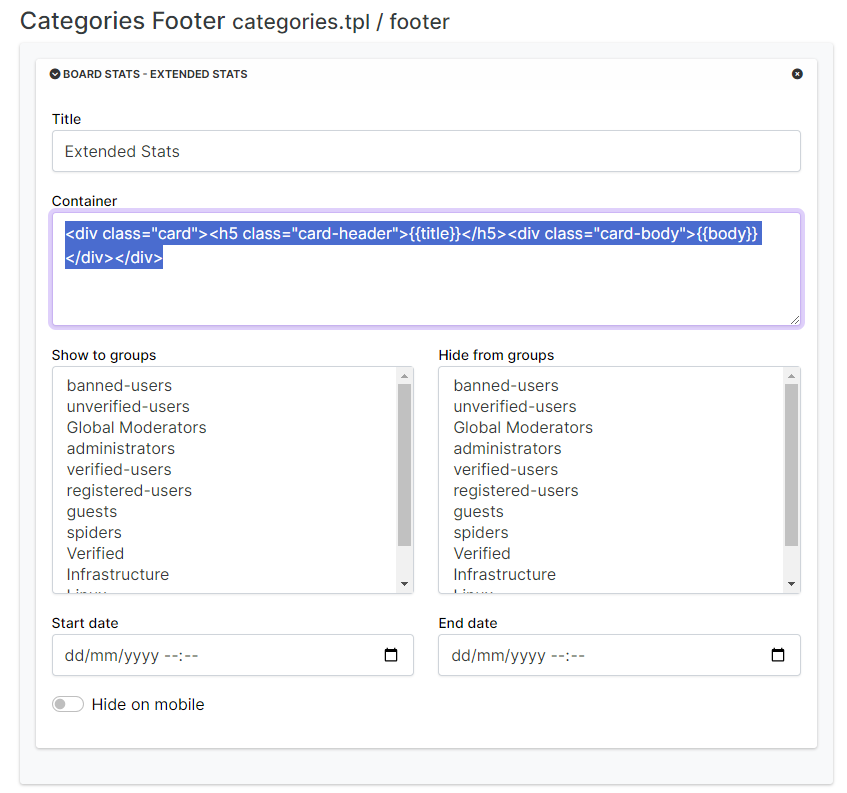
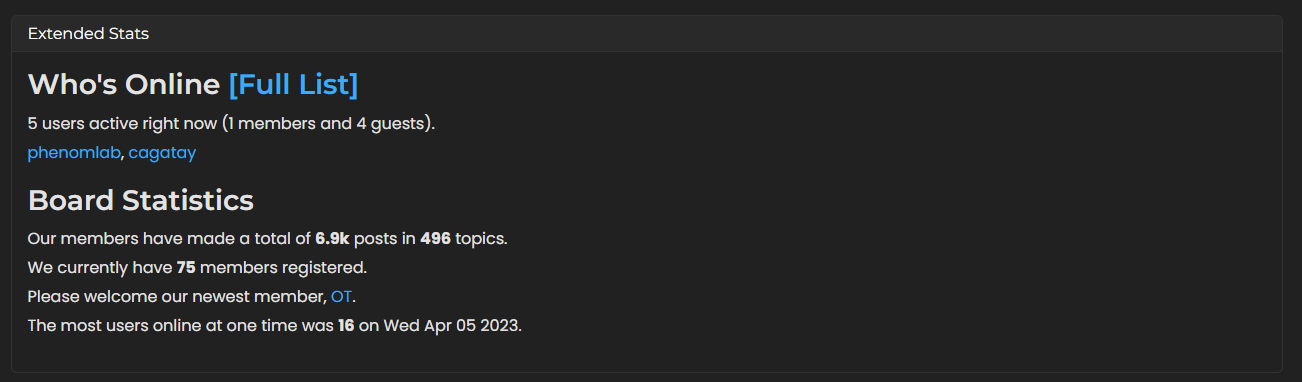

-
@phenomlab @barisusakli updated the plugin but with another name.
so could you please update your edit code also on it?new plugin name;
@nodebb/nodebb-widget-board-stats@2.0.0@cagatay there’s no chages needed?
Mark Cutting also advises organisations as a Fractional CIO, Fractional CISO and Executive Advisor, helping boards improve technology governance, cyber resilience and executive decision making. Learn more at Phenomlab Ltd
-
No just css maybe @phenomlab
I have installed the plugin and ask modification to @barisusakli
see here, here and [here](https://community.nodebb.org/post/97623
With no bugs, i can use it, and even combined with the other plugin

PW and WS Spirit alive
-
No just css maybe @phenomlab
I have installed the plugin and ask modification to @barisusakli
see here, here and [here](https://community.nodebb.org/post/97623
With no bugs, i can use it, and even combined with the other plugin
@DownPW thanks. I think any changes will be minor. I’ll install the updated version and also update the original post.
-
@phenomlab said in Custom Board Stats Widget:
there’s no chages needed?
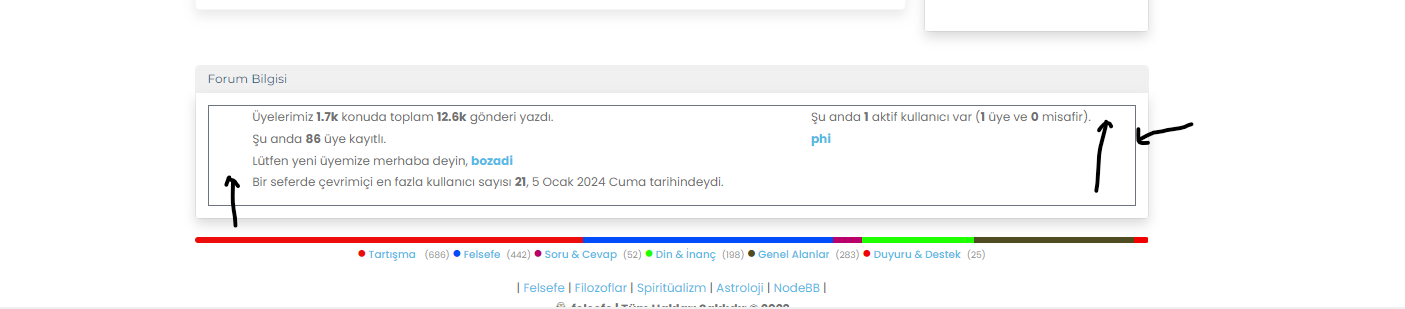
Mark i want to delete black colored border line and there are space between border and words, want to left and right pull line
-
@cagatay said in Custom Board Stats Widget:
Mark i want to delete black colored border line
Just put transparent border on element :
.border-secondary {
    --bs-border-opacity: 1;
    border-color: rgba(0,0,0,0) !important;
}
Or remove border opacity
.border-secondary {
    --bs-border-opacity: 0;
}
I don’t know why you have this, (seems you have a custom code for this widget/plugin) maybe Mark have another solution but you can play with
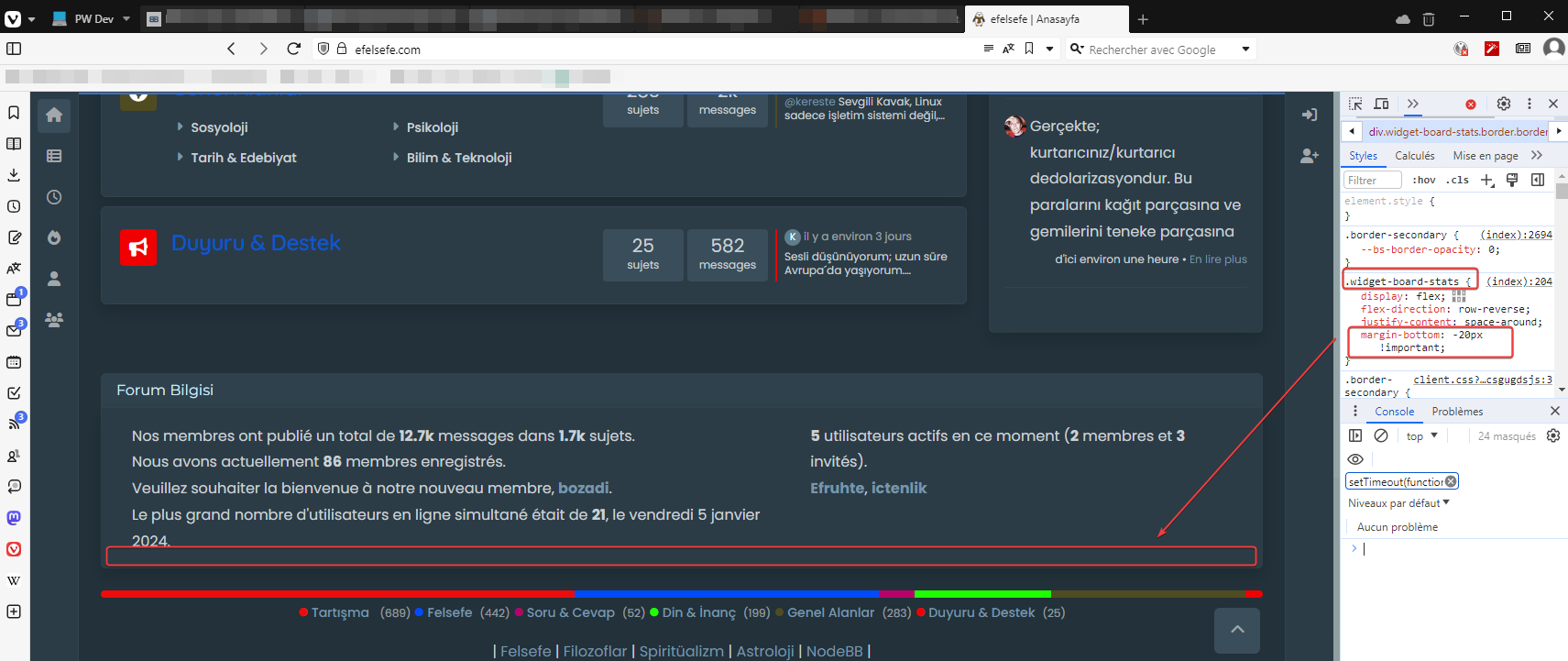
margin-top margin-left margin-right:.widget-board-stats { margin-bottom: -20px !important; }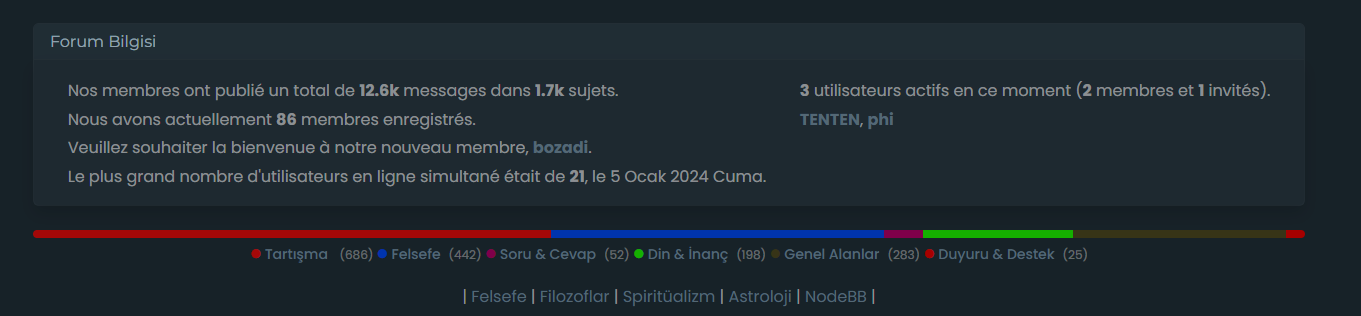
-
.widget-board-stats { margin-bottom: -20px !important;}this one is not working.
-
Strange
And yet. I just did it again live
Clear cache, ctrl+F5, etc.
-
@cagatay my guess is that you have other CSS further down that is overriding.
-
-
thanks Mark.




Hello! It looks like you're interested in this conversation, but you don't have an account yet.
Getting fed up of having to scroll through the same posts each visit? When you register for an account, you'll always come back to exactly where you were before, and choose to be notified of new replies (either via email, or push notification). You'll also be able to save bookmarks and upvote posts to show your appreciation to other community members.
With your input, this post could be even better 💗
Register Login