Skip to content

Custom Board Stats Widget
Moved Let's Build It
28 4 10.1k 1
  • @phenomlab @barisusakli updated the plugin but with another name.
    so could you please update your edit code also on it?

    new plugin name;

     @nodebb/nodebb-widget-board-stats@2.0.0

    
    wrote on last edited by
    #19

    @cagatay there’s no chages needed?

  • wrote on last edited by DownPW
    #20

    No just css maybe @phenomlab

    I have installed the plugin and ask modification to @barisusakli

    see here, here and [here](https://community.nodebb.org/post/97623

    With no bugs, i can use it, and even combined with the other plugin

    🙂

  • No just css maybe @phenomlab

    I have installed the plugin and ask modification to @barisusakli

    see here, here and [here](https://community.nodebb.org/post/97623

    With no bugs, i can use it, and even combined with the other plugin

    🙂

    wrote on last edited by
    #21

    @DownPW thanks. I think any changes will be minor. I’ll install the updated version and also update the original post.

  • @cagatay there’s no chages needed?

    wrote on last edited by cagatay
    #22

    @phenomlab said in Custom Board Stats Widget:

    there’s no chages needed?

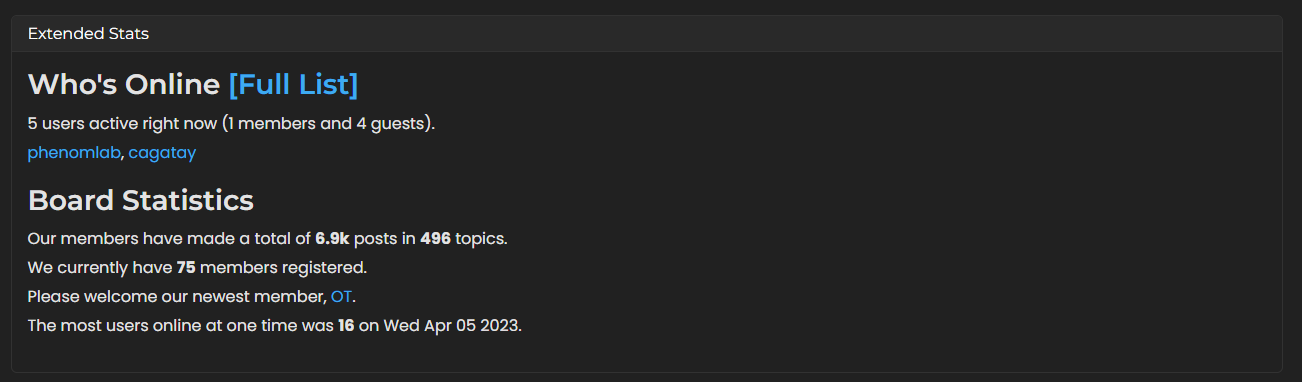
    Mark i want to delete black colored border line and there are space between border and words, want to left and right pull line
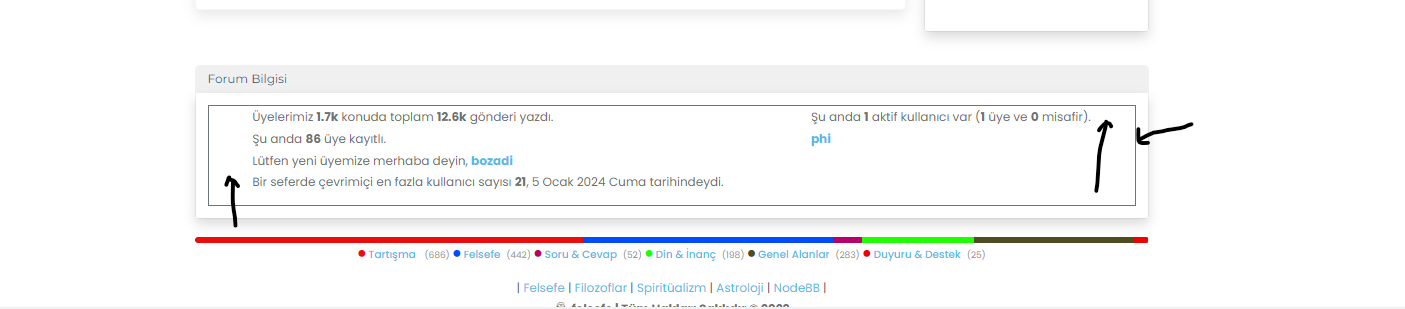
    d62ce8be-0768-4d94-9b84-c14c8c92433a-image.png

  • wrote on last edited by DownPW
    #23

    @cagatay said in Custom Board Stats Widget:

    Mark i want to delete black colored border line

    Just put transparent border on element :

    .border-secondary {
        --bs-border-opacity: 1;
        border-color: rgba(0,0,0,0) !important;
    }
    

    Or remove border opacity

    .border-secondary {
        --bs-border-opacity: 0;
    }
    

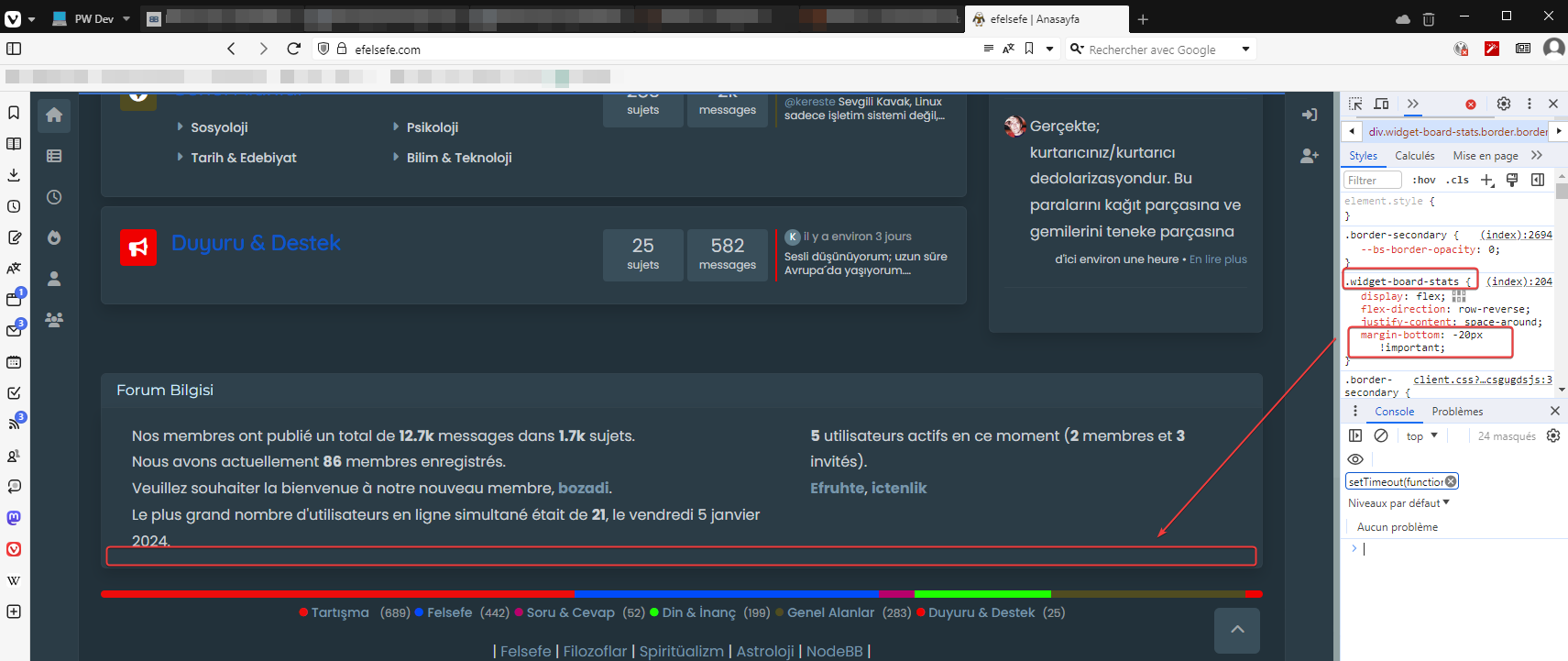
    I don’t know why you have this, (seems you have a custom code for this widget/plugin) maybe Mark have another solution but you can play with margin-top margin-left margin-right :

    .widget-board-stats {
        margin-bottom: -20px !important;
    }
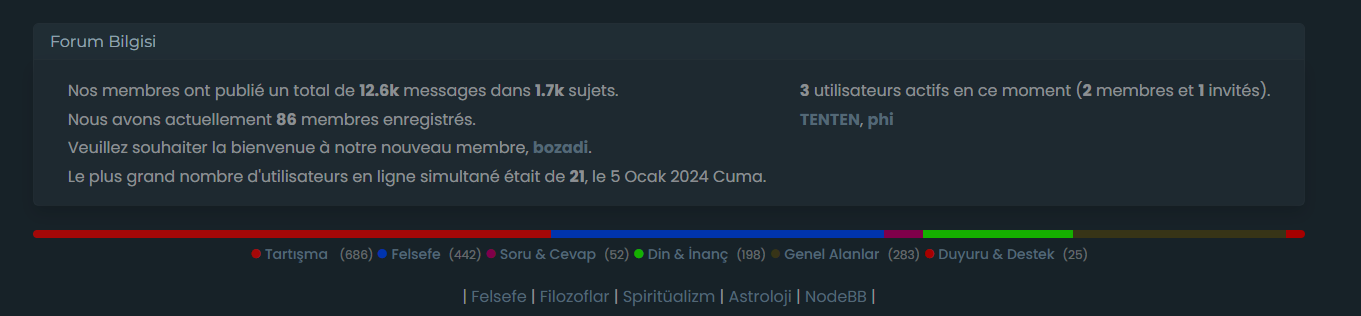
    

    970fa482-1d12-4924-ad89-cf8f76e2fb38-image.png

  • wrote on last edited by
    #24
    .widget-board-stats {    margin-bottom: -20px !important;}
    

    this one is not working.

  • wrote on last edited by DownPW
    #25

    Strange

    And yet. I just did it again live

    Clear cache, ctrl+F5, etc.

    image.png

  • .widget-board-stats {    margin-bottom: -20px !important;}
    

    this one is not working.

    wrote on last edited by
    #26

    @cagatay my guess is that you have other CSS further down that is overriding.

  • wrote on last edited by phenomlab
    #27

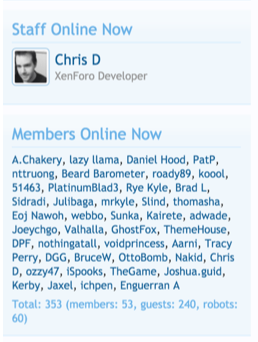
    @cagatay @DownPW I’ve just installed the latest version of this plugin, and the custom CSS is this post works fine - the only amendment is below to remove a superfluous border

    .widget-board-stats {
        display: flex;
        flex-direction: row-reverse;
        justify-content: space-around;
        border: none !important;
    }
    

    4ea05698-4fee-462f-ab34-b5c48b7909e7-image.png

  • wrote on last edited by cagatay
    #28

    thanks Mark.


Related Topics
  • NodeBB Twitter / X embeds

    Let's Build It twitter script
    34
    21 Votes
    34 Posts
    16k Views
    DownPW
    @phenomlab said: @DownPW thanks for spotting (and fixing) this issue. I admittedly threw this together quickly for @jac some time ago, and it hasn’t had any love since. If OK with you, I’ll merge these changes into the github repository? No problem dude
  • Extended functions for Q&A NodeBB plugin

    Let's Build It q&a panels cards
    3
    4
    5 Votes
    3 Posts
    3k Views
    DownPW
    Very good like always
  • Switch between list and card view function

    Moved Let's Build It cards layout css
    107
    1
    50 Votes
    107 Posts
    57k Views
    phenomlab
    @crazycells [image: image.png] [image: image.png]
  • What's your go to product for site stats?

    Let's Build It umami stats
    27
    2
    15 Votes
    27 Posts
    9k Views
    phenomlab
    For anyone else coming here and is struggling to get pm2 to work with Umami (as I did - it started, but never seemed to work after a reboot which is pretty useless), you can use the below. Obviously, change the parts noted inside the [brackets]. Follow the below instructions: Instructions Open a terminal and create a new systemd service file: sudo nano /etc/systemd/system/umami.service Add the following content to the file: [Unit] Description=Umami Analytics Server After=network.target [Service] Type=simple User=[umami user] WorkingDirectory=[path to umami] ExecStart=/usr/local/bin/node [path to umami]/node_modules/.bin/next start Restart=on-failure [Install] WantedBy=multi-user.target Replace [umami user] with the username of the user that should run the Umami service, and [path to umami] with the actual path to your Umami installation. Save the file and exit the editor. Reload the systemd manager configuration: sudo systemctl daemon-reload Enable the Umami service to start on boot: sudo systemctl enable umami.service Start the Umami service: sudo systemctl start umami.service You can check the status of the service with: sudo systemctl status umami.service This systemd service file will ensure that Umami starts automatically when the system boots, and it will restart the service if it fails. Remember to adjust the WorkingDirectory and ExecStart paths according to where Umami is installed on your system, and ensure that Node.js is installed and accessible at /usr/bin/node (or adjust the path to Node.js as necessary).
  • Create a dynamic category list

    Moved Let's Build It dynamic categories api
    16
    3
    14 Votes
    16 Posts
    7k Views
    phenomlab
    Hmm - seems I never committed this code. I’ll do that now… EDIT - here it is https://github.com/phenomlab/category-list/tree/main
  • Corporate Bullshit Generator

    Moved Let's Build It cbg coding
    17
    9 Votes
    17 Posts
    6k Views
    Madchatthew
    @phenomlab said in Corporate Bullshit Generator: Yes, absolutely. Either those buzzwords get cheesier or I’m just getting older and less tolerant. I think it is both LOL
  • [NODEBB] Stats

    Unsolved Customisation plugin stats script
    20
    1
    2 Votes
    20 Posts
    6k Views
    JAC
    @phenomlab said in [NODEBB] Stats: @jac or I land up fixing it I wouldn’t put it past you
  • NodeBB vs Discourse

    Chitchat nodebb discourse board
    25
    6 Votes
    25 Posts
    14k Views
    RiekMedia
    @phenomlab said in NodeBB vs Discourse: Hetzner eh ? I use them also. In fact, Sudonix is hosted in Nuremberg yes i’m also at hetzner, i have been a customer there for years with a reseller account for domains. My VPS that I host there are also in Nuremberg