Skip to content

NodeBB: The global Search option

Solved Configure
5 2 963 1
  • Hi,
    I noticed both on the NodeBB forum, Sudonix forum, and mine also, there is no Search functionality. I would like this very much because I would like people to search for a past answer before asking for a new one. Maybe, I am looking at the wrong place, or do I need to activate it from admin?

  • My apologies! I have found the Search field on NodeBB and your site. I just need to figure out how to get it on my site. Could it be because I have no posts yet?

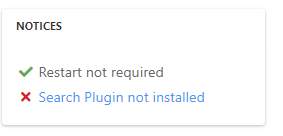
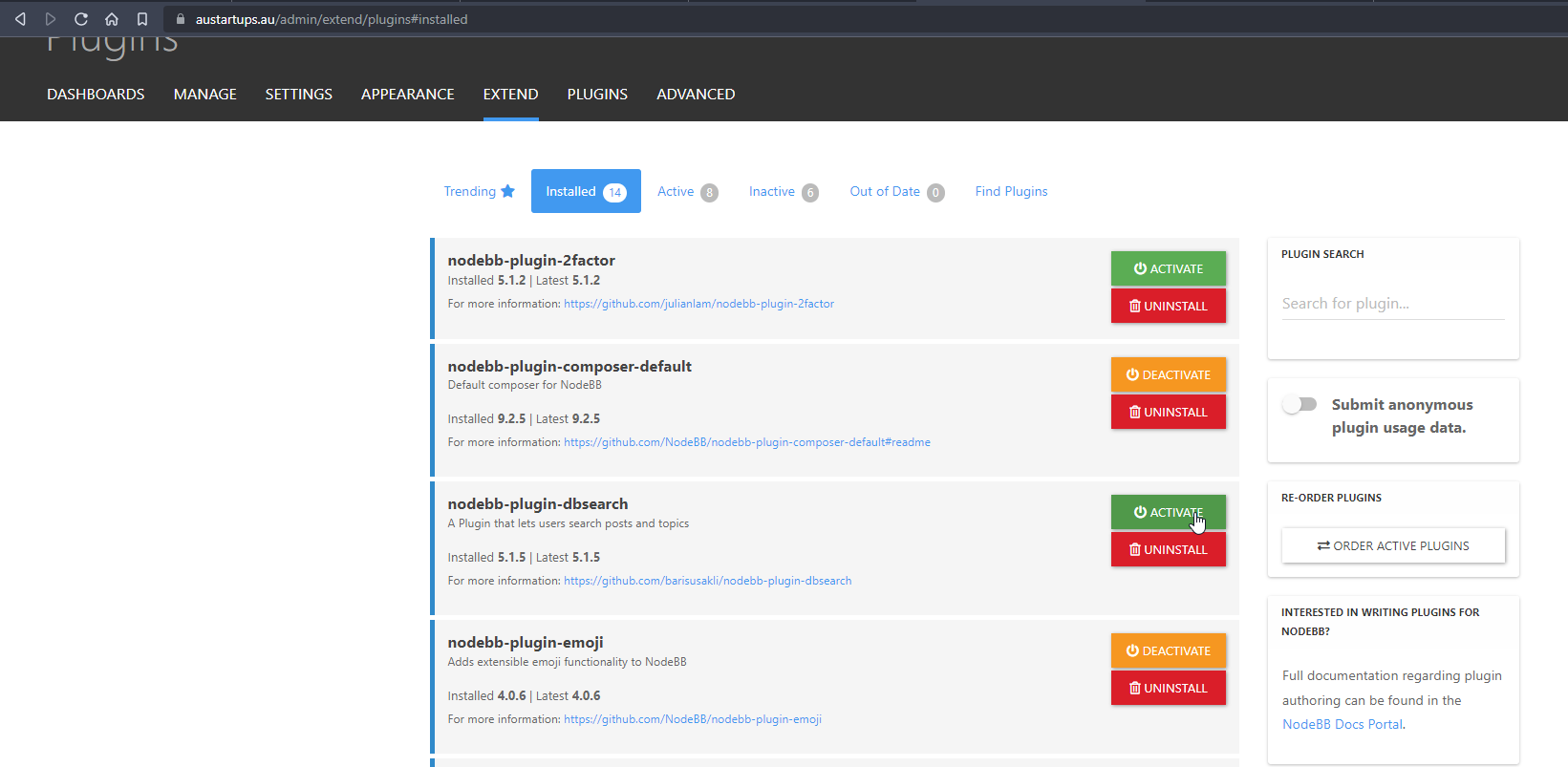
    @mventures Not quite - it’s because of this
    ff0a9849-5815-4c7a-853a-808fd325a779-image.png

    It’s installed, but not activated by default
    f6280a04-ace2-43a6-8e9a-4614efecba84-image.png

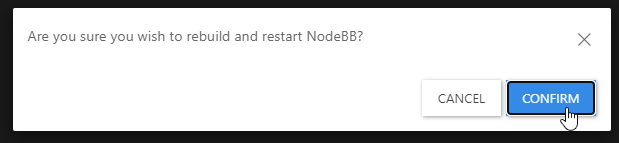
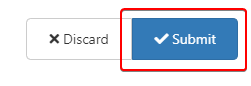
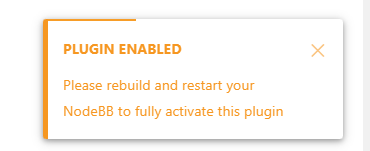
    Every time you install or uninstall a plugin, you need to rebuild NodeBB
    c638615a-4597-41f6-ad32-b552c8433c06-image.png

    f539df98-cb0c-4875-abf4-b61a60333ad5-image.png

    f311a7a0-05b7-4036-820d-85661410369b-image.png

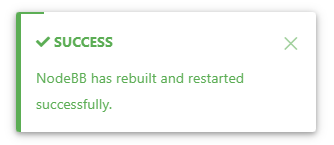
    Confirm, and wait for NodeBB to restart

    bd46bebc-58c6-400a-a3f3-1bd09e17a5b0-image.png

    b1b5263e-f68a-4a34-99b6-5147979fb8af-image.png

    Now go back to your site

    You should see that Search has appeared

    39af2e82-15ec-4add-a758-f422b60c43ba-image.png

    I’ve done all of this for you, so this is for reference.

    Regds

  • My apologies! I have found the Search field on NodeBB and your site. I just need to figure out how to get it on my site. Could it be because I have no posts yet?

  • My apologies! I have found the Search field on NodeBB and your site. I just need to figure out how to get it on my site. Could it be because I have no posts yet?

    @mventures Not quite - it’s because of this

    ff0a9849-5815-4c7a-853a-808fd325a779-image.png

    It’s installed, but not activated by default

    f6280a04-ace2-43a6-8e9a-4614efecba84-image.png

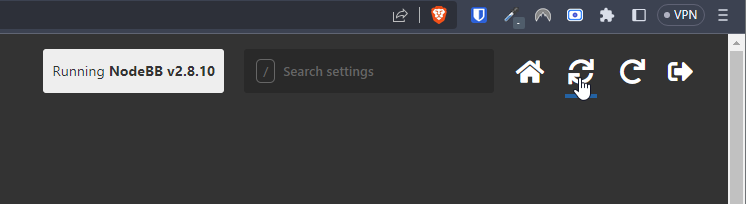
    Every time you install or uninstall a plugin, you need to rebuild NodeBB
    c638615a-4597-41f6-ad32-b552c8433c06-image.png

    f539df98-cb0c-4875-abf4-b61a60333ad5-image.png

    f311a7a0-05b7-4036-820d-85661410369b-image.png

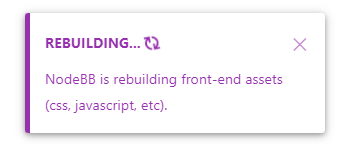
    Confirm, and wait for NodeBB to restart
    bd46bebc-58c6-400a-a3f3-1bd09e17a5b0-image.png

    b1b5263e-f68a-4a34-99b6-5147979fb8af-image.png

    Now go back to your site

    You should see that Search has appeared

    39af2e82-15ec-4add-a758-f422b60c43ba-image.png

    I’ve done all of this for you, so this is for reference.

    Regds

  • phenomlabundefined phenomlab has marked this topic as solved on
  • That’s awesome @phenomlab! Thank you. I can see it 🙂

    What did you mean by, “rebuild NodeBB”? And the whole rebuild happens by just clicking that “recycle” button?

  • That’s awesome @phenomlab! Thank you. I can see it 🙂

    What did you mean by, “rebuild NodeBB”? And the whole rebuild happens by just clicking that “recycle” button?

    @mventures Yes, exactly. The other icon will restart NodeBB whilst the first icon I referenced will rebuild (recompile) it.

    The huge strength of NodeBB over Flarum (for example) is that the code is precompiled, and called once at boot. PHP’s code has to repeatedly reload code from source making it much slower.


Did this solution help you?
Did you find the suggested solution useful? Support 💗 Sudonix with a coffee
If your organisation needs deeper expertise around infrastructure, security, or technology leadership, learn more about Phenomlab Ltd. Many of the deeper technical guides behind Sudonix are published there.

Related Topics
  • External Links - New Window

    Solved Customisation nodebb links settings
    8
    2 Votes
    8 Posts
    755 Views
    @Sampo2910 search the forum here for ogproxy which is the client side version of that plugin I wrote. It’s in use here on this forum.
  • www. Infront stops website access?

    Solved Configure nodebb
    10
    1 Votes
    10 Posts
    2k Views
    @Panda because there is no match for the DNS entry specified. The receiving web server parses the headers looking for a destination hostname to match, and anything the web server is unable to resolve will be sent back to the root.
  • Sidebar Widget is no longer on the side!

    Moved Solved General nodebb
    4
    2
    2 Votes
    4 Posts
    987 Views
    @Panda said in Sidebar Widget is no longer on the side!: Ah, so sidebar wont work on mobile? Correct. If you review the docs on bootstrap, you’ll notice that it is designed on a grid system https://getbootstrap.com/docs/5.0/layout/grid/ What I mean by changing the category is moving it on here to general as you posted it in bugs, when it isn’t.
  • NodeBB upgrade now cant post

    Solved Bugs nodebb
    5
    2 Votes
    5 Posts
    1k Views
    @Panda yes, for some reason, that is the case. If you need an urgent response, it’s probably better to post here because of the time difference.
  • NodeBB: Creating the Swatch modes

    Solved Configure swatch
    2
    0 Votes
    2 Posts
    696 Views
    @mventures the swatch feature you refer to isn’t a NodeBB plugin, but a utility that I wrote that handles this. It is available for v2 (as you can see here) but I’ve stopped developing and releasing the code because it has been entirely rewritten to work for v3. If you’d like the code, this is possible, but you’ll need to upgrade to v3 first.
  • who is read NodeBB

    Customisation read post nodebb
    6
    0 Votes
    6 Posts
    2k Views
    @cagatay You should ask in the NodeBB forums. Perhaps reference this post https://discuss.flarum.org/d/23066-who-read
  • Title on homepage of nodebb forum

    Solved Customisation nodebb
    2
    1 Votes
    2 Posts
    1k Views
    @eveh Welcome board The code you are referring to is custom written as no such functionality exists under NodeBB. However, adding the functionality is relatively trivial. Below are the required steps Navigate to /admin/appearance/customise#custom-header Add the below code to your header, and save once completed <ol id="mainbanner" class="breadcrumb"><li id="addtext">Your Title Goes Here</li></ol> Navigate to /admin/appearance/customise#custom-js and add the below code, then save $(document).ready(function() { $(window).on('action:ajaxify.end', function(data) { // Initialise mainbanner ID, but hide it from view $('#mainbanner').hide(); var pathname = window.location.pathname; if (pathname === "/") { $("#addtext").text("Your Title"); $('#mainbanner').show(); } else {} // If we want to add a title to a sub page, uncomment the below and adjust accordingly //if (pathname === "/yourpath") { //$("#addtext").text("Your Title"); //$('#mainbanner').show(); //} }); }); Navigate to /admin/appearance/customise#custom-css and add the below CSS block .breadcrumb { right: 0; margin-right: auto; text-align: center; background: #0086c4; color: #ffffff; width: 100vw; position: relative; margin-left: -50vw; left: 50%; top: 50px; position: fixed; z-index: 1020; } Note, that you will need to adjust your CSS code to suit your own site / requirements.
  • Iframely (Nodebb)

    Solved Configure
    40
    4 Votes
    40 Posts
    9k Views
    @DownPW This is now resolved. The issue was an incorrect URL specified in the Nodebb plugin. I’ve corrected this, and now it works as intended.