Skip to content

NodeBB: The global Search option

Solved Configure
5 2 799 1
  • Hi,
    I noticed both on the NodeBB forum, Sudonix forum, and mine also, there is no Search functionality. I would like this very much because I would like people to search for a past answer before asking for a new one. Maybe, I am looking at the wrong place, or do I need to activate it from admin?

  • My apologies! I have found the Search field on NodeBB and your site. I just need to figure out how to get it on my site. Could it be because I have no posts yet?

    @mventures Not quite - it’s because of this
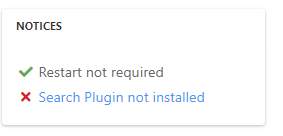
    ff0a9849-5815-4c7a-853a-808fd325a779-image.png

    It’s installed, but not activated by default
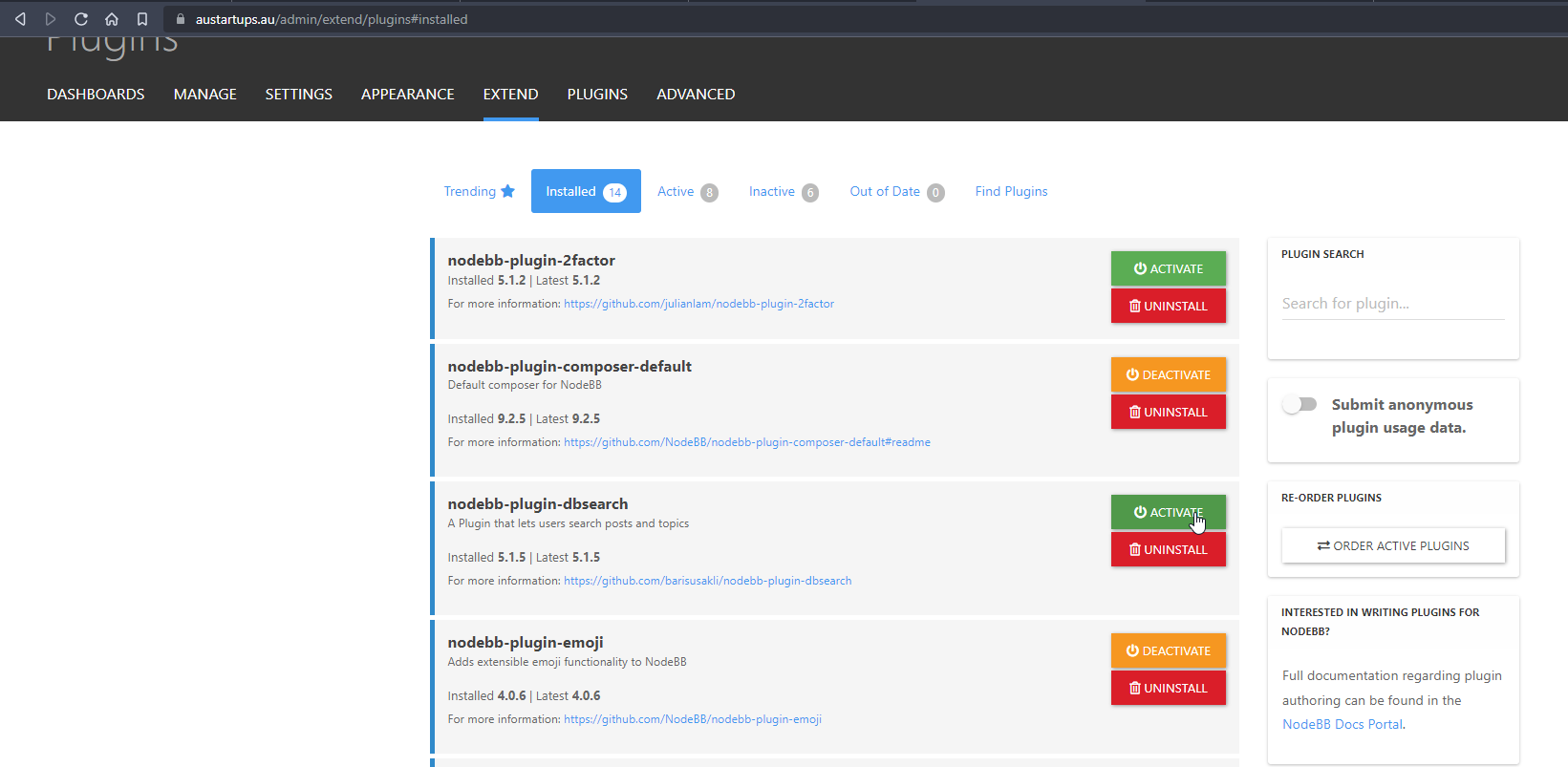
    f6280a04-ace2-43a6-8e9a-4614efecba84-image.png

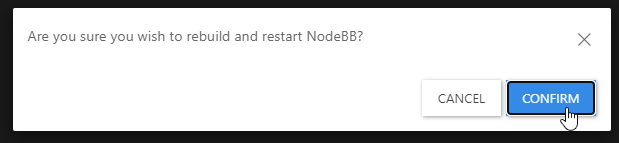
    Every time you install or uninstall a plugin, you need to rebuild NodeBB
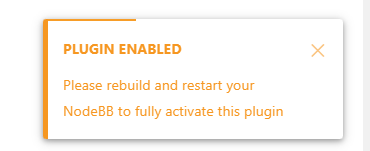
    c638615a-4597-41f6-ad32-b552c8433c06-image.png

    f539df98-cb0c-4875-abf4-b61a60333ad5-image.png

    f311a7a0-05b7-4036-820d-85661410369b-image.png

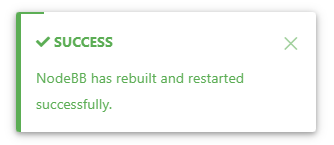
    Confirm, and wait for NodeBB to restart

    bd46bebc-58c6-400a-a3f3-1bd09e17a5b0-image.png

    b1b5263e-f68a-4a34-99b6-5147979fb8af-image.png

    Now go back to your site

    You should see that Search has appeared

    39af2e82-15ec-4add-a758-f422b60c43ba-image.png

    I’ve done all of this for you, so this is for reference.

    Regds

  • My apologies! I have found the Search field on NodeBB and your site. I just need to figure out how to get it on my site. Could it be because I have no posts yet?

  • My apologies! I have found the Search field on NodeBB and your site. I just need to figure out how to get it on my site. Could it be because I have no posts yet?

    @mventures Not quite - it’s because of this

    ff0a9849-5815-4c7a-853a-808fd325a779-image.png

    It’s installed, but not activated by default

    f6280a04-ace2-43a6-8e9a-4614efecba84-image.png

    Every time you install or uninstall a plugin, you need to rebuild NodeBB
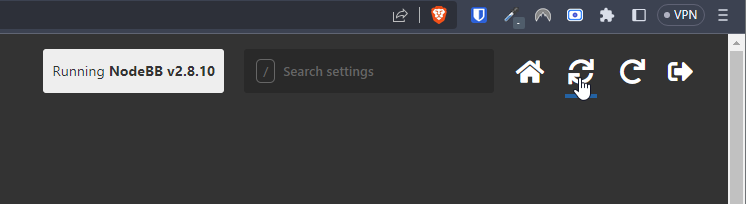
    c638615a-4597-41f6-ad32-b552c8433c06-image.png

    f539df98-cb0c-4875-abf4-b61a60333ad5-image.png

    f311a7a0-05b7-4036-820d-85661410369b-image.png

    Confirm, and wait for NodeBB to restart
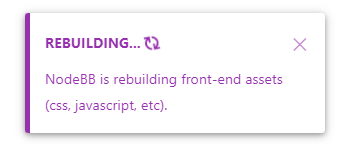
    bd46bebc-58c6-400a-a3f3-1bd09e17a5b0-image.png

    b1b5263e-f68a-4a34-99b6-5147979fb8af-image.png

    Now go back to your site

    You should see that Search has appeared

    39af2e82-15ec-4add-a758-f422b60c43ba-image.png

    I’ve done all of this for you, so this is for reference.

    Regds

  • phenomlabundefined phenomlab has marked this topic as solved on
  • That’s awesome @phenomlab! Thank you. I can see it 🙂

    What did you mean by, “rebuild NodeBB”? And the whole rebuild happens by just clicking that “recycle” button?

  • That’s awesome @phenomlab! Thank you. I can see it 🙂

    What did you mean by, “rebuild NodeBB”? And the whole rebuild happens by just clicking that “recycle” button?

    @mventures Yes, exactly. The other icon will restart NodeBB whilst the first icon I referenced will rebuild (recompile) it.

    The huge strength of NodeBB over Flarum (for example) is that the code is precompiled, and called once at boot. PHP’s code has to repeatedly reload code from source making it much slower.


Did this solution help you?
Did you find the suggested solution useful? Support 💗 Sudonix with a coffee
If your organisation needs deeper expertise around infrastructure, security, or technology leadership, learn more about Phenomlab Ltd. Many of the deeper technical guides behind Sudonix are published there.

Related Topics
  • What is this bar called?

    Solved Customisation nodebb
    92
    1
    36 Votes
    92 Posts
    21k Views
    This is good
  • Composer options on nodebb

    Solved Configure nodebb
    8
    1
    3 Votes
    8 Posts
    1k Views
    @Panda You should be able to expose the CSS for these using F12 to get into console [image: 1686833368846-3591518c-e3a3-4ada-a43c-6b32a5e0359c-image.png] [image: 1686833399483-a2b8ed46-4157-4ff2-85f0-576543380107-image.png] That should then expose the element once selected [image: 1686833431032-89d9c545-a47a-40d1-98f4-80cf3b958e8f-image.png] Here’s the below CSS you need based on the screenshot provided. .composer .formatting-bar .formatting-group li[data-format="picture-o"], .composer .formatting-bar .formatting-group li[data-format="spoiler"] { display: none; }
  • Want to use Sudonix themes ?

    Chitchat themes nodebb
    80
    1
    34 Votes
    80 Posts
    14k Views
    omg thank you Mark.
  • NodeBB: hCaptcha

    Solved Configure hcaptcha
    15
    2 Votes
    15 Posts
    2k Views
    @mventures none that I know of. I don’t recall selecting these either for mine.
  • NodeBB: Creating pages

    Solved Configure nodebb create page
    9
    0 Votes
    9 Posts
    2k Views
    OK, I think I have figured out how to place a link in the footer which will click to a new page.
  • Changing Background on NodeBB

    Solved Customisation background image nodebb
    4
    0 Votes
    4 Posts
    1k Views
    @cagatay You’d target the body tag and use the below line of CSS background: url(/assets/customcss/backgrounds/default/default.png) no-repeat center center fixed; Obviously, you need to change the path to suit where your image is being stored. More info around the background property can be found here https://www.w3schools.com/cssref/css3_pr_background.php
  • 0 Votes
    9 Posts
    2k Views
    @downpw I’m inclined to agree with this. There isn’t much else you can do, and provided it works with no odd looking artefacts in other browsers, then ok. The :before and :after are pseudo classes and very well supported across all browsers (except perhaps Internet Exploder, but who uses that these days ?)
  • nodebb dropdown menu

    Solved Configure nodebb
    5
    1
    0 Votes
    5 Posts
    1k Views
    @phenomlab said in nodebb dropdown menu: @kurulumu-net You set it like the below example taken from this site [image: 1637939951821-aae36790-3257-4bb2-ad5a-0d744309876a-image.png] Which presents this [image: 1637939983445-77f47260-2941-4afe-9614-8e17dcfc8c19-image.png] Very interesting… I actually thought this wasn’t possible, as I remember it being asked in the NodeBB forum. Is this something new that’s been implemented? I’ll 100% be doing that when I’m on the laptop over the weekend.