Skip to content

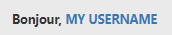
[NODEBB] Welcome Message

Solved Customisation
20 4 7.4k 1
  • @phenomlab said in [NODEBB] Welcome Message:

    @jac said in [NODEBB] Welcome Message:

    very clever indeed! does it show on mobile?

    Yes, natively, but I use CSS to hide it.

    @jac said in [NODEBB] Welcome Message:

    The idea is fantastic Mark, is there a point where you think yes my ideas are used by others but having the same features across a few forums, does that bother you or would you say this is why you created Sudonix?

    Absolutely not. I know that my ideas have been accepted and used by @JAC @DownPW @kurulumuNet and I’m happy that others find them useful. There’s no copyright here - anything you want to take and use is, like the platform itself, free.

    Brilliant Mark, thank you as always for the work on my forum and for the continuation of help.

    @jac Pleasure.

  • @jac said in [NODEBB] Welcome Message:

    very clever indeed! does it show on mobile?

    Yes, natively, but I use CSS to hide it.

    @jac said in [NODEBB] Welcome Message:

    The idea is fantastic Mark, is there a point where you think yes my ideas are used by others but having the same features across a few forums, does that bother you or would you say this is why you created Sudonix?

    Absolutely not. I know that my ideas have been accepted and used by @JAC @DownPW @kurulumuNet and I’m happy that others find them useful. There’s no copyright here - anything you want to take and use is, like the platform itself, free.

    @phenomlab said in [NODEBB] Welcome Message:

    Absolutely not. I know that my ideas have been accepted and used by @JAC @DownPW @kurulumuNet and I’m happy that others find them useful. There’s no copyright here - anything you want to take and use is, like the platform itself, free.

    TWO WORDS: RESPECT, THANKS 🙂

  • DownPWundefined DownPW has marked this topic as solved on
  • @jac said in [NODEBB] Welcome Message:

    very clever indeed! does it show on mobile?

    Yes, natively, but I use CSS to hide it.

    @jac said in [NODEBB] Welcome Message:

    The idea is fantastic Mark, is there a point where you think yes my ideas are used by others but having the same features across a few forums, does that bother you or would you say this is why you created Sudonix?

    Absolutely not. I know that my ideas have been accepted and used by @JAC @DownPW @kurulumuNet and I’m happy that others find them useful. There’s no copyright here - anything you want to take and use is, like the platform itself, free.

    @phenomlab said in [NODEBB] Welcome Message:

    Yes, natively, but I use CSS to hide it.

    Can you give me your CSS code for hide on mobile ?

  • DownPWundefined DownPW has marked this topic as unsolved on
  • @phenomlab said in [NODEBB] Welcome Message:

    Yes, natively, but I use CSS to hide it.

    Can you give me your CSS code for hide on mobile ?

    @downpw Sure. Very simple - just place this in your mobile CSS block

    .getUsername {
      display: none;
    }
    
  • Great. That’s work !

    Easy as pie.
    Why didn’t I think of it?

    😉

  • DownPWundefined DownPW has marked this topic as solved on
  • What is your CSS for this @phenomlab ?
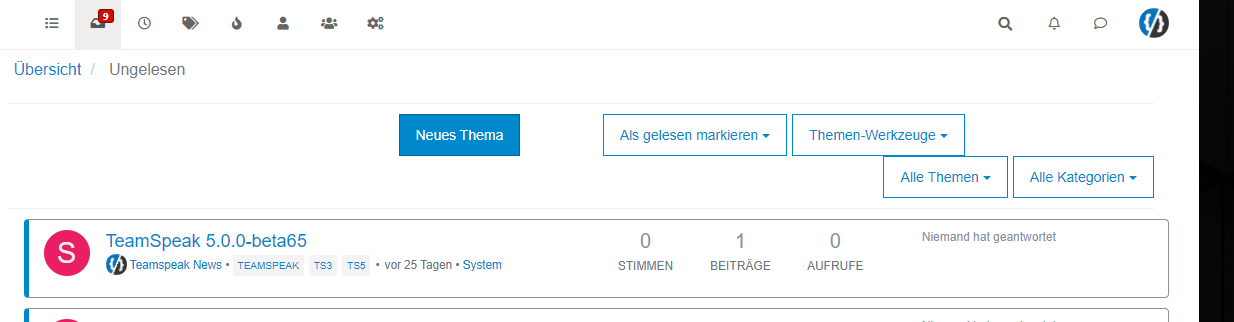
    I have small bug on Unread categorie for example with this code I wrote:

    .getUsername {
        float: right;
        font-family: 'Poppins';
        font-size: 1.6rem;
        line-height: 1.8;
        color: #898989;
        font-weight: 400;
    }

    

    2040e9b0-d14f-48a8-a681-782667985337-image.png

  • What is your CSS for this @phenomlab ?
    I have small bug on Unread categorie for example with this code I wrote:

    .getUsername {
        float: right;
        font-family: 'Poppins';
        font-size: 1.6rem;
        line-height: 1.8;
        color: #898989;
        font-weight: 400;
    }
    

    2040e9b0-d14f-48a8-a681-782667985337-image.png

    @downpw I use the below - essentially, using padding to overcome this

    .getUsername {
        padding-top: 20px;
        text-align: right;
    }
    
  • @downpw Sure. Very simple - just place this in your mobile CSS block

    .getUsername {
      display: none;
    }
    

    @phenomlab
    To hide only on mobile / tablet you can use max-width,
    For example:

    @media (max-width: 970px) {
         .getUsername {
       display: none;
    }
    }
    
  • @jac @DownPW here’s the function I put together than will need to be added into your Custom JS

    $(window).on('action:ajaxify.end', function (data) {
        function updateUsername() {
            $('.getUsername .username').text(app.user.username);
        }
        if (document.readyState === 'loading') {
            document.addEventListener('DOMContentLoaded', updateUsername);
        } else {
            updateUsername();
        }
        var thehours = new Date().getHours();
    	var themessage;
    	var morning = ('Good morning');
    	var afternoon = ('Good afternoon');
    	var evening = ('Good evening');
    
    	if (thehours >= 0 && thehours < 12) {
    		themessage = morning; 
    
    	} else if (thehours >= 12 && thehours < 17) {
    		themessage = afternoon;
    
    	} else if (thehours >= 17 && thehours < 24) {
    		themessage = evening;
    	}
    
    	$('.getUsername').prepend(themessage);
    });
    

    Then use a custom HTML widget with the below

    <!-- IF loggedIn -->
    <div class="getUsername">, <a href="/me"><span class="username"></span></a></div>
    <!-- ENDIF loggedIn -->
    

    For anyone reviewing this post, there’s an updated version here that also includes an sunrise / sun / moon icon depending on the time of day

    https://sudonix.com/topic/233/nodebb-welcome-message-with-logo-footer-change/3?_=1645445273209

  • phenomlabundefined phenomlab referenced this topic on
  • Hello,

    I have a question regarding a problem my user is experiencing with this Welcome message.
    This user is not in France.

    It’s 7:40 a.m. for him, so 1:40 a.m. in France, and the banner wishes me a “good afternoon.” I don’t know what time zone it thinks I’m in, but it’s wrong…

    And nodebb displays 11:40 p.m. on the right once posted, so GMT.
    Which isn’t the afternoon either.

    How does this script get the time? It looks like it’s getting the time from the client, meaning the computer or device of the person visiting your site.
    But it seems that in this specific case, the correct time isn’t being retrieved.

    How can I fix this?

  • Hello,

    I have a question regarding a problem my user is experiencing with this Welcome message.
    This user is not in France.

    It’s 7:40 a.m. for him, so 1:40 a.m. in France, and the banner wishes me a “good afternoon.” I don’t know what time zone it thinks I’m in, but it’s wrong…

    And nodebb displays 11:40 p.m. on the right once posted, so GMT.
    Which isn’t the afternoon either.

    How does this script get the time? It looks like it’s getting the time from the client, meaning the computer or device of the person visiting your site.
    But it seems that in this specific case, the correct time isn’t being retrieved.

    How can I fix this?

    @DownPW the ‘js’ code for the banner takes the time from the client, so what it displays really depends on the regional settings for the operating system.

    I’ve not seen this issue myself but would like to see some examples of screenshots if possible.


Did this solution help you?
Did you find the suggested solution useful? Support 💗 Sudonix with a coffee
If your organisation needs deeper expertise around infrastructure, security, or technology leadership, learn more about Phenomlab Ltd. Many of the deeper technical guides behind Sudonix are published there.

Related Topics
  • 5 Votes
    4 Posts
    2k Views
    @DownPW thanks. I forgot about that.
  • SEO and Nodebb

    Performance nodebb seo
    2
    2 Votes
    2 Posts
    1k Views
    @Panda It’s the best it’s ever been to be honest. I’ve used a myriad of systems in the past - most notably, WordPress, and then Flarum (which for SEO, was absolutely dire - they never even had SEO out of the box, and relied on a third party extension to do it), and NodeBB easily fares the best - see below example https://www.google.com/search?q=site%3Asudonix.org&oq=site%3Asudonix.org&aqs=chrome..69i57j69i60j69i58j69i60l2.9039j0j3&sourceid=chrome&ie=UTF-8#ip=1 However, this was not without significant effort on my part once I’d migrated from COM to ORG - see below posts https://community.nodebb.org/topic/17286/google-crawl-error-after-site-migration/17?_=1688461250365 And also https://support.google.com/webmasters/thread/221027803?hl=en&msgid=221464164 It was painful to say the least - as it turns out, there was an issue in NodeBB core that prevented spiders from getting to content, which as far as I understand, is now fixed. SEO in itself is a dark art - a black box that nobody really fully understands, and it’s essentially going to boil down to one thing - “content”. Google’s algorithm for indexing has also changed dramatically over the years. They only now crawl content that has value, so if it believes that your site has nothing to offer, it will simply skip it.
  • Top Ranked Forums

    Chitchat nodebb top ranked
    9
    1
    3 Votes
    9 Posts
    3k Views
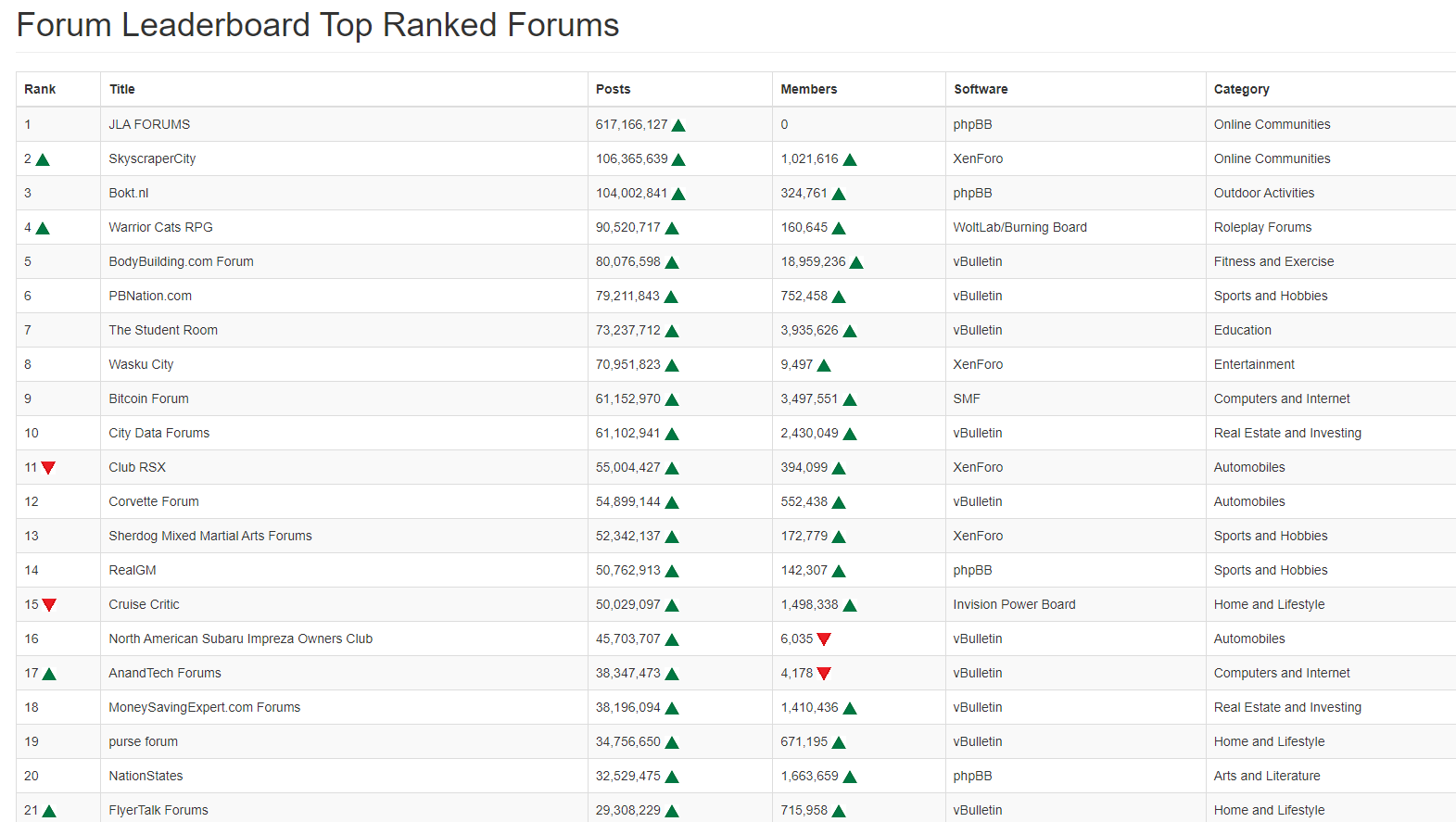
    The real issue here is that most people consider forums to be “dead” in the sense that nobody uses them anymore, and social media groups have taken their place. Their once dominant stance in the 90’s and early 00’s will never be experienced again, but having said that, there are a number of forums that did in fact survive the social media onslaught, and still enjoy a large user base. Forums tend to be niche. One that immediately sticks out is Reddit - despite looking like it was designed in the 80s, it still has an enormous user base. Another is Stack Overflow, which needs no introduction. The key to any forum is the content it offers, and the more people whom contribute in terms of posting , the more popular and widely respected it becomes as a reliable source of information. Forums are still intensely popular with gamers, alongside those that offer tips on hacking etc.
  • Post Style View

    Solved Customisation post style sudonix nodebb
    67
    2
    18 Votes
    67 Posts
    28k Views
    @cagatay Just add margin-left on the element like @phenomlab said to you : topic [component="post/parent"] { margin-left: 10px; } [image: 1669191112290-aa08c62b-4223-4cba-8c0f-c73d50474c0d-image.png] Maybe @phenomlab have a better way
  • 2 Votes
    10 Posts
    3k Views
    @DownPW We just have to change the cycles automatically according to each period ? Yes, this is by far the safest I think it is possible to achieve the goal, I have already seen this kind of thing on a site without any perf problems. It’s certainly possible, but not without issues or impact to performance (in my view)
  • 5 Votes
    9 Posts
    5k Views
    @phenomlab Very very great Mark Thanks again, It’s perfect now ! –> I share my code that I modified. I’ve added French and English comments. If you see things to change Mark, don’t hesitate. As usual, all the access paths (FA icons, logo) will have to be modified according to your architecture. You can also very well add/remove time slots and change welcome messages to suit your needs. Widgets ACP/HTML Widget Footer Logo <center> <br><br> <img id="thislogo" src="path/to/my/image"> </center> Widget Welcome Message <!-- IF loggedIn --> <div class="getUsername">, <a href="/me"><span class="username"></span></a></div> <!-- ENDIF loggedIn --> CSS – I added the size font-weight: 900; in the CSS because otherwise some FA icon wasn’t displayed correctly and reduce margin : i#thisicon { font-family: "Font Awesome 5 Free"; font-style: normal; margin-right: 8px; font-weight: 900; } .getUsername { padding-top: 20px; text-align: right; } /*Smartphone*/ /*On désactive le message de bienvenue"*/ /*We disable the welcome message"*/ @media all and (max-width: 1024px) { .getUsername { display: none; } } JAVASCRIPT // ------------------------------------------ // Welcome Message avec icône et Footer logo // Welcome Message with icon and Footer logo // ------------------------------------------ $(window).on('action:ajaxify.end', function (data) { //On récupère le username dans le DOM et on l'affiche //We retrieve the username from the DOM and display it function updateUsername() { $('.getUsername .username').text(app.user.username); } if (document.readyState === 'loading') { document.addEventListener('DOMContentLoaded', updateUsername); } else { updateUsername(); } //On déclare les variables principales (themessage & thehours) ainsi que les variables secondaires correspondants aux plages horaires //We declare the main variables (themessage & thehours) as well as the secondary variables corresponding to the time slots var thehours = new Date().getHours(); var themessage; var wakeup = ('Good day'); var morning = ('Good morning'); var lunch = ('Bon appétit'); var afternoon = ('Good afternoon'); var drink = ('Cheers'); var evening = ('Good evening'); var night = ('Good night'); var welcome = ('Welcome'); var matched = false; //On peux ici tester le résultat du code en spécifiant une heure (!!!IMPORTANT: Commenter une fois le script testé!!!) //Here we can test the result of the code by specifying a time (!!!IMPORTANT: Comment once the script has been tested!!!) //thehours = 20 //On déclare les plages horaires avec les icones FA et les logos //We declare the time slots with FA icons and logos path if (thehours >= 0 && thehours < 6) { themessage = night; theicon = "fa-solid fa-moon"; thelogo = "/assets/customlogo/XXX.png"; } else if (thehours >= 6 && thehours < 8) { themessage = wakeup; theicon = "fa-solid fa-mug-hot"; thelogo = "/assets/customlogo/XXX.png"; } else if (thehours >= 8 && thehours < 12) { themessage = morning; theicon = "fa-solid fa-sun"; thelogo = "/assets/customlogo/XXX.png"; } else if (thehours >= 12 && thehours < 13) { themessage = lunch; theicon = "fas fa-hamburger"; thelogo = "/assets/customlogo/XXX.png"; } else if (thehours >= 13 && thehours < 16) { themessage = afternoon; theicon = "fa-solid fa-sun"; thelogo = "/assets/customlogo/XXX.png"; } else if (thehours >= 16 && thehours < 18) { themessage = welcome; theicon = "fa-solid fa-rocket"; thelogo = "/assets/customlogo/XXX.png"; } else if (thehours >= 18 && thehours < 19) { themessage = drink; theicon = "fa-solid fa-wine-glass"; thelogo = "/assets/customlogo/XXX.png"; } else if (thehours >= 19 && thehours < 20) { themessage = lunch; theicon = "fas fa-pizza-slice"; thelogo = "/assets/customlogo/XXX.png"; } else if (thehours >= 20 && thehours < 24) { themessage = evening; theicon = "fa-solid fa-tv"; thelogo = "/assets/customlogo/XXX.png"; } // Si la page active est un topic, on désactive/cache le message de bienvenue // If the active page is a topic, we deactivate/hide the welcome message if (window.location.href.indexOf("topic") > -1) { console.log("This is a topic, so hide the user welcome message"); $('#thisuser').hide(); } // Sinon, on affiche le message en fonction, l'icone FA et son emplacement (prepend) // Otherwise, we display the message in function, the FA icon and its location (prepend) else { $('.getUsername').prepend("<i id='thisicon' class='" + theicon + "'></i>" + themessage); $("#thislogo").attr("src", thelogo); //$('.getUsername').prepend("<img id='thisicon' src='" + thelogo + "'></>" + themessage); } });
  • nodebb-plugin-customize error

    Solved Customisation
    25
    2 Votes
    25 Posts
    13k Views
    @phenomlab it work, thanks
  • NodeBB Design help

    Solved Customisation
    8
    3
    2 Votes
    8 Posts
    3k Views
    @riekmedia I’ve applied some new CSS to your site. Can you reload the page and try again ? For the record, this is what I added #footer { background: #2d343e; border-top: 4px solid #2d343e; font-size: 0.9em; margin-top: 70px; padding: 80px 0 0; position: relative; clear: both; bottom: 0; left: 0; right: 0; z-index: 1000; margin-left: -15px; margin-right: -338px; } The /categories page seems a bit messed up, so looking at that currently EDIT - issued some override CSS in the CATEGORIES widget <!--- CSS fix for overspill on /categories page - DO NOT DELETE --> <style> #footer { margin-right: -45px; } </style> That should resolve the /categories issue.