Setting up Ghost DIgitalOcean droplet with cloudflare
-
Hi, hope you are doing great.

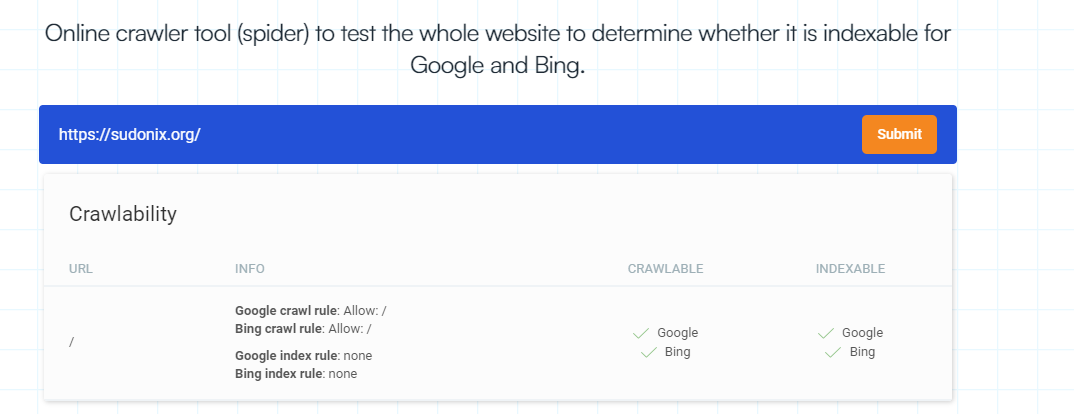
I’m trying to configure Ghost, and after the installation, Ghost is functional. However, after 10min, it enters a redirection loop. I’m unsure whether the issue lies with Cloudflare, Ghost, or Ghost’s private mode. I would appreciate any insights you can provide on this matter.
-
i think i found the answer trying this now
https://github.com/TryGhost/Ghost/issues/2796#issuecomment-392327647
-
Hi, hope you are doing great.
I’m trying to configure Ghost, and after the installation, Ghost is functional. However, after 10min, it enters a redirection loop. I’m unsure whether the issue lies with Cloudflare, Ghost, or Ghost’s private mode. I would appreciate any insights you can provide on this matter.

@Hari what is being displayed in the console?
Mark Cutting also advises organisations as a Fractional CIO, Fractional CISO and Executive Advisor, helping boards improve technology governance, cyber resilience and executive decision making. Learn more at Gratmore Ltd
-
@phenomlab idk, i think the issue with CF always SSL setting. i had to turn it off and let the nginx handle http>https . not sure this is safe approach or not for now the site is in under construction mode with ghost. we might move to ghost in 6 months the migration is the big task. wordpress and ghost both have their own pros and cons

-
@phenomlab idk, i think the issue with CF always SSL setting. i had to turn it off and let the nginx handle http>https . not sure this is safe approach or not for now the site is in under construction mode with ghost. we might move to ghost in 6 months the migration is the big task. wordpress and ghost both have their own pros and cons
@Hari I would anyways have
nginxhandle the redirect betweenhttpandhttpsanyway.Mark Cutting also advises organisations as a Fractional CIO, Fractional CISO and Executive Advisor, helping boards improve technology governance, cyber resilience and executive decision making. Learn more at Gratmore Ltd
-
@phenomlab New query: I’m attempting to install multiple instances of Ghost on a single droplet. I’ve completed the initial setup using the 1-click Digital Ocean setup as outlined in the following guide:
However, while following the instructions in the above guide, I encountered an issue with the MySQL root passwords. I’m unsure about what went wrong, and I’m unable to determine the current MySQL root password. I’ve tried several commands found online, but none have been successful. Any suggestions? Please advise.
-
-
I have found ways to properly modify root passowrd here, going with old droplet now

https://vegastack.com/tutorials/how-to-install-ghost-on-ubuntu-22-04/
-
I have found ways to properly modify root passowrd here, going with old droplet now
https://vegastack.com/tutorials/how-to-install-ghost-on-ubuntu-22-04/
@Hari Interested to know how you got on with the GHOST journey
Mark Cutting also advises organisations as a Fractional CIO, Fractional CISO and Executive Advisor, helping boards improve technology governance, cyber resilience and executive decision making. Learn more at Gratmore Ltd
-
-
@phenomlab It is all because of a theme


Hello! It looks like you're interested in this conversation, but you don't have an account yet.
Getting fed up of having to scroll through the same posts each visit? When you register for an account, you'll always come back to exactly where you were before, and choose to be notified of new replies (either via email, or push notification). You'll also be able to save bookmarks and upvote posts to show your appreciation to other community members.
With your input, this post could be even better 💗
Register LoginRelated Topics
-

-
configure ghost and wordpress combo
Moved Solved WordPress -
-
-
-
-

setting up Matomo
Solved General -