

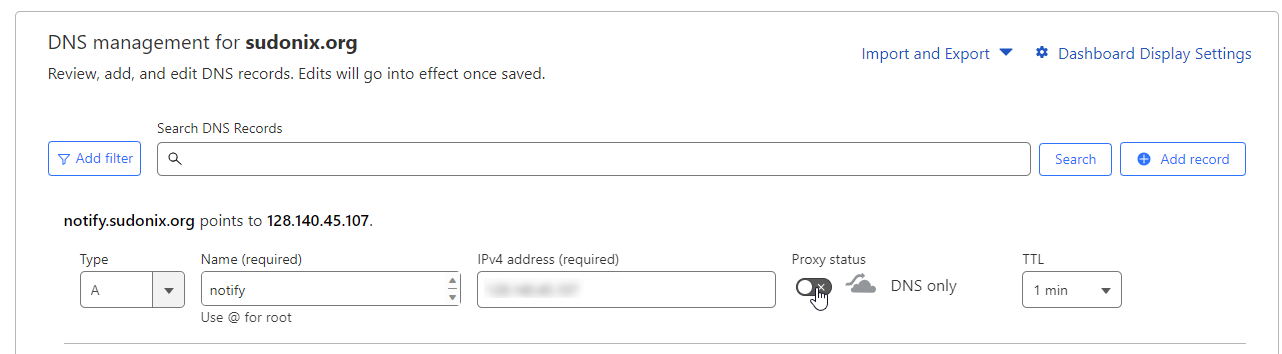
-
root 2443566 0.0 1.6 1274412 16272 ? Sl 10:06 0:09 ntfy serve root 2449599 0.0 0.0 8160 656 pts/0 S+ 18:32 0:00 grep --color=auto ntfy -
Alright, I’ve killed the process and could do ntfy serve again. Thanks!
-
@dave1904 good. Thanks
-
I can’t get this to work for my iOS buddy. He receives the notification messages in ntfy but doesn’t get any notification on iOS. I’ve tried
upstream-base-url: "https://ntfy.sh"but no luck. @phenomlab do you have an iOS device? -
@dave1904 said in Create a self-hosted instance of NTFY:
Alright, I’ve killed the process and could do ntfy serve again. Thanks!
Is better to run as a service rather than a daemon.
Mark Cutting also advises organisations as a Fractional CIO, Fractional CISO and Executive Advisor, helping boards improve technology governance, cyber resilience and executive decision making. Learn more at Phenomlab Ltd
-
@dave1904 said in Create a self-hosted instance of NTFY:
Alright, I’ve killed the process and could do ntfy serve again. Thanks!
Is better to run as a service rather than a daemon.
@phenomlab said in Create a self-hosted instance of NTFY:
@dave1904 said in Create a self-hosted instance of NTFY:
Alright, I’ve killed the process and could do ntfy serve again. Thanks!
Is better to run as a service rather than a daemon.
you are right. Next config change I have to search for the pid again.
-
I can’t get this to work for my iOS buddy. He receives the notification messages in ntfy but doesn’t get any notification on iOS. I’ve tried
upstream-base-url: "https://ntfy.sh"but no luck. @phenomlab do you have an iOS device?@dave1904 there won’t be any notification in iOS unless you refresh. This is a known issue - see below
-
-
@dave1904 as do I.
-
We got this working. I’m not sure if it was on my buddys end.
Here the steps:
- Add new sub in ntfy app with the private ID and using another server (ntfy.mydomain.com)
- In settings also use the ntfy url as default Server
- add the upstream-base-url: “https://ntfy.sh” property in server.yaml and restart ntfy
-
We got this working. I’m not sure if it was on my buddys end.
Here the steps:
- Add new sub in ntfy app with the private ID and using another server (ntfy.mydomain.com)
- In settings also use the ntfy url as default Server
- add the upstream-base-url: “https://ntfy.sh” property in server.yaml and restart ntfy
@dave1904 Thanks for this - good find. I have to admit, I’ve not tested with an iPhone, and all of my development has been with Android.
-
@phenomlab Same here but unfortunately we have a lot of iOS users on our forum. So before announcing I wanted to make sure it’s working for Desktop, Android and iOS.
-
@phenomlab Same here but unfortunately we have a lot of iOS users on our forum. So before announcing I wanted to make sure it’s working for Desktop, Android and iOS.
@dave1904 A very wise choice!
-
hey @phenomlab sorry for bothering you again. I’ve tried to start ntfy as a service as you recommended. But now I don’t receive any more push notifications. Do I have to make ntfy “serve” like a service too?
-
In the docs I found this:
ntfy serve (or systemctl start ntfy when using the deb/rpm)
isn’t this the same as
sudo service ntfy start? -
In the docs I found this:
ntfy serve (or systemctl start ntfy when using the deb/rpm)
isn’t this the same as
sudo service ntfy start?@dave1904 said in Create a self-hosted instance of NTFY:
isn’t this the same as sudo service ntfy start?
Yes, it is. I have mine running the same way.
-
Yes is definitley running:
ntfy       20401  0.0  2.6 1200936 26232 ?       Ssl  15:33   0:00 /usr/bin/ntfy serve --no-log-dates
root       20470  0.0  0.0   8160   720 pts/1    S+   15:40   0:00 grep --color=auto ntfy
Any idea why it’s only working for me with ntfy serve?
edit: now I get the notifications. don’t know why but it took some time
 running as a service now
-
Yes is definitley running:
ntfy       20401  0.0  2.6 1200936 26232 ?       Ssl  15:33   0:00 /usr/bin/ntfy serve --no-log-dates
root       20470  0.0  0.0   8160   720 pts/1    S+   15:40   0:00 grep --color=auto ntfy
Any idea why it’s only working for me with ntfy serve?
edit: now I get the notifications. don’t know why but it took some time
running as a service now @dave1904 Yes, I’ve seen this myself. Not great when you think there is an issue with your install!
-
We got this working. I’m not sure if it was on my buddys end.
Here the steps:
- Add new sub in ntfy app with the private ID and using another server (ntfy.mydomain.com)
- In settings also use the ntfy url as default Server
- add the upstream-base-url: “https://ntfy.sh” property in server.yaml and restart ntfy
@dave1904 said in Create a self-hosted instance of NTFY:
We got this working. I’m not sure if it was on my buddys end.
Here the steps:
- Add new sub in ntfy app with the private ID and using another server (ntfy.mydomain.com)
- In settings also use the ntfy url as default Server
- add the upstream-base-url: “https://ntfy.sh” property in server.yaml and restart ntfy
thanks for the update!
-
We got this working. I’m not sure if it was on my buddys end.
Here the steps:
- Add new sub in ntfy app with the private ID and using another server (ntfy.mydomain.com)
- In settings also use the ntfy url as default Server
- add the upstream-base-url: “https://ntfy.sh” property in server.yaml and restart ntfy
@dave1904
Hi
Thanks for your explanations.
I tried this settings but still doesn’t work. I always have to slide down to see new messages.
Does anybody have the same trouble or a solution ?
Thank you




Hello! It looks like you're interested in this conversation, but you don't have an account yet.
Getting fed up of having to scroll through the same posts each visit? When you register for an account, you'll always come back to exactly where you were before, and choose to be notified of new replies (either via email, or push notification). You'll also be able to save bookmarks and upvote posts to show your appreciation to other community members.
With your input, this post could be even better 💗
Register Login