
-
It’s working now!
 Really missed that point

-
-
Is it possible to directly open the link associated with a notification? It feels like a detour to me to first open ntfy and then to click on the link. So basically click notification -> go to website
-
-
Ok, I have to check this again.
Chat message notifications aren’t working for me at the Moment, can you confirm this? -

@phenomlab Sorry, I was too tired this night.
I upgraded to @1.7.3 and it seems to work now. Only thing I’m still struggling with is to set my own icon in the ACP. It doesn’t seem to be changed here -
@phenomlab Sorry, I was too tired this night.
I upgraded to @1.7.3 and it seems to work now. Only thing I’m still struggling with is to set my own icon in the ACP. It doesn’t seem to be changed here
@dave1904 That relies on the “touch” icon being present - what do you have in
ACP ->
/admin/settings/general -> Touch Icon?Mark Cutting also advises organisations as a Fractional CIO, Fractional CISO and Executive Advisor, helping boards improve technology governance, cyber resilience and executive decision making. Learn more at Gratmore Ltd
-
@dave1904 That relies on the “touch” icon being present - what do you have in
ACP ->
/admin/settings/general -> Touch Icon?
@phenomlab There I have the path to the touch icon. In the ntfy plugin I used this path as full qualified domain
-
-
@phenomlab There I have the path to the touch icon. In the ntfy plugin I used this path as full qualified domain
@dave1904 Can you replicate this issue on a desktop PC using the NTFY web gui to subscribe? Interested to see if this affects desktop too - if it doesn’t, you may have an icon missing. I’ve seen this before.
Mark Cutting also advises organisations as a Fractional CIO, Fractional CISO and Executive Advisor, helping boards improve technology governance, cyber resilience and executive decision making. Learn more at Gratmore Ltd
-
btw do you have any issues with iOS devices? My buddy gets a message in Safari “Notifications not supported in this browser”, without any possiblity to activate them. He tries it with the native ntfy iOS app now.
@dave1904 Yes, the PWA side of things under iOS devices has always been questionable.
Mark Cutting also advises organisations as a Fractional CIO, Fractional CISO and Executive Advisor, helping boards improve technology governance, cyber resilience and executive decision making. Learn more at Gratmore Ltd
-
@phenomlab said in Create a self-hosted instance of NTFY:
@dave1904 Yes, the PWA side of things under iOS devices has always been questionable.
In the ntfy docs I’ve read that to get the iOS ntfy app to work you have to define
upstream-base-url: "https://ntfy.sh". Did you set this in your config? -
@dave1904 Can you replicate this issue on a desktop PC using the NTFY web gui to subscribe? Interested to see if this affects desktop too - if it doesn’t, you may have an icon missing. I’ve seen this before.
@phenomlab The Icon ist definitely there. Will do a full rebuild later to see if that has an effect.
-
@phenomlab said in Create a self-hosted instance of NTFY:
@dave1904 Yes, the PWA side of things under iOS devices has always been questionable.
In the ntfy docs I’ve read that to get the iOS ntfy app to work you have to define
upstream-base-url: "https://ntfy.sh". Did you set this in your config?
@dave1904 No, you only need that if you are using a proxy from recollection (which of course, you aren’t for upstream internet access) - I only use
base-url: "https://<your domain fqdn>"Mark Cutting also advises organisations as a Fractional CIO, Fractional CISO and Executive Advisor, helping boards improve technology governance, cyber resilience and executive decision making. Learn more at Gratmore Ltd
-
@dave1904 No, you only need that if you are using a proxy from recollection (which of course, you aren’t for upstream internet access) - I only use
base-url: "https://<your domain fqdn>"
@phenomlab said in Create a self-hosted instance of NTFY:
@dave1904 No, you only need that if you are using a proxy from recollection (which of course, you aren’t for upstream internet access) - I only use
base-url: "https://<your domain fqdn>"If upstream-base-url is not set, notifications will still eventually get to your device, but delivery can take hours, depending on the state of the phone. If you are using your phone, it shouldn’t take more than 20-30 minutes though.
As I don’t have an iOS device I cannot test it. Will have to observe this. Thanks!
-
@phenomlab said in Create a self-hosted instance of NTFY:
@dave1904 No, you only need that if you are using a proxy from recollection (which of course, you aren’t for upstream internet access) - I only use
base-url: "https://<your domain fqdn>"If upstream-base-url is not set, notifications will still eventually get to your device, but delivery can take hours, depending on the state of the phone. If you are using your phone, it shouldn’t take more than 20-30 minutes though.
As I don’t have an iOS device I cannot test it. Will have to observe this. Thanks!
-
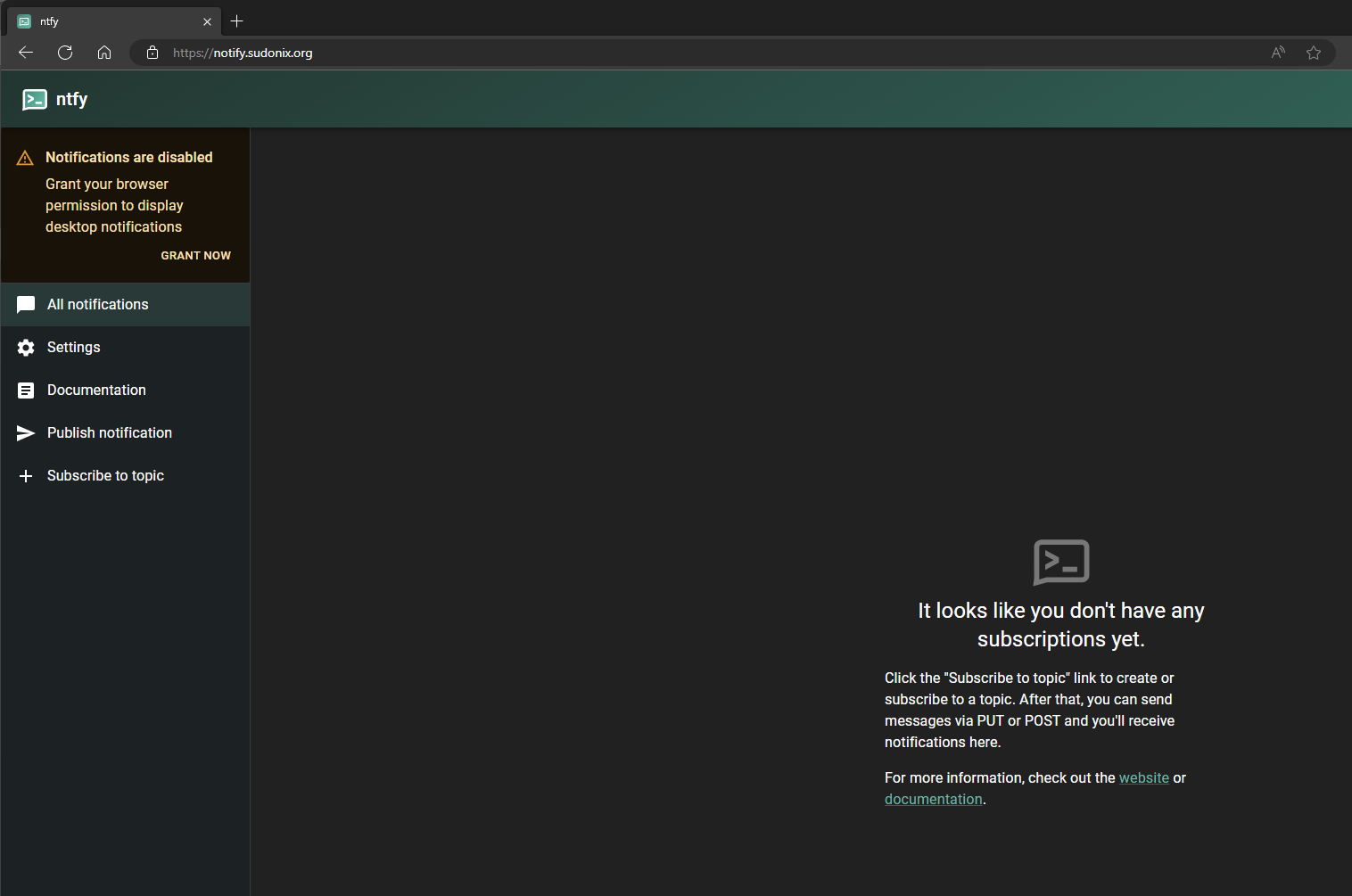
Hmm. For me this is all still working weird. Right now I had to go to ntfy.mydomain.com to receive a notification that was sent before.
-
Hmm. For me this is all still working weird. Right now I had to go to ntfy.mydomain.com to receive a notification that was sent before.
@dave1904 From the desktop PC or your phone?
Mark Cutting also advises organisations as a Fractional CIO, Fractional CISO and Executive Advisor, helping boards improve technology governance, cyber resilience and executive decision making. Learn more at Gratmore Ltd
-
@phenomlab From my phone. Maybe better to use the native app?
-
@phenomlab From my phone. Maybe better to use the native app?
Hello! It looks like you're interested in this conversation, but you don't have an account yet.
Getting fed up of having to scroll through the same posts each visit? When you register for an account, you'll always come back to exactly where you were before, and choose to be notified of new replies (either via email, or push notification). You'll also be able to save bookmarks and upvote posts to show your appreciation to other community members.
With your input, this post could be even better 💗
Register Login