Material View Support for Stock NodeBB

-
@DownPW nothing we can’t fix. Let me fire this up in dev and have a look.
-
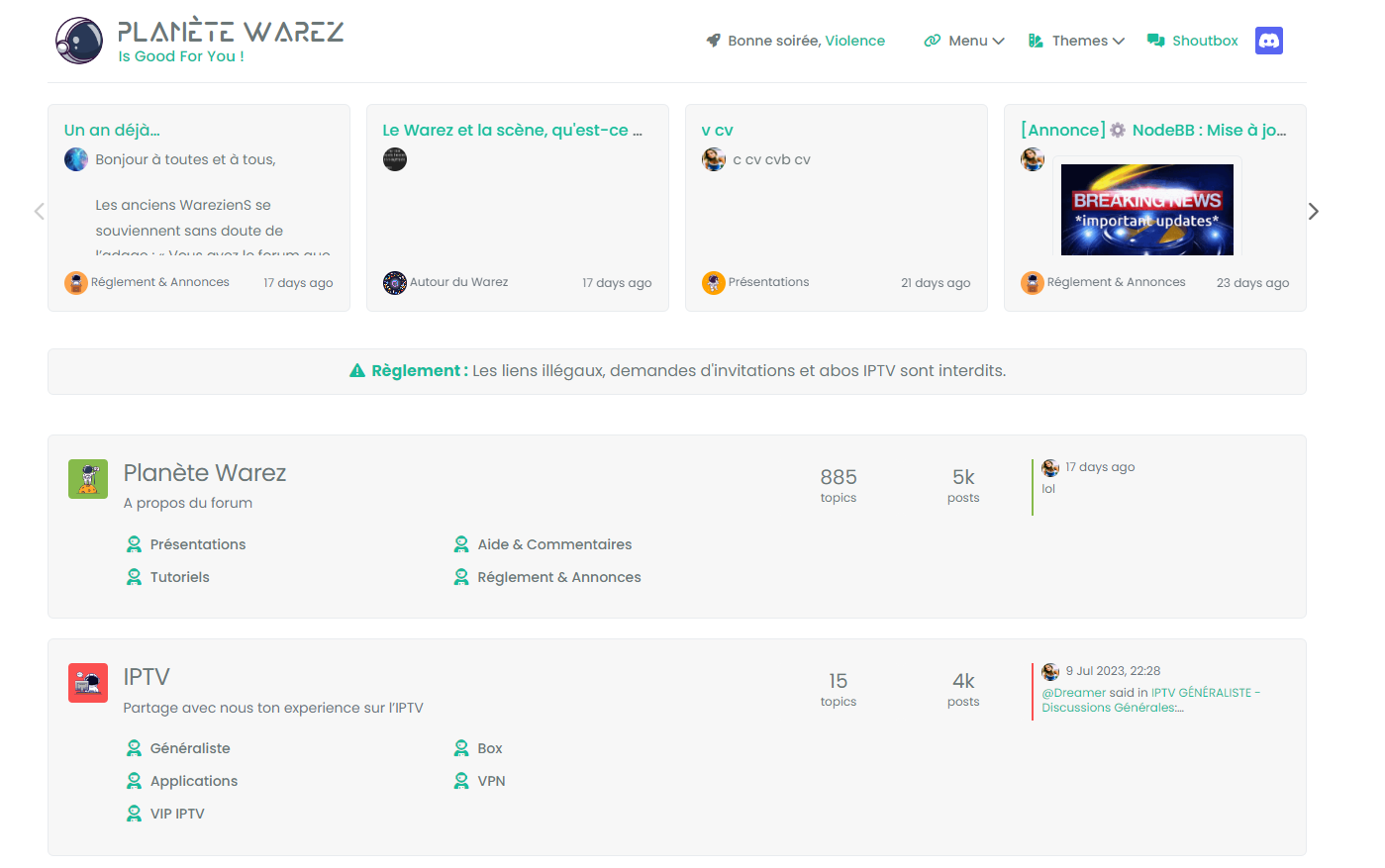
@DownPW can you provide a screenshot of the layout you have? This would be useful as a guide.
-
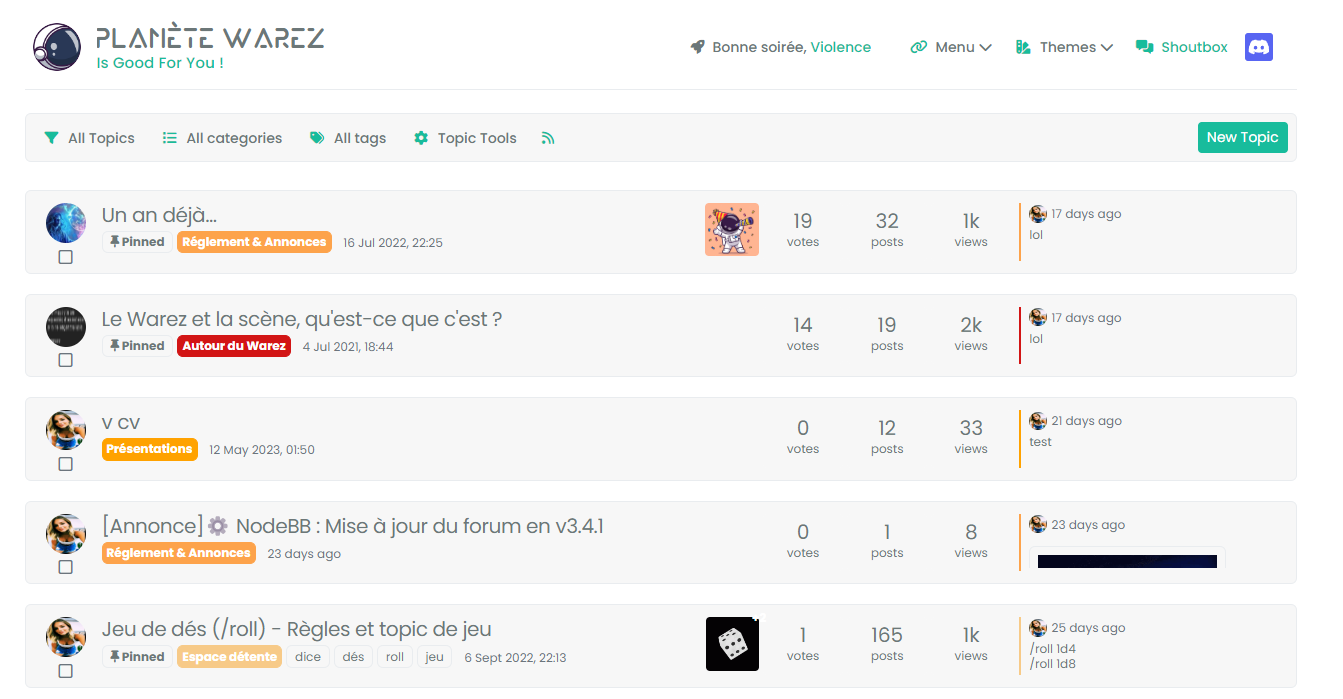
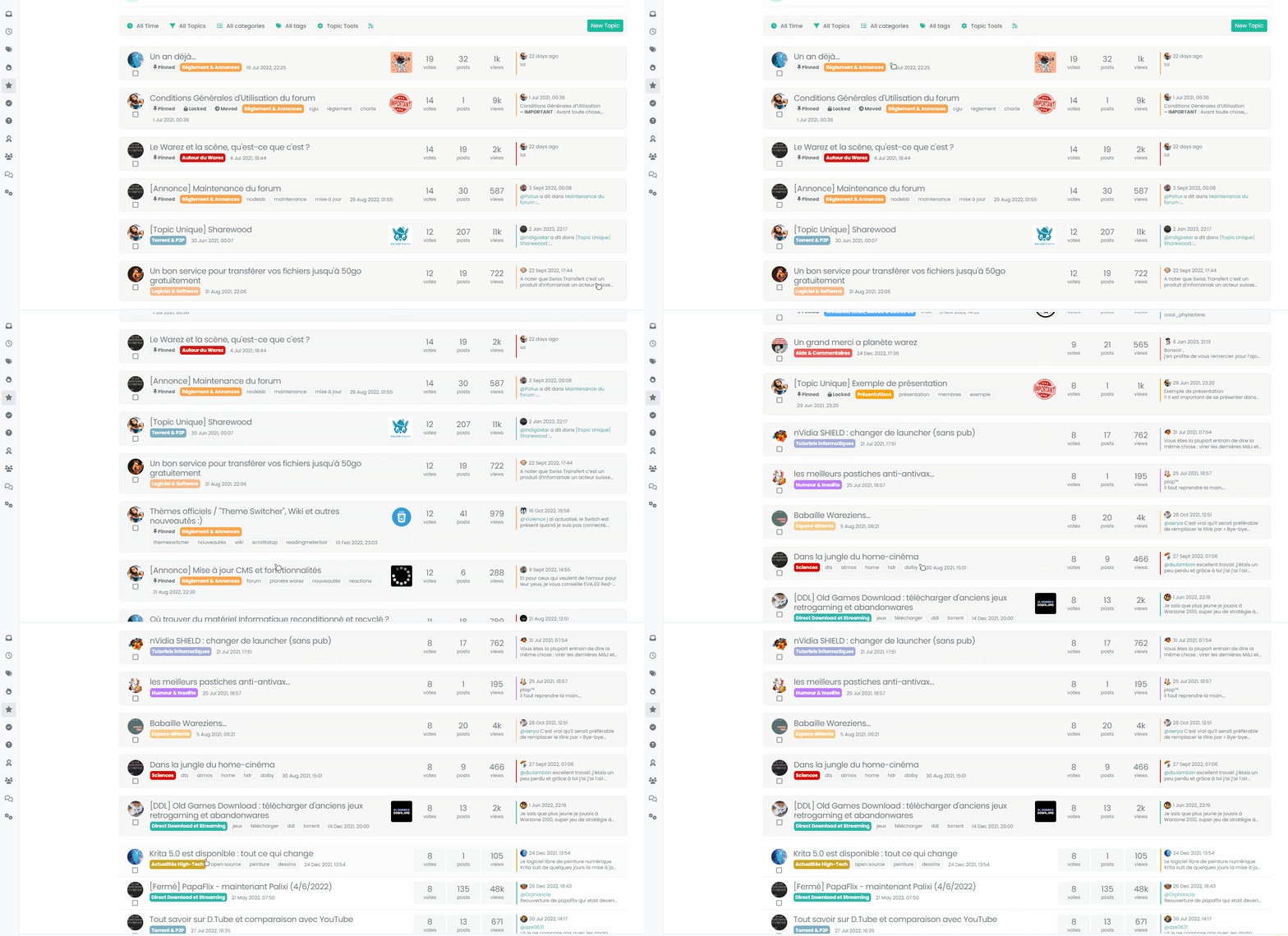
– Home Page :
– Recent, unread, etc…
– Topic (without thread View)
-
It seems that the CSS class is added but that it does not work correctly when declared in the ACP.
I wonder if we should not remove the resolution story and have the code applied regardless of the resolution used because Material mode can very well be used on Smartphones.
PW and WS Spirit alive
-
It seems that the CSS class is added but that it does not work correctly when declared in the ACP.
I wonder if we should not remove the resolution story and have the code applied regardless of the resolution used because Material mode can very well be used on Smartphones.
@DownPW On reviewing the screenshots again, this seems to be only an adjustment for the overall container width?
-
just background color, border etc…
You have CSS I used for this result above in the topicbut anyway, my code is not correct.
PW and WS Spirit alive
-
just background color, border etc…
You have CSS I used for this result above in the topicbut anyway, my code is not correct.
@DownPW It doesn’t work because you haven’t defined anything here

                // Toggle CSS rules when the button is turned on or off
                if (isChecked) {
                    console.log('Material Thread view is active.');
                    // Apply your CSS rules here
                } else {
                    console.log('Material Thread view is inactive.');
                    // Remove the CSS rules here
                }
This is how I do it for the threads
Your CSS also needs to be more explicit. For example
[component="category/topic"], [component="categories/category"] {
    margin-bottom: var(--bs-post-category-topic-margin);
    margin-bottom: 20px;
}
Would become
[component="category/topic"].material, [component="categories/category"].material { margin-bottom: var(--bs-post-category-topic-margin); margin-bottom: 20px; } -
I remenber I have already test this without good result.
Maybe retest
PW and WS Spirit alive
-
@DownPW Did you review the classes as I mentioned?
Mark Cutting also advises organisations as a Fractional CIO, Fractional CISO and Executive Advisor, helping boards improve technology governance, cyber resilience and executive decision making. Learn more at Phenomlab Ltd
-
@phenomlab said in Material View Support foir Stock NodeBB:
@DownPW Did you review the classes as I mentioned?
yes but added the wrong class name, it’s better now.
I’m here at the moment.
JS :
// ------------------------------------------
// material View Mode
// ------------------------------------------

function material() {
    $(document).ready(function () {
        // Check if the screen width is 460px or more
        if ($(window).width() >= 460) {
            // Check if the custom thread view button already exists
            if ($('#materialThreadViewButton').length === 0) {
                // Create the button for custom thread view mode with custom IDs
                var threadViewButton = $('<div class="material-threads-wrapper"><form class="form"><div class="form-check form-switch material-threads-wrapper"> \
                    <input class="form-check-input" id="materialThreadViewButton" type="checkbox" data-field="materialThreadView"> \
                    <label class=" d-none d-md-inline fw-semibold" for="materialThreadViewButton"></label> \
                </div></form></div>');

                // Append the button to the right sidebar
                $('[component="sidebar/right"]').append(threadViewButton);
            }

            // Check if there's a stored state for the checkbox and update it
            var storedState = localStorage.getItem('materialThreadViewState');
            if (storedState === 'true') {
                $('#materialThreadViewButton').prop('checked', true);
            }

            // Toggle the class 'material' on or off when the checkbox changes state
            $('#materialThreadViewButton').on('change', function () {
                var isChecked = $(this).is(':checked');
                var theTooltip = isChecked ? "Material Thread View Off" : "Material Thread View On"; // Update tooltip message

                // Toggle CSS rules when the button is turned on or off
                if (isChecked) {
                    console.log('Material Thread view is active.');
                    // Apply your CSS rules here
                    $('[component=post]').addClass('material');
                    $('[component="category/topic"]').addClass('material');
                    $('[component="categories/category"]').addClass('material');
                } else {
                    console.log('Material Thread view is inactive.');
                    // Remove the CSS rules here
                    $$('[component=post]').removeClass('material');
                    $('[component="category/topic"]').removeClass('material');
                    $('[component="categories/category"]').removeClass('material');
                }

                // Store the checkbox state in localStorage
                localStorage.setItem('materialThreadViewState', isChecked);

                // Update the tooltip title
                $(this).attr('data-original-title', theTooltip).tooltip('dispose').tooltip({
                    placement: 'bottom',
                    title: theTooltip,
                    trigger: 'hover'
                });
            });

            // Check for changes in the checkbox state when the page loads
            $('#materialThreadViewButton').trigger('change');
        }
    });
}

// Attach the material function to relevant events
$(window).on('action:ajaxify.end', function (data) {
    material();
});

$(window).on('action:posts.edited', function (data) {
    material();
});

$(window).on('action:posts.loaded', function (data) {
    material();
});
CSS :
.material-threads-wrapper {
    display: flex;
    left: 5px !important;
    position: relative !important;
}

@media (min-width:460px) {

[component=post].material, [component="category/topic"].material, [component="categories/category"].material {
    background: #F7F7F7 !important;
    border-radius: 0.375rem;
    margin-bottom: 20px;
    padding-left: 20px;
    border: 1px solid var(--bs-border-color);
}

}
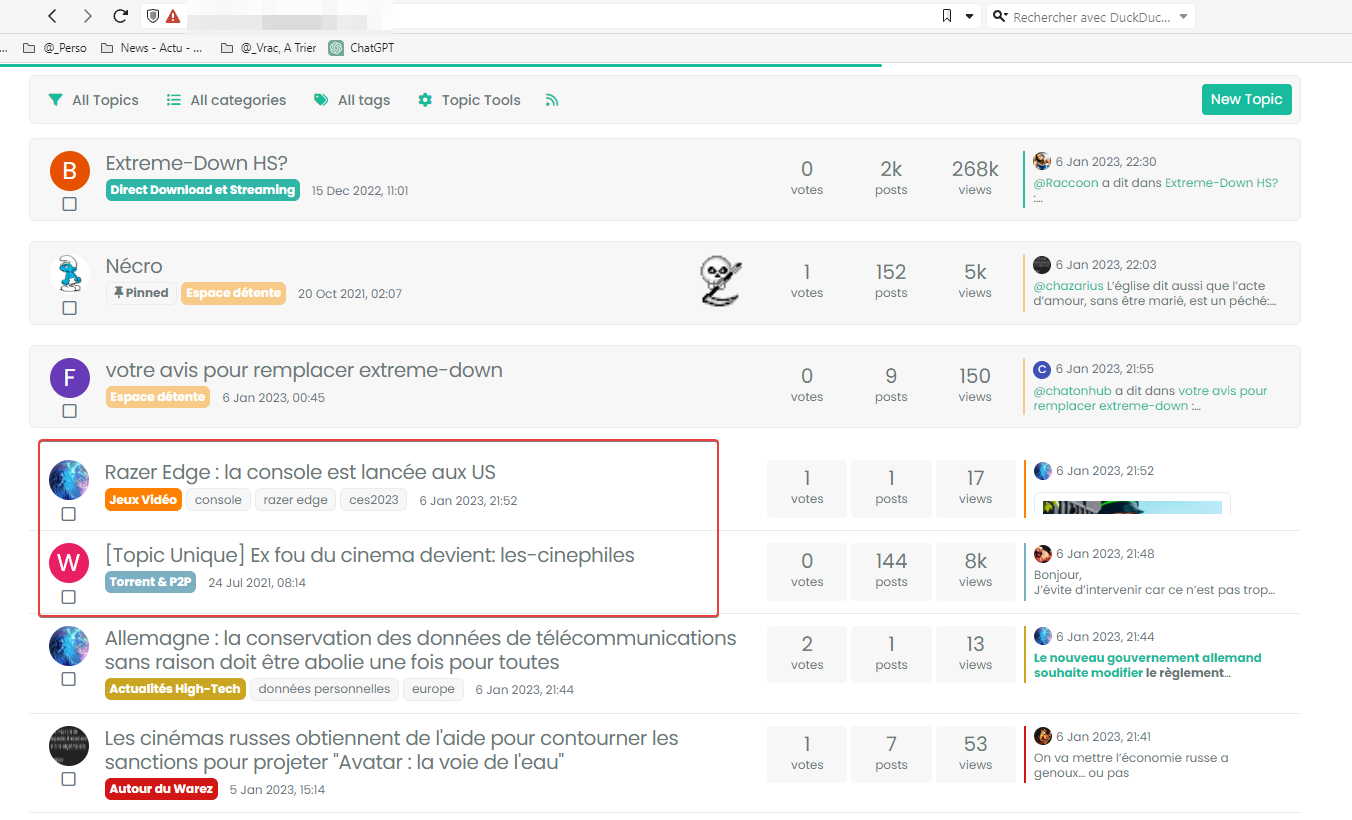
– There are quite a few things left, for example:
- if we scan the recent or unread ones, the rest is not in the background :
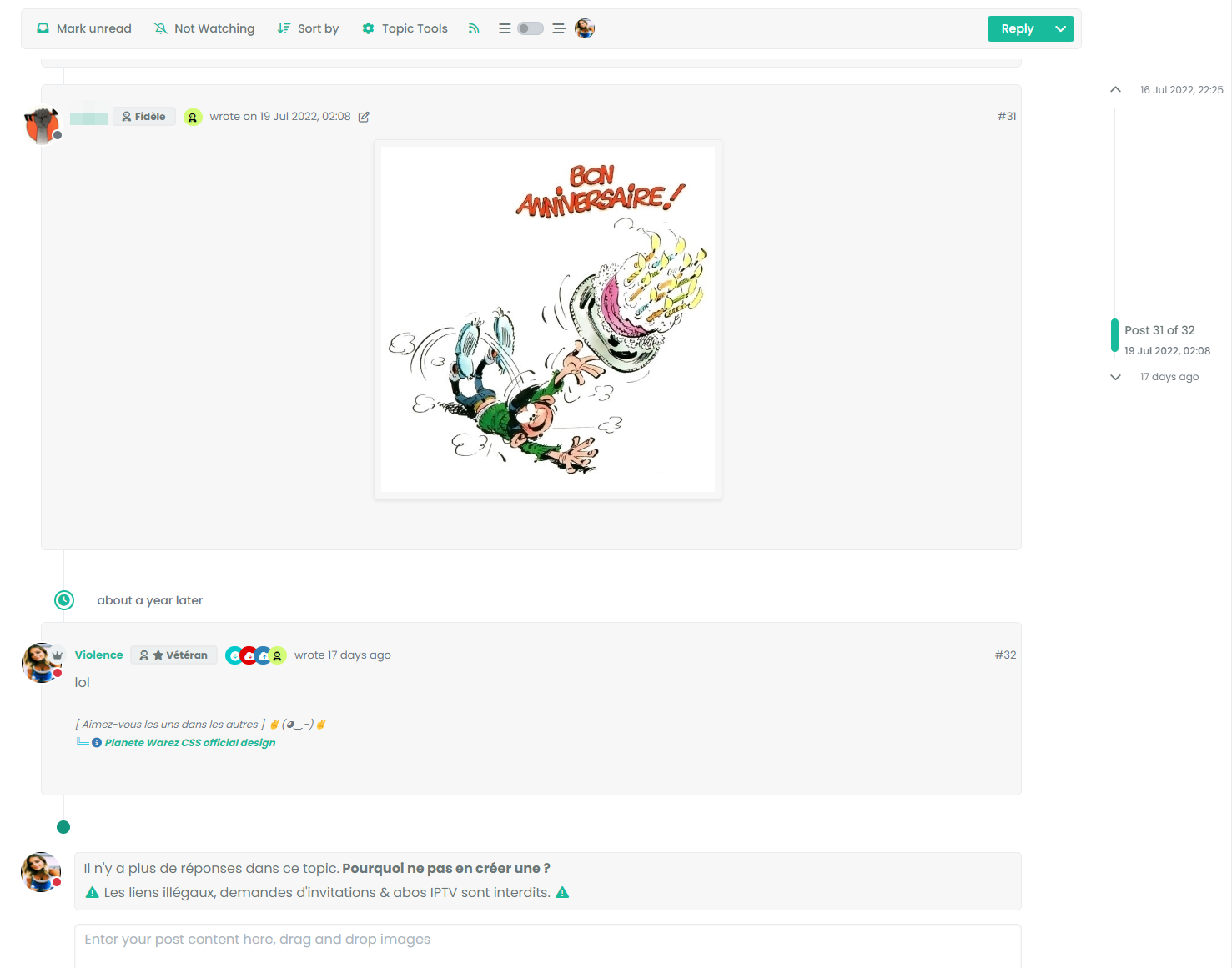
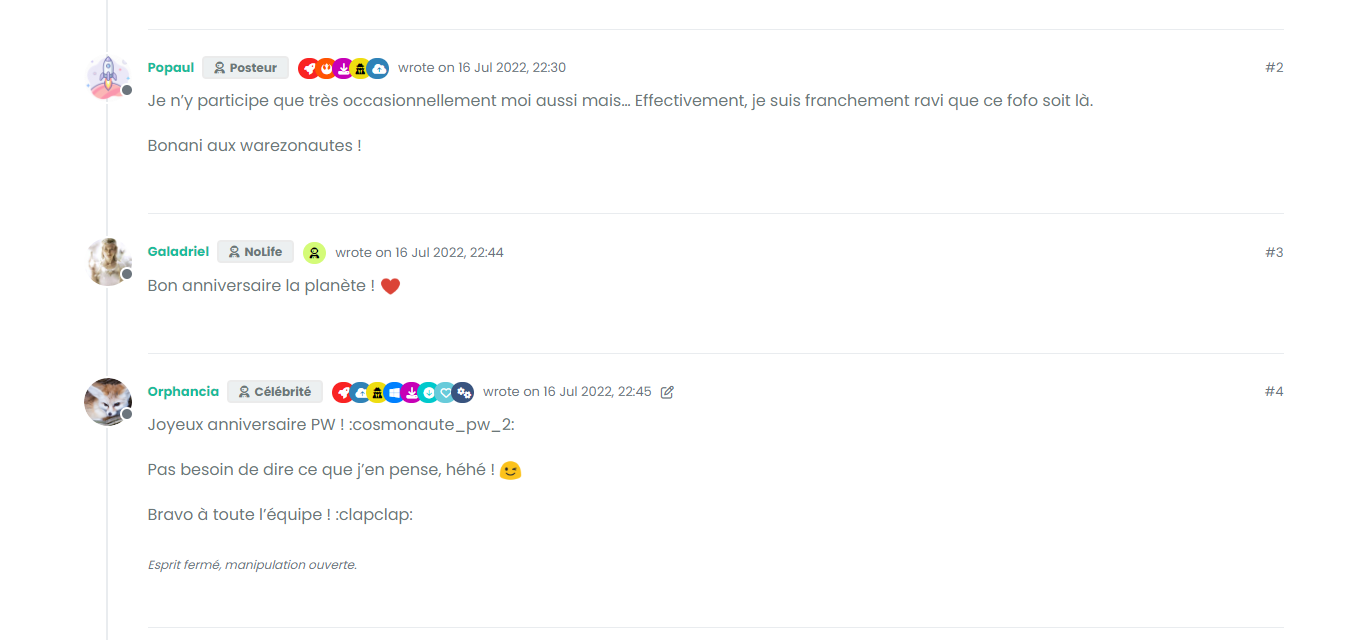
- And the block + timeline in the topics :
I would also like to change the button which is not suitable for a vertical display
For the moment, I haven’t found for all of that but I’m looking for.
PW and WS Spirit alive
-
-
@DownPW You’re missing a hook
I’ve added this
$(window).on('action:topics.loaded', function (data) {
    material();
});
Works now !
Mark Cutting also advises organisations as a Fractional CIO, Fractional CISO and Executive Advisor, helping boards improve technology governance, cyber resilience and executive decision making. Learn more at Phenomlab Ltd
-
@phenomlab said in Material View Support foir Stock NodeBB:
@DownPW Did you review the classes as I mentioned?
yes but added the wrong class name, it’s better now.
I’m here at the moment.
JS :
// ------------------------------------------
// material View Mode
// ------------------------------------------

function material() {
    $(document).ready(function () {
        // Check if the screen width is 460px or more
        if ($(window).width() >= 460) {
            // Check if the custom thread view button already exists
            if ($('#materialThreadViewButton').length === 0) {
                // Create the button for custom thread view mode with custom IDs
                var threadViewButton = $('<div class="material-threads-wrapper"><form class="form"><div class="form-check form-switch material-threads-wrapper"> \
                    <input class="form-check-input" id="materialThreadViewButton" type="checkbox" data-field="materialThreadView"> \
                    <label class=" d-none d-md-inline fw-semibold" for="materialThreadViewButton"></label> \
                </div></form></div>');

                // Append the button to the right sidebar
                $('[component="sidebar/right"]').append(threadViewButton);
            }

            // Check if there's a stored state for the checkbox and update it
            var storedState = localStorage.getItem('materialThreadViewState');
            if (storedState === 'true') {
                $('#materialThreadViewButton').prop('checked', true);
            }

            // Toggle the class 'material' on or off when the checkbox changes state
            $('#materialThreadViewButton').on('change', function () {
                var isChecked = $(this).is(':checked');
                var theTooltip = isChecked ? "Material Thread View Off" : "Material Thread View On"; // Update tooltip message

                // Toggle CSS rules when the button is turned on or off
                if (isChecked) {
                    console.log('Material Thread view is active.');
                    // Apply your CSS rules here
                    $('[component=post]').addClass('material');
                    $('[component="category/topic"]').addClass('material');
                    $('[component="categories/category"]').addClass('material');
                } else {
                    console.log('Material Thread view is inactive.');
                    // Remove the CSS rules here
                    $$('[component=post]').removeClass('material');
                    $('[component="category/topic"]').removeClass('material');
                    $('[component="categories/category"]').removeClass('material');
                }

                // Store the checkbox state in localStorage
                localStorage.setItem('materialThreadViewState', isChecked);

                // Update the tooltip title
                $(this).attr('data-original-title', theTooltip).tooltip('dispose').tooltip({
                    placement: 'bottom',
                    title: theTooltip,
                    trigger: 'hover'
                });
            });

            // Check for changes in the checkbox state when the page loads
            $('#materialThreadViewButton').trigger('change');
        }
    });
}

// Attach the material function to relevant events
$(window).on('action:ajaxify.end', function (data) {
    material();
});

$(window).on('action:posts.edited', function (data) {
    material();
});

$(window).on('action:posts.loaded', function (data) {
    material();
});
CSS :
.material-threads-wrapper {
    display: flex;
    left: 5px !important;
    position: relative !important;
}

@media (min-width:460px) {

[component=post].material, [component="category/topic"].material, [component="categories/category"].material {
    background: #F7F7F7 !important;
    border-radius: 0.375rem;
    margin-bottom: 20px;
    padding-left: 20px;
    border: 1px solid var(--bs-border-color);
}

}
– There are quite a few things left, for example:
- if we scan the recent or unread ones, the rest is not in the background :
- And the block + timeline in the topics :
I would also like to change the button which is not suitable for a vertical display
For the moment, I haven’t found for all of that but I’m looking for.
@DownPW said in Material View Support foir Stock NodeBB:
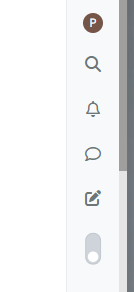
I would also like to change the button which is not suitable for a vertical display
You could rotate it?
.material-threads-wrapper {
    display: flex;
    left: 5px !important;
    position: relative !important;
    transform: rotate(45deg);
    margin-left: -2px;
    margin-top: 5px;
}
-
@DownPW could you pls share updated and enclosed codes for css and js?
-
@cagatay The code is not mature yet. There is still work to be done and phenomlab will have to validate it because I am not a developer
@phenomlab said in Material View Support foir Stock NodeBB:
You could rotate it?
yep sure it’s better
but I was thinking of a 2-state radio button like the form-switch because I believe Bootstrap offers it if I don’t say bullsh*t.PW and WS Spirit alive
-
@cagatay The code is not mature yet. There is still work to be done and phenomlab will have to validate it because I am not a developer
@phenomlab said in Material View Support foir Stock NodeBB:
You could rotate it?
yep sure it’s better
but I was thinking of a 2-state radio button like the form-switch because I believe Bootstrap offers it if I don’t say bullsh*t.@DownPW said in Material View Support foir Stock NodeBB:
but I was thinking of a 2-state radio button like the form-switch because I believe Bootstrap offers it if I don’t say bullsh*t.
Something like this?
-
yes maybe, I had thought about that but just one button not two but why not :
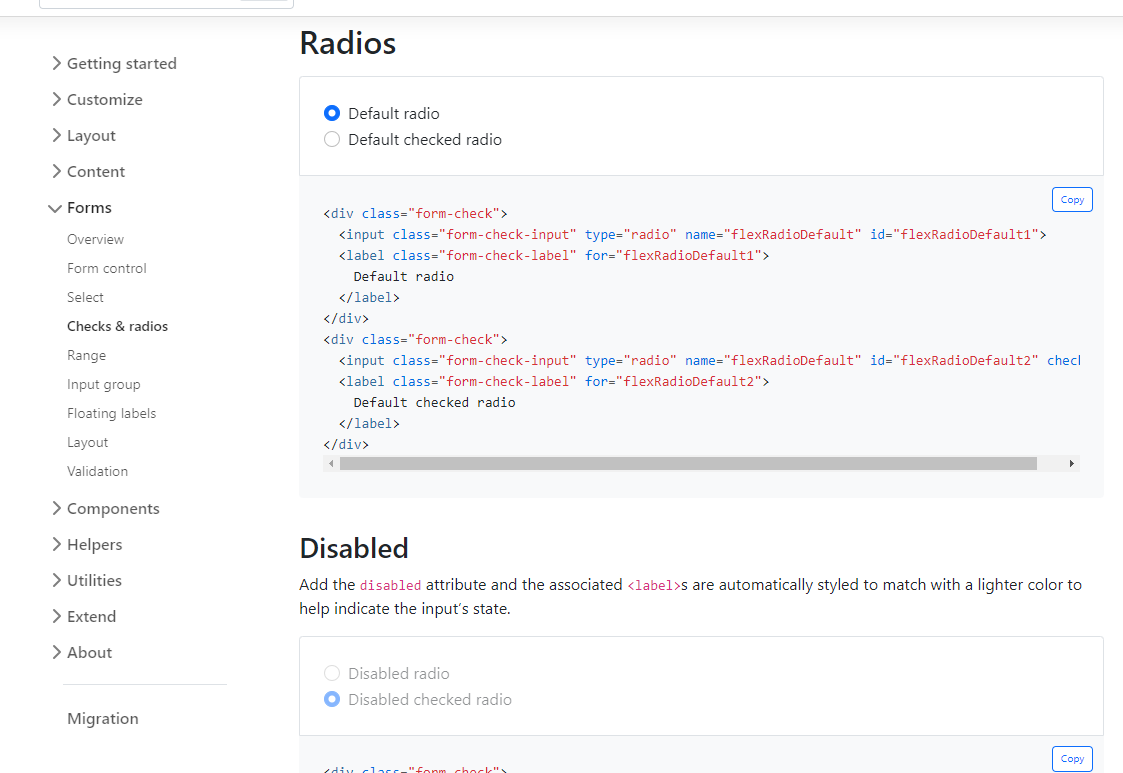
https://getbootstrap.com/docs/5.0/forms/checks-radios/
I’m not closed off I’m trying to see what could be better.
-
see this @phenomlab
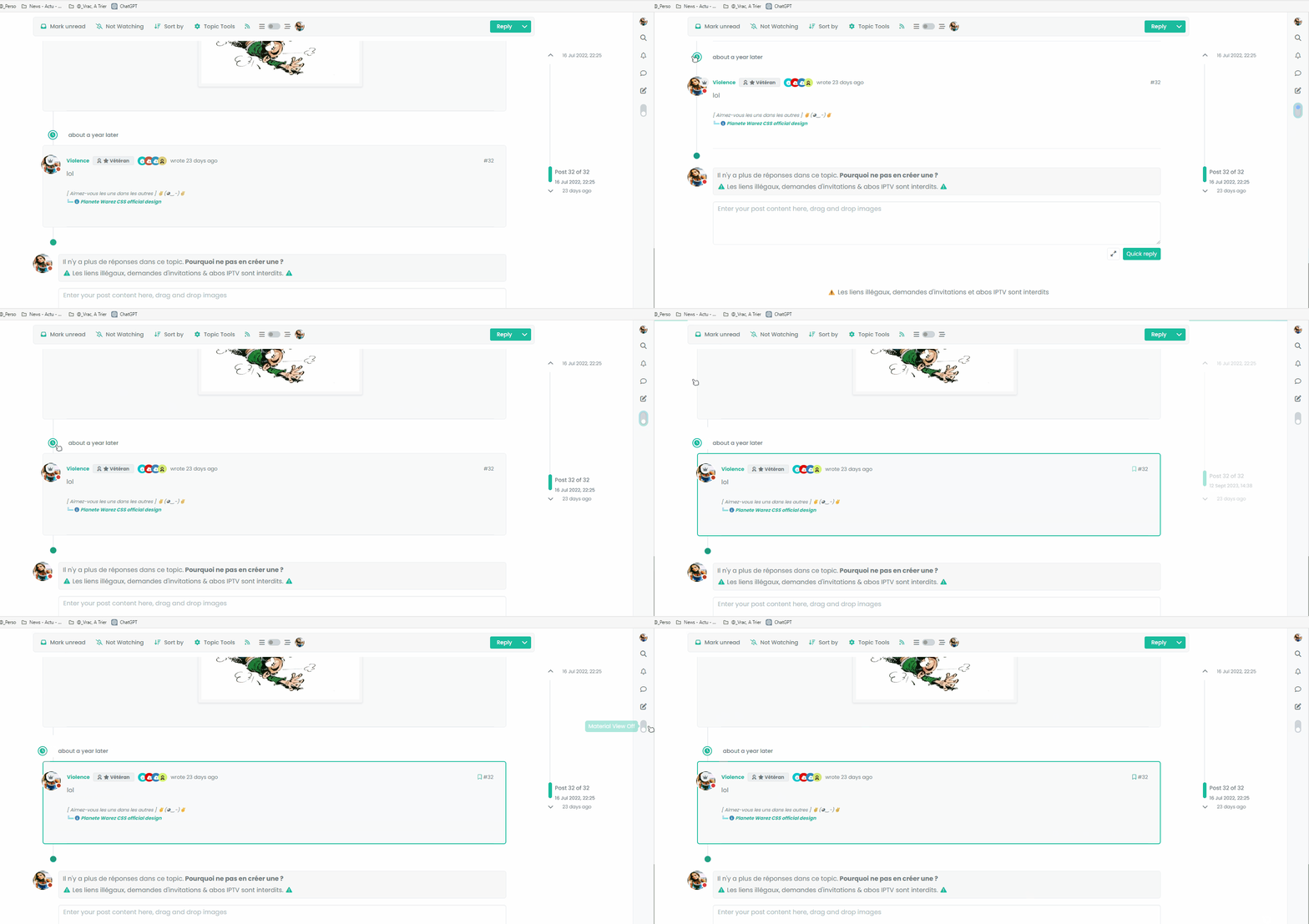
the element is perfect regardless of the mode engaged but a refresh does not replace it correctly.
A missing hook?PW and WS Spirit alive
-
see this @phenomlab
the element is perfect regardless of the mode engaged but a refresh does not replace it correctly.
A missing hook?@DownPW No. More likely a CSS class is not being applied on load.
-
hmm that doesn’t help me much
PW and WS Spirit alive




Hello! It looks like you're interested in this conversation, but you don't have an account yet.
Getting fed up of having to scroll through the same posts each visit? When you register for an account, you'll always come back to exactly where you were before, and choose to be notified of new replies (either via email, or push notification). You'll also be able to save bookmarks and upvote posts to show your appreciation to other community members.
With your input, this post could be even better 💗
Register Login