NodeBB: Consent page
-
@phenomlab I used that script and I can see it appear on the footer. Is there something else I need to change in the tag because when clicked, I get the below:

Does it have to do with the double slash after “user”: https://mysite/user**//**consent/
I removed the “/” after {username} but that didn’t fix it.
-
Does it have to do with the double slash after “user”: https://mysite/user**//**consent/
I removed the “/” after {username} but that didn’t fix it.
@mventures no, I think you’ll need a
jsfunction to expose the{username}variable from memory. I’ll provide that a bit later today. -
PW and WS Spirit alive
-
@DownPW @mventures that’s a good point actually. I forgot that route existed.
I’ll update the answer based on that.
Mark Cutting also advises organisations as a Fractional CIO, Fractional CISO and Executive Advisor, helping boards improve technology governance, cyber resilience and executive decision making. Learn more at Phenomlab Ltd
-
@DownPW @mventures that’s a good point actually. I forgot that route existed.
I’ll update the answer based on that.
Hey @phenomlab, I was wondering if you have a solution for this one. Thank you again!
-
Hey @phenomlab, I was wondering if you have a solution for this one. Thank you again!
Mark Cutting also advises organisations as a Fractional CIO, Fractional CISO and Executive Advisor, helping boards improve technology governance, cyber resilience and executive decision making. Learn more at Phenomlab Ltd
-
 undefined phenomlab referenced this topic on
-
@phenomlab I am so sorry! I didn’t realise you had updated your previous answer. My bad! I have now used the “me” version and it’s working perfectly!

-
@phenomlab I am so sorry! I didn’t realise you had updated your previous answer. My bad! I have now used the “me” version and it’s working perfectly!
@mventures
no issues ! -
Hello
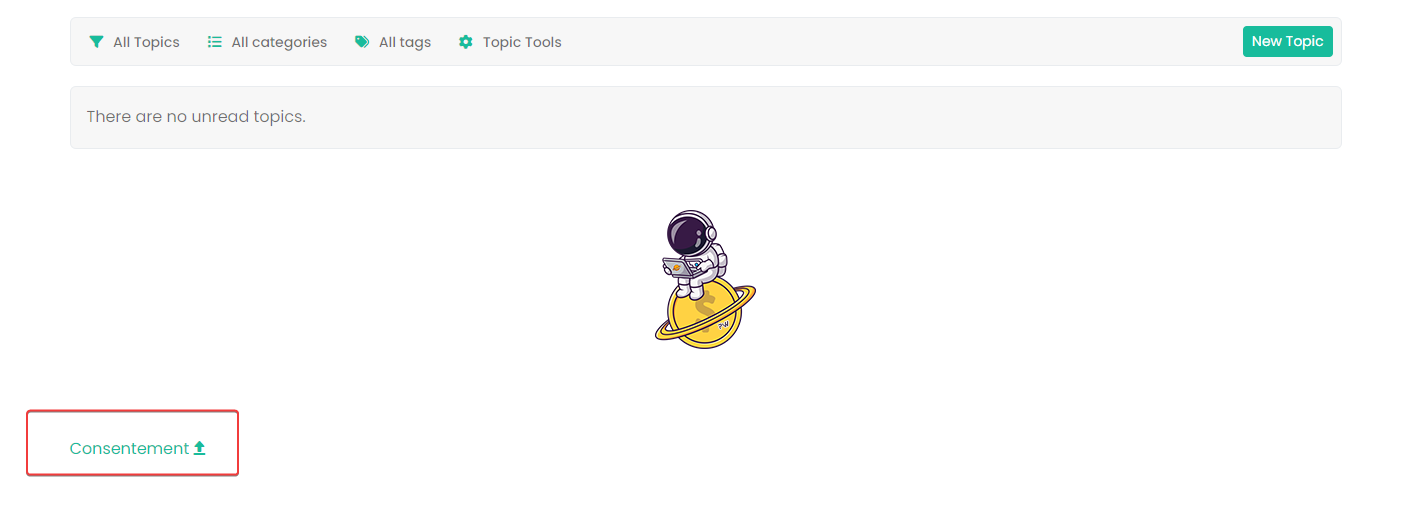
can you say more about the widget footer mark because i have this on the footer after login
PW and WS Spirit alive
-
Hello
can you say more about the widget footer mark because i have this on the footer after login
@DownPW I just logged into your test forum and can’t see that?
-
yep I have disabled the widget I enabled it
PW and WS Spirit alive
-
@DownPW Ok. Let me check
-
@DownPW I still do not see any issues.


Hello! It looks like you're interested in this conversation, but you don't have an account yet.
Getting fed up of having to scroll through the same posts each visit? When you register for an account, you'll always come back to exactly where you were before, and choose to be notified of new replies (either via email, or push notification). You'll also be able to save bookmarks and upvote posts to show your appreciation to other community members.
With your input, this post could be even better 💗
Register LoginDid this solution help you?
Related Topics
-
-
-
-
-
-
Podcast Share NodeBB
Solved Configure -
-
NodeBB Footer
Solved Customisation