Skip to content

background color of the footer area

Solved Customisation
7 3 1.4k 1
  • How can I change the background color of the footer area?

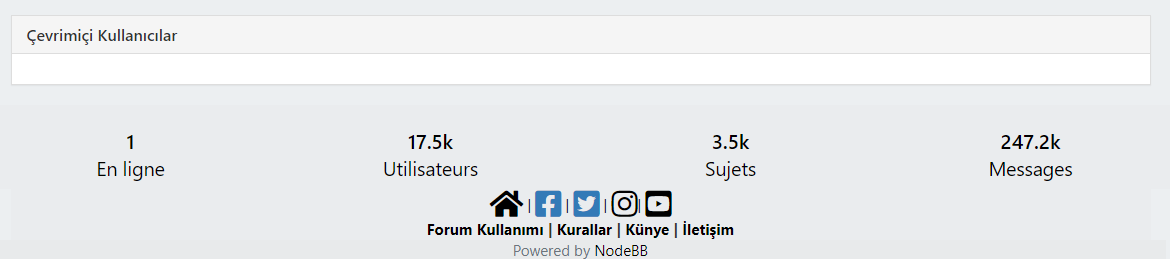
    we have forum-stats widget, social media links and “powered by NodeBB” label at the bottom as “global footer widgets”. We would like to change the color of this background (whole this footer area from right to left)
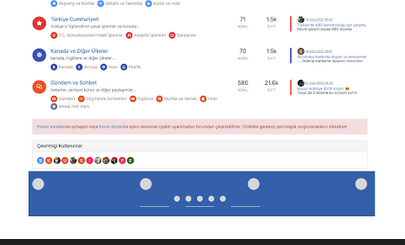
    Screen Shot 2022-02-28 at 7.06.17 PM.png

  • @crazycells Can you provide me access to your site (details over PM obviously) so I can look at this ? I have an idea as to how this should work, but would like to see how you have it working now.

    @phenomlab For your footers, I changed to

    div class="row text-center adjust">
    

    For the “Powered by…” I changed this to

    <div class="row pad-10 text-center adjust">
    

    And finally, added a new class

    .row.text-center.adjust {
        margin-left: -30px;
        margin-right: -30px;
    }
    

    At the top of your custom CSS
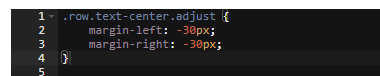
    24169304-5dc7-47ca-b143-26e9d9ef2fd8-image.png

    Reload your page and have a look 🙂

    f3154da1-4da3-447a-a169-e57c82f022cb-image.png

    The class of row exists already (part of Bootstrap) and .row.text-center.adjust is explicit and will only apply to that code

  • How can I change the background color of the footer area?

    we have forum-stats widget, social media links and “powered by NodeBB” label at the bottom as “global footer widgets”. We would like to change the color of this background (whole this footer area from right to left)

    Screen Shot 2022-02-28 at 7.06.17 PM.png

    @crazycells from what I currently see, this is a custom HTML widget added directly below the forum-stats widget ?
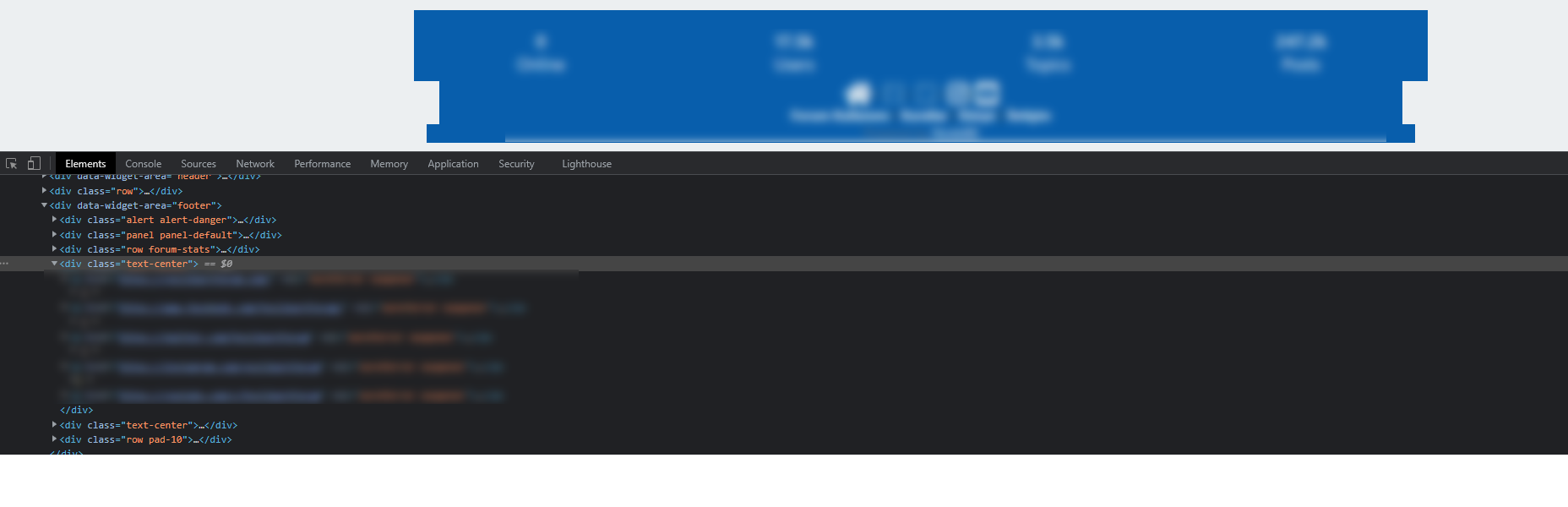
    7e12893c-e0e4-404e-b3b5-cfaee242d0c1-image.png

    As this appears outside of the row element from the stats widget, it won’t automatically inherit the space you desire. The way to fix this would typically be with classes and CSS. Can you provide the code you’ve used for this ?

    Thanks

  • Or just play with transparent color and font-color maybe :

    ef0dc066-8d1a-4201-9819-1347f343a031-image.png

    but @phenomlab is always right 😉

  • @crazycells from what I currently see, this is a custom HTML widget added directly below the forum-stats widget ?

    7e12893c-e0e4-404e-b3b5-cfaee242d0c1-image.png

    As this appears outside of the row element from the stats widget, it won’t automatically inherit the space you desire. The way to fix this would typically be with classes and CSS. Can you provide the code you’ve used for this ?

    Thanks

    @phenomlab thanks. I need all footer region (from left side to right side) to be the same color, the current form of the site is just experiments 😄

    Do you think it is possible to easily add a “custom global footer” to the nodebb? I could move the links there… (I am OK with leaving the forum-stats widget outside of this custom footer region)

    Here is the code I am using currently:

    //footer color modifications start
    .forum-stats {
        .row {
        background-color: #085EAC;
        }
    
        h2 {
            color: #eceff1;
        
            small {
            color: #eceff1;
            }
            
        }
    }
    
    
    [data-widget-area="footer"] {    
        .text-center {
            background-color: #085EAC;
        
            a {
                color: #eceff1;
            }        
        }
    }
    //footer color modifications end
    

    This is what I am trying to achieve:
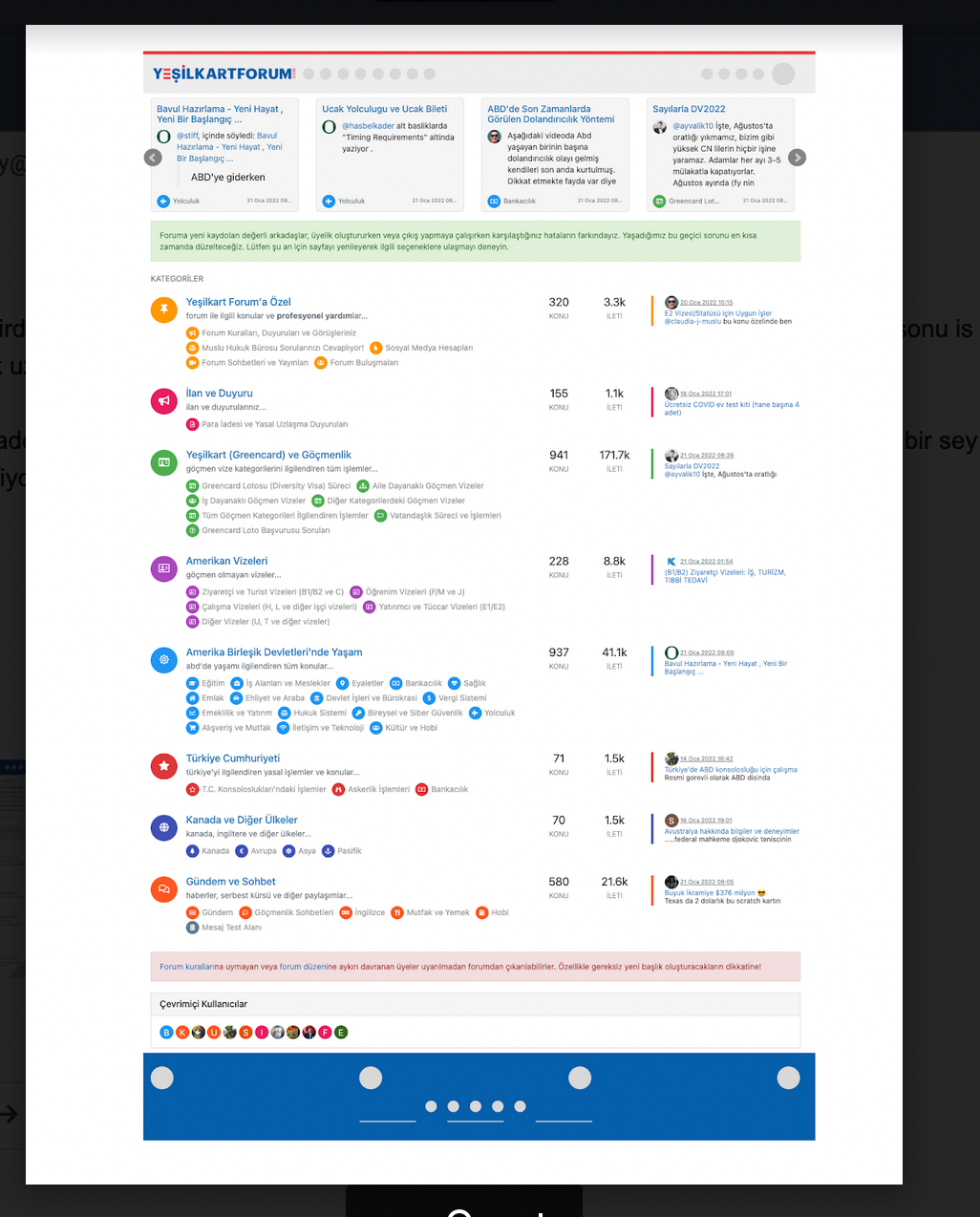
    Screen Shot 2022-03-01 at 11.40.59 AM.png

  • @phenomlab thanks. I need all footer region (from left side to right side) to be the same color, the current form of the site is just experiments 😄

    Do you think it is possible to easily add a “custom global footer” to the nodebb? I could move the links there… (I am OK with leaving the forum-stats widget outside of this custom footer region)

    Here is the code I am using currently:

    //footer color modifications start
    .forum-stats {
        .row {
        background-color: #085EAC;
        }
    
        h2 {
            color: #eceff1;
        
            small {
            color: #eceff1;
            }
            
        }
    }
    
    
    [data-widget-area="footer"] {    
        .text-center {
            background-color: #085EAC;
        
            a {
                color: #eceff1;
            }        
        }
    }
    //footer color modifications end
    

    This is what I am trying to achieve:

    Screen Shot 2022-03-01 at 11.40.59 AM.png

    @crazycells Can you provide me access to your site (details over PM obviously) so I can look at this ? I have an idea as to how this should work, but would like to see how you have it working now.

  • @crazycells Can you provide me access to your site (details over PM obviously) so I can look at this ? I have an idea as to how this should work, but would like to see how you have it working now.

    @phenomlab For your footers, I changed to

    div class="row text-center adjust">
    

    For the “Powered by…” I changed this to

    <div class="row pad-10 text-center adjust">
    

    And finally, added a new class

    .row.text-center.adjust {
        margin-left: -30px;
        margin-right: -30px;
    }
    

    At the top of your custom CSS

    24169304-5dc7-47ca-b143-26e9d9ef2fd8-image.png

    Reload your page and have a look 🙂

    f3154da1-4da3-447a-a169-e57c82f022cb-image.png

    The class of row exists already (part of Bootstrap) and .row.text-center.adjust is explicit and will only apply to that code

  • phenomlabundefined phenomlab has marked this topic as solved on
  • @phenomlab For your footers, I changed to

    div class="row text-center adjust">
    

    For the “Powered by…” I changed this to

    <div class="row pad-10 text-center adjust">
    

    And finally, added a new class

    .row.text-center.adjust {
        margin-left: -30px;
        margin-right: -30px;
    }
    

    At the top of your custom CSS

    24169304-5dc7-47ca-b143-26e9d9ef2fd8-image.png

    Reload your page and have a look 🙂

    f3154da1-4da3-447a-a169-e57c82f022cb-image.png

    The class of row exists already (part of Bootstrap) and .row.text-center.adjust is explicit and will only apply to that code

    @phenomlab thank you very much 🙂


Did this solution help you?
Did you find the suggested solution useful? Support 💗 Sudonix with a coffee
If your organisation needs deeper expertise around infrastructure, security, or technology leadership, learn more about Phenomlab Ltd. Many of the deeper technical guides behind Sudonix are published there.

Related Topics
  • TNG + Nodebb

    General tng genealogy nodebb plugin
    4
    0 Votes
    4 Posts
    917 Views
    @Madchatthew said in TNG + Nodebb: you have to try and use duck tape and super glue to change something to make it do what you want it to do I couldn’t have put that better myself.
  • Whitespace fixes in Nodebb

    Solved Customisation nodebb
    18
    2
    7 Votes
    18 Posts
    3k Views
    @Panda Just circling back here with something of an update (which I think you’ll like). I’ve completely restructured the ranking system. There are now less ranks, with a higher point threshold to reach them. More importantly, if you reload the site, you’ll notice that the ranks are now icons. I also removed the “Author” badge, and made this a single icon, which (to me) looks much better.
  • Footer bar add center text

    Solved Customisation css
    41
    1
    8 Votes
    41 Posts
    9k Views
    @phenomlab said in Footer bar add center text: div#console-nav-tab Ah ok test with bottom: 0px !important; idem
  • NodeBB v3 and Harmony Theme

    Discussion nodebb theme
    22
    13 Votes
    22 Posts
    5k Views
    Been playing with the user profile page this afternoon. Thought I’d post a video as I’m really pleased with how this came out profile-screen-capture.webm
  • How to downgrade plugin version on NodeBB

    Solved Customisation downgrade nodebb
    11
    3 Votes
    11 Posts
    2k Views
    @cagatay no problems
  • Adding fileWrite to nodebb code

    Solved Configure nodebb
    16
    1
    5 Votes
    16 Posts
    3k Views
    @eveh this might be a question for the NodeBB Devs themselves. In all honesty, I’m not entirely sure without having to research this myself.
  • 2 Votes
    10 Posts
    2k Views
    @DownPW We just have to change the cycles automatically according to each period ? Yes, this is by far the safest I think it is possible to achieve the goal, I have already seen this kind of thing on a site without any perf problems. It’s certainly possible, but not without issues or impact to performance (in my view)
  • 5 Votes
    9 Posts
    4k Views
    @phenomlab Very very great Mark Thanks again, It’s perfect now ! –> I share my code that I modified. I’ve added French and English comments. If you see things to change Mark, don’t hesitate. As usual, all the access paths (FA icons, logo) will have to be modified according to your architecture. You can also very well add/remove time slots and change welcome messages to suit your needs. Widgets ACP/HTML Widget Footer Logo <center> <br><br> <img id="thislogo" src="path/to/my/image"> </center> Widget Welcome Message <!-- IF loggedIn --> <div class="getUsername">, <a href="/me"><span class="username"></span></a></div> <!-- ENDIF loggedIn --> CSS – I added the size font-weight: 900; in the CSS because otherwise some FA icon wasn’t displayed correctly and reduce margin : i#thisicon { font-family: "Font Awesome 5 Free"; font-style: normal; margin-right: 8px; font-weight: 900; } .getUsername { padding-top: 20px; text-align: right; } /*Smartphone*/ /*On désactive le message de bienvenue"*/ /*We disable the welcome message"*/ @media all and (max-width: 1024px) { .getUsername { display: none; } } JAVASCRIPT // ------------------------------------------ // Welcome Message avec icône et Footer logo // Welcome Message with icon and Footer logo // ------------------------------------------ $(window).on('action:ajaxify.end', function (data) { //On récupère le username dans le DOM et on l'affiche //We retrieve the username from the DOM and display it function updateUsername() { $('.getUsername .username').text(app.user.username); } if (document.readyState === 'loading') { document.addEventListener('DOMContentLoaded', updateUsername); } else { updateUsername(); } //On déclare les variables principales (themessage & thehours) ainsi que les variables secondaires correspondants aux plages horaires //We declare the main variables (themessage & thehours) as well as the secondary variables corresponding to the time slots var thehours = new Date().getHours(); var themessage; var wakeup = ('Good day'); var morning = ('Good morning'); var lunch = ('Bon appétit'); var afternoon = ('Good afternoon'); var drink = ('Cheers'); var evening = ('Good evening'); var night = ('Good night'); var welcome = ('Welcome'); var matched = false; //On peux ici tester le résultat du code en spécifiant une heure (!!!IMPORTANT: Commenter une fois le script testé!!!) //Here we can test the result of the code by specifying a time (!!!IMPORTANT: Comment once the script has been tested!!!) //thehours = 20 //On déclare les plages horaires avec les icones FA et les logos //We declare the time slots with FA icons and logos path if (thehours >= 0 && thehours < 6) { themessage = night; theicon = "fa-solid fa-moon"; thelogo = "/assets/customlogo/XXX.png"; } else if (thehours >= 6 && thehours < 8) { themessage = wakeup; theicon = "fa-solid fa-mug-hot"; thelogo = "/assets/customlogo/XXX.png"; } else if (thehours >= 8 && thehours < 12) { themessage = morning; theicon = "fa-solid fa-sun"; thelogo = "/assets/customlogo/XXX.png"; } else if (thehours >= 12 && thehours < 13) { themessage = lunch; theicon = "fas fa-hamburger"; thelogo = "/assets/customlogo/XXX.png"; } else if (thehours >= 13 && thehours < 16) { themessage = afternoon; theicon = "fa-solid fa-sun"; thelogo = "/assets/customlogo/XXX.png"; } else if (thehours >= 16 && thehours < 18) { themessage = welcome; theicon = "fa-solid fa-rocket"; thelogo = "/assets/customlogo/XXX.png"; } else if (thehours >= 18 && thehours < 19) { themessage = drink; theicon = "fa-solid fa-wine-glass"; thelogo = "/assets/customlogo/XXX.png"; } else if (thehours >= 19 && thehours < 20) { themessage = lunch; theicon = "fas fa-pizza-slice"; thelogo = "/assets/customlogo/XXX.png"; } else if (thehours >= 20 && thehours < 24) { themessage = evening; theicon = "fa-solid fa-tv"; thelogo = "/assets/customlogo/XXX.png"; } // Si la page active est un topic, on désactive/cache le message de bienvenue // If the active page is a topic, we deactivate/hide the welcome message if (window.location.href.indexOf("topic") > -1) { console.log("This is a topic, so hide the user welcome message"); $('#thisuser').hide(); } // Sinon, on affiche le message en fonction, l'icone FA et son emplacement (prepend) // Otherwise, we display the message in function, the FA icon and its location (prepend) else { $('.getUsername').prepend("<i id='thisicon' class='" + theicon + "'></i>" + themessage); $("#thislogo").attr("src", thelogo); //$('.getUsername').prepend("<img id='thisicon' src='" + thelogo + "'></>" + themessage); } });