creating topic specific widgets
-
@phenomlab what does this do?
<input type="hidden" id="topic_id" name="topic_id" value="{tid}">this is creating an input button inside HTML widget. I replaced the tid value with 2213 for the topic id…
-
@phenomlab what does this do?
<input type="hidden" id="topic_id" name="topic_id" value="{tid}">this is creating an input button inside HTML widget. I replaced the tid value with 2213 for the topic id…
@crazycells that creates a hidden input field which is required for the jQuery script to collect the topic id. Don’t modify this otherwise the script won’t work

Mark Cutting also advises organisations as a Fractional CIO, Fractional CISO and Executive Advisor, helping boards improve technology governance, cyber resilience and executive decision making. Learn more at Phenomlab Ltd
-
@crazycells that creates a hidden input field which is required for the jQuery script to collect the topic id. Don’t modify this otherwise the script won’t work
@phenomlab said in creating topic specific widgets:
@crazycells that creates a hidden input field which is required for the jQuery script to collect the topic id. Don’t modify this otherwise the script won’t work
do other “hidden” or “show” classes custom? sorry, I am confused since I thought those were custom classes… we do not use “hide” class but it is in the CSS… Is it a default class in NodeBB?
-
@phenomlab said in creating topic specific widgets:
@crazycells that creates a hidden input field which is required for the jQuery script to collect the topic id. Don’t modify this otherwise the script won’t work
do other “hidden” or “show” classes custom? sorry, I am confused since I thought those were custom classes… we do not use “hide” class but it is in the CSS… Is it a default class in NodeBB?
@crazycells
hideis a class in the CSS of NodeBB, so yes, you can use that. However, you shouldn’t mix that up withtype="hidden"as this is HTML code and not CSS.Mark Cutting also advises organisations as a Fractional CIO, Fractional CISO and Executive Advisor, helping boards improve technology governance, cyber resilience and executive decision making. Learn more at Phenomlab Ltd
-
@crazycells
hideis a class in the CSS of NodeBB, so yes, you can use that. However, you shouldn’t mix that up withtype="hidden"as this is HTML code and not CSS.@phenomlab said in creating topic specific widgets:
@crazycells
hideis a class in the CSS of NodeBB, so yes, you can use that. However, you shouldn’t mix that up withtype="hidden"as this is HTML code and not CSS.Thanks for the clarification.
What about the
class="hidden"in div section ? -
@phenomlab said in creating topic specific widgets:
@crazycells
hideis a class in the CSS of NodeBB, so yes, you can use that. However, you shouldn’t mix that up withtype="hidden"as this is HTML code and not CSS.Thanks for the clarification.
What about the
class="hidden"in div section ?@crazycells You need that part, yes
 The jQuery class gets toggled, and if that does not exist as a class, then the widget won’t be hidden which defeats the point.
Mark Cutting also advises organisations as a Fractional CIO, Fractional CISO and Executive Advisor, helping boards improve technology governance, cyber resilience and executive decision making. Learn more at Phenomlab Ltd
-
 undefined phenomlab has marked this topic as solved on
-
@crazycells You need that part, yes
The jQuery class gets toggled, and if that does not exist as a class, then the widget won’t be hidden which defeats the point.@phenomlab said in creating topic specific widgets:
@crazycells You need that part, yes
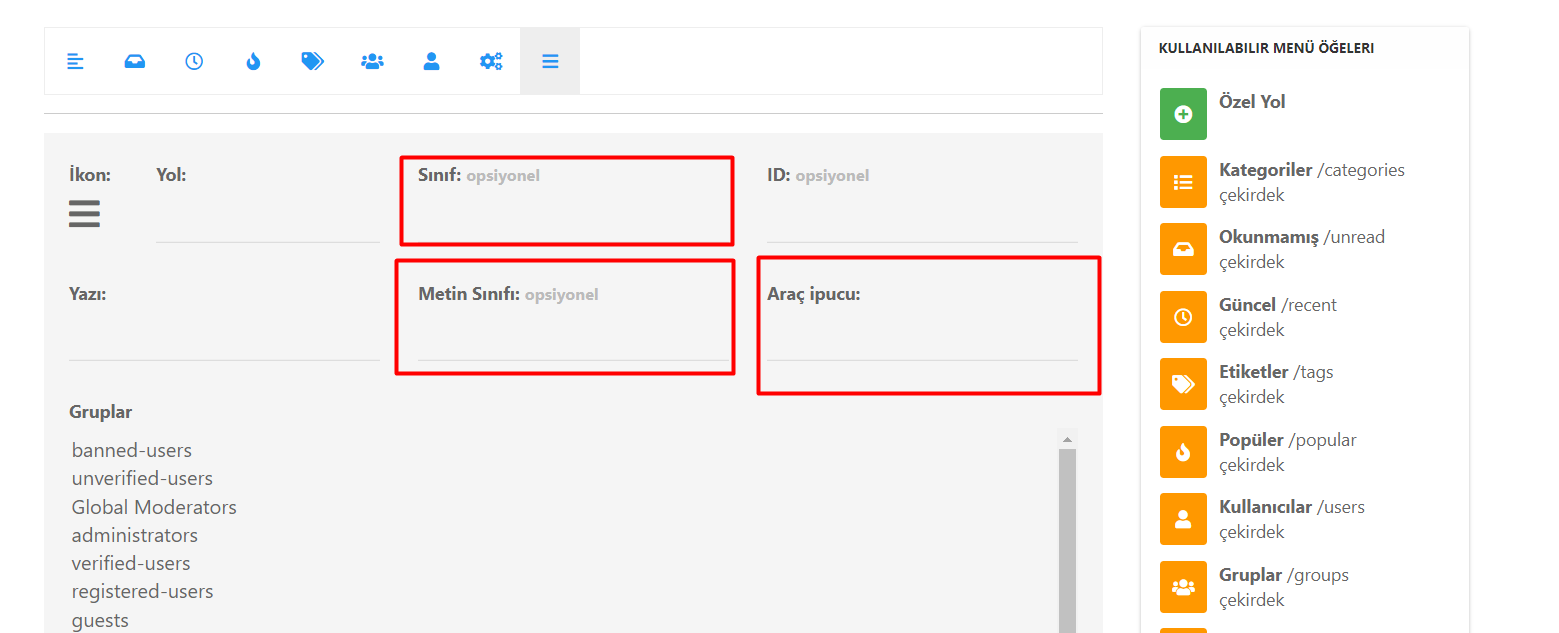
The jQuery class gets toggled, and if that does not exist as a class, then the widget won’t be hidden which defeats the point.Hi @phenomlab , unfortunately, I could not make it work… I am posting screenshots, maybe you can detect my mistake…
Additionally, can you please let me know which classes are custom classes, I am still confused about this
 I prefer not to use simple words as custom classes since it might be confusing (we have lots of custom CSS in our forum) ? Additionally if
 hideclass exists, why are we re-defining it?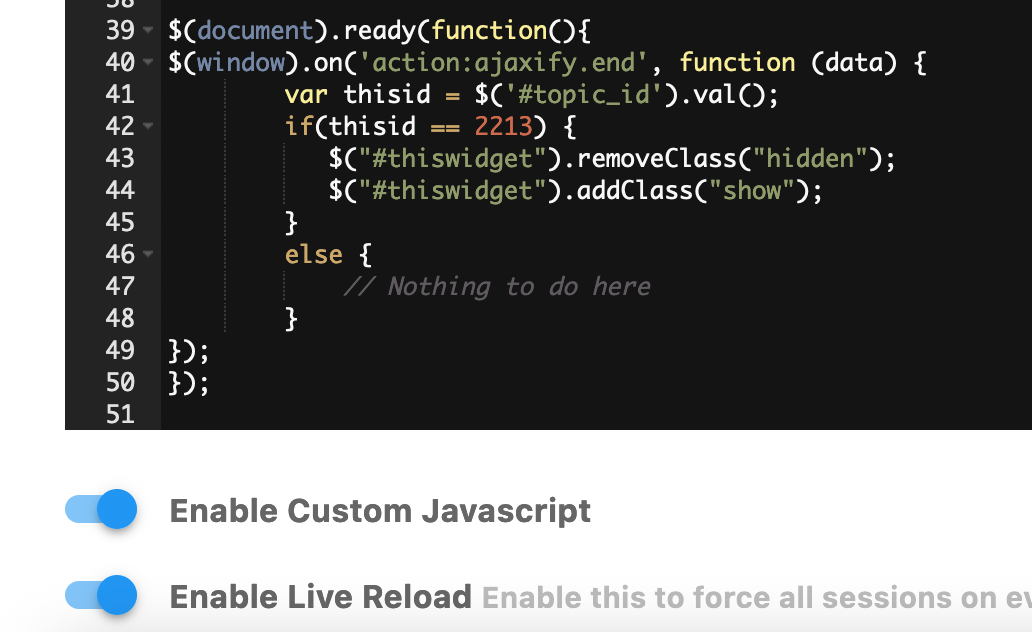
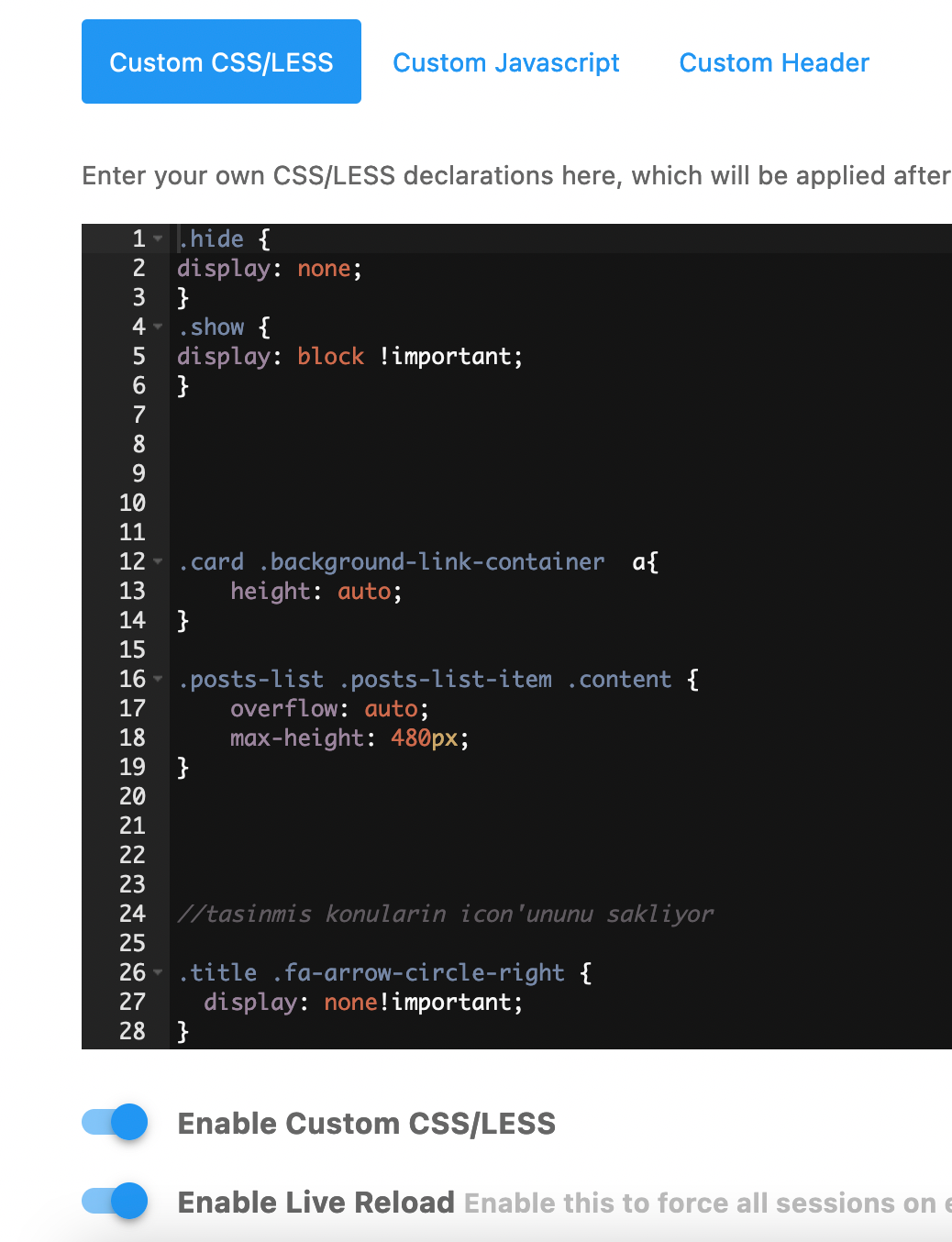
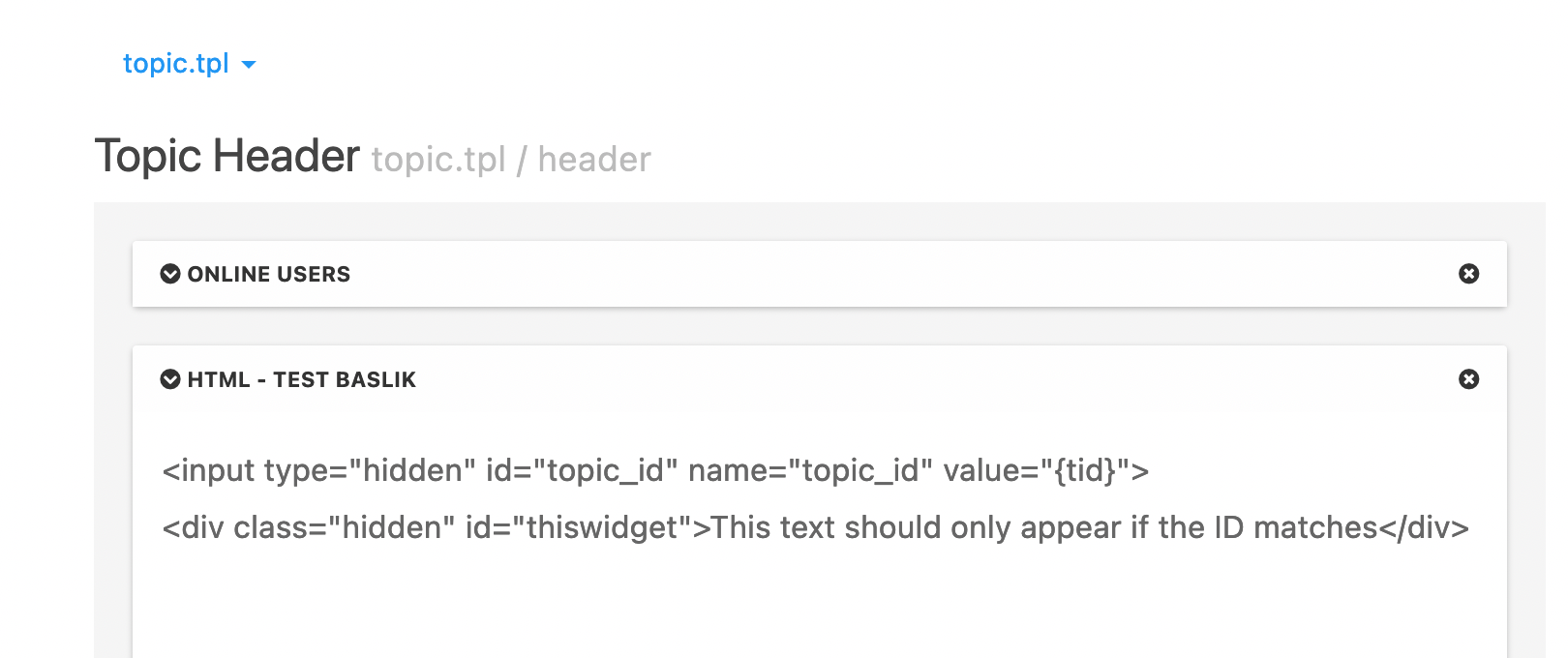
-
@phenomlab said in creating topic specific widgets:
@crazycells You need that part, yes
The jQuery class gets toggled, and if that does not exist as a class, then the widget won’t be hidden which defeats the point.Hi @phenomlab , unfortunately, I could not make it work… I am posting screenshots, maybe you can detect my mistake…
Additionally, can you please let me know which classes are custom classes, I am still confused about this
I prefer not to use simple words as custom classes since it might be confusing (we have lots of custom CSS in our forum) ? Additionally if hideclass exists, why are we re-defining it?@crazycells Odd. Can you PM me your site where this is running ? I’ll also need to create an admin account if ok with you ?
-
@phenomlab said in creating topic specific widgets:
@crazycells You need that part, yes
The jQuery class gets toggled, and if that does not exist as a class, then the widget won’t be hidden which defeats the point.Hi @phenomlab , unfortunately, I could not make it work… I am posting screenshots, maybe you can detect my mistake…
Additionally, can you please let me know which classes are custom classes, I am still confused about this
I prefer not to use simple words as custom classes since it might be confusing (we have lots of custom CSS in our forum) ? Additionally if hideclass exists, why are we re-defining it?@crazycells as discussed, the reason why this didn’t work is that you have other JS functions that didn’t work correctly which were crashing and preventing the code o provided from running

-
@crazycells Ok, here goes
- In your ACP, go to Appearance->Custom Content->Custom Javascript
Add this code, changing “224” to the actual ID you want to target

    $(document).ready(function(){
    $(window).on('action:ajaxify.end', function (data) {
        var thisid = $('#topic_id').val();
        if(thisid == 224 // Change this value to the topic ID you want to target ) {
           $("#thiswidget").removeClass("hidden");
           $("#thiswidget").addClass("show");
        }
        else {
            // Nothing to do here
        }
    });
    });
Ensure you have enabled both of these

Save
- In the ACP, go to Appearance->Custom CSS/LESS
- Add new CSS classes as below at the top of the window
.hidden { display: none; } .show { display: block !important; }- In the ACP, go to Extend->Widgets.
- Choose
topic.tplfrom the widget target selection - Create a new HTML widget and drag this into the
Topic Footersection (or wherever you want it to appear)
Paste this code inside the HTML area
<input type="hidden" id="topic_id" name="topic_id" value="{tid}"> <div class="hidden" id="thiswidget">This text should only appear if the ID matches</div>- Save the widget layout, and now reload the site.
- Select the topic you are specifically targeting, and open it
If all went according to plan, you should see the below text appended at the bottom of the screen just before any other widget you may have in that area

What have we done here ?
Essentially, we have injected two new lines of code into the topic stream using the topic widget

We set a class of
hiddenso that the widget won’t display unless there is a match to the ID we are targetingThen, this jQuery code looks for the ID we want, and if there is a match, it removes the
hiddenclass and replaces it withshowmeaning it will display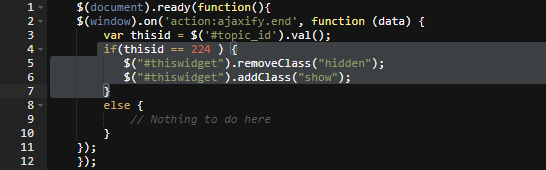
Adding hidden input fields into the HTML stream and then using jQuery to obtain the value is an old trick, but very reliable, and low in terms of performance needs. You may wonder where the
{tid}value comes in ? This is from the API itself - more detail hereBasically, this part

Final parts
Obviously, you’ll want to fashion the widget to present to your tastes - this is fine, but don’t delete anything here other than
This text should only appear if the ID matches
inside the code block
Hope this helps.
@phenomlab said in creating topic specific widgets:
Save
In the ACP, go to Appearance->Custom CSS /LESS
Add new CSS classes as below at the top of the window.hide { display: none; } .show { display: block !important; }In the ACP, go to Extend->Widgets.
Choose topic.tpl from the widget target selection
Create a new HTML widget and drag this into the Topic Footer section (or wherever you want it to appear)Thanks a lot for your help @phenomlab . It is fixed and working… Just a quick note in case others want to use it… the above code should be as below:
.hidden { display: none; } .show { display: block !important; } -
@phenomlab said in creating topic specific widgets:
@crazycells You need that part, yes
The jQuery class gets toggled, and if that does not exist as a class, then the widget won’t be hidden which defeats the point.Hi @phenomlab , unfortunately, I could not make it work… I am posting screenshots, maybe you can detect my mistake…
Additionally, can you please let me know which classes are custom classes, I am still confused about this
I prefer not to use simple words as custom classes since it might be confusing (we have lots of custom CSS in our forum) ? Additionally if hideclass exists, why are we re-defining it?@crazycells said in creating topic specific widgets:
Additionally if hide class exists, why are we re-defining it?
We’re not 🤭 I misspelled it - it should be
hidden

Hello! It looks like you're interested in this conversation, but you don't have an account yet.
Getting fed up of having to scroll through the same posts each visit? When you register for an account, you'll always come back to exactly where you were before, and choose to be notified of new replies (either via email, or push notification). You'll also be able to save bookmarks and upvote posts to show your appreciation to other community members.
With your input, this post could be even better 💗
Register Login