Skip to content

NodeBB metadata

Solved Configure
4 2 1.6k 1

Did this solution help you?
Did you find the suggested solution useful? Support 💗 Sudonix with a coffee
If your organisation needs deeper expertise around infrastructure, security, or technology leadership, learn more about Phenomlab Ltd. Many of the deeper technical guides behind Sudonix are published there.

Related Topics
  • Page control arrows for PWA

    Solved Customisation nodebb
    27
    25 Votes
    27 Posts
    12k Views
    @crazycells it is, yes - I think I’ll leave it as there is no specific PWA CSS classes I know of. Well, you could use something like the below, but this means multiple CSS files for different operating systems. /** * Determine the mobile operating system. * This function returns one of 'iOS', 'Android', 'Windows Phone', or 'unknown'. * * @returns {String} */ function getMobileOperatingSystem() { var userAgent = navigator.userAgent || navigator.vendor || window.opera; // Windows Phone must come first because its UA also contains "Android" if (/windows phone/i.test(userAgent)) { return "Windows Phone"; } if (/android/i.test(userAgent)) { return "Android"; } if (/iPad|iPhone|iPod/.test(userAgent) && !window.MSStream) { return "iOS"; } return "unknown"; // return “Android” - one should either handle the unknown or fallback to a specific platform, let’s say Android } Once you’re in that rabbit hole, it’s impossible to get out of it.
  • Threaded post support for NodeBB

    Let's Build It threading nodebb
    146
    3
    50 Votes
    146 Posts
    92k Views
    Updated git for above change https://github.com/phenomlab/nodebb-harmony-threading/commit/14a4e277521d83d219065ffb14154fd5f5cfac69
  • 1 Votes
    1 Posts
    772 Views
    No one has replied
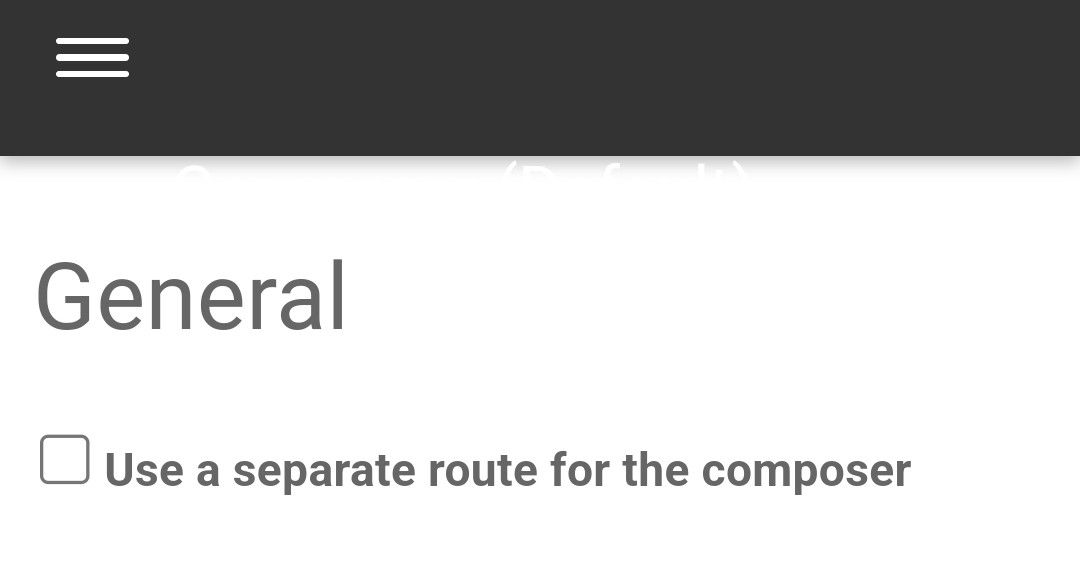
  • Composer options on nodebb

    Solved Configure nodebb
    8
    1
    3 Votes
    8 Posts
    2k Views
    @Panda You should be able to expose the CSS for these using F12 to get into console [image: 1686833368846-3591518c-e3a3-4ada-a43c-6b32a5e0359c-image.png] [image: 1686833399483-a2b8ed46-4157-4ff2-85f0-576543380107-image.png] That should then expose the element once selected [image: 1686833431032-89d9c545-a47a-40d1-98f4-80cf3b958e8f-image.png] Here’s the below CSS you need based on the screenshot provided. .composer .formatting-bar .formatting-group li[data-format="picture-o"], .composer .formatting-bar .formatting-group li[data-format="spoiler"] { display: none; }
  • NodeBB: Upgrading to NodeBB v3.x

    Solved Configure nodebb v3.x
    6
    0 Votes
    6 Posts
    2k Views
    @mventures You’d need to connect to the server and execute it directly - not on your local terminal. Review the guide below, which will show you how to gain access via SSH to your server https://docs.ovh.com/gb/en/dedicated/ssh-introduction/ Once you have access, you’ll need to navigate to the actual folder where NodeBB is installed You’ll then need to change to the directory as shown below /home/unbuntu/nodebb [image: 1680448167972-fdffe673-bf63-4b6d-a728-5506fddc1aff-image.png] In most cases, initial access takes you to the root of the file system. You can always issue pwd in a Linux terminal which will show you the Present Working Directory. From there, you can issue the command cd /home/ubuntu/nodebb Once in the NodeBB directory, you’d use the below commands ./nodebb stop git fetch && git checkout develop && git reset --hard origin/develop ./nodebb upgrade ./nodebb start Line 1 stops the NodeBB instance Line 2 gets the latest files from GIT (repository) and then checks out the development branch. It then resets the version you are using to the development branch ready for v3 Line 3 Runs the upgrade once the new branch is set, and code pulled Line 4 Restarts the NodeBB instance after the upgrade has completed Note that when you restart NodeBB and log back in, things will look very different to what you had in v2.
  • MailGun Not Working NodeBB

    Solved Configure mail mailgun
    6
    1 Votes
    6 Posts
    2k Views
    @phenomlab did it i did not create smtp user on mailgun. everything is working now. [image: 1667569376261-6cc6061f-ed5d-41f6-8eb7-5d98f98b3706-image.png]
  • How to fix header side as boxed

    Solved Customisation header boxed sudonix nodebb
    10
    1
    6 Votes
    10 Posts
    3k Views
    @phenomlab yes it caused a problem for mobile users. thank you for helping …
  • nodebb dropdown menu

    Solved Configure nodebb
    5
    1
    0 Votes
    5 Posts
    2k Views
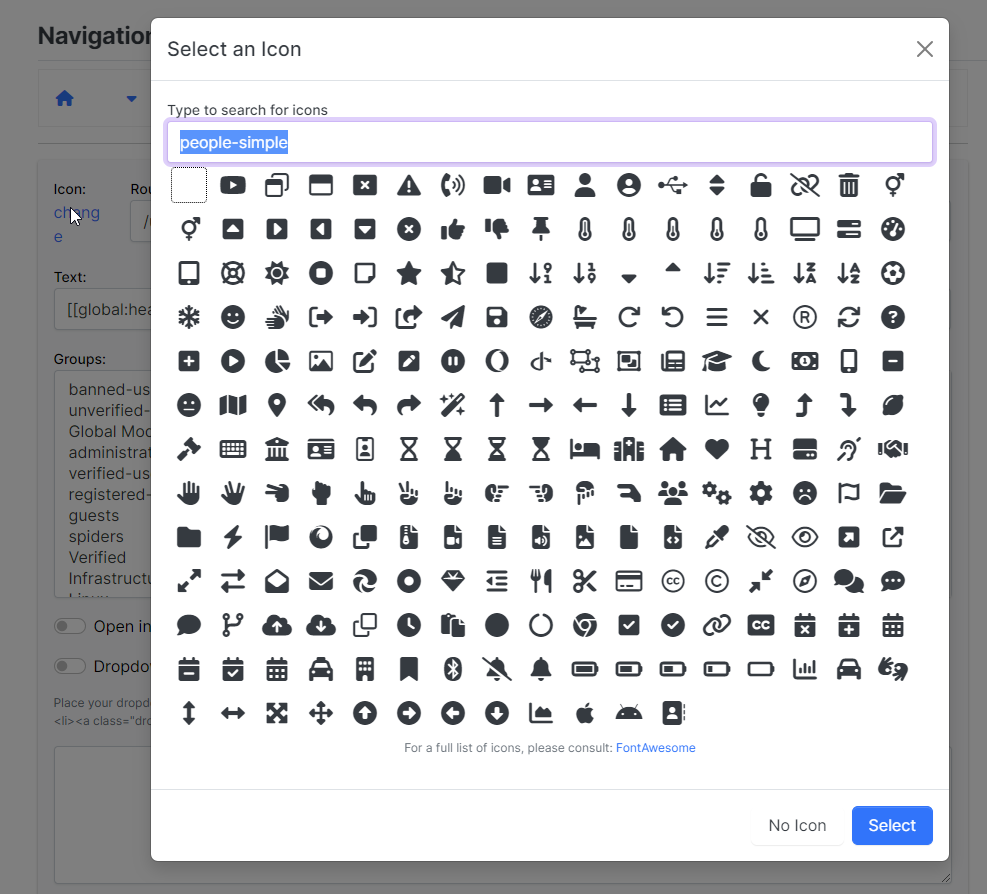
    @phenomlab said in nodebb dropdown menu: @kurulumu-net You set it like the below example taken from this site [image: 1637939951821-aae36790-3257-4bb2-ad5a-0d744309876a-image.png] Which presents this [image: 1637939983445-77f47260-2941-4afe-9614-8e17dcfc8c19-image.png] Very interesting… I actually thought this wasn’t possible, as I remember it being asked in the NodeBB forum. Is this something new that’s been implemented? I’ll 100% be doing that when I’m on the laptop over the weekend.