Discourse Design Change
-
@riekmedia said in Discourse Design Change:
@jac which banner?
On the nodeBB design. I’d be interested to see how you managed to do this? I’ve been thinking of doing something similar with my forum.
@jac I simply integrated my website design into the forum with the header HTML and the footer as a widget
phenomlab then helped me to eliminate the errors because I had a few difficulties with the footer
-
it doesn’t get better and doesn’t get any better no matter what I do
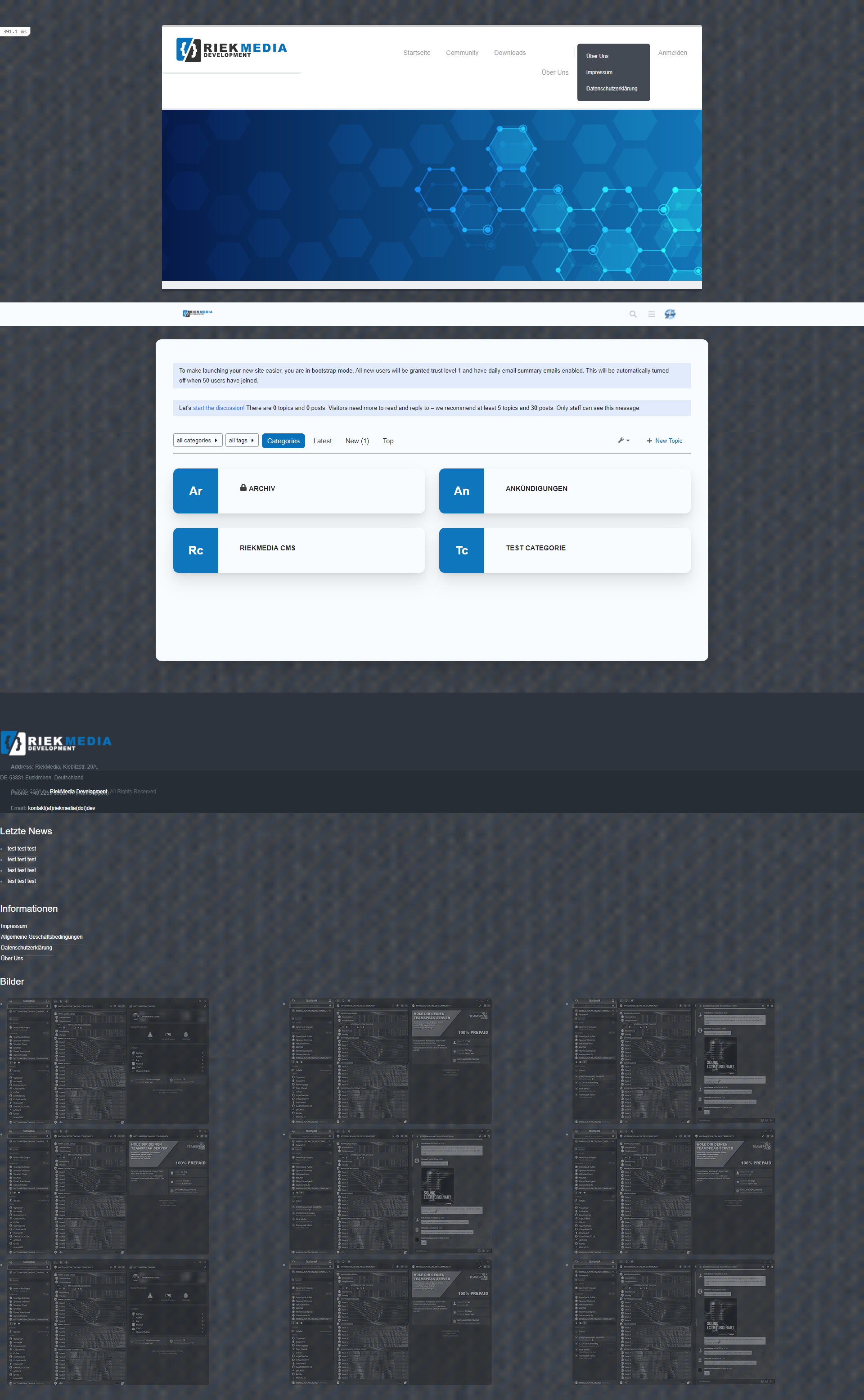
Many greetings
RiekMedia -
@riekmedia I’ll have a look at this soon.
Mark Cutting also advises organisations as a Fractional CIO, Fractional CISO and Executive Advisor, helping boards improve technology governance, cyber resilience and executive decision making. Learn more at Phenomlab Ltd
-
@riekmedia I’ll have a look at this soon.
-
@phenomlab Hey phenomlab, had you already looked in?
@riekmedia Not yet. Sorry
Mark Cutting also advises organisations as a Fractional CIO, Fractional CISO and Executive Advisor, helping boards improve technology governance, cyber resilience and executive decision making. Learn more at Phenomlab Ltd
-
@riekmedia Not yet. Sorry
@phenomlab Do you know when you can find time for it? I have to honestly say I can’t do it. Have tried it all the time but with the forum I have real problems to implement it. If only because I can’t access the <html> tag that makes my boxed design. Ne change to div did not bring any real success. I even find that it is much worse and more difficult in the forum software than with Nodebb
Many greetings
RiekMedia -
@phenomlab Do you know when you can find time for it? I have to honestly say I can’t do it. Have tried it all the time but with the forum I have real problems to implement it. If only because I can’t access the <html> tag that makes my boxed design. Ne change to div did not bring any real success. I even find that it is much worse and more difficult in the forum software than with Nodebb
@riekmedia I’ll try and have a look over the weekend. However, I’m not entirely conversant with discourse and it’s templating style, so would need to understand that first before we can make any changes.
Mark Cutting also advises organisations as a Fractional CIO, Fractional CISO and Executive Advisor, helping boards improve technology governance, cyber resilience and executive decision making. Learn more at Phenomlab Ltd
-
@riekmedia I’ll try and have a look over the weekend. However, I’m not entirely conversant with discourse and it’s templating style, so would need to understand that first before we can make any changes.
@phenomlab Everything is fine, if something breaks is not bad, it’s a bare installation.
Many greetings
RiekMedia -
@phenomlab Everything is fine, if something breaks is not bad, it’s a bare installation.
@riekmedia ok. Thanks.
-
@riekmedia I’ll try and have a look over the weekend. However, I’m not entirely conversant with discourse and it’s templating style, so would need to understand that first before we can make any changes.
@phenomlab okay, I assume that this was done then, since nothing else happened. I will turn it off now
Many greetings
RiekMedia -
@phenomlab okay, I assume that this was done then, since nothing else happened. I will turn it off now
@riekmedia Sorry, but owing to other commitments, I’ve not had any free time to look into this. Happy to do so - I just don’t know when at the the moment.
Mark Cutting also advises organisations as a Fractional CIO, Fractional CISO and Executive Advisor, helping boards improve technology governance, cyber resilience and executive decision making. Learn more at Phenomlab Ltd
-
@riekmedia Sorry, but owing to other commitments, I’ve not had any free time to look into this. Happy to do so - I just don’t know when at the the moment.
@phenomlab okay
-
 undefined phenomlab marked this topic as a regular topic on


Hello! It looks like you're interested in this conversation, but you don't have an account yet.
Getting fed up of having to scroll through the same posts each visit? When you register for an account, you'll always come back to exactly where you were before, and choose to be notified of new replies (either via email, or push notification). You'll also be able to save bookmarks and upvote posts to show your appreciation to other community members.
With your input, this post could be even better 💗
Register LoginRelated Topics
-
-
-
-
-
-
-
-
[NODEBB] CSS Style Sheets SelectBox
Locked Solved Customisation