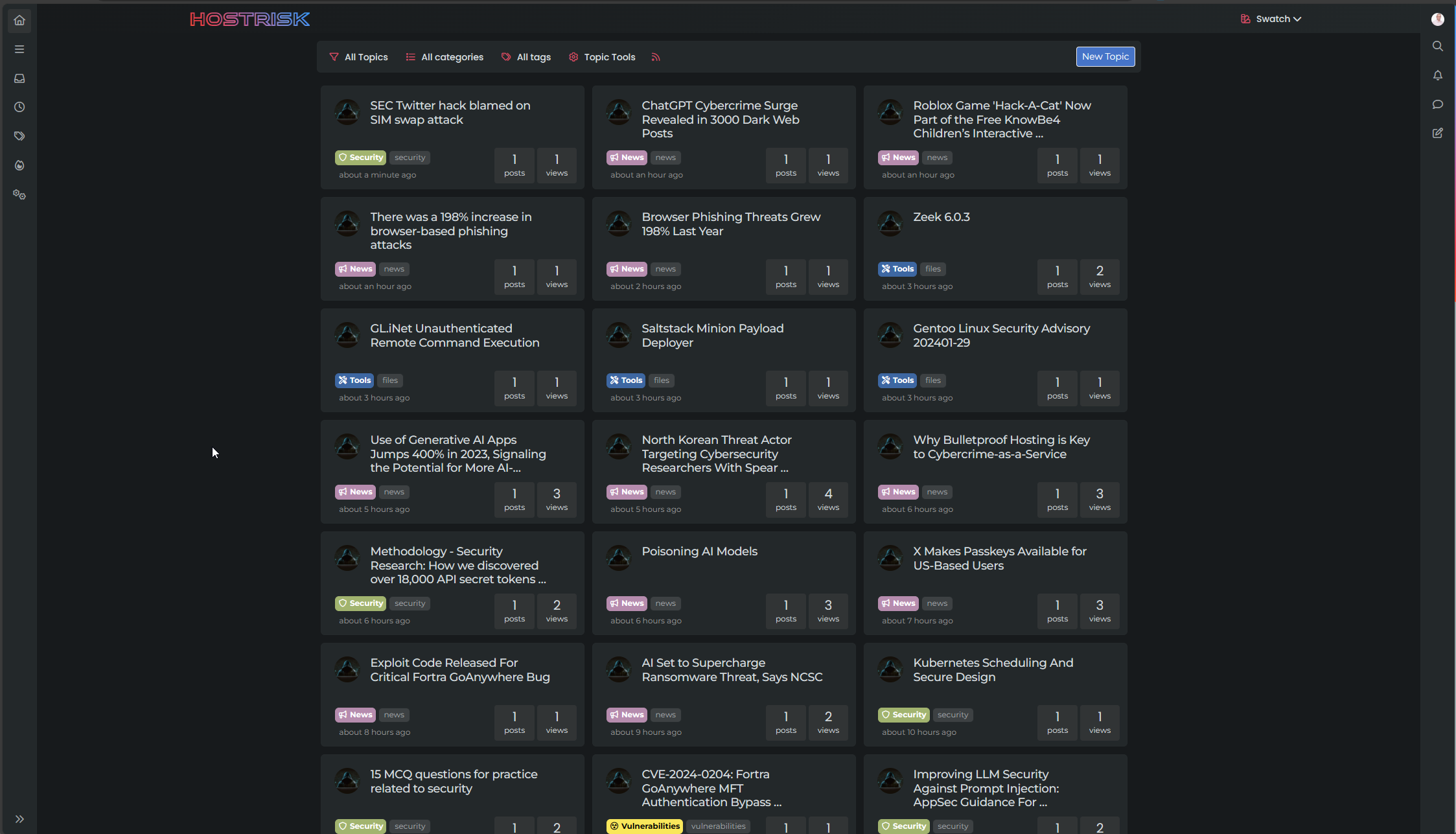
Switch between list and card view function
-
no problem,
I noticed that as soon as I make changes to the CSS file, I have to empty the cache and close the browser so that the changes are taken into account even in incognito mode.
@DownPW Yes, I have a fix for that also going forward. Will supply that once I’m done with testing.
Mark Cutting also advises organisations as a Fractional CIO, Fractional CISO and Executive Advisor, helping boards improve technology governance, cyber resilience and executive decision making. Learn more at Phenomlab Ltd
-
@DownPW Yes, I have a fix for that also going forward. Will supply that once I’m done with testing.
@phenomlab said in Switch between list and card view function:
@DownPW Yes, I have a fix for that also going forward. Will supply that once I’m done with testing.
No worries my friend :), I’m just making the comments to make this code concrete because I find it excellent.
Now that I have seen that I have to close the browser each time I make a change, this seems OK to me except for the last 2 points mentioned which you are currently working on.
@phenomlab said in Switch between list and card view function:
Because you cannot fit 32% into 100% even with simple math It needs either padding or margin - both of which will be negative, but I’ve done it here
PW and WS Spirit alive
-
@phenomlab said in Switch between list and card view function:
@DownPW Yes, I have a fix for that also going forward. Will supply that once I’m done with testing.
No worries my friend :), I’m just making the comments to make this code concrete because I find it excellent.
Now that I have seen that I have to close the browser each time I make a change, this seems OK to me except for the last 2 points mentioned which you are currently working on.
@phenomlab said in Switch between list and card view function:
Because you cannot fit 32% into 100% even with simple math It needs either padding or margin - both of which will be negative, but I’ve done it here
@DownPW thanks. I have an almost stable vanilla harmony version I’ll be posting this weekend.
-
Here’s a stable version based on stock Harmony
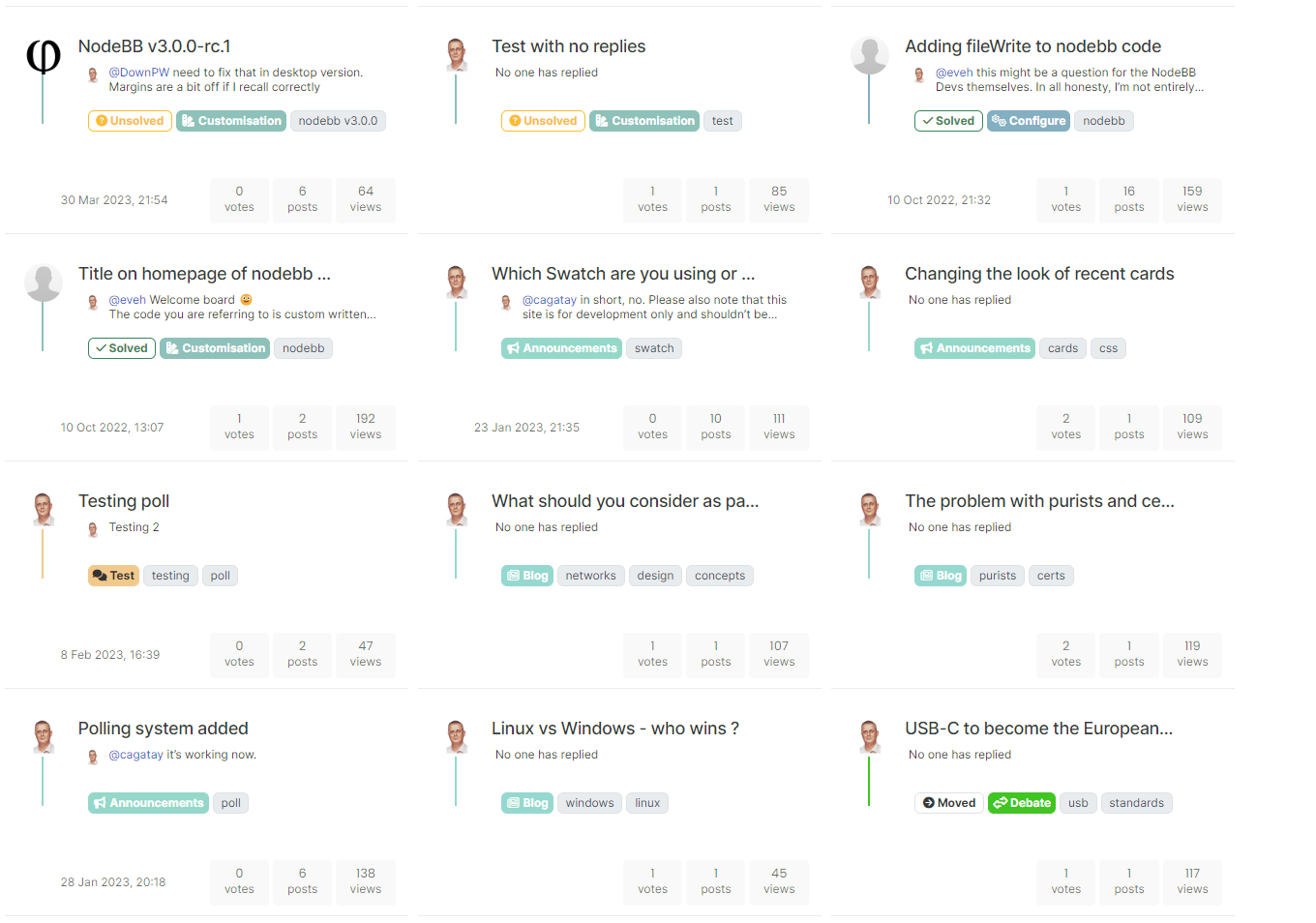
Note that there are a lot of changes here, so if you have previously deployed this code, you need to update it. Also note that the CSS is based on stock harmony - if you have any customised theme, you’ll need to add this yourself (obviously, I cannot possibly factor in custom styles).
-
@DownPW All good comments, thanks. Don’t forget that your CSS is also very customized over the stock that comes with NodeBB, but I’m quite surprised by this
@DownPW said in Switch between list and card view function:
The topic selection check box is difficult to check: most of the time I enter the topic rather than checking the box
Perhaps I missed some final modifications here, but I cannot reproduce that - will need to check
@DownPW said in Switch between list and card view function:
I still have the problem displaying tags :
Again, surprised by that as it was addressed in the final code. Will need to check
@DownPW said in Switch between list and card view function:
If you have a pinned topic with the pinned label, the line is visible behind the label
Yes, I’m aware of that one - the CSS you propose would work, but not for those without custom CSS
@DownPW said in Switch between list and card view function:
Why not take the same width as the toolbar here ?
Because you cannot fit 32% into 100% even with simple math
 It needs either
 paddingormargin- both of which will be negative, but I’ve done it here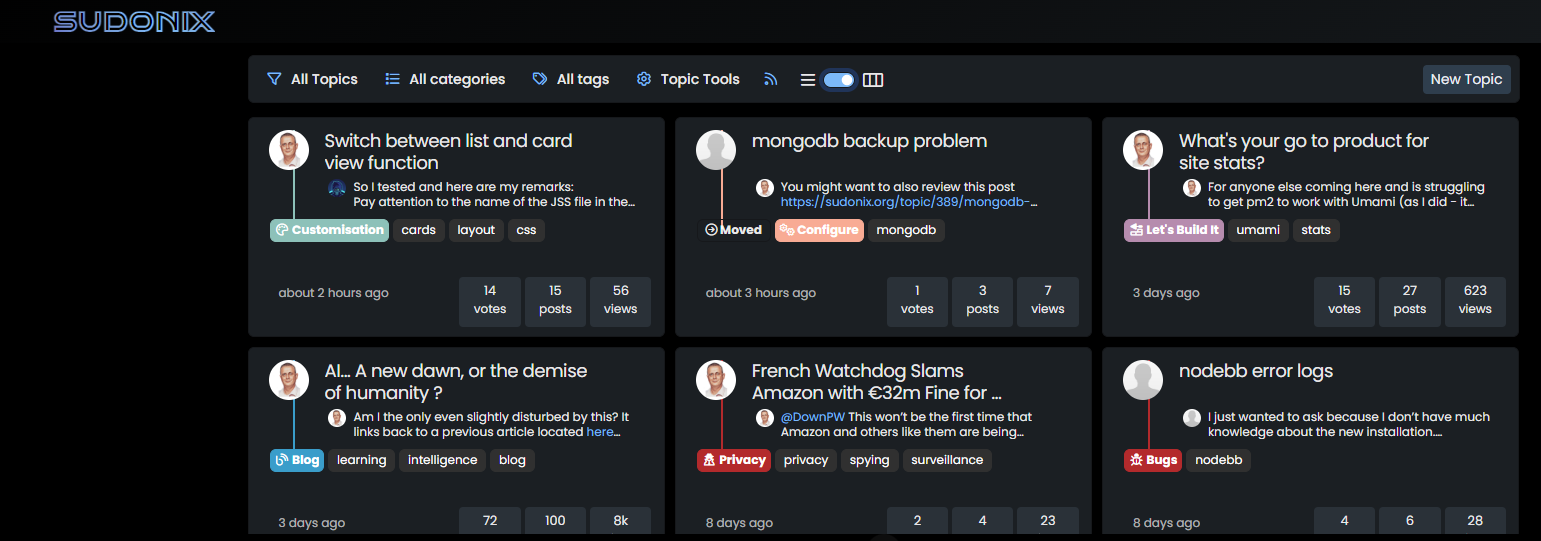
I’m going to release a vanilla harmony CSS file (working on it now) shortly. This will be the starting point that will fit most users, but obvously, the more customized CSS you have, the more work it needs.
@phenomlab said in Switch between list and card view function:
If you have a pinned topic with the pinned label, the line is visible behind the label
I decided to leave this as is. It’s transparent in the stock harmony CSS, so if you want to change it to suit your needs, then feel free. The categories and tags have been moved to the right anyway in this modified version of code, therefore, the “bug” (it’s not really, but…) is no longer present.
-
Great
I put the code on prod.
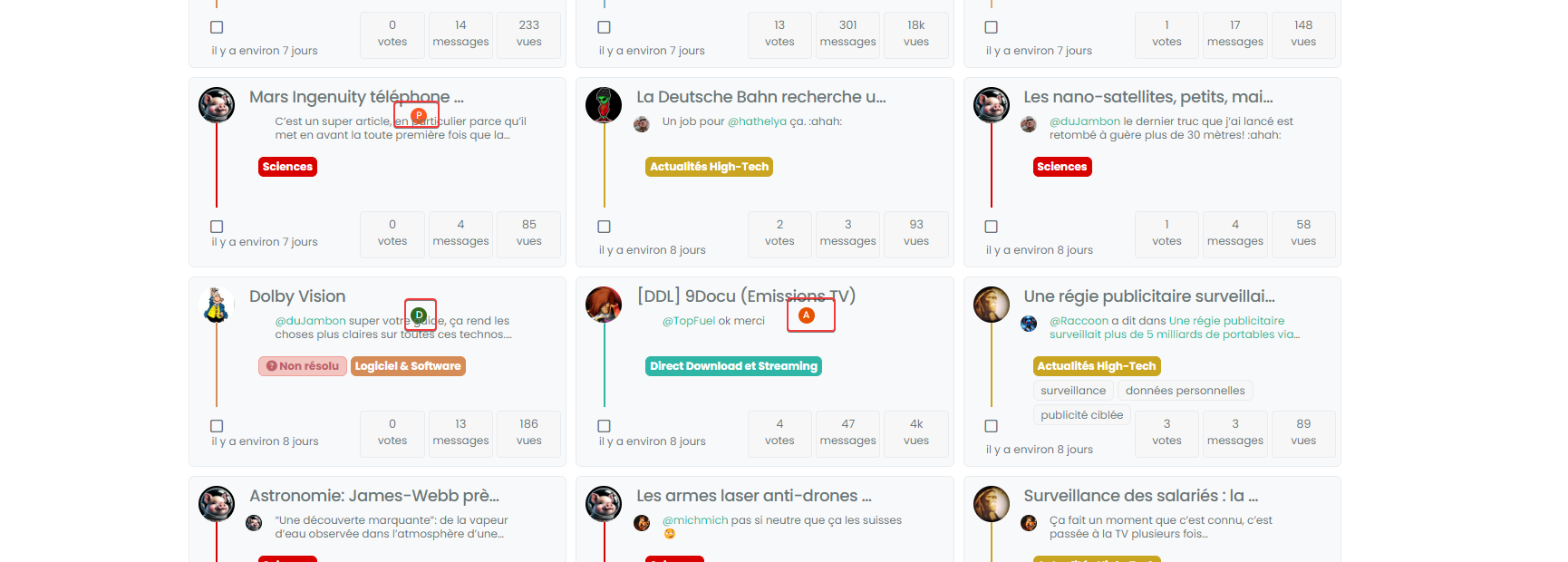
I see this bug on a few topics but impossible to know why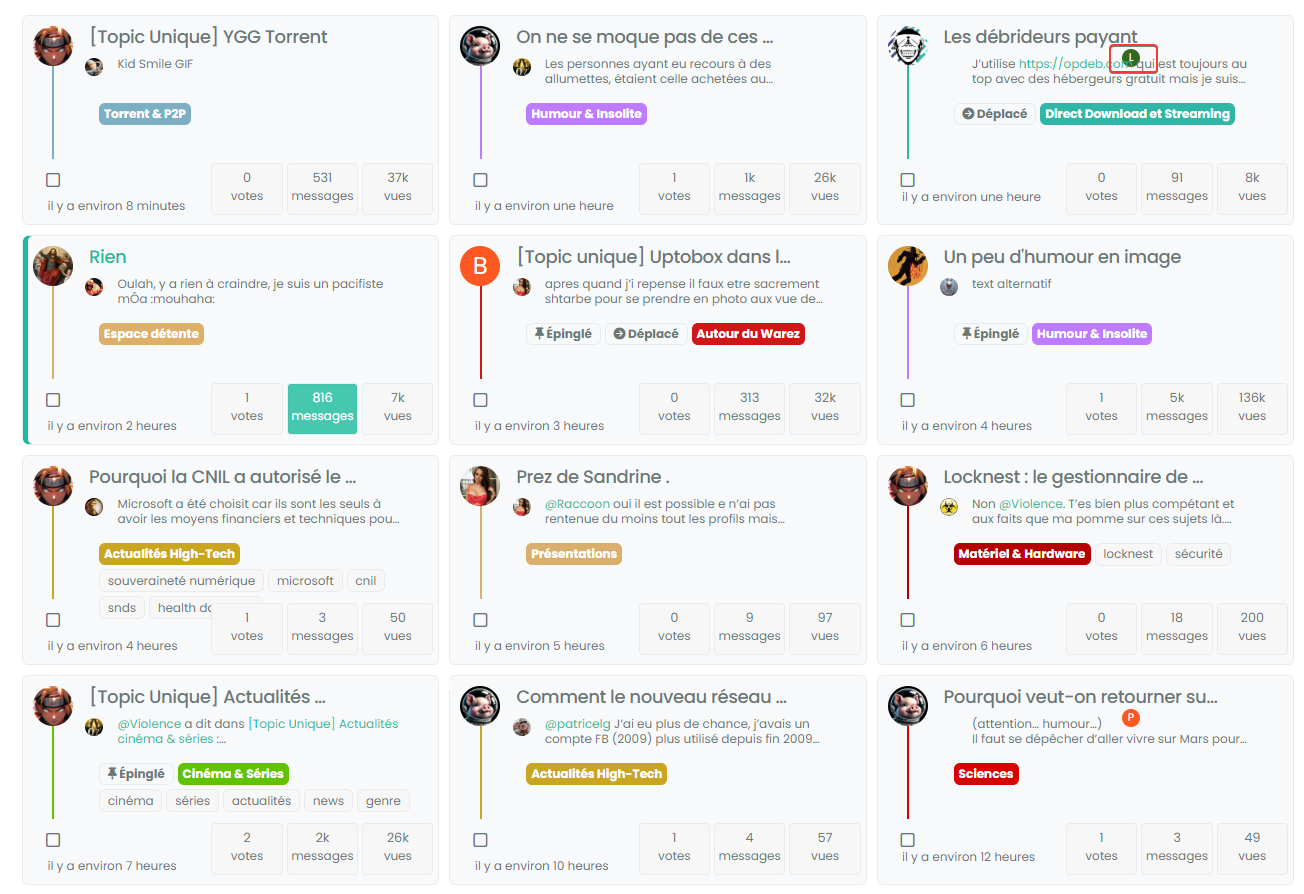

PW and WS Spirit alive
-
Great
I put the code on prod.
I see this bug on a few topics but impossible to know why@DownPW does it resolve itself if you click the home button again? I’ve seen this in dev but can’t reproduce it in prod.
Mark Cutting also advises organisations as a Fractional CIO, Fractional CISO and Executive Advisor, helping boards improve technology governance, cyber resilience and executive decision making. Learn more at Phenomlab Ltd
-
@DownPW does it resolve itself if you click the home button again? I’ve seen this in dev but can’t reproduce it in prod.
@phenomlab said in Switch between list and card view function:
@DownPW does it resolve itself if you click the home button again? I’ve seen this in dev but can’t reproduce it in prod.
nope, the bug persist.
it seem problem with
.category-card .lastpost a imgbut what’s strange is that it doesn’t do it for all topicsPW and WS Spirit alive
-
@phenomlab said in Switch between list and card view function:
@DownPW does it resolve itself if you click the home button again? I’ve seen this in dev but can’t reproduce it in prod.
nope, the bug persist.
it seem problem with
.category-card .lastpost a imgbut what’s strange is that it doesn’t do it for all topics@DownPW yes, it seems to be an issue with the
ajaxcallback but not sure where currently it originates from.Does it happen on page load also?
Mark Cutting also advises organisations as a Fractional CIO, Fractional CISO and Executive Advisor, helping boards improve technology governance, cyber resilience and executive decision making. Learn more at Phenomlab Ltd
-
@DownPW yes, it seems to be an issue with the
ajaxcallback but not sure where currently it originates from.Does it happen on page load also?
@phenomlab said in Switch between list and card view function:
@DownPW yes, it seems to be an issue with the
ajaxcallback but not sure where currently it originates from.Does it happen on page load also?
can you be more specific?
If I refresh the page while keeping Card View activated it’s the same.
Same if I deactivate/reactivate Card ViewHere, we see, we have not
.category-card .lastpost a imgadd to class
PW and WS Spirit alive
-
@phenomlab said in Switch between list and card view function:
@DownPW yes, it seems to be an issue with the
ajaxcallback but not sure where currently it originates from.Does it happen on page load also?
can you be more specific?
If I refresh the page while keeping Card View activated it’s the same.
Same if I deactivate/reactivate Card ViewHere, we see, we have not
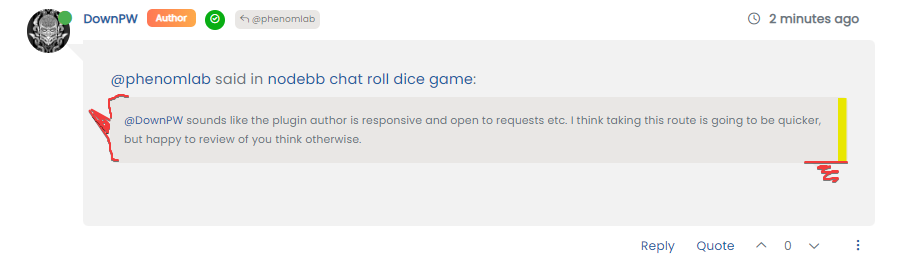
.category-card .lastpost a imgadd to class@DownPW the class you’re referring to in the screenshot isn’t supposed to be applied to that specific element, as there is no
imgto be applied against.What I meant about the
ajaxcallback is that not all of the styles seem to be applied. It’s almost as though they are being added to the DOM when they aren’t loaded yet. -
Arf Ok sorry.
For information, I have the same things on my test server (actually, it’s a clone of prod) if you want to see in details or playPW and WS Spirit alive
-
Arf Ok sorry.
For information, I have the same things on my test server (actually, it’s a clone of prod) if you want to see in details or play@DownPW thanks. The really odd thing here is that I can’t reproduce this issue at all in prod - where I developed it originally in fact.
I think I’m missing something somewhere, but unsure as to where it is currently.
-
no problem dude. I’m not sure I’ll be much help on this one.
PW and WS Spirit alive
-
@DownPW no problems. Your review and findings are a great help already.
-
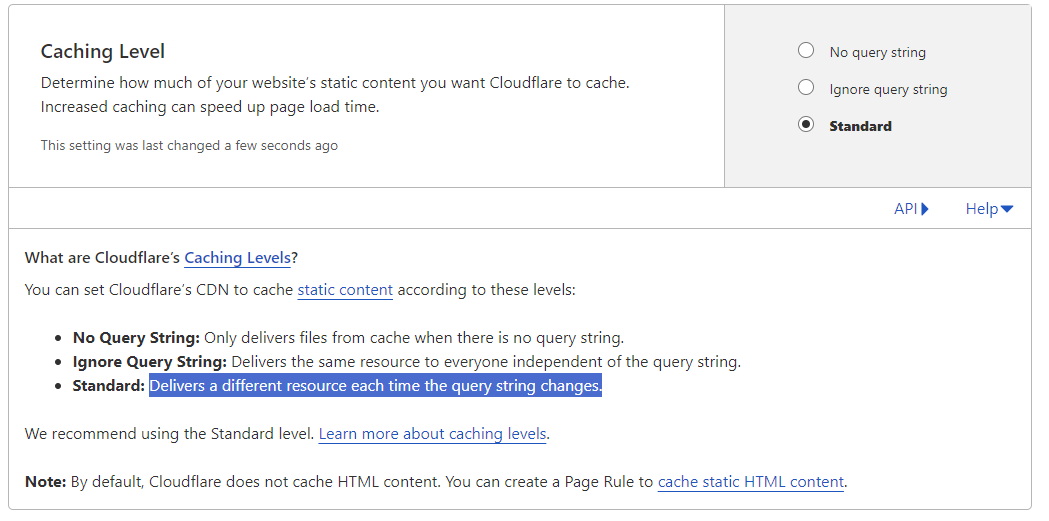
@DownPW I found the bug. It’s CloudFlare

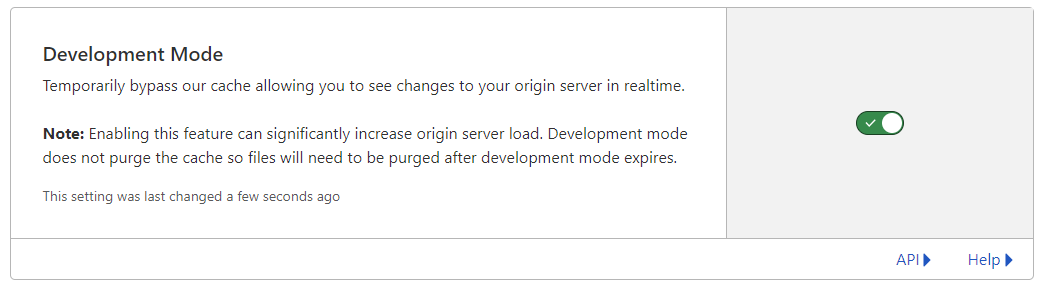
Setting the cache to bypass resolves the issue. This explains why I cannot replicate it in PROD (for me) as I only use CF for DNS resolution.
I have modified the CSS file slightly also, so you’ll need to pick up the latest code.
https://github.com/phenomlab/harmony-card-view/blob/main/card.css
Not entirely sure why CF seems to think this file never changes - it’s different on each page load and suffixed with a random string! The setting in CF should also respect that - but doesn’t. So much for that
-
Ok @phenomlab Thanks to you for find the solution for this problem
so what is the good parameters in CF for this script ?
Maybe include this on your github ?PW and WS Spirit alive
-
Ok @phenomlab Thanks to you for find the solution for this problem
so what is the good parameters in CF for this script ?
Maybe include this on your github ?@DownPW yes, absolutely, although I’m not entirely sure why CF behaves in this manner as in most cases, a present query string that changes frequently (on each page load) should not present itself as an issue.
Still checking.
-
It’s a shame to do without the CF cache in my opinion.
Do you just have to activate development mode in CF?
PW and WS Spirit alive
-
It’s a shame to do without the CF cache in my opinion.
Do you just have to activate development mode in CF?
@DownPW yes, in my testing, just enable development mode and then reload the site a few times and you’ll notice it works as intended.


Hello! It looks like you're interested in this conversation, but you don't have an account yet.
Getting fed up of having to scroll through the same posts each visit? When you register for an account, you'll always come back to exactly where you were before, and choose to be notified of new replies (either via email, or push notification). You'll also be able to save bookmarks and upvote posts to show your appreciation to other community members.
With your input, this post could be even better 💗
Register Login