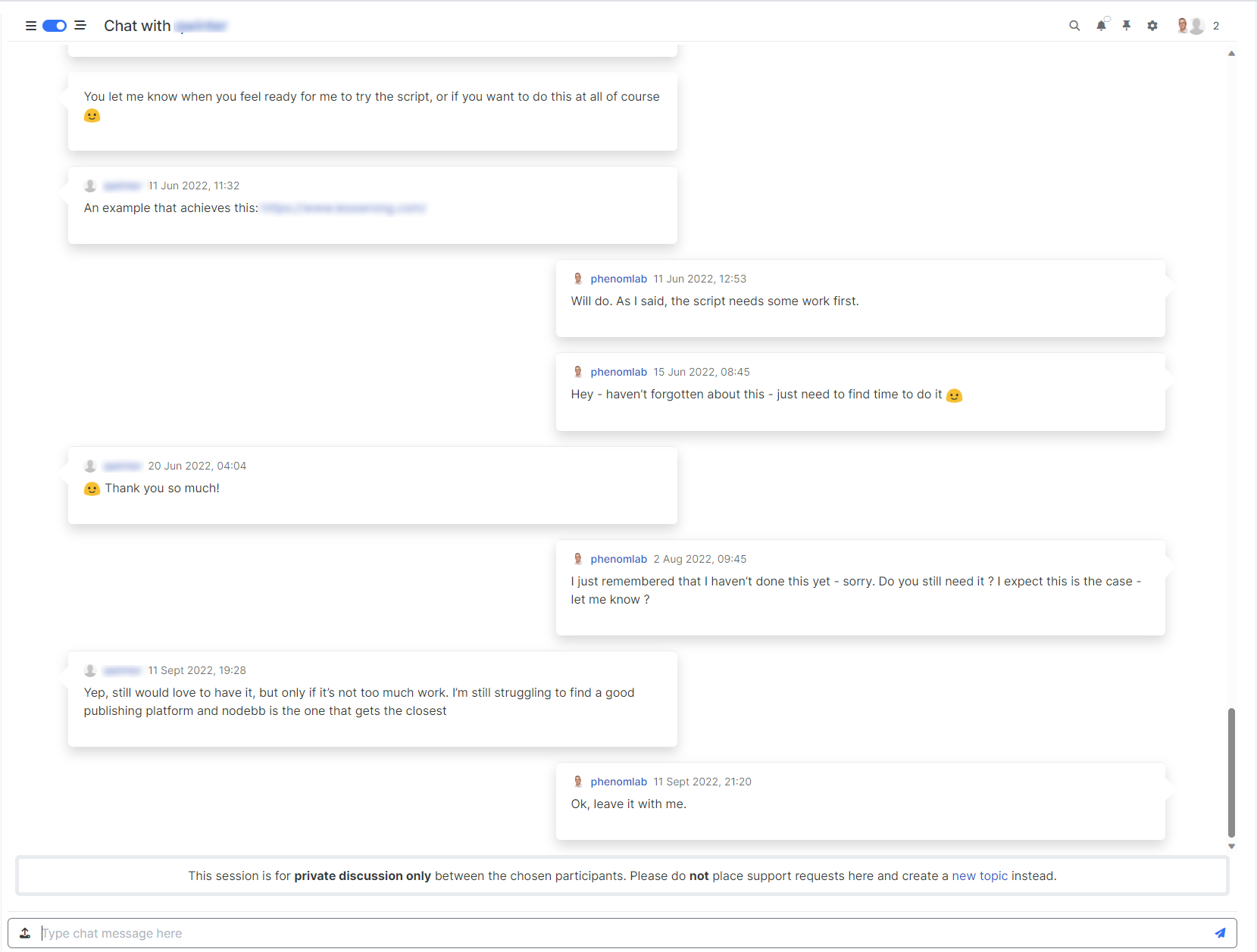
Threaded chat support for NodeBB
-
-
 Definitively better, you can add it to git

In any case, enormous work and as usual : many thanks
I think my users will be happy to have this functionality !!!
@DownPW said in Threaded chat support for NodeBB:
I think my users will be happy to have this functionality !!!
Yes, I think this makes chat so much easier to navigate.
Mark Cutting also advises organisations as a Fractional CIO, Fractional CISO and Executive Advisor, helping boards improve technology governance, cyber resilience and executive decision making. Learn more at Gratmore Ltd
-
@DownPW said in Threaded chat support for NodeBB:
I think my users will be happy to have this functionality !!!
Yes, I think this makes chat so much easier to navigate.

@phenomlab said in Threaded chat support for NodeBB:
@DownPW said in Threaded chat support for NodeBB:
I think my users will be happy to have this functionality !!!
Yes, I think this makes chat so much easier to navigate.
Yes, it’s actually easier to read and more ergonomic and pretty to top it off ! (I don’t know if this expression exists in English
)PW and WS Spirit alive
-
@phenomlab said in Threaded chat support for NodeBB:
@DownPW said in Threaded chat support for NodeBB:
I think my users will be happy to have this functionality !!!
Yes, I think this makes chat so much easier to navigate.
Yes, it’s actually easier to read and more ergonomic and pretty to top it off ! (I don’t know if this expression exists in English
)
@DownPW a perfect translation and expression. Same in English!
Mark Cutting also advises organisations as a Fractional CIO, Fractional CISO and Executive Advisor, helping boards improve technology governance, cyber resilience and executive decision making. Learn more at Gratmore Ltd
-
you think I can have with result with a background (bubble + arrow) different to border color (more light) ?
EDIT :
Find the trick
@media (min-width:1200px) { [data-self="1"].threaded { width: 50%; float: right; margin-right: 5% !important; transition: margin-left 0.3s ease, margin-right 0.3s ease; position: relative; padding-bottom: 20px !important; margin-bottom: 20px; padding: 20px; border-radius: 0.375rem; border: 1px solid var(--bs-border-color); background-color: var(--bs-body-navbar); } [data-self="1"].threaded::before { content: " "; height: 0; position: absolute; top: 20px; width: 0; z-index: 1; right: -30px; border-width: 15px 15px 15px 0; border: 15px solid var(--bs-border-color); border-color: transparent transparent transparent var(--bs-border-color) !important; } [data-self="1"].threaded:after { content: " "; position: absolute; top: 20px; z-index: 2; border: 15px solid var(--bs-body-bg); border-color: transparent transparent transparent var(--bs-body-navbar) !important; right: -29px; border-width: 15px 15px 15px 0; border: 15px solid var(--bs-body-navbar); } [data-self="0"].threaded { width: 50%; float: left; margin-left: 5% !important; transition: margin-left 0.3s ease, margin-right 0.3s ease; position: relative; padding-bottom: 20px !important; margin-bottom: 20px; padding: 20px; border-radius: 0.375rem; border: 1px solid var(--bs-border-color); background-color: var(--bs-body-navbar); } [data-self="0"].threaded::before { content: " "; height: 0; position: absolute; top: 20px; width: 0; z-index: 1; left: -30px; border-width: 15px 15px 15px 0; border: 15px solid var(--bs-border-color); border-color: transparent var(--bs-border-color) transparent transparent !important; } [data-self="0"].threaded:after { content: " "; position: absolute; top: 20px; z-index: 2; border: 15px solid var(--bs-body-navbar); border-color: transparent var(--bs-body-navbar) transparent transparent !important; left: -14px; border-width: 15px 15px 15px 0; } [component="chat/message"] { transition: margin-left 0.3s ease, margin-right 0.3s ease; } [data-self="1"][component="chat/message"] .message-body-wrapper.threaded { float: right; } [data-self="1"][component="chat/message"] .message-header.threaded{ float: right; } [component="chat/message/controls"] { top: 30px; } [component="chat/system-message"] { clear: both; } } -
It seems that when the 2 codes are together, the thread view for topics no longer works.
On the first screen below, my post should be shifted to the right and it is no longer.
On the other hand, my post in “highlight” mode is quite offbeat

maybe a problem just with my CSS, I’m looking for the directive that could bother me
EDIT :
Seems to find the trick again, just add an
!importantto thread View post css codeli.pt-4.self-post:not(.self-post .topic-owner-post).threaded { margin-left: 0rem !important; }PW and WS Spirit alive
-
It seems that when the 2 codes are together, the thread view for topics no longer works.
On the first screen below, my post should be shifted to the right and it is no longer.
On the other hand, my post in “highlight” mode is quite offbeatmaybe a problem just with my CSS, I’m looking for the directive that could bother me
EDIT :
Seems to find the trick again, just add an
!importantto thread View post css codeli.pt-4.self-post:not(.self-post .topic-owner-post).threaded { margin-left: 0rem !important; }
@DownPW said in Threaded chat support for NodeBB:
just add an !important to thread View post css code
Yep. Just don’t overuse that directive.
-
-
hello my friend @phenomlab continue t otest and debug, I see this bug.
When you edit your post and save it, you lose the display (or the post simply disappears) and you have to refresh the page to see it again and display it correctly
EDIT:
- in public can :edit post lose display/layout
- In private chat : edit post lose the post
public :

private:

PW and WS Spirit alive
-
hello my friend @phenomlab continue t otest and debug, I see this bug.
When you edit your post and save it, you lose the display (or the post simply disappears) and you have to refresh the page to see it again and display it correctly
EDIT:
- in public can :edit post lose display/layout
- In private chat : edit post lose the post
public :
private:
@DownPW Did you use the necessary patch?
https://github.com/NodeBB/NodeBB/commit/a7517d886f83703dc158c0e2327542156b539eb6
-
-
this :
$(window).on('action:chat.onMessagesAddedToDom', function(data) {
        	$(document).ready(function() {
    	    console.log('hook triggered');
        threadedChat();
});
});
Seems you have add it on the function.js on github no ?
@DownPW Yes, but check the
gitlink - you need to modifypublic/src/client/chats/messages.jsas belowhttps://github.com/NodeBB/NodeBB/commit/a7517d886f83703dc158c0e2327542156b539eb6

-
-
ha ok I misunderstood that. I thought it was just to add in the Javascript code.
So we have to create the hook manually until 3.5.0
Do you think this will solve the problem?
Test ASAP
@DownPW said in Threaded chat support for NodeBB:
Do you think this will solve the problem?
Yep - I have the patch and cannot replicate the issue on here
-
-
-
Better like this : add shadow and border-left on self answer

@DownPW said in Threaded chat support for NodeBB:
Better like this : add shadow and border-left on self answer
Of course - you style to your own requirements and taste
I’ll commit that CSS we discussed yesterday also -
phenomlab forked this topic on


Hello! It looks like you're interested in this conversation, but you don't have an account yet.
Getting fed up of having to scroll through the same posts each visit? When you register for an account, you'll always come back to exactly where you were before, and choose to be notified of new replies (either via email, or push notification). You'll also be able to save bookmarks and upvote posts to show your appreciation to other community members.
With your input, this post could be even better 💗
Register LoginRelated Topics
-
-
-
-
-
Welcome to NodeBB V3!
Pinned Moved General -
-
-