-
-
@cagatay upgrade completed, but needed to use
rootto do so
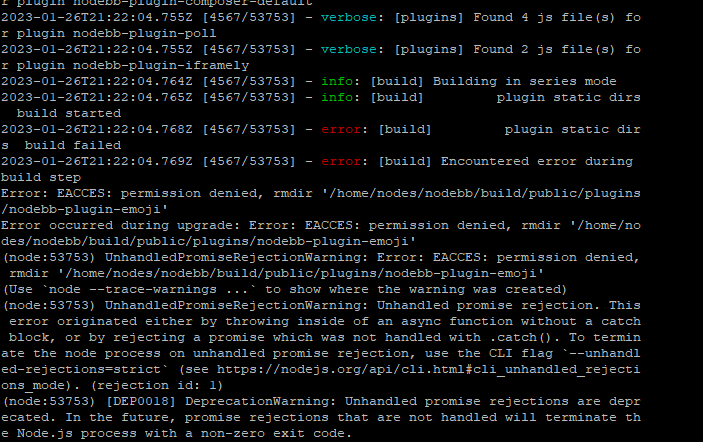
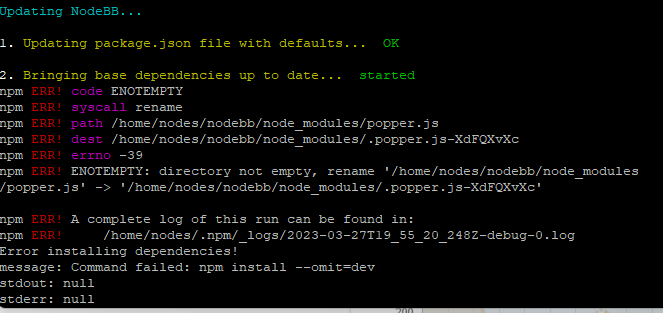
100% permissions related, and needs checking.
Mark Cutting also advises organisations as a Fractional CIO, Fractional CISO and Executive Advisor, helping boards improve technology governance, cyber resilience and executive decision making. Learn more at Phenomlab Ltd
-
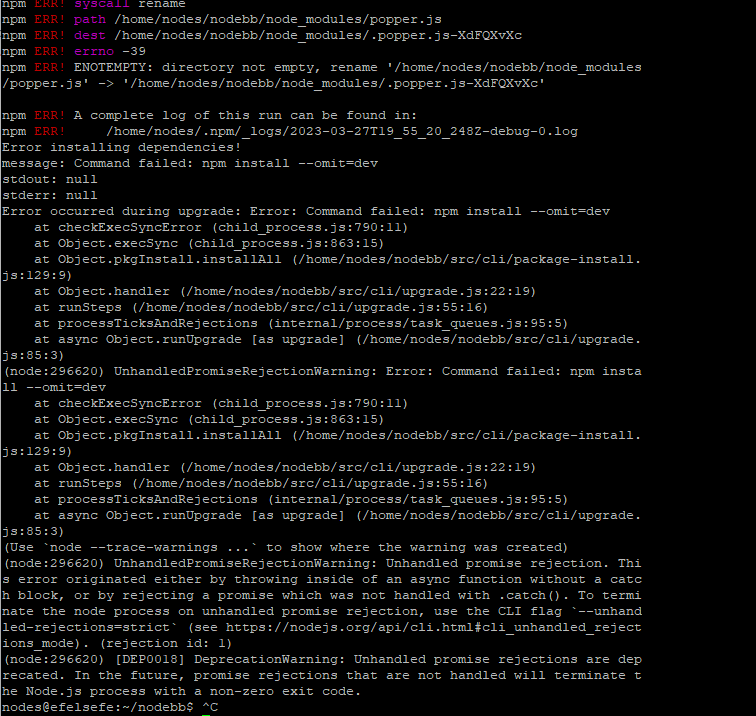
last times i can not upgrade my nodebb correctly.
always i have a some problem.
-
Hmm. Can you give me an idea of how you tried the upgrade?
Mark Cutting also advises organisations as a Fractional CIO, Fractional CISO and Executive Advisor, helping boards improve technology governance, cyber resilience and executive decision making. Learn more at Phenomlab Ltd
-
@phenomlab as always.
./nodebb stop git fetch git reset --hard v2.8.10 ./nodebb upgrade -
@phenomlab as always.
./nodebb stop git fetch git reset --hard v2.8.10 ./nodebb upgrade@cagatay That should work. This is defintely permissions related. I’ll take a look at this later if ok with you (the site will need to be taken offline to attempt the upgrade).
Mark Cutting also advises organisations as a Fractional CIO, Fractional CISO and Executive Advisor, helping boards improve technology governance, cyber resilience and executive decision making. Learn more at Phenomlab Ltd
-
@cagatay That should work. This is defintely permissions related. I’ll take a look at this later if ok with you (the site will need to be taken offline to attempt the upgrade).
@phenomlab when you are able, no worries about the shut donw web site. that site also yours

-
@phenomlab when you are able, no worries about the shut donw web site. that site also yours
@cagatay ok. Thanks
-
@cagatay upgrade completed, but needed to use
rootto do so100% permissions related, and needs checking.
Mark Cutting also advises organisations as a Fractional CIO, Fractional CISO and Executive Advisor, helping boards improve technology governance, cyber resilience and executive decision making. Learn more at Phenomlab Ltd
-
 undefined phenomlab moved this topic from Bugs on
-
undefined phenomlab marked this topic as a question on
-
undefined phenomlab has marked this topic as solved on
-
@cagatay upgrade completed, but needed to use
rootto do so100% permissions related, and needs checking.
@phenomlab so my nodebb running in my vps as a root right?
-
@phenomlab so my nodebb running in my vps as a root right?
@cagatay Yes, exactly.
-
its bad
because it was a user which calling nodes
so when we goes to v3 should use a user nodesthank you Mark.
-
Hi mark.
I upgraded 2.8.11 as admin but control panel not change.
how you upgrade efelsefe account could you please share with me? as a user nodes can not upgrada because of priviligies. as root also so how its happen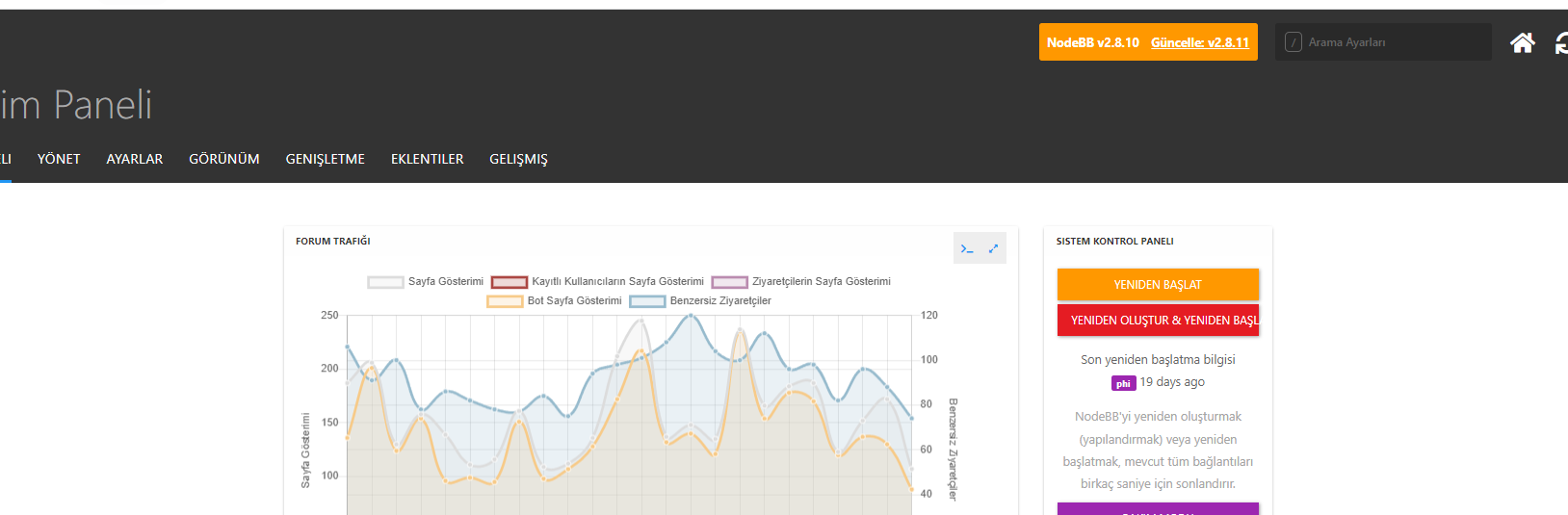
-
Hi mark.
I upgraded 2.8.11 as admin but control panel not change.
how you upgrade efelsefe account could you please share with me? as a user nodes can not upgrada because of priviligies. as root also so how its happen@cagatay Did you stop the NodeBB service before attempting the upgrade ?
-
of course i did ./nodebb stop with root
then git fetch with root
then upgraded
then started nodebb -
of course i did ./nodebb stop with root
then git fetch with root
then upgraded
then started nodebb@cagatay Were any errors displayed during the upgrade process?

Hello! It looks like you're interested in this conversation, but you don't have an account yet.
Getting fed up of having to scroll through the same posts each visit? When you register for an account, you'll always come back to exactly where you were before, and choose to be notified of new replies (either via email, or push notification). You'll also be able to save bookmarks and upvote posts to show your appreciation to other community members.
With your input, this post could be even better 💗
Register LoginDid this solution help you?
Related Topics
-
Spam spam spam
Solved Configure -
Nodebb and emails
Solved Configure -
Test of youtube embeds
Solved Configure -
-
-
-
-