Make logo rotate on page load and hover
-
@DownPW said in fading in /tags page:
.header .forum-logo, img.forum-logo.head {
max-height: 50px;
width: auto;
height: 30px;
margin-top: 9px;
max-width: 150px;
min-width: 32px;
display: inline-block;
animation-name: rotate180, rotate0;
animation-duration: 1000ms;
animation-delay: 0s, 1000ms;
animation-iteration-count: 1;
animation-timing-function: linear;
transition: transform 1000ms ease-in-out;
}like this ? Because I have the effect but just at the refresh page and not on Mouse over
.header .forum-logo, img.forum-logo.head:hover {
    max-height: 50px;
    width: auto;
    height: 30px;
    margin-top: 9px;
    max-width: 150px;
    min-width: 32px;
    display: inline-block;
    animation-name: rotate180, rotate0;
    animation-duration: 1000ms;
    animation-delay: 0s, 1000ms;
    animation-iteration-count: 1;
    animation-timing-function: linear;
    transition: transform 1000ms ease-in-out;

    @keyframes rotate180 {
        from {
          transform: rotate(0deg);
        }

        to {
          transform: rotate(180deg);
        }
      }

      @keyframes rotate0 {
        from {
          transform: rotate(180deg);
        }

        to {
          transform: rotate(0deg);
        }
      }

}
EDIT:
I have it !!!
@keyframes rotate180 { from { transform: rotate(0deg); } to { transform: rotate(180deg); } } @keyframes rotate0 { from { transform: rotate(180deg); } to { transform: rotate(0deg); } } .header .forum-logo:hover { display: inline-block; animation-name: rotate180, rotate0; animation-duration: 1000ms; animation-delay: 0s, 1000ms; animation-iteration-count: 1; animation-timing-function: linear; transition: transform 1000ms ease-in-out; }@DownPW said in fading in /tags page:
Because I have the effect but just at the refresh page and not on Mouse over
How to have this effect when reloading the page and the mouse over at the same time.
So far I can only get one or the other…
For resume my css code :
@keyframes rotate180 {
        from {
          transform: rotate(0deg);
        }

        to {
          transform: rotate(180deg);
        }
      }

      @keyframes rotate0 {
        from {
          transform: rotate(180deg);
        }

        to {
          transform: rotate(0deg);
        }
      }

.header .forum-logo:hover {
    display: inline-block;
    animation-name: rotate180, rotate0;
    animation-duration: 1000ms;
    animation-delay: 0s, 1000ms;
    animation-iteration-count: 1;
    animation-timing-function: linear;
    transition: transform 1000ms ease-in-out;
}
PW and WS Spirit alive
-
@phenomlab said in Make logo rotate on page load and hover:
.header a.forum-logo:hover {
display: inline-block;
animation-name: rotate180, rotate0;
animation-duration: 1000ms;
animation-delay: 0s, 1000ms;
animation-iteration-count: 1;
animation-timing-function: linear;
transition: transform 1000ms ease-in-out;
}not working

@DownPW Should work now, yes?

The issue is that you are declaring the same
keyframestate twiceAll you should use is the below
.header .forum-logo {
    float: left;
    max-height: 50px;
    height: 50px;
    width: auto;
    max-width: 150px;
    display: inline-block;
    margin-left: 0px;
    display: inline-block;
    animation-name: rotate180, rotate0;
    animation-duration: 1000ms;
    animation-delay: 0s, 1000ms;
    animation-iteration-count: 1;
    animation-timing-function: linear;
    transition: transform 1000ms ease-in-out;
}

.forum-logo:hover {
    transform: rotate(180deg);
}
Basically, you only need the
transformonhoverMark Cutting also advises organisations as a Fractional CIO, Fractional CISO and Executive Advisor, helping boards improve technology governance, cyber resilience and executive decision making. Learn more at Phenomlab Ltd
-
@DownPW said in fading in /tags page:
Because I have the effect but just at the refresh page and not on Mouse over
How to have this effect when reloading the page and the mouse over at the same time.
So far I can only get one or the other…
For resume my css code :
@keyframes rotate180 { from { transform: rotate(0deg); } to { transform: rotate(180deg); } } @keyframes rotate0 { from { transform: rotate(180deg); } to { transform: rotate(0deg); } } .header .forum-logo:hover { display: inline-block; animation-name: rotate180, rotate0; animation-duration: 1000ms; animation-delay: 0s, 1000ms; animation-iteration-count: 1; animation-timing-function: linear; transition: transform 1000ms ease-in-out; }@DownPW Why would you reload and mouse over at the same time ?
Mark Cutting also advises organisations as a Fractional CIO, Fractional CISO and Executive Advisor, helping boards improve technology governance, cyber resilience and executive decision making. Learn more at Phenomlab Ltd
-
@phenomlab said in fading in /tags page:
Why would you reload and mouse over at the same time ?
When I say at the same time it is that I expressed myself badly.
Just have both effects and not one or the other
PW and WS Spirit alive
-
@phenomlab said in fading in /tags page:
Why would you reload and mouse over at the same time ?
When I say at the same time it is that I expressed myself badly.
Just have both effects and not one or the other
@DownPW Is in DEV or PROD ?
Mark Cutting also advises organisations as a Fractional CIO, Fractional CISO and Executive Advisor, helping boards improve technology governance, cyber resilience and executive decision making. Learn more at Phenomlab Ltd
-
Prod actually
PW and WS Spirit alive
-
Prod actually
@DownPW Ok, but can you explain the desired result - do you want the hover effect to happen on page load for example as well as on hover?
Mark Cutting also advises organisations as a Fractional CIO, Fractional CISO and Executive Advisor, helping boards improve technology governance, cyber resilience and executive decision making. Learn more at Phenomlab Ltd
-
@DownPW Ok, but can you explain the desired result - do you want the hover effect to happen on page load for example as well as on hover?
PW and WS Spirit alive
-
@DownPW For page load you will likely need a trigger created by jQuery. Whilst it’s feasible to execute animation via transform in CSS on page load, the CSS is probably being loaded after the page, meaning it won’t fire.
You could test this on a standard page with the CSS inline to see if that works first before you explore the other route.
Mark Cutting also advises organisations as a Fractional CIO, Fractional CISO and Executive Advisor, helping boards improve technology governance, cyber resilience and executive decision making. Learn more at Phenomlab Ltd
-
@DownPW For page load you will likely need a trigger created by jQuery. Whilst it’s feasible to execute animation via transform in CSS on page load, the CSS is probably being loaded after the page, meaning it won’t fire.
You could test this on a standard page with the CSS inline to see if that works first before you explore the other route.
odd you hav this 2 effect here…
PW and WS Spirit alive
-
odd you hav this 2 effect here…
@DownPW I don’t. If I press F5 to reload the tags page, there is no animation?
Mark Cutting also advises organisations as a Fractional CIO, Fractional CISO and Executive Advisor, helping boards improve technology governance, cyber resilience and executive decision making. Learn more at Phenomlab Ltd
-
@phenomlab @DownPW wait - I see what you mean now - you’re talking about the rotating logo
- the title of this post threw me, so I’ll split this to a new topic to avoid confusion -
odd you hav this 2 effect here…
@DownPW Add this to your CSS
.header .forum-logo {
    display: inline-block;
    animation-name: rotate180, rotate0;
    animation-duration: 1000ms;
    animation-delay: 0s, 1000ms;
    animation-iteration-count: 1;
    animation-timing-function: linear;
    transition: transform 1000ms ease-in-out;
}
Mark Cutting also advises organisations as a Fractional CIO, Fractional CISO and Executive Advisor, helping boards improve technology governance, cyber resilience and executive decision making. Learn more at Phenomlab Ltd
-
@DownPW Add this to your CSS
.header .forum-logo { display: inline-block; animation-name: rotate180, rotate0; animation-duration: 1000ms; animation-delay: 0s, 1000ms; animation-iteration-count: 1; animation-timing-function: linear; transition: transform 1000ms ease-in-out; }I already tried.this
If I add this code, work at loading page works but the mouse over doesn’t work anymore
PW and WS Spirit alive
-
I already tried.this
If I add this code, work at loading page works but the mouse over doesn’t work anymore
@DownPW Can you put it back so I can test?
Mark Cutting also advises organisations as a Fractional CIO, Fractional CISO and Executive Advisor, helping boards improve technology governance, cyber resilience and executive decision making. Learn more at Phenomlab Ltd
-
-
@phenomlab done
@DownPW I see the issue. Try
.header a.forum-logo:hover {
    display: inline-block;
    animation-name: rotate180, rotate0;
    animation-duration: 1000ms;
    animation-delay: 0s, 1000ms;
    animation-iteration-count: 1;
    animation-timing-function: linear;
    transition: transform 1000ms ease-in-out;
}
Mark Cutting also advises organisations as a Fractional CIO, Fractional CISO and Executive Advisor, helping boards improve technology governance, cyber resilience and executive decision making. Learn more at Phenomlab Ltd
-
@DownPW I see the issue. Try
.header a.forum-logo:hover { display: inline-block; animation-name: rotate180, rotate0; animation-duration: 1000ms; animation-delay: 0s, 1000ms; animation-iteration-count: 1; animation-timing-function: linear; transition: transform 1000ms ease-in-out; }@phenomlab said in Make logo rotate on page load and hover:
.header a.forum-logo:hover {
display: inline-block;
animation-name: rotate180, rotate0;
animation-duration: 1000ms;
animation-delay: 0s, 1000ms;
animation-iteration-count: 1;
animation-timing-function: linear;
transition: transform 1000ms ease-in-out;
}not working
PW and WS Spirit alive
-
@phenomlab said in Make logo rotate on page load and hover:
.header a.forum-logo:hover {
display: inline-block;
animation-name: rotate180, rotate0;
animation-duration: 1000ms;
animation-delay: 0s, 1000ms;
animation-iteration-count: 1;
animation-timing-function: linear;
transition: transform 1000ms ease-in-out;
}not working
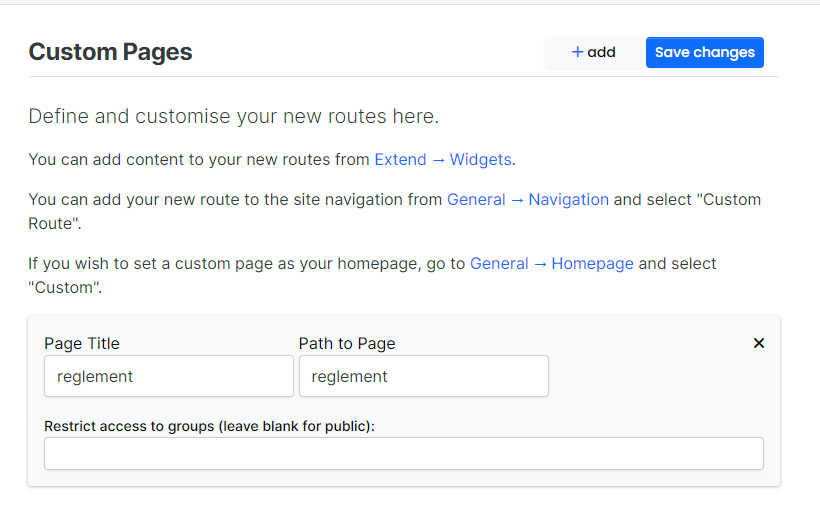
@DownPW Can you give me admin access to your site please (PM me)
-
@phenomlab said in Make logo rotate on page load and hover:
.header a.forum-logo:hover {
display: inline-block;
animation-name: rotate180, rotate0;
animation-duration: 1000ms;
animation-delay: 0s, 1000ms;
animation-iteration-count: 1;
animation-timing-function: linear;
transition: transform 1000ms ease-in-out;
}not working
@DownPW Should work now, yes?
The issue is that you are declaring the same
keyframestate twiceAll you should use is the below
.header .forum-logo {
    float: left;
    max-height: 50px;
    height: 50px;
    width: auto;
    max-width: 150px;
    display: inline-block;
    margin-left: 0px;
    display: inline-block;
    animation-name: rotate180, rotate0;
    animation-duration: 1000ms;
    animation-delay: 0s, 1000ms;
    animation-iteration-count: 1;
    animation-timing-function: linear;
    transition: transform 1000ms ease-in-out;
}

.forum-logo:hover {
    transform: rotate(180deg);
}
Basically, you only need the
transformonhoverMark Cutting also advises organisations as a Fractional CIO, Fractional CISO and Executive Advisor, helping boards improve technology governance, cyber resilience and executive decision making. Learn more at Phenomlab Ltd
-
@DownPW Should work now, yes?
The issue is that you are declaring the same
keyframestate twiceAll you should use is the below
.header .forum-logo {
    float: left;
    max-height: 50px;
    height: 50px;
    width: auto;
    max-width: 150px;
    display: inline-block;
    margin-left: 0px;
    display: inline-block;
    animation-name: rotate180, rotate0;
    animation-duration: 1000ms;
    animation-delay: 0s, 1000ms;
    animation-iteration-count: 1;
    animation-timing-function: linear;
    transition: transform 1000ms ease-in-out;
}

.forum-logo:hover {
    transform: rotate(180deg);
}
Basically, you only need the
transformonhover -
 undefined DownPW has marked this topic as solved on


Hello! It looks like you're interested in this conversation, but you don't have an account yet.
Getting fed up of having to scroll through the same posts each visit? When you register for an account, you'll always come back to exactly where you were before, and choose to be notified of new replies (either via email, or push notification). You'll also be able to save bookmarks and upvote posts to show your appreciation to other community members.
With your input, this post could be even better 💗
Register Login