[NODEBB] CSS Style Sheets SelectBox
-
like this ? @phenomlab
/* Smartphone */
@media (min-width: 320px) {
body {
        background: url(https://i.imgur.com/XXXX.png) no-repeat center center fixed;
        -webkit-background-size: cover;
        -moz-background-size: cover;
        -o-background-size: cover;
        background-size: cover;
}
}

/* Desktop */
@media (min-width: 1281px) {
    body {
        background: url(https://i.imgur.com/XXXX.png) no-repeat center center fixed;
        -webkit-background-size: cover;
        -moz-background-size: cover;
        -o-background-size: cover;
        background-size: cover;
    }
}
PW and WS Spirit alive
-
like this ? @phenomlab
/* Smartphone */ @media (min-width: 320px) { body { background: url(https://i.imgur.com/XXXX.png) no-repeat center center fixed; -webkit-background-size: cover; -moz-background-size: cover; -o-background-size: cover; background-size: cover; } } /* Desktop */ @media (min-width: 1281px) { body { background: url(https://i.imgur.com/XXXX.png) no-repeat center center fixed; -webkit-background-size: cover; -moz-background-size: cover; -o-background-size: cover; background-size: cover; } }@downpw Yep. That should work.
-
Whoops, I have test and not work on mobile

Just fix this and it’s perfect for mePW and WS Spirit alive
-
Whoops, I have test and not work on mobile
Just fix this and it’s perfect for me@downpw So it’s working now ?
-
no.
white background on mobilePW and WS Spirit alive
-
@downpw Ok. Checking now.
-
PW and WS Spirit alive
-
@downpw Yes, I see it. On each CSS sheet you have, change
background-color: whitetobackground-color: transparent;on thebodytag and let me know if that fixes it. -
-
@downpw On each
bodytag, changebackground-color: whitetobackground-color: transparent; -
nope doesn’t work
PW and WS Spirit alive
-
nope doesn’t work
@downpw Try
background-color: transparent !important; -
yes I have test that too
PW and WS Spirit alive
-
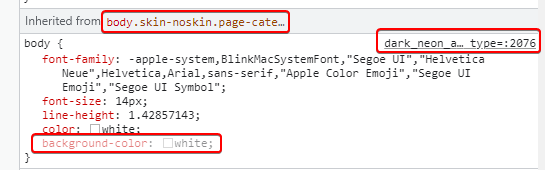
@downpw Odd. This is what I see.

Then, from your
bodyclass, I changebackground-color: whitetobackground-color: transparent;So the CSS now look like
body {
    font-family: -apple-system,BlinkMacSystemFont,"Segoe UI","Helvetica Neue",Helvetica,Arial,sans-serif,"Apple Color Emoji","Segoe UI Emoji","Segoe UI Symbol";
    font-size: 14px;
    line-height: 1.42857143;
    color: white;
    background-color: transparent;
}
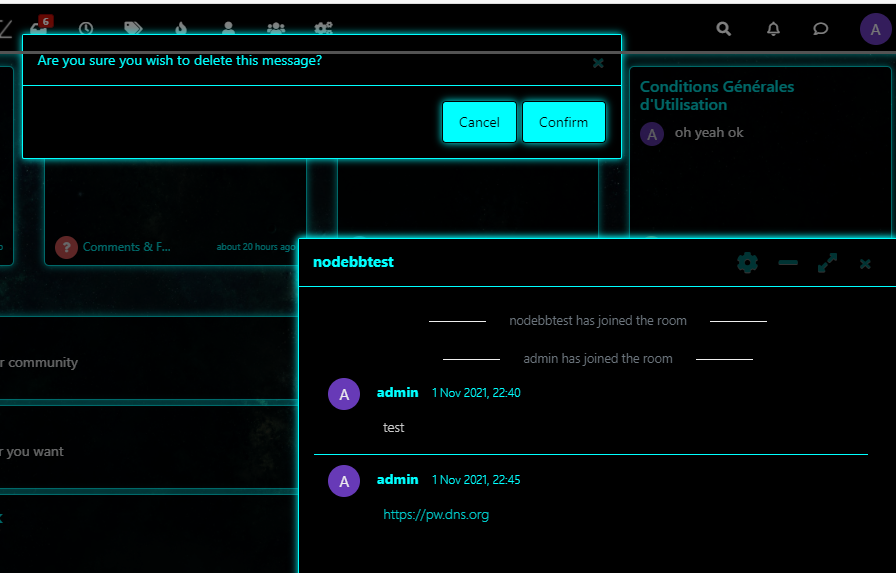
And the image displays

-
how and where do you do that ?
PW and WS Spirit alive
-
@downpw By altering the CSS in the DOM directly. F12, then “inspect”, select element, and change
This is what I see
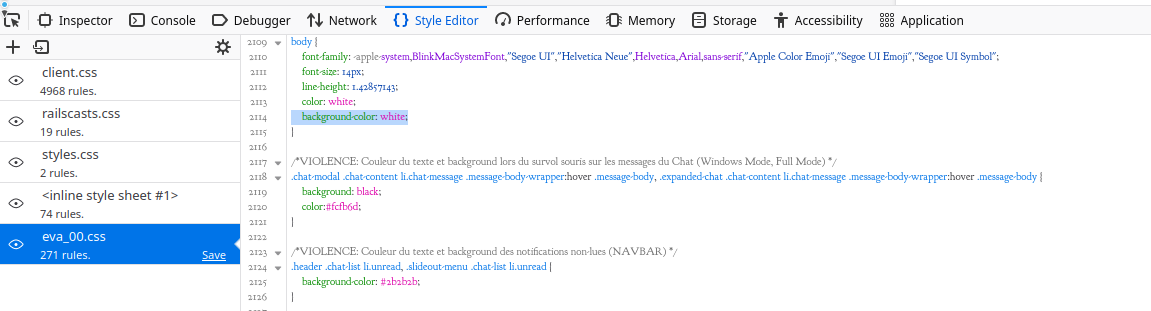
Can you change the
background-color: white;ineva_00.csstobackground-color: transparent;and let me know when done ?Actually, you can probably remove it altogether ?
-
yes it’s that.
I must change on all CSS filePW and WS Spirit alive
-
@downpw Yep. Or, you can just remove that line in each file.
-
Ok great my Lord

-
PW and WS Spirit alive


Hello! It looks like you're interested in this conversation, but you don't have an account yet.
Getting fed up of having to scroll through the same posts each visit? When you register for an account, you'll always come back to exactly where you were before, and choose to be notified of new replies (either via email, or push notification). You'll also be able to save bookmarks and upvote posts to show your appreciation to other community members.
With your input, this post could be even better 💗
Register Login