Custom Board Stats Widget
-
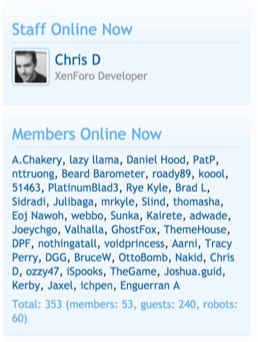
I had someone mention to me yesterday that they liked the footer widget present on the Categories page, which looks like the below

This isn’t custom code at all, but in fact the “Board Stats” widget which is added when
nodebb-widget-board-statsis installed. However, there were various elements I didn’t like - particularly, the layout, which by default (on here) would have looked like this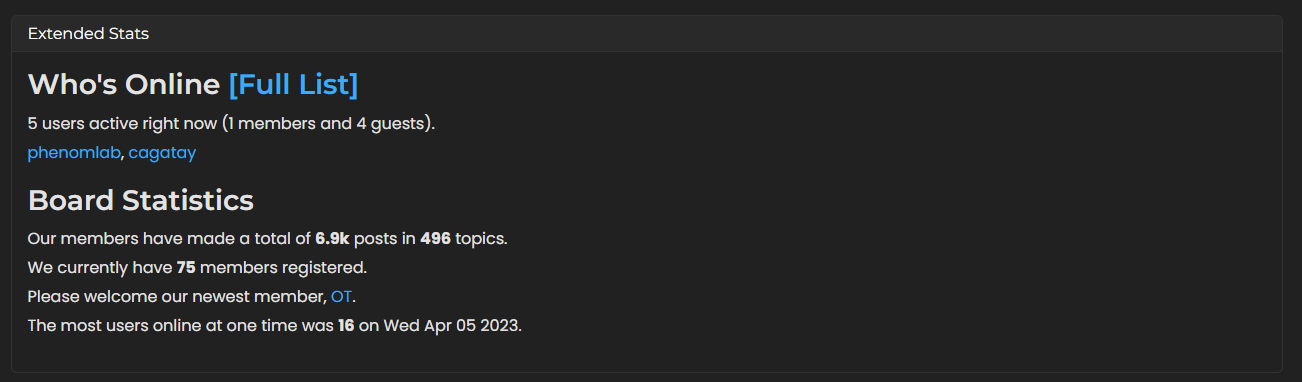
There’s nothing “wrong” with it (apart from the fact that the calculations seem a little off with actual users vs guests - not a show stopper for me), but I didn’t want some elements to be displayed, and so I used the below CSS to hide them, and then modify the alignment so it looks like the first image
.widget-board-stats {
    display: flex;
    flex-direction: row-reverse;
    justify-content: space-around;
}
.widget-board-stats h3 {
    display: none;
}
This basically hides anything in that widget that uses
h3as the header, and then arranges the widget itself so thatflex-directionandjustify-contentare included which lines up everything nicely.If you’d like the widget to look like a card, you can set that in the widget itself by adding the below code into the widget container
<div class="card"><h5 class="card-header">{{title}}</h5><div class="card-body">{{body}}</div></div>Effectively, the below.
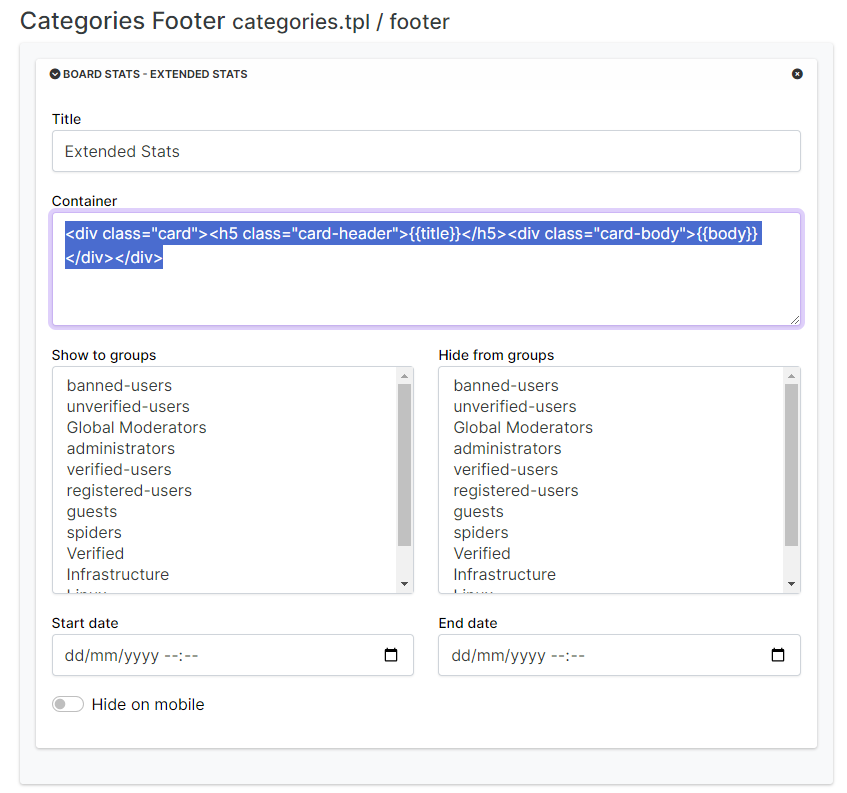
Or, you can drag the card element into the container area like the below, and drop it
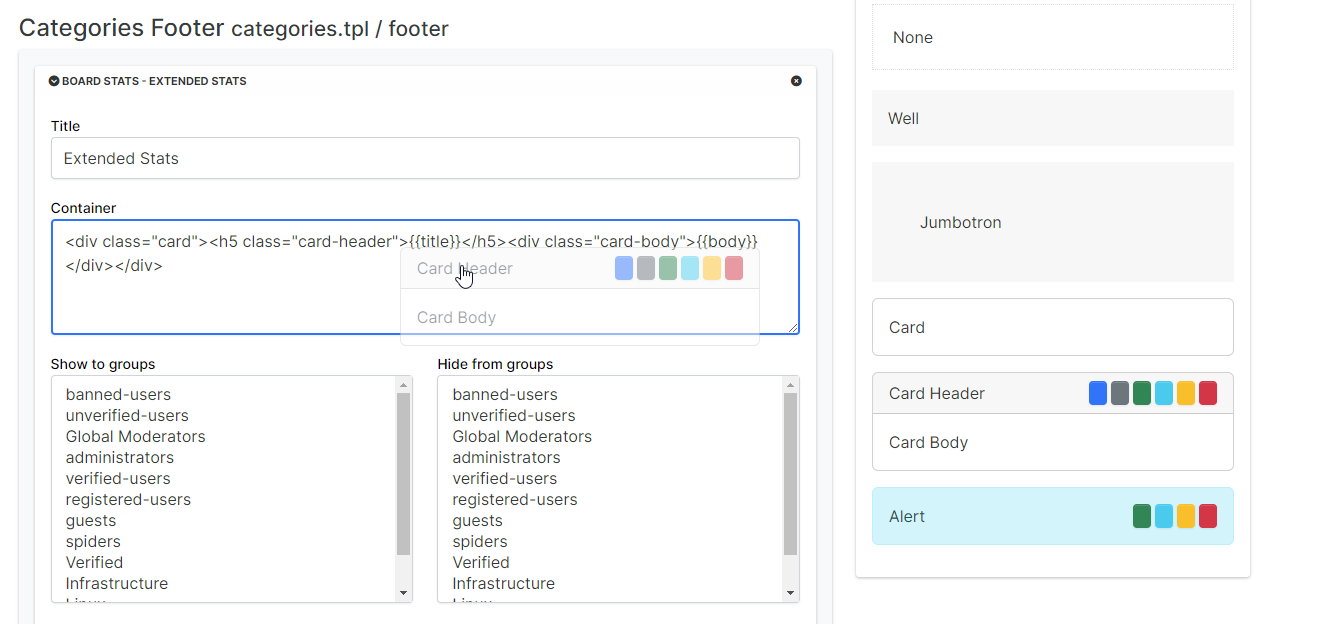
Enjoy.
Mark Cutting also advises organisations as a Fractional CIO, Fractional CISO and Executive Advisor, helping boards improve technology governance, cyber resilience and executive decision making. Learn more at Phenomlab Ltd
-
 undefined phenomlab moved this topic from Code Respository on
-
@phenomlab , thanks for the explanation. it looks great!
a quite traditional stats box, just like how it has been in old forums
-
undefined phenomlab referenced this topic on
-
-
@phenomlab how can i add board statics?
@cagatay once you’ve installed the plugin, you’ll need to add it as a widget.
-
-
@cagatay install it via CLI
-
This post is deleted!
-
Mark hi i istalled and added the stats but in english language. How can i change it in turkish one?
-
Mark hi i istalled and added the stats but in english language. How can i change it in turkish one?
@cagatay that’s a question for the NodeBB devs I think. You could perhaps use the
nodebb-plugin-customizeto do the translations.Not sure if they exist in Transiflex either, so you may need to add these manually.
-
Mark hi i istalled and added the stats but in english language. How can i change it in turkish one?
@cagatay if you can share the github page of the plugin, I can send Turkish translation as “pull request” …
-
@cagatay if you can share the github page of the plugin, I can send Turkish translation as “pull request” …
@crazycells that would be very useful
-
-
I asked @barisusakli to add multi-language support to this plugin… I will send an update after him…
As an alternative (but more laborious) method, you can fork the plugin to your github profile and change the translation here on this page:
and then, install the plugin from your github page to the forum instead of the regular plugin…
-
if i can found where is this plugin saved in my files of nodebb, i can edit byself but cant found in modules files or plugin files …
-
if i can found where is this plugin saved in my files of nodebb, i can edit byself but cant found in modules files or plugin files …
@cagatay is it’s installed, it’ll be there. Sometimes they aren’t necessarily in the order you’d expect.
-
if i can found where is this plugin saved in my files of nodebb, i can edit byself but cant found in modules files or plugin files …
@cagatay yes, that is also good idea, but I do not know if it stays overwritten all the time (does doing “plugin reset” reset the files? I do not know)
-
@cagatay yes, that is also good idea, but I do not know if it stays overwritten all the time (does doing “plugin reset” reset the files? I do not know)
@crazycells it’ll be overwritten. My recommendation here in the absence of Transiflex would be to use the customize plugin
-
@phenomlab @barisusakli updated the plugin but with another name.
so could you please update your edit code also on it?new plugin name;
@nodebb/nodebb-widget-board-stats@2.0.0 -
@phenomlab @barisusakli updated the plugin but with another name.
so could you please update your edit code also on it?new plugin name;
@nodebb/nodebb-widget-board-stats@2.0.0@cagatay there’s no chages needed?
Mark Cutting also advises organisations as a Fractional CIO, Fractional CISO and Executive Advisor, helping boards improve technology governance, cyber resilience and executive decision making. Learn more at Phenomlab Ltd
-
No just css maybe @phenomlab
I have installed the plugin and ask modification to @barisusakli
see here, here and [here](https://community.nodebb.org/post/97623
With no bugs, i can use it, and even combined with the other plugin
PW and WS Spirit alive





Hello! It looks like you're interested in this conversation, but you don't have an account yet.
Getting fed up of having to scroll through the same posts each visit? When you register for an account, you'll always come back to exactly where you were before, and choose to be notified of new replies (either via email, or push notification). You'll also be able to save bookmarks and upvote posts to show your appreciation to other community members.
With your input, this post could be even better 💗
Register Login