Block Domain
-
I have a great code here. I managed to modify the HTTP URL link as well as the link text (description) by modifying them both with a warning message and the URL of my choice for each domain. I am currently redirecting to my checkout page.
The code also differentiates with text before and after the link and does not take it into account.
It works :
- In the topics
- In the carousel
- In the previews of the last post in the recent page, unread etc…
- In Chat
There are certainly things to improve but I’ll share the code with you here.
–> This will be my Christmas present

If you have any improvements or suggestions, don’t hesitate @phenomlab
// ------------------------------------------------------------------
// Block Domain URL on topics & Topic teasers & caroussel topic info
// ------------------------------------------------------------------

$(document).ready(function () {
  // Function to replace URLs and link text in a given HTML content
  function replaceUrls(html) {
    // Replace the old domain URLs with the new domain URL and update link text
    html = html.replace(/(<a[^>]*href="https?:\/\/(?:www\.)?francesoir\.fr(?:\/[^\s>]*)?"[^>]*>)([^<]*)<\/a>/g, '<a href="https://YOUR_URL_REDIRECTION/rules"><strong>🤖 [Oups. The PW anti fake news system detected a disinformation domain name] 🤖</strong></a>');
    html = html.replace(/(<a[^>]*href="https?:\/\/(?:www\.)?francais\.rt\.com(?:\/[^\s>]*)?"[^>]*>)([^<]*)<\/a>/g, '<a href="https://YOUR_URL_REDIRECTION/rules"><strong>🤖 [Oups. The PW anti fake news system detected a domain name of disinformation and propaganda] 🤖</strong></a>');
    html = html.replace(/(<a[^>]*href="https?:\/\/(?:www\.)?fr\.sputniknews\.africa(?:\/[^\s>]*)?"[^>]*>)([^<]*)<\/a>/g, '<a href="https://YOUR_URL_REDIRECTION/rules"><strong>🤖 [Oups. The PW anti fake news system detected a domain name of disinformation and propaganda] 🤖</strong></a>');
    html = html.replace(/(<a[^>]*href="https?:\/\/(?:www\.)?lecourrierdesstrateges\.fr(?:\/[^\s>]*)?"[^>]*>)([^<]*)<\/a>/g, '<a href="https://YOUR_URL_REDIRECTION/rules"><strong>🤖 [Oups. The PW anti fake news system detected a disinformation domain name] 🤖</strong></a>');
    html = html.replace(/(<a[^>]*href="https?:\/\/(?:www\.)?lelibrepenseur\.org(?:\/[^\s>]*)?"[^>]*>)([^<]*)<\/a>/g, '<a href="https://YOUR_URL_REDIRECTION/rules"><strong>🤖 [Oups. The PW anti fake news system detected a disinformation domain name] 🤖</strong></a>');
    html = html.replace(/(<a[^>]*href="https?:\/\/(?:www\.)?lesmoutonsenrages\.fr(?:\/[^\s>]*)?"[^>]*>)([^<]*)<\/a>/g, '<a href="https://YOUR_URL_REDIRECTION/rules"><strong>🤖 [Oups. The anti fake news system detected a domain name spreading hate speech and anti-Semitic comments] 🤖</strong></a>');
    html = html.replace(/(<a[^>]*href="https?:\/\/(?:www\.)?upr\.fr(?:\/[^\s>]*)?"[^>]*>)([^<]*)<\/a>/g, '<a href="https://YOUR_URL_REDIRECTION/rules"><strong>🤖 [Oups. The PW anti fake news system detected a disinformation domain name] 🤖</strong></a>');
    html = html.replace(/(<a[^>]*href="https?:\/\/(?:www\.)?lecourrier-du-soir\.com(?:\/[^\s>]*)?"[^>]*>)([^<]*)<\/a>/g, '<a href="https://YOUR_URL_REDIRECTION/rules"><strong>🤖 [Oups. The PW anti fake news system detected a disinformation domain name] 🤖</strong></a>');
    html = html.replace(/(<a[^>]*href="https?:\/\/(?:www\.)?fdesouche\.com(?:\/[^\s>]*)?"[^>]*>)([^<]*)<\/a>/g, '<a href="https://YOUR_URL_REDIRECTION/rules"><strong>🤖 [Oups. The anti-fake news system detected a domain name disseminating racist hate articles] 🤖</strong></a>');
    // Add more lines for additional domains if needed
    return html;
  }

  // Function to replace URLs and link text in a given content element
  function replaceUrlsInContent($content) {
    $content.html(function (_, oldHtml) {
      return replaceUrls(oldHtml);
    });
  }

  // Replace URLs and link text when a new post is added
  $(window).on('action:posts.loaded', function () {
    $('[component="post"]').each(function () {
      var $postContent = $(this).find('.content, .topic-info.text-sm.text-break, .content.mt-2.text-break, .stretched-link, .message-body.ps-0.py-0.overflow-auto.text-break');
      // Replace URLs and link text in the post content
      $postContent.html(replaceUrls($postContent.html()));
    });
  });

  // Replace URLs and link text when a post is edited
  $(window).on('action:topic.loaded', function () {
    $('[component="post"]').each(function () {
      var $postContent = $(this).find('.content, .topic-info.text-sm.text-break, .content.mt-2.text-break, .stretched-link, .message-body.ps-0.py-0.overflow-auto.text-break');
      // Replace URLs and link text in the post content
      $postContent.html(replaceUrls($postContent.html()));
    });
  });

  // Replace URLs and link text when a new page is loaded or content is updated for topic teaser & carroussel topic info
  $(document).ajaxComplete(function () {
    $('.post-content.text-xs.ps-2.line-clamp-sm-2.lh-sm.text-break, .topic-info.text-sm.text-break, .content.mt-2.text-break, .stretched-link, .message-body.ps-0.py-0.overflow-auto.text-break').each(function () {
      var $content = $(this);
      replaceUrlsInContent($content);
    });
  });
});
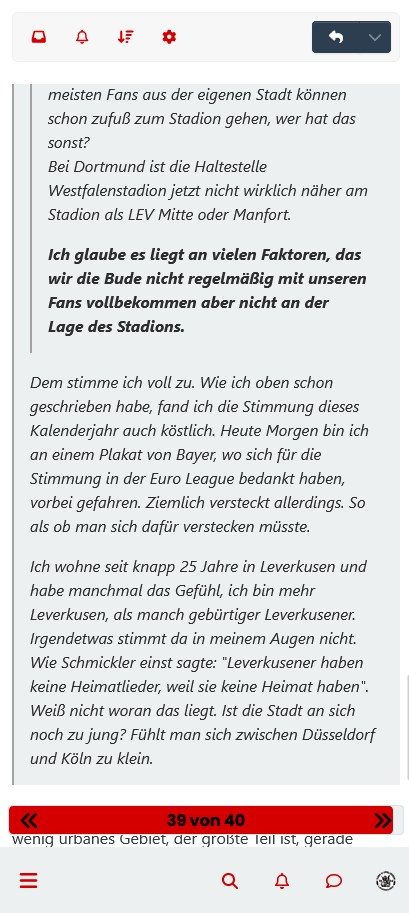
PS : nothing to see but appearance code on topics bug :
The Block code is no longer displayed in its entirety but only on one line :
-

My code work great but a little more

My code conflicts with your OGPROXY code.Do you have an idea so that the two can live together?
PW and WS Spirit alive
-
My code work great but a little more
My code conflicts with your OGPROXY code.Do you have an idea so that the two can live together?
-
I don’t know, I just see that OG proxy does not format the links when my code to block domains is active.
If I disable it, OG proxy works fine.
I would have to make sure that OG proxy does not activate when a blacklist link is detected or that it works one after the other
Actually I don’t really know at the moment.
EDIT:
Maybe add an ignore list to OG PROXY
PW and WS Spirit alive
-
I don’t know, I just see that OG proxy does not format the links when my code to block domains is active.
If I disable it, OG proxy works fine.
I would have to make sure that OG proxy does not activate when a blacklist link is detected or that it works one after the other
Actually I don’t really know at the moment.
EDIT:
Maybe add an ignore list to OG PROXY

@DownPW said in Block Domain:
I don’t know, I just see that OG proxy does not format the links when my code to block domains is active.
This just means that the callback / hook isn’t monitored by OGProxy and can probably be quite easily rectified.
@DownPW said in Block Domain:
Maybe add an ignore list to OG PROXY
There is one already in
function.js- see belowhttps://github.com/phenomlab/ogproxy/blob/03d5ff125611361700d785bd82a6ab16fcd68bfc/function.js#L9
Mark Cutting also advises organisations as a Fractional CIO, Fractional CISO and Executive Advisor, helping boards improve technology governance, cyber resilience and executive decision making. Learn more at Gratmore Ltd
-
@DownPW said in Block Domain:
I don’t know, I just see that OG proxy does not format the links when my code to block domains is active.
This just means that the callback / hook isn’t monitored by OGProxy and can probably be quite easily rectified.
@DownPW said in Block Domain:
Maybe add an ignore list to OG PROXY
There is one already in
function.js- see belowhttps://github.com/phenomlab/ogproxy/blob/03d5ff125611361700d785bd82a6ab16fcd68bfc/function.js#L9
In any case, it doesn’t change anything in fact I think to add exclusions in OG Proxy, because links which are not to be ignored are not formatted by OG proxy
@phenomlab said in Block Domain:
This just means that the callback / hook isn’t monitored by OGProxy and can probably be quite easily rectified.
I’ll look and try to figure it out but can you help me with this ?
PW and WS Spirit alive
-
In any case, it doesn’t change anything in fact I think to add exclusions in OG Proxy, because links which are not to be ignored are not formatted by OG proxy
@phenomlab said in Block Domain:
This just means that the callback / hook isn’t monitored by OGProxy and can probably be quite easily rectified.
I’ll look and try to figure it out but can you help me with this ?
@DownPW said in Block Domain:
I’ll look and try to figure it out but can you help me with this ?
Yes, of course.
-
-
no luck for now
-
I don’t have everything listed.
In fact I’m trying to understand what’s going on, otherwise I’m going all over the place but I don’t have any errors in the console.
In fact I have the impression that the 2 codes act on <a> and that they sometimes come into conflict because when I enter the topic via the recent page or other, OG proxy does the job, I refresh, it works again , I refresh and the OGproxy does nothing.
I have the impression that both codes are playing with the DOM and it’s not okay.
Sometimes OGproxy works, sometimes it works on every second link, and sometimes not at all.Anyway, I’m a little lost at the moment.
I don’t really know what changed or what script changed.
PW and WS Spirit alive
-
I don’t have everything listed.
In fact I’m trying to understand what’s going on, otherwise I’m going all over the place but I don’t have any errors in the console.
In fact I have the impression that the 2 codes act on <a> and that they sometimes come into conflict because when I enter the topic via the recent page or other, OG proxy does the job, I refresh, it works again , I refresh and the OGproxy does nothing.
I have the impression that both codes are playing with the DOM and it’s not okay.
Sometimes OGproxy works, sometimes it works on every second link, and sometimes not at all.Anyway, I’m a little lost at the moment.
I don’t really know what changed or what script changed.
-
-
Script is on dev yes.
-
Hello! It looks like you're interested in this conversation, but you don't have an account yet.
Getting fed up of having to scroll through the same posts each visit? When you register for an account, you'll always come back to exactly where you were before, and choose to be notified of new replies (either via email, or push notification). You'll also be able to save bookmarks and upvote posts to show your appreciation to other community members.
With your input, this post could be even better 💗
Register Login