Widget | CSS customization
-
@phenomlab i suspect the ads inside the content in articles , are not benefiting from full width of the article div container, probably they’re in some other container? Bcoz all the time (on mobile) they’re positioned at center and with a small width
Mark Cutting also advises organisations as a Fractional CIO, Fractional CISO and Executive Advisor, helping boards improve technology governance, cyber resilience and executive decision making. Learn more at Phenomlab Ltd
-
@phenomlab we break that container, when some time ever comes. Full width has potential of increasing chance of click, tho could sound annoying, i know
-
@Sala said in Widget | CSS customization:
In additional css, i’ve iframe { width 100% and height 315 but without important. If i add important, it affects the height of the ads
It will do, yes, because you have this CSS present
div.text img {
    width: 100%;
    height: 315px;
}
You’d need to be more specific here in terms of CSS target. The below would work
.perfmatters-lazy-youtube img { height: 500px !important; }@phenomlab it appears this css didn’t take effect, despite using ! important. If you able to see the path, i could change it from cpanel. Google reported the same issue today.
.perfmatters-lazy-youtube img{height:315px!important}Page example: view-source:https://sopriza.com/how-kenya-can-use-films-to-attract-more-tourists/
-
@phenomlab it appears this css didn’t take effect, despite using ! important. If you able to see the path, i could change it from cpanel. Google reported the same issue today.
.perfmatters-lazy-youtube img{height:315px!important}Page example: view-source:https://sopriza.com/how-kenya-can-use-films-to-attract-more-tourists/
@Sala Try locating the CSS block
div.text imgAnd replace it with
div.text img:not([data-perfmatters-preload])So, you land up with
@media (min-width: 800px) {
div.text img:not([data-perfmatters-preload]) {
    width: 100%;
    height: 315px;
   }
}
Mark Cutting also advises organisations as a Fractional CIO, Fractional CISO and Executive Advisor, helping boards improve technology governance, cyber resilience and executive decision making. Learn more at Phenomlab Ltd
-
@Sala Try locating the CSS block
div.text imgAnd replace it with
div.text img:not([data-perfmatters-preload])So, you land up with
@media (min-width: 800px) { div.text img:not([data-perfmatters-preload]) { width: 100%; height: 315px; } }@phenomlab 480*360 its being read from the ytimage so it could be a background img? I have attempted to apply the last css 2 mins ago, and it did not work
-
@phenomlab 480*360 its being read from the ytimage so it could be a background img? I have attempted to apply the last css 2 mins ago, and it did not work
@Sala Works for me - are you testing this on a desktop? The mobile CSS is a different class

Mark Cutting also advises organisations as a Fractional CIO, Fractional CISO and Executive Advisor, helping boards improve technology governance, cyber resilience and executive decision making. Learn more at Phenomlab Ltd
-
@Sala Works for me - are you testing this on a desktop? The mobile CSS is a different class
@phenomlab i am refreshing the view:source url using mobile, please let me have the class for mobile, i apply
-
@phenomlab i am refreshing the view:source url using mobile, please let me have the class for mobile, i apply
@Sala In mobile view, it looks fine already
Mark Cutting also advises organisations as a Fractional CIO, Fractional CISO and Executive Advisor, helping boards improve technology governance, cyber resilience and executive decision making. Learn more at Phenomlab Ltd
-
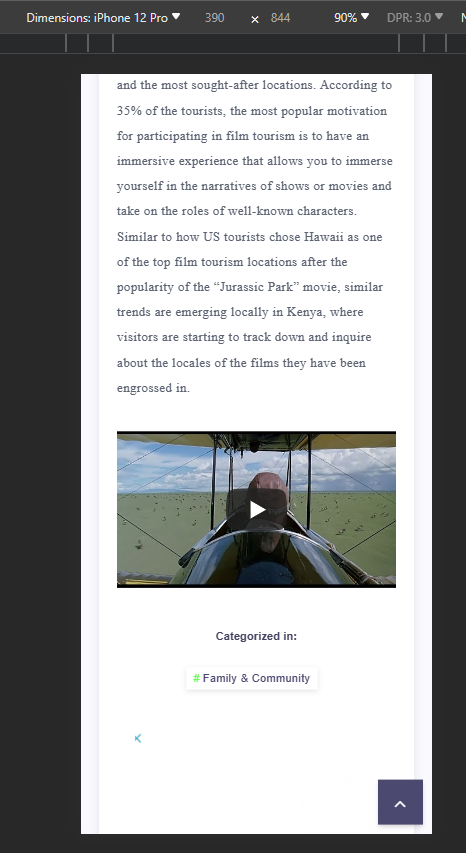
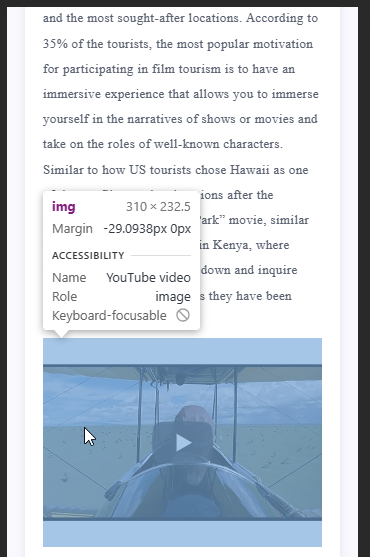
@phenomlab surprisingly on source code the yt thumbnail is still width=“480” height=“360”
-
@phenomlab surprisingly on source code the yt thumbnail is still width=“480” height=“360”
@Sala No, it isn’t
Mark Cutting also advises organisations as a Fractional CIO, Fractional CISO and Executive Advisor, helping boards improve technology governance, cyber resilience and executive decision making. Learn more at Phenomlab Ltd
-
-
@Sala Those are just placeholders and inherited from the iframe embed. If you change those values, nothing will happen.
Mark Cutting also advises organisations as a Fractional CIO, Fractional CISO and Executive Advisor, helping boards improve technology governance, cyber resilience and executive decision making. Learn more at Phenomlab Ltd
-
@Sala Those are just placeholders and inherited from the iframe embed. If you change those values, nothing will happen.
@phenomlab you know the current yt video size is 400 * 225, on that line at the end of that code and still its reported to be very tall. So these placeholders could be the culprit
-
@phenomlab you know the current yt video size is 400 * 225, on that line at the end of that code and still its reported to be very tall. So these placeholders could be the culprit
@Sala What do you get if you try in incognito? It works fine for me.
Mark Cutting also advises organisations as a Fractional CIO, Fractional CISO and Executive Advisor, helping boards improve technology governance, cyber resilience and executive decision making. Learn more at Phenomlab Ltd
-
@phenomlab we are called off for supper, will attempt to check using that, the browser would have to start a fresh. Catch up on later. Many thanks bdw
-
@phenomlab i also believe the video is okay, though the report is still unclear.
Is this a video issue or its the article image?

-
@phenomlab i also believe the video is okay, though the report is still unclear.
Is this a video issue or its the article image?
@Sala That’s telling you that the video is too tall, and doesn’t meet Google’s criteria. You should remove the CSS below and be more specific with image sizes
div.text img {
    width: 100%;
    height: 315px;
}
You are targeting all
imgtags with this CSS, which is less than desirable. Let’s first remove this CSS and see if that resolves the Google crawl issue which I’m confident it will.Mark Cutting also advises organisations as a Fractional CIO, Fractional CISO and Executive Advisor, helping boards improve technology governance, cyber resilience and executive decision making. Learn more at Phenomlab Ltd
-
@Sala That’s telling you that the video is too tall, and doesn’t meet Google’s criteria. You should remove the CSS below and be more specific with image sizes
div.text img {
    width: 100%;
    height: 315px;
}
You are targeting all
imgtags with this CSS, which is less than desirable. Let’s first remove this CSS and see if that resolves the Google crawl issue which I’m confident it will.@phenomlab sure, let me compose myself, because the css currently is wrapped up. But, what of the height if we remove its going to use the image height which sometime back i saw them occupying a large space.
div.text is affecting even yt video d**n, that brings up the picture

-
@phenomlab sure, let me compose myself, because the css currently is wrapped up. But, what of the height if we remove its going to use the image height which sometime back i saw them occupying a large space.
div.text is affecting even yt video d**n, that brings up the picture
@Sala it will affect that because you are targeting all
imgelements - this is why I said to remove that CSS blockMark Cutting also advises organisations as a Fractional CIO, Fractional CISO and Executive Advisor, helping boards improve technology governance, cyber resilience and executive decision making. Learn more at Phenomlab Ltd
-
@Sala it will affect that because you are targeting all
imgelements - this is why I said to remove that CSS block@phenomlab On it sir



Hello! It looks like you're interested in this conversation, but you don't have an account yet.
Getting fed up of having to scroll through the same posts each visit? When you register for an account, you'll always come back to exactly where you were before, and choose to be notified of new replies (either via email, or push notification). You'll also be able to save bookmarks and upvote posts to show your appreciation to other community members.
With your input, this post could be even better 💗
Register Login