nodebb-plugin-reactions not working @v1.0.2 with Harmony theme
-
Hi,
for me the @nodebb-plugin-reactions @v1.0.2 is not working on Harmony theme (nodebb v3). The reaction button doesn’t show up.
As I know for @phenomlab it is working without any problems. There are no errors in the nodebb log so I don’t know exactly where to look at. Harmony is importing the reactions.tpl in post.tpl and I didn’t do any changes. Everything should be alright. Maybe there is a plugin interferring with nodebb-plugins-reactions.
Does anyone have an idea? It worked without problems on v2.
Best regards
David -

@dave1904 I’ve managed to resolve this issue - see below
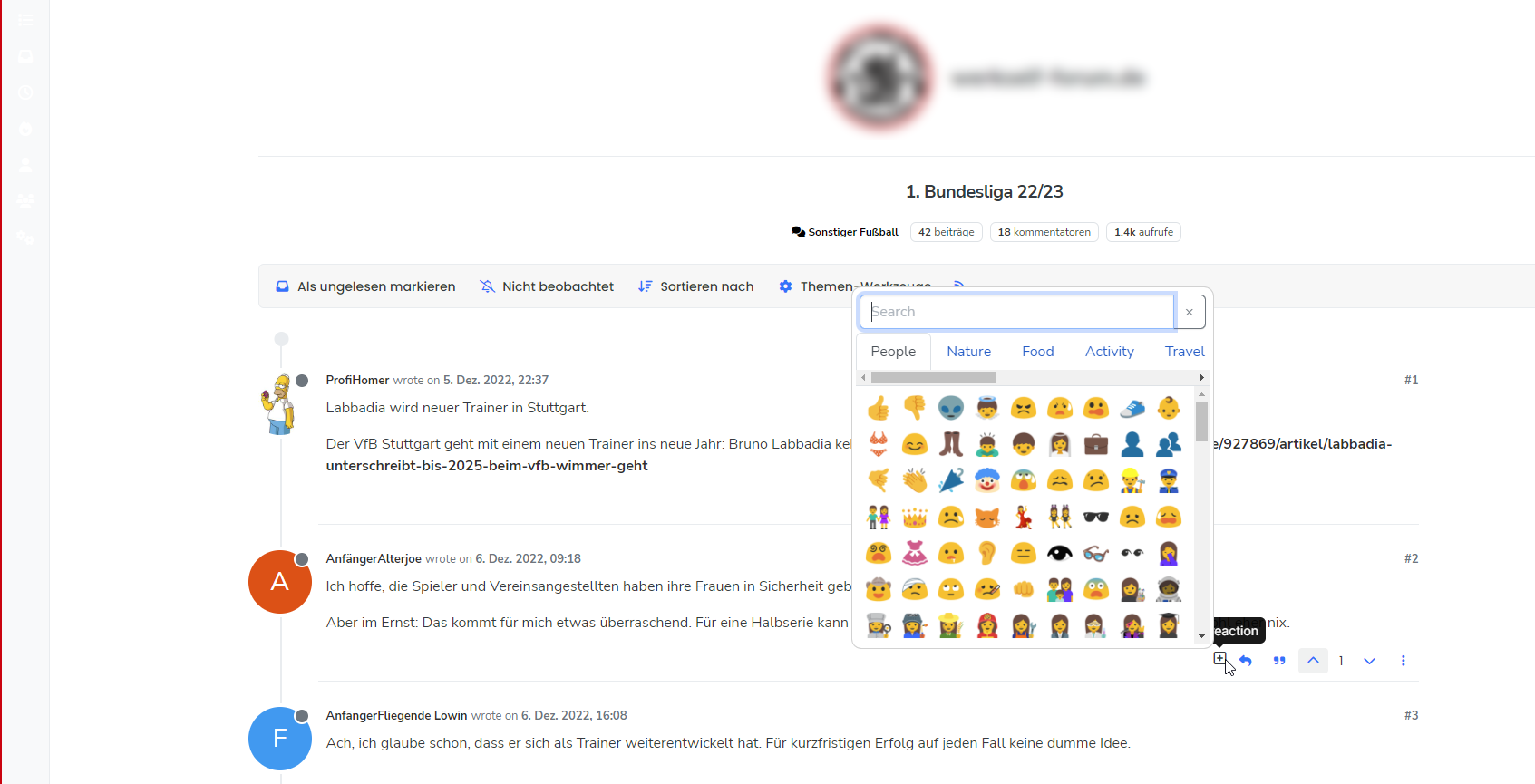
It seems that there is a conflicting plugin somewhere that causes
reactionsto not fire. Not sure which one it is, but below are the steps I took to resolve- Issue
./nodebb reset -t- this essentially resets everything back to default - be warned, as it will strip literally all customisations also - Reactivate only the essential plugins (typically those that come with the stock installation)
- Install and activate
nodebb-plugin-emoji,nodebb-plugin-emoji-androidand@nodebb/nodebb-plugin-reactions@latest - Rebuild and restart
Obviously, these steps are quite dramatic and would mean some downtime for your forum. You’d also need to put everything back the way it was in terms of CSS, Widgets, etc, so quite invasive. My suggestion would be to try a minimal approach on prod to see if we can get that to work without having to use the somewhat “sledgehammer” approach above.
- Issue
-
Hi,
for me the @nodebb-plugin-reactions @v1.0.2 is not working on Harmony theme (nodebb v3). The reaction button doesn’t show up.
As I know for @phenomlab it is working without any problems. There are no errors in the nodebb log so I don’t know exactly where to look at. Harmony is importing the reactions.tpl in post.tpl and I didn’t do any changes. Everything should be alright. Maybe there is a plugin interferring with nodebb-plugins-reactions.
Does anyone have an idea? It worked without problems on v2.
Best regards
David -
-
@DownPW said in nodebb-plugin-reactions not working @v1.0.2 with Harmony theme:
strange, works great on my development environment :
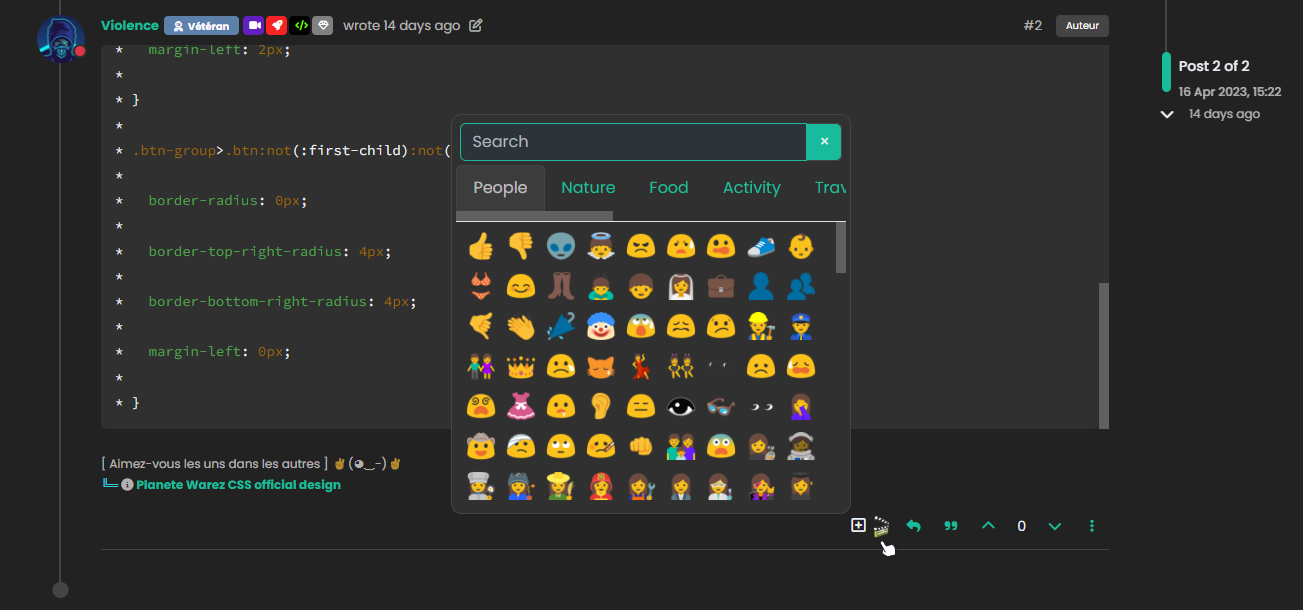
There is something messed up with peer dependencies on my installation. @phenomlab is looking at it right now.
-
-

If needed or if it can be used by someone using this plugin, here is my code for a dark theme :
/*----------------------------------------------------------------------------*/
/*----------------------     nodebb-plugin-reaction     ----------------------*/
/*----------------------------------------------------------------------------*/

/* Popup bg */
.emoji-dialog {
    border: 1px solid var(--bs-border-color);
    background: var(--bs-card-cap-bg);
}

/* Tab bg */
.nav-tabs .nav-item.show .nav-link, .nav-tabs .nav-link.active {
    --bs-nav-tabs-link-active-color: var(--bs-body-color-muted);
    --bs-nav-tabs-link-active-bg: var(--bs-body-navbar-active);
    --bs-nav-tabs-link-active-border-color: var(--bs-border-color);
}

/* Tab Hover */
.nav-tabs .nav-link:hover {
  border: var(--bs-nav-tabs-border-width) solid var(--bs-border-color);
}

/* Add reaction button */
span.reaction-add {
    color: var(--bs-link-color);
}
cya

PW and WS Spirit alive
-
@DownPW said in nodebb-plugin-reactions not working @v1.0.2 with Harmony theme:
strange, works great on my development environment :
There is something messed up with peer dependencies on my installation. @phenomlab is looking at it right now.
@dave1904 I’ve managed to fix most of the peer dependencies but there are still some really strange issues with this instance. I need to look at this in a bit more detail unfortunately as it’s like trying to chase a ghost presently

What I am seeing is the below
npm WARN @apidevtools/swagger-parser@10.1.0 requires a peer of openapi-types@>=7 but none is installed. You must install peer dependencies yourself.
npm WARN @nodebb/nodebb-plugin-reactions@1.0.2 requires a peer of nodebb-plugin-emoji@^4.0.0 but none is installed. You must install peer dependencies yourself.
npm WARN cosmiconfig-typescript-loader@4.3.0 requires a peer of cosmiconfig@>=7 but none is installed. You must install peer dependencies yourself.
npm WARN textcomplete.contenteditable@0.1.1 requires a peer of textcomplete@^0.14.2 but none is installed. You must install peer dependencies yourself.
The second line I would not expect because that dependency is satisfied by
nodebb-plugin-emoji@5.0.7which is now installed. Hard to know what the peer dependencies are currently.EDIT: You have a really old
npmversion at 6.14.17. This should be upgraded and may solve the problems. For example, mine is v9.Additionally, using the command
npm config set legacy-peer-deps trueshould auto resolve issues, but likelynpmneeds upgrading. -
@phenomlab I’m very thankful for taking your time and fixing most of the peer dependencies. That’s really strange
-
@phenomlab I’m very thankful for taking your time and fixing most of the peer dependencies. That’s really strange
-
@phenomlab I’m very thankful for taking your time and fixing most of the peer dependencies. That’s really strange
@dave1904 I’ll look more into this tomorrow, but you could
- Upgrade
npm - Stop NodeBB
- Run the NodeBB upgrade process again
- Start NodeBB
- Test
Mark Cutting also advises organisations as a Fractional CIO, Fractional CISO and Executive Advisor, helping boards improve technology governance, cyber resilience and executive decision making. Learn more at Gratmore Ltd
- Upgrade
-
@dave1904 I’ll look more into this tomorrow, but you could
- Upgrade
npm - Stop NodeBB
- Run the NodeBB upgrade process again
- Start NodeBB
- Test
@phenomlab said in nodebb-plugin-reactions not working @v1.0.2 with Harmony theme:
@dave1904 I’ll look more into this tomorrow, but you could
- Upgrade
npm - Stop NodeBB
- Run the NodeBB upgrade process again
- Start NodeBB
- Test
I tried your steps but still no success unfortunately
- Upgrade
-
@phenomlab said in nodebb-plugin-reactions not working @v1.0.2 with Harmony theme:
@dave1904 I’ll look more into this tomorrow, but you could
- Upgrade
npm - Stop NodeBB
- Run the NodeBB upgrade process again
- Start NodeBB
- Test
I tried your steps but still no success unfortunately
@dave1904 what’s the output of
npm --versionandnode --version?Mark Cutting also advises organisations as a Fractional CIO, Fractional CISO and Executive Advisor, helping boards improve technology governance, cyber resilience and executive decision making. Learn more at Gratmore Ltd
- Upgrade
-
-
-
@phenomlab After upgrading npm and node I did upgrade nodebb again but that didn’t do any changes. Can you please tell me which commands I have to use to see those peer dependencies listed in the screenshot you sent me via pn?
-
@phenomlab After upgrading npm and node I did upgrade nodebb again but that didn’t do any changes. Can you please tell me which commands I have to use to see those peer dependencies listed in the screenshot you sent me via pn?
-
-
2. Bringing base dependencies up to date...  started

up to date, audited 1180 packages in 8s

139 packages are looking for funding
  run `npm fund` for details
Looks better doesn’t it?
-
-


Hello! It looks like you're interested in this conversation, but you don't have an account yet.
Getting fed up of having to scroll through the same posts each visit? When you register for an account, you'll always come back to exactly where you were before, and choose to be notified of new replies (either via email, or push notification). You'll also be able to save bookmarks and upvote posts to show your appreciation to other community members.
With your input, this post could be even better 💗
Register LoginDid this solution help you?
Related Topics
-
-
-

Nodebb design
Solved General -
-
-
Welcome to NodeBB V3!
Pinned Moved General -
-